Category: WordCamp

  • WordPress, AI, and the generational shift: insights from #WCUS Creators Studio

    WordPress, AI, and the generational shift: insights from #WCUS Creators Studio

    Automattic’s Developer Advocates didn’t hold back at WordCamp US. Jonathan Bossenger, Brian Coords, Birgit Pauli-Haack, and Ryan Welcher sat down for a no-BS roundtable about WordPress’s future, AI’s actual role in the CMS world, and the big question: Is WordPress still cool enough for the next generation of developers?

    This wasn’t your typical conference panel with rehearsed talking points. The conversation dug into how WordPress is evolving right now—messy bits, growing pains, and all.

    Is WordPress headed for “Legacy” status?

    The episode opened with a gut-punch question from a ChatGPT impersonation of a 25-year-old YouTuber: Is WordPress becoming a “legacy CMS,” or does it still belong at the cutting edge of web development?

    The panelists weren’t having it. Birgit jumped straight into the modernization happening right now—Gutenberg’s evolution, sophisticated admin interfaces, and the shift toward block-based design systems. This isn’t your grandfather’s WordPress dashboard.

    Brian kept things grounded: Sure, newer technologies like React and Vite deliver flashy front-end experiences, but guess what? Most projects eventually need a solid content management foundation. WordPress still delivers out-of-the-box content modeling, user authentication, and integrations that would take months to build from scratch elsewhere.

    No-Code dreams or developer nightmares?

    The conversation shifted to whether Full Site Editing and block themes actually simplify web building or just create new headaches for developers.

    Jonathan pushed back on the “things are getting messier” narrative. His take? Structured, scalable paradigms always require an adjustment period. It’s not messier—it’s different, and that learning curve is normal.

    Birgit shared a telling example: features like custom block styles that once required developer intervention are now accessible to content creators. It’s empowering non-developers while maintaining professional guardrails—exactly what good tooling should do.

    Brian’s perspective? The block paradigm creates consistency. More people can build and customize using standardized approaches instead of fighting with fragmented solutions.

    The subtext here: WordPress isn’t dumbing down. It’s getting smarter about who can participate in the building process.

    Winning over the next generation

    A big conversation centered on how WordPress stays relevant for younger developers swimming in a sea of shiny new options. Does WordPress still feel fresh? The team didn’t dodge the question.

    It’s true: WordPress needs to meet new developers where they actually hang out—YouTube tutorials, TikTok quick hits, and mobile-first learning. Gone are the days when developers solely learned from documentation and forums.

    Jonathan hit a key point: WordPress must keep demonstrating its power and possibilities, not just its legacy. Brian backed this up with market reality—there’s still solid demand for both PHP and React skills within the WordPress ecosystem. The work is there if developers want it.

    But here’s the proof point that really landed: Birgit shared CERN’s story—yes, the global research powerhouse—migrating thousands of websites to WordPress. The kicker? Younger developers on their team were leading the charge.

    That’s not a platform declining. That’s a platform adapting and attracting fresh talent where it matters most. The question isn’t whether WordPress can compete for the next generation—it’s whether we’re telling that story loud enough.

    WordPress and Headless: the reality check

    Panelists were clear: WordPress has the headless chops with REST API and GraphQL support, but that doesn’t mean everyone should jump on the bandwagon. Despite the industry buzz, most sites simply don’t need headless architecture.

    The sweet spot? Clients with significant budgets or organizations treating WordPress as a content hub that feeds multiple touchpoints—other applications, mobile experiences, or external APIs. For everyone else, traditional WordPress delivers faster launch times and simpler maintenance.

    What’s interesting is the innovation happening on both fronts. Developers are not only exposing WordPress data through REST and GraphQL but also pulling external data sources like Airtable directly into the block editor. That’s where the real magic happens for most teams.

    In reality, headless setups are complex beasts with multiple failure points and hefty price tags. Traditional WordPress wins the speed-to-market race and keeps maintenance headaches to a minimum.

    The infrastructure is solid, and real projects are shipping, but headless remains the exception rather than the rule. The ecosystem continues doubling down on improving core WordPress while keeping headless as a powerful option when the benefits justify the investment.

    The short version: headless WordPress is a tool, not a mandate. Choose wisely based on your actual needs, not the hype.

    AI integration—beyond the buzzword

    You knew AI would come up—it’s practically mandatory at every tech event these days. But the panel cut through the noise with some practical reality.

    Here’s the thing: AI-powered plugins have been around for a while now. The real challenge isn’t adding more AI features—it’s creating unified standards and APIs at the Core level. Think image generation, content creation, and debugging tools that actually work together instead of operating in silos.

    Brian nailed the infrastructure angle: WordPress needs to pick standards that balance extensibility with privacy. Not everyone wants their content shipped off to massive cloud-based LLMs, and rightfully so.

    The smart play isn’t chasing every AI trend that pops up on Product Hunt. It’s building the foundation that lets developers integrate AI thoughtfully—whether that’s keeping processing local, giving users control over their data, or ensuring different AI tools can actually talk to each other.

    AI in WordPress isn’t about being flashy. It’s about being useful secure and giving users real choice in how they want to leverage these tools. That’s the kind of AI integration that actually moves the needle.

    Will AI replace developers?

    The panel didn’t dance around this one: AI makes developers more productive, not obsolete.

    Jonathan kept it real about AI coding assistants like Copilot—they’re helpful, but they’re not magic. You still need actual developer expertise to review, modify, and debug what these tools spit out. Anyone who’s wrestled with AI-generated code knows it’s not exactly plug-and-play.

    The bottom line? These tools change how we work, not whether we’re needed. Skilled, creative builders aren’t going anywhere.

    The future: openness, community, and better storytelling

    As the conversation wound down, the focus shifted to what really drives WordPress forward—community and storytelling.

    Ryan made a solid point: WordPress professionals need to share more of their “hidden” case studies and innovations. We’re not just talking about what’s happening in plugin repositories, but the real work happening in agencies and institutions worldwide. Those stories matter.

    Both Birgit and Jonathan pushed for more global showcases, bar camps, and informal spaces where grassroots innovation can surface. Because that’s where the real magic happens—not in conference keynotes, but in the trenches where people are solving actual problems.

    The Conclusion

    The panel’s take? WordPress is agile, dynamic, and very much alive. With ongoing improvements, strong community engagement, and thoughtful AI integration, the platform looks ready to keep powering the web for the next generation—and beyond.

    Not bad for a 22-year-old platform that some people keep writing off.


    Resources:

    Browse the WordPress Showcase
  • Accordion Block, Automattic Telex, Playground CLI and more—Weekend Edition #339

    Accordion Block, Automattic Telex, Playground CLI and more—Weekend Edition #339

    Hi,

    WordCamp US was a blast, although a four-day WordCamp felt weird. And after day four I was exhausted. I am almost done dealing with jet lag coming back from the nine-hour time difference. Interestingly enough, I saw way more talks than at previous WordCamps and I enjoyed learning new things. I also caught up with many long-time WordPress friends, most of whom I haven’t seen since the pandemic. My heart is full. 💕

    More on WordCamp US below.

    I also caught up on a lot of stuff from the rest of the WordPress world, so this weekend edition is really packed.

    Wishing you a fantastic weekend.

    Yours, 💕
    Birgit

    WordCamp US 2025

    For this week, I just link some recaps post and collect the WordPress TV links of the talks. More to come over the next weeks or so.

    Recap posts

    There are already quite a few recap posts about WordPress US published. Here is a selection:

    Brett McSherry published a recap: Portland Welcomes WordCamp US 2025: A Community Gathering

    So did Rae Morey at The Repository WordCamp US 2025 Wraps in Portland: AI Demos, Student Programs, and What’s Next for WordPress

    Andy Fragen shared his photo album: WCUS 2025 in Pictures.

    Communications Lead at DreamHost, Annette Irwin, reported extensively from each day in Portland, OR:

    The 5 Best Things About WordCamp US 2025 by Tess Needham, WordPress.com

    Recordings

    The WordCamp US Livestream recordings are available on YouTube. The AV team is in the process of uploading single talks to WordPressTV

    Here is the list of talks I shared in Weekend Edition 338, now with the links to the recordings on WordPress TV

    AI was a big topic at WCUS 2025 with about a dozen talks from various angles. My recommendations are:

    The full list of talks is available on WordPress TV here.

    The recordings of the workshops are not yet available. I’ll share them in a future Weekend Edition.

    Major WordPress events in 2026

    2026 is still many months away, but you can’t plan soon enough. Save the dates!

    DatesName of the EventLocation
    January 23-24, 2026WordCamp NepalButwal, Nepal
    April 8-11, 2026PressConfPhoenix, Arizona, USA
    April 9–11, 2026WordCamp Asia Mumbai, India
    April 23-24, 2026Checkout SummitPalermo, Italy
    June 4-6, 2026WordCamp EuropeKrakow, Poland
    August 16-19, 2026WordCamp USPhoenix, Arizona, USA

    Many more WordCamps are in the early stages. You can check out the schedule on WordCamp.org and also review the WordCamps planned for the rest of 2025.

    For the remainder of 2025, I just booked my flight to Gdansk to attend WordCamp Gdynia, September 26 – 28, the first bilingual WordCamp in Poland. And I am contemplating attending WordCamp Pisa in November.

    Developing Gutenberg and WordPress

    Anne McCarthy and I joined Nathan Wrigley on the 4th episode of the “At the Core” podcast series of WPBuilds. We talked about the Admins design and AI building blocks, the Roadmap for 6.9, the command line for WPAdmin, and Speculative loading. It was a fun, fast-paced conversation.


    Aki Hamano released Gutenberg 21.5 and highlighted in his post What’s new in Gutenberg 21.5? (27 August)

    1. Introducing Accordion block
    2. Command Palette in admin dashboard
    3. Support border radius presets

    🎙️ The latest episode is Gutenberg Changelog #133 – Gutenberg 23.6 Release and WordPress 7.1 with special guest Faith Imokol, webdeveloper from Uganda.

    Plugins, Themes, and Tools for #nocode site builders and owners

    In her post on the WooCommerce Developer Blog, Stephanie Pi walks you through the updates coming to WooCommerce 10.2. Get ready for the Product Collection Carousel and Bloc, simplified templates, a faster Cart Block, improved taxonomy filters, and so much more. Beta 2 is scheduled for September 8th, and the final release drops on September 16th, 2025.

    Product Carousel coming to WooCommerce 10.2 on September 16, 2025

    Wes Theron explains in this video how to work with WordPress templates. You’ll learn the difference between pages and templates in WordPress and how templates control the layout and structure of your pages—including headers, footers, and content—without affecting the content itself. Theron explored how editing templates impacts all pages using them, and showed practical examples using the Pages Template, Single Posts Template, All Archives Template, 404 Template, and your homepage.


    Ajit Bohra, Lubus, announced that their open-source Tabs Block is now available in the WordPress repository. Users can create horizontal or vertical tabs directly inside the WordPress Block Editor. Documentation can be found on GitHub Wiki

    Tabs Block screenshot by Lubus.in

    Kevin Batdorf published the Fit To Width block in the WordPress repository. The block is used for displaying each line of text at full width, no matter the length of the text.

    screenshot of an example of the Fit-to-Width block by Kevin Batdorf

    Ryan Welcher released v4.3.0v of his Advanced Query Loop block in the WordPress repository. The update introduces a new post exclusion tool, a completely overhauled Post Meta Queries UI, and a new option for Meta Type.

    Theme Development for Full Site Editing and Blocks

    Justin Tadlock posted his take on the overall question: Why WordPress Core needs more blocks. He used to support keeping WordPress lean, but block themes changed everything. Now theme builders have way fewer tools compared to before—you can’t just include breadcrumbs, accordions, or icons without finding specific blocks for them. When users don’t have the right blocks installed, they get ugly error messages. He wants WordPress to include more core blocks like tabs, icons, and accordions so theme creators can actually build what they envision without hitting brick walls. What do you think? Leave a comment on Tadlock’s post or on the GitHub issue: New Block additions for the Block Library.


    In January, Arun R Shenoy held a talk at WordCamp Kolhapur with the title Crafting Attractive Block Themes Using the Block Editor Alone. The recording is now online on WordPressTV. Shenoy explored “minimalist design and the capabilities of the Block Editor. No coding or complex tools—just the editor and your creative vision.” He explained the basics for those who haven’t used the Site Editor yet and want to learn more. The slidedeck is also available online.

    Screenshot of Arun Shenoy's Talk at WordCamp Kolhapur

     “Keeping up with Gutenberg – Index 2025” 
    A chronological list of the WordPress Make Blog posts from various teams involved in Gutenberg development: Design, Theme Review Team, Core Editor, Core JS, Core CSS, Test, and Meta team from Jan. 2024 on. Updated by yours truly. The previous years are also available: 2020 | 2021 | 2022 | 2023 | 2024

    Building Blocks and Tools for the Block editor

    The head of engineering at The Code Company, Zac Hickson took a look at the question: Is The WordPress Interactivity API Enterprise-Ready? After a year of testing, they found it’s good to go since WordPress 6.5, making things easier by cutting down technical debt and boosting performance while sticking to the WordPress ecosystem. It handles standard interactive bits pretty well, but you’ll want to plan carefully for those trickier apps. It’s perfect for teams that live and breathe WordPress and want a simpler front-end setup.

    The article takes a look at the WordPress Interactivity API by testing it out in real-life client projects. It dives into how ready it is technically, compares its performance against React, Vue, Alpine.js, and jQuery, and shares some cool case studies, like multi-site subscription systems and interactive camera demos. Plus, it gives some tips on how to implement it and some advice on when to pick this API over the others. The whole analysis is all about figuring out how doable this is for organizations that are all about WordPress.


    Author Paulo Carvajal‘s new guide, Mastering Complex Attributes in WordPress Blocks: Handling Objects, Arrays, and Nested Data, teaches developers how to work with complex data in block attributes beyond simple text and toggles. It covers arrays for repeatable content like galleries, objects for grouped settings, and nested data structures. The tutorial shows code examples for managing state properly, validating data, and handling performance issues. It explains how to create sophisticated blocks like testimonial sliders while keeping the editing experience user-friendly and avoiding common pitfalls with state management.

    WordPress Developer Blog

    Troy Chaplin continues sharing his experience, his workflow and plugin setup on the WordPress Developer Blog with two articles:

    Don’t miss a new article ever again. Subscribe to the WordPress Developer Blog!


    Justin Tadlock and Abar Thakor discussed How to Start Contributing to the WordPress Developer Blog (Even If You’re New) in an episode on the OpenChannels network. Don’t wait to be an expert before contributing to the WordPress Developer Blog. Even beginners can share small solutions, guides, or case studies they’ve built. Start by browsing existing posts for inspiration, then share your idea on the GitHub discussion panel. The editorial team is super helpful and will work with you to polish your writing. Your beginner perspective might be exactly what other new developers need to see.

    Artificial intelligence (AI) and WordPress

    A new AI Tool, Automattic Telex, makes it easier to build Blocks for the block editor. Matt Mullenweg announced it in his keynote.

    Rae Morey, The Repository, reports on the reception around the Interwebs. Automattic Debuts Telex, Bringing AI-Powered “Vibe Coding” to Gutenberg Blocks.

    Sarah Perez at TechCrunch also picked up the story: WordPress shows off Telex, its experimental AI development tool

    Don’t be shy, give it a whirl, share your feedback, and leave a comment.


    Grzegorz Ziółkowski released the Composer package wordpress/abilities-api. WordPress developers can now test the Abilities API before it officially launches in WordPress 6.9. The Abilities API creates a common language for all WordPress components to define their functionalities, making it easier for both humans and machines to understand. By using this shared language, plugins, and themes can help AI solutions find, interpret, and use capabilities across the WordPress ecosystem. You can learn more about this new feature on the Make blog of the AI Team.

    What’s new for WordPress Playground

    In this episode on the OpenChannels Learn How WordPress Playground Revolutionizes Local Development Testing and Learning Abha Thakor and Fellyph Cintra discuss WordPress Playground, its features, accessibility, and impact on developers and users. One new feature is the Playground Command line interface (CLI). You can use the playground CLI to spin up a WordPress instance directly from your plugin or theme folder by using with the --auto-mount flag with the command. This gives you a complete development environment in seconds.

    npx @wp-playground/cli server --auto-mount

    Recent updates also added a demo content for the plan Playground site, when accessing playground.wordpress.net


    Need a plugin .zip from Gutenberg’s master branch?
    Gutenberg Times provides daily build for testing and review.

    Now also available via WordPress Playground. There is no need for a test site locally or on a server. Have you been using it? Email me with your experience

    GitHub all releases

    Questions? Suggestions? Ideas?
    Don’t hesitate to send them via email or
    send me a message on WordPress Slack or Twitter @bph.


    For questions to be answered on the Gutenberg Changelog,
    send them to changelog@gutenbergtimes.com


    Featured Image: Photo by Peter Nguyen on Unsplash


    Don’t want to miss the next Weekend Edition?

    We hate spam, too, and won’t give your email address to anyone
    except Mailchimp to send out our Weekend Edition

    Thanks for subscribing.

  • From WordCamp Europe to AI and Beyond: Figma, Fresh Courses, and Block Style  — Weekend Edition #332

    From WordCamp Europe to AI and Beyond: Figma, Fresh Courses, and Block Style — Weekend Edition #332


    Hi there,

    WordCamp Europe is over. I had a blast and also caught a bug.🤧

    The next flagship WordCamp is just around the corner: WordCamp US will take place August 26 – 29 with Contributor Day, Showcase Day and a two-day conference. The call for speakers is open, notice the deadline June 20 for your submission. Also open are the call for sponsors and for volunteers.

    I am so excited as I will finally connect with my WordPress friends from the US again. It took me three years to get back to WordCamp US after our move to Germany.

    With Automattic getting back to contributions, the team caught up on Gutenberg release posts and there is a new Gutenberg version available. I also have a few notes and links collected about the new AI team and their work.

    I hope to see you at WordCamp US, too

    Yours, 💕
    Birgit

    Developing Gutenberg and WordPress

    In the latest edition of What’s New for Developers (June 2025), Justin Tadlock collected lots of information relevant for plugin authors, themes builders and agency freelance developers from Core, Gutenberg, and Playground. It’s the best post to catch up on the last to month of updates in WordPress. 


    Carlos Bravo release Gutenberg 21.0. In his release post What’s new in Gutenberg 21.0? he highlighted.


    Jessica Lyschik used the time during Contributor Day at WordCamp Europe to get a head start on catching up with the release posts for earlier Gutenberg releases.


    🎙️ The latest episode is Gutenberg Changelog #133 – Gutenberg 23.6 Release and WordPress 7.1 with special guest Faith Imokol, webdeveloper from Uganda.

    New WordPress AI Team

    Just ahead of WordCamp Europe, Mary Hubbard announce the new AI team, identifying James LePage and Felix Arnzt as team reps. James LePage followed up with his post Welcome to the Core AI Team Blog.

    The community came together for the Introducing the AI Team Hallway Hangout and Anne McCarthy published the recap and the recording.

    What I learned:

    • The AI Team is laying the groundwork to bring AI into WordPress, and the timing couldn’t be better. With AI moving at lightning speed, it’s important for WordPress to stay in the mix.
    • For now, the AI Team isn’t adding big AI tools directly into WordPress. Instead, they’re working on simple plugins that help connect WordPress to different AI services. Maybe someday AI will be built right into the core, but that’s not on the table yet.
    • WordPress leaders are fully behind the AI Team, recognizing that AI is the future and wanting to keep WordPress front and center as things evolve.

    The current initiatives / plugins have been mentioned in early editions of the newsletter:

    • AI Services Plugin by Felix Arnzt provides an abstraction layer for multiple AI providers, enabling plugin authors to use a unified API for AI interactions.
    • MCP for WordPress plugin by Pascal Birchler implements Model Context Protocol (MCP) servers in WordPress, enabling advanced AI integrations via command-line or plugins. You can learn more about reading Pascal Bichler’s post Enabling AI-Powered WordPress Development with WP-CLI and the Model Context Protocol (MCP)
    • WP-Feature-API plugin by Automattic structures WordPress features for better AI interaction, offering a standardized way to register resources for AI use. It’s a system for exposing server and client-side functionality in WordPress for use in LLMs and agentic systems

    The WordPress AI Team chats in the WPSlack #core-ai channel and holds meetings every other Thursday at 16:00 UTC. You can read the summary of this week’s meeting on the Make AI blog.


    In his video The WordPress AI fightback begins! Jamie Marsland interviews James LePage about AI in WordPress and the new team.

    WordCamp Europe

    It was a fantastic WordCamp at a great venue. I enjoyed the many, many conversations with attendees, sponsors, contributors and fellow speakers. The organizing team has done a fabulous job, in all areas, and the volunteers were awesome. The speaker team was first-class in their support. As a first time WCEU speaker, I felt very well cared for. I loved the bright and brilliant designs at the venue as well as on the website and on screens.

    The most astonishing work was done by the AV team, who uploaded all videos to WordPress TV by the end of the WordCamp. In contrast to previous WordCamps, all workshops were also recorded, and you can watch them at your own speed. 

    As always, I share my opinionated list of favorites:

    During Fire side Chat with Mary Hubbard and Matt Mullenweg they discussed, among other things, the WordPress Campus Connect project that’s being rolled out as an official program. Hubbard also announced the start of a pilot project for student internships with the University of Pisa, encompassing 5000 students to contribute 150 hours and received six college credits.

    Mary Hubbard and Matt Mullenweg at WordCamp Europe 2025. Photo by Sathwik Prabhu

    Another great talk was by Noel Tock WordPress without Borders – The Fight for Digital Freedom. Tock not only shared from his charity work in Ukraine but also about other charities who help with finding kids, providing a roof over the head of people who lost their homes, and trying to alleviate other hardships. Tock made us realize the true impact of WordPress has to all the agencies who use it for their web site to fundraise and connect with communities. The pictures from Ukraine are heart-wrenching.

    The Block related talks:  

    If you are interested in working with Playground, two workshops might help you get started depending on your needs

    This is only a small list, and there are many great talks about all WordPress topics, for content creators, developers, entrepreneurs, and educators. Check them out.

    A few attendees published recap posts:

    Plugins, Themes, and Tools for #nocode site builders and owners


    Carlo Daniele
    , Kinsta, dug deeper in the term WordPress Hybrid Themes. He covered two approaches. The first is how hybrid themes bridge the gap between Classic and Block Themes by supporting modern block features. They maintain compatibility with traditional plugins and templates. The second highlights ways developers can enhance hybrid themes with global styles. They can use block patterns and template parts for flexible site building.


    In her post, From Page Builders to Blocks, Johanne Courtright, founder of Groundworx, explains why it’s time to move from page builders to Gutenberg, the built-in block editor. She points out its built-in stability, better performance, and easier design control. Courtright tackles common worries, then suggests starting small—like switching your blog first, updating your theme, and helping users learn—showing that Gutenberg’s block system is the way forward for WordPress.


    In here post Design Once, Build Everywhere:The Lego Principle for Page Builders, Tammie Lister reflects on the fragmented world of page builders, arguing for a “Lego principle” where design components are created once and used everywhere. She suggests that adopting shared foundations and modular systems—much like Lego’s approach—would unlock creativity, improve portability, and better meet modern demands. Ultimately, Lister envisions a future where page builders are collaborative, flexible, and empower users to build without barriers.

    Theme Development for Full Site Editing and Blocks

    Fabian Kägy, director of Editorial Engineering, introduced Fueled’s open-source Figma to WordPress plugin, which exports design tokens from Figma directly into a WordPress theme.json file, reducing a 10–15 hour manual process to about an hour and enabling rapid, consistent theme development without extra frameworks or licenses

    Screenshot of the Figma to WordPress plugin

    Jeremy Holcombe at Kinsta, also researched How to convert a Figma project to WordPress and walks you through three methods. He covers using the Figma plugin by Yotako for automation, manually rebuilding designs in WordPress for precision, and hiring professional services, highlighting the pros, cons, and best use cases for each approach..


    Mike McAlister introduced the Ollie Theme Academy video course a free and in-depth video course teaching everything from the basics to advanced techniques of WordPress block theme development. The course covers full site editing, global styles, patterns, and aims to help anyone modernize their WordPress workflow for 2025 and beyond.

    10 days later, McAlister followed up with the announcement of a Block Development course. This is a new resource to help developers master building custom WordPress blocks. It provides practical, hands-on video lessons focused on modern block development. This approach aims to make it easier for anyone to create powerful, custom blocks for their WordPress sites.

    Screenshot of the landing page for the Ollie Block Academy, courtesy of Mike McAlister

    Bernhard Kau explored Implementing a custom block style variation using only JSON files in WordPress block themes. He explains how to make a perfectly round button by defining a new style in a JSON file. This approach bypasses the need for PHP or JavaScript. Despite some limitations, this approach allows for easy customization. There is incomplete support for certain properties. Nevertheless, it enables consistent design without writing traditional code.

     “Keeping up with Gutenberg – Index 2025” 
    A chronological list of the WordPress Make Blog posts from various teams involved in Gutenberg development: Design, Theme Review Team, Core Editor, Core JS, Core CSS, Test, and Meta team from Jan. 2024 on. Updated by yours truly. The previous years are also available: 2020 | 2021 | 2022 | 2023 | 2024

    Building Blocks and Tools for the Block editor


    Alfredo Navas, developer at WebDevStudios, explored the MCP server plugin. He shared his findings and highlighted how it enables external tools or AI agents to interact with WordPress. These interactions are useful for tasks like creating posts or debugging. He notes its usefulness for automating workflows, its extensibility, and that it’s still under active development.


    Eric Karkovack explains how to add custom style variations to WordPress blocks using a custom plugin. He guides you through creating custom style variations for WordPress blocks. He details building a plugin, using the ‎`register_block_style()` function, and applying unique styles—like a “Unicorn” button—via PHP or JSON. This way you empower your users to personalize block designs and enhance site consistency. 


    I mentioned DeepWiki before, in WE #329, and now Jonathan Bossenger invites you in you YouTube video to learn more about DeepWiki | AI powered documentation you can talk to.

    I asked DeepWiki the following questions, click on the links to get to the answers.


    Need a plugin .zip from Gutenberg’s master branch?
    Gutenberg Times provides daily build for testing and review.

    Now also available via WordPress Playground. There is no need for a test site locally or on a server. Have you been using it? Email me with your experience

    GitHub all releases

    Questions? Suggestions? Ideas?
    Don’t hesitate to send them via email or
    send me a message on WordPress Slack or Twitter @bph.


    For questions to be answered on the Gutenberg Changelog,
    send them to changelog@gutenbergtimes.com


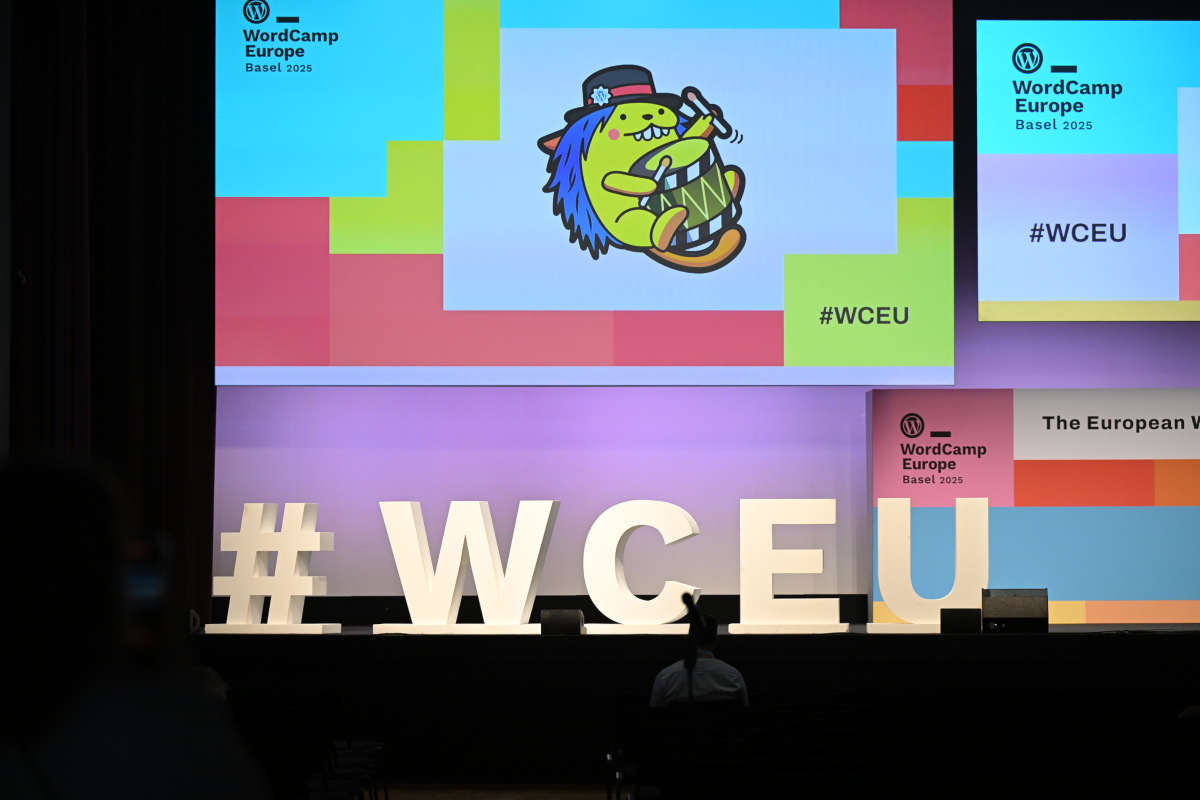
    Featured Image: WordCamp Europe 2025 photo by Kostas Fryganiotis, found on Flickr


    Don’t want to miss the next Weekend Edition?

    We hate spam, too, and won’t give your email address to anyone
    except Mailchimp to send out our Weekend Edition

    Thanks for subscribing.

  • Feature API, Playground, Gutenberg 20.9, Interactivity API, #WCUS and moar — Weekend Edition 331

    Feature API, Playground, Gutenberg 20.9, Interactivity API, #WCUS and moar — Weekend Edition 331

    Howdy,

    This week, I continued to learn about more plugins for the block editor. They might be new to the WordPress repository or just new to me, haha. Also, Playground came up in the last couple of weeks, and I share two tutorials and a video about my workshop at WordCamp Europe. And via the Feature API you can prepare your plugins for AI Agents.

    As every year, WordCamp Europe will also have a Live stream for the talks and keynotes. Just check out the website on Jun 6th, 2025. The next Weekend Edition will drop in your inbox after WordCamp Europe and I will share some cool talks from the live stream.

    Until have a great time!

    Yours, 💕
    Birgit

    WordCamp Europe is just around the corner! 🎉 If you want to meet up in Basel (June 4–7), grab a slot on my calendar or send me your link. #WCEU

    ICYMI: WordCamp US Call for Speaker is now live the deadline is June 20, 2025. WordCamp US will take place from August 26 to 29th, 2025. Similar to last year, there are no lightening talks, only long form talks, workshops, or campfire sessions. August 26 will be Contributor Day. Sessions start on August 27 in three tracks. You need to have a WordPress.org account to enter the form. The Call for Sponsors has also been published.

    Developing Gutenberg and WordPress

    George Mamadashvili just dropped the Gutenberg 20.9 RC1 for everyone to test out, and we’re expecting the final version to go live next week! After WordCamp Europe, I’ll catch up with Anne McCarthy to record our next Gutenberg Changelog, where we’ll chat about a bunch of stuff, including those two Gutenberg plugin releases, 20.9 and 21.0.

    🎙️ The latest episode is Gutenberg Changelog #133 – Gutenberg 23.6 Release and WordPress 7.1 with special guest Faith Imokol, webdeveloper from Uganda.

    Plugins, Themes, and Tools for #nocode site builders and owners

    Johanne Courtright explains how Gutenberg is a game-changer — and clients actually love it (when done right). When implemented thoughtfully, she found, the Gutenberg editor revolutionizes WordPress by empowering clients with intuitive, flexible content creation. In her experience, clients express genuine satisfaction, as Gutenberg’s block-based approach simplifies editing and design, making website management more accessible and enjoyable for non-technical users.


    Kevin Batdorf updated his plugin Pattern CSS . It lets you add CSS scoped to a block, and recently added a floating editor as well as a global CSS editor, making it easy to add custom animations or anything. It’s parsed via Lightening CSS in WebAssembly as you type, and works well with synced patterns.


    Thorsten Landsiedel published a plugin called “Hide Block in RSS feed,” which adds a toggle switch to block sidebars for suppressing content in RSS feeds. In his talk at WordCamp Leipzig, he noted that decorative icons/images may display differently in RSS readers. Using this block you can improve readability by suppressing specific blocks in the feeds. The plugin is available on GitHub.


    Weston Ruter, a long-time WordPress Core committer, explains step-by step how he added caption and lightbox to the featured image block. When Weston Ruter rebuilt his site with the Twenty Twenty-Five theme, he noticed the Featured Image block lacked caption and lightbox features. Both features are available for the Image block. Ruter shared code examples on how he implemented these features in a plugin. Then he also suggested future improvements for WordPress core.


    WM Animations plugin by Widescreen Media, a company from Sweden, helps users to add entrance animations like fade-in and slide-in to core blocks. “You can select animation type and adjust duration/delay per block, directly in the block inspector. Works well with all core blocks and most custom blocks.” Widescreen Media’s website might be the best demo for this plugin.


    Andy Fragen, core contributor and trauma surgeon, authored quite a few plugins. The oEmbed for GitHub Gist plugin enables writers to add code from GitHub Gists via the Embed block to their posts. For classic editor users, you just put the URL on a new line.

     “Keeping up with Gutenberg – Index 2025” 
    A chronological list of the WordPress Make Blog posts from various teams involved in Gutenberg development: Design, Theme Review Team, Core Editor, Core JS, Core CSS, Test, and Meta team from Jan. 2024 on. Updated by yours truly. The previous years are also available: 2020 | 2021 | 2022 | 2023 | 2024

    Building Blocks and Tools for the Block editor

    Video recordings from Lisboa’s WordCamp 2025 are already available on WordPressTV


    Seth Rubenstein, lead engineer at Pew Research Center, decided to take a break from regularly scheduled work to play around with an Interactivity API (iAPI) Inspector Chrome Extension. This tool offers dev tools to highlight iAPI directives and context associated with a block as well as map connections between iAPI stores on a page.

    Screenshot of the Interactivity API Inspector Chrome Extension

    Jonathan Bossenger has spent some time the last couple of weeks learning more about Feature API, the WordPress MCP plugin and the MCP WordPress remote package. In his latest video, Are your WordPress plugins and themes ready for AI? he puts it all together using one of his plugins and shows the various steps:

    • Registering Features with the Feature API Plugin
    • Converting Features into Tools with MCP Plugin
    • Configuring AI Tools to Use MCP Features

    Once you watched the video a couple of times, it might be helpful to also read Jamie Marsland‘s post on LinkedIn again:  WordPress Is Sitting on a Goldmine — And the Feature API Just Dug the First Tunnel


    In this week’s live stream, Ryan Welcher also took a A first look at the new WordPress Feature API. He calls the Feature API “a powerful new way of exposing WordPress functionality in a standardized, discoverable way for both server and client-side use.”

    What is new in Playground?

    Roger Williams and I spoke about my upcoming WordCamp EU workshop.” “From Zero to Demo: Mastering WordPress Playground Blueprints“. The recording is available on YouTube WordPress Playground Workshop Preview with Birgit Pauli-Haack


    Karthick Murugan, from the Multidots team, updated documentation with everything you want to know about the current web instance: WordPress Playground web instance.


    Earlier this week, I wrote about the early version of the Playground CLI and how to use it to test your plugin and theme in development or your blueprints locally. Early version Playground CLI testing.


    In Automating WordPress Playground Screenshots with Node.js and Playwright I shared the context and code using the JavaScript API to call a with a playwright browser instance to take a screenshot of the Playground site configured with a blueprint.


    Need a plugin .zip from Gutenberg’s master branch?
    Gutenberg Times provides daily build for testing and review.

    Now also available via WordPress Playground. There is no need for a test site locally or on a server. Have you been using it? Email me with your experience

    GitHub all releases

    Questions? Suggestions? Ideas?
    Don’t hesitate to send them via email or
    send me a message on WordPress Slack or Twitter @bph.


    For questions to be answered on the Gutenberg Changelog,
    send them to changelog@gutenbergtimes.com


    Featured Image: Photo by Ivan Bandura on Unsplash


    Don’t want to miss the next Weekend Edition?

    We hate spam, too, and won’t give your email address to anyone
    except Mailchimp to send out our Weekend Edition

    Thanks for subscribing.

  • 14 plugins for the block editor, Gutenberg 20.8, Studio 1.15.1, Woo 9.9 and more — Weekend Edition 330

    14 plugins for the block editor, Gutenberg 20.8, Studio 1.15.1, Woo 9.9 and more — Weekend Edition 330

    Hi there,

    This weekend I am at WordCamp Leipzig and spent Friday night and Saturday with about 70 WordPressers from the German community. It’s my third year attending this small, low-key WordCamp. This year, it had way more session submissions than speaker slots, and it sold out tickets with a waiting list. Congratulations to the organizing team. 🎉

    With the European Accessibility Act (EAA) set to take effect on June 28, 2025, the selection of three talks focused on accessibility is both timely and highly relevant-making them especially interesting to me. I am also looking forward to Hans-Gerd Gerhard’s walk through practical examples for block theme implementations. Talks on site performance, e-commerce, error handling and UX for Gen Z round up the session schedule. Although it’s a low-key WordCamp the video team is amazing. The sessions will be recorded and uploaded to WordPressTV the same or the following day. Session are in German, though.

    Save the Date for WordCamp US! It’ll take place from August 26 to August 29. 2025. The call for speakers and sponsors will come out on May 19, 2025, so keep an eye out. If all goes well, I will return to WordCamp US after three years, to finally see my WordPress friends from a previous life again. 🎉 Will I see you in Portland, OR, too?

    I could call today’s newsletter, The Plugin Edition, as it mentions 14 plugins that will help with content creation, making a visual impact and organizing your site. It’s actually 16 plugins if you count Gutenberg and WooCommerce as well. Have fun browsing, and please hit reply if you have any opinion or other plugins to mention. Listing those plugins here doesn’t mean I recommend them, you would need to test them for yourself. I just wanted to surface them as it’s a bit difficult to find new plugins in the WordPress repository.

    Have a lovely weekend!

    Yours, 💕
    Birgit

    Developing Gutenberg and WordPress

    George Mamadashvili released Gutenberg 20.8 on May 14, 2025. Here are the features, Ellen Bauer and I discussed on the podcast episode”

    • Create block package: added flag for text domain during scaffolding. (69802)
    • Guide component customization: next and previous button text. (69907)
    • Search functionality for page templates and patterns. (69667)
    • Meta box fixes and widget editor locking. (69958)(69984)
    • Ability to edit HTML for invalid blocks.(69902)
    • Spacer block update preventing negative width in row blocks.(68845)
    • Box sizing property updates to prevent design overflow.(70014)
    • Block bindings API documentation improvements and limitations.(68583)
    • Block Styles: add copy and code for style_data to documentation (69920)

    The changelog is available on the GitHub repo.

    🎙️ The latest episode is Gutenberg Changelog #133 – Gutenberg 23.6 Release and WordPress 7.1 with special guest Faith Imokol, webdeveloper from Uganda.

    Plugins, Themes, and Tools for #nocode site builders and owners

    Mike McAlister announced the release of Ollie Pro 2.0. The update introduces a redesigned dashboard, a setup wizard to streamline site configuration, and starter sites, with which users could launch a complete website fast. For developers, a child theme creator is included to enable safe code customizations. The release also expands the pattern library with hundreds of professionally designed layouts and styles, all accessible through an improved pattern browser.

    Michael Pretty, code wrangler at WooCommerce, recently shared some great news: WooCommerce 9.9 will bring significant admin performance improvements. In his post, he outlined the key factors and changes behind faster admin screen rendering and quicker action execution for Woo merchants. These updates promise a noticeably smoother and more efficient experience when managing your store. You can start testing the with the Woo 9.9 Beta version. WooCommerce 9.9 is scheduled for release on June 2, 2025, just before WordCamp Europe.


    If you often write tutorials with code examples, you need to check out the Code Block Pro plugin by Kevin Batdorf. You can make your code look as beautiful as the rest of your site. The plugin offers dozens of different themes, and specific syntax highlighting for hundreds of programming languages. If you feel the code section gets too long with the “Click to see more” feature, you can collapse code blocks at any line, letting visitors expand only what they need. Also, very handy are line highlighting and blurring of surrounding code, which helps readers to quickly recognize the code section that you want them to focus on. I’ve only scratched the surface of what Code Block Pro can do in my own posts. You can get the plugin from the WordPress repository.

    Screenshot from my post on Block Theme building.

    In her latest tutorial, Anne Katzeff explored how the Row and Stack blocks expand the layout and design possibilities for your site. She discusses all the different settings, and styles options for these Group block variations.

    Screenshot from Anne Katzeff's tutorial with her amazing art!

    Hans-Gerd Gerhards introduced his “Plugin Shrinking Logo Sticky Header”. The plugin lets you “add a modern sticky header with smooth, animated shrinking effects for both the header and the site logo.” You have full control over the heights for default and shrunken states and also use your site’s colors for styling. The post also entails the link for downloads videos and screenshots. The plugin in in the approval queue for the WordPress directory.

    More single blocks and block collections from the WordPress plugin repository

    I am amazed at the creativity of plugin authors to always find missing features to add to WordPress. Some even you didn’t know you were missing. 🧐 Over the last few days, I found several single blocks and block collections in my RSS Feeds. I have not tested them. Use at your own risk. If you do try some, please let me know how it went. Email me.

    Nasio Blocks by Nasio Themes – A newcomer on the WordPress repository. Welcome to the WordPress space! 👋 “Post slider, Content slider, Gallery slider, Accordion and Icon blocks. Features a template library with predefined demo content (block patterns) to speed up the page creation process.” so they say.

    Flipbox Block by GutenbergKits “Flip box Block – “A flip box is an interactive UI element that flips between two sections on hover or click.” and “You can create unlimited design possibilities”. I remember when I build such a flip box w/ vanilla JavaScript in a static HTML page for a memory game some time in the early 2000s. Now I just can install a block for it.

    Photo Block by Ronald Huereca, in his 20th year of his WordPress.org account. 🎉 He built into it advanced image customization, full caption support, responsive styling, and global styles. Alone from the screenshots on the plugin page I feel a bit overwhelmed with the vast number of customizations.You’ll find a ton of filters, too. To see it in action, you can spin up a demo site

    PIBE – Parallax Image Block and Effects by Emiliano Lorenzi, also a newcomer to the space! Welcome to you, too! 👋 His plugin “allows you to add modern, animated images to your site, whether you want to add depth with parallax, capture your visitors’ attention with hover transitions, or highlight content with stylish overlays.

    Bhargav (Bunty) Bhandari, WordPress developer author of the Thread and Polls blocks, has released a new plugin called: Explicit Media Block. This block is an image/media block public likes and shareable links, turning your site into an interactive content hub, Instagram like as you so will.

    Primekit Blocks by SupreoX Limited with contains three blocks. The most intriguing would be for me the Animated Text Block to show for animated text effects for your headings and content. The other two are Call to Action (CTA) block and a Copyright block.

    Groundworx Carousel by Johanne Courtright, a longtime WordPress developer and freelancer from the US, published her first plugin in the repository. With the carousel, built with native core blocks, you can display slides with any inner blocks. Using the Splide.js library it supports responsive options, breakpoint-based layouts, and advanced design controls. On GitHub, Courtright also provides instructions and code examples on how to extend the plugin to fit any site’s needs.

    Better Navigation Block Styles by Marc Tönsing. Tönsing aims to refine the native mobile menu with to ensure better spacing, alignment, and readability by injecting Additional CSS.

    Cycle Block: Lite by Ghost Labs, also a newcomer to the WordPress repository, Welcome! 🎉 The team’s first plugin enables user to display different content for each page load. You can rotate headlines, and create randomized call-to-actions. The description and screenshot offer more use cases where this plugin might be helpful. On their website you find a few more plugins: City blocks for location-based content and Ghostwriter block, using AI for content creation.

    WPMozo Blocks and Addons by Elicus provides plenty of Custom blocks to use, a few sliders, a flip box, tilt image, before-and-after comparisons block. You can see it all in action on the demo site. I found the interactive image card to be quite interesting. The Separator block is probably one I would use if I had to spruce up a wall of text or so.

    Which reminds me: On the WordPress Developer blog, Justin Tadlock wrote a tutorial about Building a custom style for the Separator block, just in case you are tempted to get into block style building without creating a Custom block.

    That’s it for now. Please keep in mind that I don’t have any aspiration to be comprehensive when curating plugins. I would also be delighted, if you want to email me asking me to check out your plugin.


     “Keeping up with Gutenberg – Index 2025” 
    A chronological list of the WordPress Make Blog posts from various teams involved in Gutenberg development: Design, Theme Review Team, Core Editor, Core JS, Core CSS, Test, and Meta team from Jan. 2024 on. Updated by yours truly. The previous years are also available: 2020 | 2021 | 2022 | 2023 | 2024

    Building Blocks and Tools for the Block editor.

    Felix Arntz, a developer at Google and the author of the AI services plugin, has authored a tutorial detailing the process by which individuals can utilize this plugin to create artificial intelligence tools, such as an image alt text generator.


    Bernhard Kau published a tutorial on how to add a custom panel to Query Monitor. Query Monitor should be in every WordPress developer toolbox, and how to customize it is a very useful skill to have.


    In last week’s live stream, Jonathan Bossenger explored how to use the Feature API. He figured out how to hook up Woo’s LMS, Sensei and register its lessons as tools. Then he instructed an AI agent to create a lesson from a markdown file.

    Automattic introduced a new Feature API for WordPress. It allows AI agent tools to interact with sites in more structured ways—unlocking new possibilities for plugins and automation.

    Jamie Marsland posted on LinkedIn, why that’s important: WordPress Is Sitting on a Goldmine — And the Feature API Just Dug the First Tunnel


    Nick Diego has tested the latest WordPress Studio v 1.5.1 release and wrote a tutorial on how to use the new features: Customize Your WordPress Development Workflow: New Preferences in Studio. I made Studio my only local development tool installed.


    Need a plugin .zip from Gutenberg’s master branch?
    Gutenberg Times provides daily build for testing and review.

    Now also available via WordPress Playground. There is no need for a test site locally or on a server. Have you been using it? Email me with your experience

    GitHub all releases

    Questions? Suggestions? Ideas?
    Don’t hesitate to send them via email or
    send me a message on WordPress Slack or Twitter @bph.


    For questions to be answered on the Gutenberg Changelog,
    send them to changelog@gutenbergtimes.com


    Featured Image: Photo by Fran Jacquier on Unsplash


    Don’t want to miss the next Weekend Edition?

    We hate spam, too, and won’t give your email address to anyone
    except Mailchimp to send out our Weekend Edition

    Thanks for subscribing.

  • Getting ready for WordCamp Asia 2025 in Manila, Philippines

    Getting ready for WordCamp Asia 2025 in Manila, Philippines

    Promoted as the premier open-source summit of Asia, WordCamp Asia 2025 will take place from February 20 to 22nd, 2025 in the great capital of the Philippines, Manila. The organizing team has published a ton of information over the last four months. If you, like me, are more a just-in-time preparer it might be overwhelming to get through all the posts and see the forest for the trees.

    First things first: If you haven’t purchased your ticket, it’s high time. You need to register for a WordPress.org account and login, before you can buy a ticket.

    The WordCamp Asia 2025 is not one event but three: Contributor Day, a conference with talks, and workshops, and YouthCamp, with a schedule for kids 8 – 17 years old. It will happen at the Philippines International Convention Center (PICC). That’s also where the After Party will take place on Saturday night that concludes this marvelous event.

    I like to get at least a few days of sightseeing in before I enter the convention center for all the fantastic WordCamp activities. The two posts from the local organizing team about Philippine Culture and Filipino Food gave me a great insight into what I can expect and how I can blend in. Or at least don’t make a fool out of myself and others. I’ll share photos on Bluesky.

    Hey friends! 🌴✨ Get ready for an epic adventure at WordCamp Asia 2025 in vibrant Manila!

    I’ll be diving deep into the WordPress universe – hanging out at Contributor Day (February 20th) and rocking both conference days (February 21-22nd). Want to connect? I’m totally open to grabbing coffee, lunch, or catching up between sessions at the Philippine International Convention Center.

    Check out my public calendar and snag a slot – let’s turn this tech gathering into an unforgettable networking experience! Can’t wait to swap stories, share insights, and soak up the incredible WordPress community energy in the Philippines. Who’s in? 🚀🇵🇭 #WordCampAsia2025

    It’s not all about grinding away! Alongside the After Party, sponsors have got some cool Side events lined up. Check out the list to see how you can join others for a fun run, a chill sunset hangout, Google’s Site Kit plugin workshop, or Omnisend’s agency meetup.

    Just today, WooCommerce announced its Woo Community Meetup @ WCAsia 2025.

    Contributor Day

    Contributor Day at WordCamp Asia
    NATIONAL THEKTE PIRAUR

    Contributor Day is always such a fun kickoff for me at a regional WordCamp. I finally get to hang out with the folks I’ve been teaming up with on Slack and GitHub for years, and now we can actually chill face-to-face. Some of them are old pals, while others are fresh faces who are already making waves in the open-source scene. Plus, it’s a lot easier to catch up with friends before we’re all swamped by 2,000 more people flooding into the conference center—otherwise, it’s just a nod, a smile, and a quick wave as we pass by each other!

    Make sure you check out the chance to connect with a Book in the Human Library! This awesome event lets you chat face-to-face with “Human Books,” folks who have some pretty amazing stories, unique viewpoints, and cool skills to share. You can ask me anything about Site Editor, Playground, Block development and contributing. My time slot is from 10:30 am to noon (12).

    If you have a hard time selecting one of the 20 team tables, check out our Contributor Wizard . It is a step-by-step wizard to help you decide which team might be a good fit for you! 

    On Contributor Day, you will find me at the Test Team table, and I will enjoy working with the table leads Krupa Nanda and Olga Gleckler.

    Selected talks from the presentation schedule

    The WordPress community totally crushed it with over 250 proposals for talks and workshops! We’ve got three tracks lined up, and if you can’t swing by, no worries—everything will be livestreamed on YouTube. Since everyone’s got their own interests, it’s tough to pick just a few talks to mention in one go, so I’m sticking with my own favorites. All in all, the program team has put together a fabulous schedule featuring awesome speakers and cool topics.

    Friday, February 21, 2025

    Matias Ventura kicks off the talks with his Keynote about the future of WordPress and Gutenberg.Ventura has been the lead architect of the Gutenberg project. TIL1 that Ventura was one of the co-designers of the Twenty Eleven default theme.

    The rest for Friday morning I will spend at Ryan Welcher’s Workshop: The Block Developer Cookbook. Welcher collected a few more real life examples on how to tackle topics like block transforms, adding editorial notes, creating a custom format and more. This year, I hope the keynote won’t go over, so everyone interested in the workshop has the opportunity to start it at the beginning.

    Christy Nyiri, design lead at Special Project’s at Automattic, talk is next on my list. Redefining WordPress Design: Innovating Block Themes. Nyiri will showcase front and back end of a range of websites, highlighting how the team uses the latest WordPress feature to push the boundaries of block theme design.

    On the re-run, I will watch Abhishek Rijal‘s lightning talk on Getting started with the Interactivity API. The senior software developer from Awesome Motive, explores the new possibilities this API brings to your Gutenberg blocks. I heard from quite a few developers who have a hard time finding a use case for the new API.

    The WordPress Speed Build Challenge between Nick Diego and Jessica Lyschik, hosted by Jamie Marsland, starts us into the afternoon of the first day. If you are in Manila, I highly recommend being in the room for this spectacle! See also the article in the news

    I’m wrapping up my first day by hanging out with BobWP and some other cool hosts from the Do The Woo Network at their sponsor booth. I’d totally love to see you there between 2 and 3 pm. Swing by and say hi! Can’t wait to meet you!

    The rest of the afternoon, I’m planning to wander around the Sponsor hall and chat with everyone at the booths. I’m truly interested to see which AI tools have popped up in the WordPress scene and what cool new products the plugin developers have come up with.

    Sponsor hall WordCamp Asia
    Photo by Ryonosuke Kaneko

    Solutions Spotlight

    Another kind of presentation is listed under Solutions Spotlight; short presentation from selected sponsors. Here is the schedule as of today. It might fill up more as we get closer to the event.

    Saturday, February 22, 2025

    After breakfast, I’m kicking off my Saturday with Riad Benguella‘s talk on the new DataViews and DataForms and the future of structured content in WordPress. Benguella’s gonna share the story of how these two cool APIs came to be and give us the scoop on how they’ll fit into the wp-admin redesign project, plus what we can look forward to down the line.

    Autumn Fjeld and Candy Tsai are going to take the audience on a fun ride into Content Modeling, Custom Post Types, and Custom Fields. Both of them have been playing around with block bindings and patterns. They’re aiming for a totally Editor-based way to manage custom data, and they even thought about creating a “take it to go” data model plugin. I mean, who else is wondering: is there life after the Advanced Custom Fields plugin?

    Alongside the Data Model talk, Isotta Peira and Hari Shanker will chat about WordPress Contributions: Building a Transparent System for a Stronger Community. It’s a topic I really care about, so I might just head over there instead and catch the other talk later on YouTube.

    After the lunch break I will get ready for my presentation to Create a demo with Playground. I chatted the other day with Roger Williams of Kinsta about the talk.

    The last speaker slot goes to Matt Mullenweg who might again hold an AMA. So prepare your questions.

    Matt Mullenweg at WordCamp Asia
    Photo by chiharu nagatomi

    The After Party will be a great place to unwind from three days of the WordCamp and to make more new friends at a true Filipino fiesta.

    On Sunday, the folks from WordCamp Asia will head out all over the globe, bringing along all the good vibes, tons of community energy, fresh ideas, and new pals to team up with, united in the purpose of democratizing publishing with WordPress. As they take their experiences and inspiration back home, you can bet they’ll be sharing stories about the incredible sessions they attended, the amazing connections they made, and the innovative projects they’re excited to launch. Together, they’ll work on spreading knowledge and fostering a collaborative spirit, ensuring that the power of WordPress continues to thrive in communities everywhere.

  • Seven talks about blocks, block themes and beyond at WordCamp Europe 2024

    Seven talks about blocks, block themes and beyond at WordCamp Europe 2024

    Every WordCamp Europe also comes with a Live Stream on YouTube so people who can’t make it still get to experience the talks. Here is a list of block related talks and workshops and when they are scheduled.

    Update Jun 19, 2024: I added the link to the Live stream recordings and to the timestamps for each session below. The sessions (Speed Building Challenge & Workshops) in Track 3 weren’t livestreamed but recorded and will be uploaded the WordPressTV in a few weeks.

    Interactivity API: the new standard way to build modern WordPress frontends with Michał Czapliński

    The Interactivity API is designed to seamlessly integrate with the existing block editor and aims to become the standard way to build interactive web experiences with WordPress. Attendees will gain insights into how this API simplifies creating interactive blocks like carts, checkouts, forms, or galleries. We will explore the API’s surface, demonstrating its ease of use and compatibility with existing WordPress standards. Practical examples will illustrate how developers can leverage this API to bring their creative visions to life, enhancing user engagement and website functionality.

    June 14 - 8:15 UTC Track 2 (Recording)


    Twenty Twenty-Four: Pushing Default Themes Forward
    with Jessica Lyschik

    As the Default Theme Lead, Jessica Lyschik will take the audience behind the scenes, sharing the vision that sets Twenty Twenty-Four apart from its predecessors. She will explore the evolution of default themes and how Twenty Twenty-Four is poised to make a significant impact, showcasing how different audiences can use the theme.

    June 14 - 9:15 UTC - Track 1 (Recording)


    Legacy to Block: an in-depth look at migrating a legacy website to Gutenberg with Erika Gili and Luis Rosales

    A reflective journey of a successful migration, from a legacy Content Management System (CMS) to WordPress, enhanced by Gutenberg and custom blocks. Speakers will unveil the different approaches they considered, shedding light on the diverse strategies that seamlessly transitioned from the old to the new. You learn about the challenges and the decisions they had to embrace of such a complex project

    June 14 - 12:15 UTC - Track 2 (Recording)


    Block Hooks: A New API to Extend Block Themes
    with Bernie Reiter

    Ever miss Classic Themes and their hooks and filters when it comes to injecting layout elements and functionality into a Block Theme? In this session, Bernie Reiter will teach you how to use the new Block Hooks API (first introduced in WordPress 6.4) to inject a dynamic block into a position of your choosing within a Block Theme!

    June 14 - 13:45 UTC - Track 2 (Recording)


    Gutenberg Speed Build Challenge: A Web Design Duel!
    with Jamie Marsland

    In the Speed Build Challenge, participants have 30 minutes to recreate a famous website, using only the WordPress Block Editor. The challenge tests quick adaptation, creativity, and skill under time pressure, with the website to be recreated revealed only at the start!

    Updated 6/4: The two themers taking on the challenge are Jessica Lyschik and Rich Tabor. That’s going to be awesome!

    June 14 - 15:00 UTC - Track 3


    Mastering WordPress Block Themes: 3 Key Principles for Beginners
    with Jamie Marsland

    In this beginner-friendly session, dive into the world of WordPress block themes. Learn to utilize Theme Blocks for enhanced customization, understand the advantages over classic themes, and master Styles for a unique website aesthetic. Ideal for those new to WordPress, this talk empowers you with essential tools to create professional and dynamic websites with ease.

    June 15 - 8:15 UTC - Track 1 (Recording)


    Building custom post types with blocks
    with Magdalena Paciorek

    In this session, you will learn how to create bespoke WordPress websites that make use of custom post types directly in the site editor.

    Magdalena Paciorek will show how to build templates with blocks and examine different ways to extend the editor, including the use of block filters, block formats, custom block styles, block patterns, inner blocks, block locking, interactivity API, building our own blocks, and more.

    June 15 - 9:15 UTC - Track 2 (Recording)

    Bonus event

    WordPress Project Summer Update
    with Matt Mullenweg


    Join WordPress co-founder and Project leader Matt Mullenweg in a review of 2024 accomplishments in the project, showcasing user-centric innovations and the latest features, followed by a live Q&A.

    June 15 - 14:30 UTC - Track 1,2,3

    Other talks of interest

    While in Torino, I won’t get to all the talks, but I definitely will follow up on a few talks when I get back home. So this is a list of my anticipated backlog.

    🗓️

    Making plans to be at WordCamp Europe in Torino? I would love to meet you and chat! Please share Your calendar link via X (formerly known as Twitter) DM or private message on WP Slack . My calendar is public. Just grab a day/time slot if that works better for you.

  • Site builders showing off, Gutenberg 18.3, Alternatives to Meta boxes, Blueprint gallery — Weekend Edition 294

    Site builders showing off, Gutenberg 18.3, Alternatives to Meta boxes, Blueprint gallery — Weekend Edition 294

    Howdy,

    It’s really fascinating that Germany has four bank holidays in the month of May, all close to the weekends. So we got to make some nice weekend trips. The latest to Venice, Italy visiting the exhibition space of Biennale Arte 20224, with the “Foreigners Everywhere”. We saw incredible creative work from many countries around the world.

    It was good to get away from the computer for a few days and walk through one of the most beautiful cities in Europe and eat great Italian food.

    And now back to the exciting update on WordPress, Gutenberg, and Playground. Many great videos to watch and tutorials to read!

    Have a wonderful weekend.

    Yours, 💕
    Birgit

    Developing Gutenberg and WordPress

    Over on the Developer Blog, Justin Tadlock published the monthly round up of What’s new for developers? (May 2024). Highlights are Community Blueprint Gallery, WordPress 6.6 Roadmap and separate style variations for color and typography. The article also includes a ton of information on user-facing updates theme builders would need to know about. Plugin and tools developers find updates to WordPress components library as well as HTML and Interactivity API.


    First-time release lead, Jason Crist, published What’s new in Gutenberg 18.3? (8 May) and highlighted:

    🎙️ The latest episode is Gutenberg Changelog #133 – Gutenberg 23.6 Release and WordPress 7.1 with special guest Faith Imokol, webdeveloper from Uganda.

    In their post, Core Editor Improvement: Upgrade your designs, Anne McCarthy provides insights into the design tools updates coming to WordPress, already available via the Gutenberg plugin. She shares a short overview of the feature and a demo video:

    Enjoy the great videos! And all feedback is welcome on the post or on GitHub. You can also join the WP Slack #outreach channel to get your questions answered and to discuss things with others.


    Once armed with your knowledge, you could also use the Early opportunities to Test WordPress 6.6 with detail test instructions for about nine different features:

    Seven talks about blocks, block themes and beyond at WordCamp Europe 2024
    A curated list of block related talks at WordCamp Europe 2024. NOW with direct links to the recording from the Livestream
    Seven talks about blocks, block themes and beyond at WordCamp Europe 2024
    A curated list of block related talks at WordCamp Europe 2024. NOW with direct links to the recording from the Livestream

    Plugins, Themes, and Tools for #nocode site builders and owners

    Rich Tabor built a new block: Dark Mode Toggle that adds a toggle between light and dark modes on your website. He shows off this block on his blog. You can also check it out on GitHub


    The recording of the Website Speed Build Challenge – Nick Diego and Brian Gardner is now available. Jamie Marsland invited two theme builders to rebuild the site of Pixel Goat with WordPress. Both using Gutenberg only.


    In the article “I Built a Knowledge Base Using the Block Editor and Whoa,” Alex Standiford shared his experience of creating a knowledge base solely using the WordPress Block Editor. Standiford started on this journey as he found existing solutions either lacking essential features or too complex. In this article, you learn about the process of developing the knowledge base, highlighting how Standiford utilized various block patterns and custom blocks to design an efficient and user-friendly interface. “Building the actual theme required that basically unlearn everything I know about theme development. After some annoyingly difficult adjustments in my mentality, I was able to get a decent WordPress theme together. ” he also wrote.


    In the latest video from the Learn.WordPress team, Wes Theron shows how to build Advanced WordPress Block Layouts.


    Theme Development for Full Site Editing and Blocks

    Daisy Olsen just published here course Introduction to WordPress Block Themes on LinkedIn. It gets you from zero to hero in 17 Lessons and quizzes. It covers using the Create Block Theme plugin and how to make the design choices via the site editor and stylebook. Olsen also covers the adjustments you need to make the navigation block transferable, so your theme can be used on other people’s site


    Jessica Lyschik recorded her process for Turning a Adobe XD Design into a WordPress Block Theme using a design provided by Lesley Sim of Mailerglue.com. Sim shared some frustrations on X (former Twitter) trying to replicate her site with the site editor. Lyschik was the co-lead developer for the Twenty-Twenty-Four default theme, she used to build the site and share tips and tricks, including how to make it accessibility-friendly.

     “Keeping up with Gutenberg – Index 2024” 
    A chronological list of the WordPress Make Blog posts from various teams involved in Gutenberg development: Design, Theme Review Team, Core Editor, Core JS, Core CSS, Test, and Meta team from Jan. 2024 on. Updated by yours truly. The previous years are also available: 2020 | 2021 | 2022 | 2023

    Building Blocks and Tools for the Block editor

    During the latest edition of the WordPress Developer Hours: Alternatives to Custom Meta Boxes in the WordPress Block Editor, Nick Diego and Ryan Welcher discussed ways on how to create a block editor experience for data that has conventionally handled by meta boxes.


    A new tutorial arrived at the WordPress Developer Blog! Justin Tadlock walks you through the steps to Build a book review site with Block Bindings, part 1: Custom fields and block variations. In this first part, you learn how to register custom fields, connect them to blocks, create block variations for paragraph block and create a nice data input UI in the block editor. And stay tuned for Part 2.

    Don’t ever miss a developer blog post again. Subscribe!


    Greg Ogarrio writes about the 4 Reasons to Love the WordPress Gutenberg Block Editor on the WordPress VIP blog. He emphasizes Gutenberg’s user-friendly interface, its flexibility with blocks, and the improved control it offers users over their content layout. Additionally, Ogarrio mentions the wide range of customization options available which are accessible even to those without advanced technical skills. He also highlights the active development and community support surrounding Gutenberg, ensuring it constantly evolves to meet user needs.


    Did you check out the WordPress Block Development Examples Repo lately? You’ll find 25 examples of how to build different blocks for different use cases, among them a Recipe Card, an interactive count-down, block with post metadata and so on. The latest addition is a plugin on how to add a modal to update post metadata, as an alternative to conventional WordPress meta boxes.


    David F Carr, developer of the RSVP Maker plugin and online publishing expert, shared his approach of Transforming a Single WordPress Block into a Block Variation with InnerBlocks. “The virtue of block variations is they allow you to inherit all the best qualities of an existing block while adding a few tweaks, such as an InnerBlocks template or additional controls.” he wrote. The real-world examples and the shared code will “shortcut the process for someone else who might face a similar scenario.” Carr hopes.


    Aurooba Ahmed and Brian Coords shared their journey Exploring the Interactivity API in WordPress in Part 1 and Part 2. You’ll learn what the new API entails, how to use it and the challenges they encountered. They also cover the HTML directives, how to use them with custom blocks and how to hydrate date.


    On his Live stream, Ryan Welcher built a to-do app with the Interactivity API. You can follow along in two videos:


    Need a plugin .zip from Gutenberg’s master branch?
    Gutenberg Times provides daily build for testing and review.

    Now also available via WordPress Playground. There is no need for a test site locally or on a server. Have you been using it? Email me with your experience

    GitHub all releases

    WordPress Playground + Blueprints

    Not entirely related to the block editor or Gutenberg, though increasingly popular, is the WordPress Playground tool for testing, development and demos. Plugin developers use it for the Live Preview on the WordPress plugin repository, I use it for the Gutenberg Nightly. Playground gives you WordPress in the browser. No need for PHP, Apache, or Nginx or Database. Just click on the link and work with WordPress.

    On the Developer Blog, Ronny Shani published two articles about WordPress Playground:

    This week, the Meta team announced a new community project: The Blueprint Gallery: Share your WordPress creations with Playground – a space to find and share examples on how to configure WordPress Playground for various scenarios, depending on the use case.

    On May 28, 2024, I will also part of the Developer Hours: Creating WordPress Playground Blueprints for Testing and Demos together with Nick Diego. It’ll take place at 15:00 UTC (9 am EDT) and will be recorded. We will talk through some examples in the Blueprint Gallery.

    Questions? Suggestions? Ideas?
    Don’t hesitate to send them via email or
    send me a message on WordPress Slack or Twitter @bph.


    For questions to be answered on the Gutenberg Changelog,
    send them to changelog@gutenbergtimes.com


    Featured Image: Gondoliers in Venice photo by Birgit Pauli-Haack


    Don’t want to miss the next Weekend Edition?

    We hate spam, too, and won’t give your email address to anyone
    except Mailchimp to send out our Weekend Edition

    Thanks for subscribing.

  • WordCamp Europe 2023 – Block editor talks, meet & greet, Contributor Day and more

    WordCamp Europe 2023 – Block editor talks, meet & greet, Contributor Day and more

    WordCamp Europe is less than four weeks away, the speakers and sessions have been announced, and it’s time to make plans. Below you’ll find a list of the sessions and workshops that focus around the Block Editor, Block themes, and adoption. Not all sessions and speakers were announced, I’ll update the post if necessary.


    Updated May 20th, 2023: Added the WPConnect sessions. The full list of sessions is available here, I also added a Table of contents, rearranged things a bit and added subheaders.

    Updated May 19th, 2023: Michael Burridge’s workshop is now officially announced. The schedule is published. Now we’ll know when those great talks will take place in-person or on the Livestream. Ponder this for a moment, too: 60 speakers were announced. Ratio: 68.3% male, 31.7% female, 11.6% non-white. The diversity is not quite balanced. Representation matters.

    Updated May 18th, 2023: I added the talks with Jonathan Bossenger, Luigi Teschio and Pedro Crespo

    Updated on May 15, 2023: I added the From Shortcode to Block workshop and Niels Lange to the WooCommerce Talk

    Let’s connect

    If you want to meet with me at WordCamp Europe, feel free to pick a time slot from my public calendar. I would love to meet you and discuss WordPress, products and strategies around Gutenberg. Or just meet more readers of the Gutenberg Times.

    If the calendar thingy is too formal for your taste, feel free to DM me on Twitter or email me to coordinate a chance encounter 🙃

    Contributor Day

    June 8th is Contributor Day. Will you be there? You’ll probably find me at the Documentation table again or at the table for the Test team. If you haven’t registered yet, do it now.

    List of Gutenberg Talks and Workshops at WordCamp Europe

    Gutenberg collaborative editing experience. Why, how and when? with Dawid Urbański

    How can any website benefit from WordPress’s editing experience thanks to Gutenberg? with Ivan Popov

    Site editor and block themes

    Fresh Off The Block: Transform WordPress With Templates with Maestro Stevens

    Create a theme using the site editor – without coding! with Carolina Nymark

    How the Site Editor can transform your ecommerce experience with Luigi Teschio

    Building blocks

    Code Techniques for Handling Dynamic Data in the New(ish) World of Blocks with Robert Richardson

    Build a “not at home” shipping extension in the WooCommerce Checkout Block with Thomas Roberts and Niels Lange

    Building Interactive Blocks: a step-by-step workshop with Luis Herranz

    Developing WordPress Blocks using plain JavaScript with Jonathan Bossenger

    Learn how to create Gutenberg blocks from scratch with Pedro Crespo

    So far, the list of talks.

    Workshops

    Through the grapevine, I heard there will be a workshop on From Shortcode to Block on Friday June 9th, 2023, at 14:00 in Workshop room 2. – “A workshop on converting a shortcodes based plugin to a custom block. Participants will learn how to create a dynamic block that renders the same content that the Shortcode does.”

    WPConnect

    WPConnect is the new name of the WPCafe, an informal gathering of people to discuss the assigned topic away from presentation and livestreams.

    Saturday’s morning session are of great interest to me and I will most likely attend:

    • 10:00-10:45 – Open discussion: 
      Developer Relations / Developer Advocacy in Open Source hosted by Michael Burridge
    • 11:00-11:45 – Demo: 
      WordPress Playground hosted by Adam Zieliński

    Pre-WordCamp event

    If you are already in town on June 7th, 2023 you might be interested in The WordPress Enterprise Gap Meetup at WordCamp Europe 2023 world. The event is organized by XWP in collaboration with HumanMade, Ipsyde, Crowd Favorite, and The CodeCo. There will be lightning talks, panel discussions, and some incredible speakers who are making waves in the enterprise WordPress world. Afterward there will be networking opportunities, too. It will take place from 18:00 to 21.30 local time, at The Cube, in Athens. You can registered via Luma

    There will be other events happening around the meeting, mostly sponsor parties and get together. The content team at WordCamp Europe is always very good at publishing a list of those events, closer to the event.

    So stay tuned. I am excited to meeting every one in Athens!

  • WordCamp Europe: Full-Site Editing Panel discussion

    WordCamp Europe: Full-Site Editing Panel discussion

    It was announced as a discussion panel about the present and future of WordPress with Full Site Editing.

    The panelists, highly involved in this new feature, discussed many topics about FSE and how it is going to be a new revolution in the WordPress ecosystem.

    The Panelist were Danielle Zarcaro, Grzegorz Ziółkowski, Koen Van den Wijngaert and Milana Cap

    Jose Ramon Padron and Lesley Molecke moderated the discussion.

    Torque Magazine did an outstanding job live tweeting.

    The transcript and table of contents


    José Ramón Padron: Hello, Lesley.

    Lesley Molecke: Hey, Moncho.

    José Ramón Padron: I’m laughing, because this is the moment my neighbor started to do this at home. I don’t know. I hope it doesn’t sound through the microphone, but I’m hearing a hammer quite hard on that building. I hope it’s not-

    Lesley Molecke: I can’t hear anything, but listen, I’m ready for this next session. I can’t believe that we’re already here. It’s already the final session of the day, and it’s going to be a good one. 

    Introduction of the topic and the panelists

    José Ramón Padron: Yes, it’s true. It’s going to be a good one, because we have a lot of good people talking about a quite good and hot topic inside the WordPress community. One of the things we are going to have, really near in, I don’t know, in 5.8, in the next version of WordPress, full site editing?

    Lesley Molecke: Yes. We would like to welcome our panelists. This is a panel presentation, so it should be a good conversation with a number of experts speaking. So they will join us here on stage in just a moment. Hello, hello. Hi, everybody. 

    Grzegorz Ziółkowski: Hello.

    Koen Van den Wijngaert: Hello, there. 

    Lesley Molecke: Will you please introduce yourselves? 

    Milana Cap: Which order?

    Lesley Molecke: As you wish. 

    Milana Cap

    José Ramón Padron: So let’s start with Milana, just for talking.

    Milana Cap: Because I’m the loudest. Well, you said expert. I’m here just for the cookies and to bribe contributors to come to documentation. Also, I’m here as documentation team co-rep. And I’m the docs focus lead for a new release, 5.8. I should be knowing what’s happening, hopefully soon. I’m Milana from Serbia. 

    Lesley Molecke: How about you, Danielle?

    José Ramón Padron: Thank you so much.

    Danielle Zarcaro: Sure. I’m having an issue too. I don’t know whether he’s blowing leaves or mowing the lawn? I don’t know what’s happening. 

    Danielle Zarcaro

    Lesley Molecke: We can’t hear it, it’s okay.

    Danielle Zarcaro: Good. I’m Danielle. I’m from the US. I am the head of paperback web development. We build custom WordPress websites and maintain them, and maintain existing websites, and all that that comes with. We just launched overnightwebsite.com. So that’s mostly what I deal with is the old and the new of WordPress. So it’s the whole range.

    José Ramón Padron: Thanks, Danielle. Let’s go with Koen.

    Koen Van den Wijngaert
    Koen Van den Wijngaert

    Koen Van den Wijngaert: Hey, hi, there. Is this thing on? Hey, Good evening. I’m Koen. I’m a WordCamp and meetup organizer from Belgium. I run my own company called NEOK IT, where I provide software consultancy, partly around WordPress. I’ve been working with WordPress for a few years now. I like to learn things, as well as challenge myself while doing it. 

    So for a while now, I’ve been casually contributing to Gutenberg, as a way of giving back and mostly getting more accustomed to the ins and outs of the project. So that’s me. 

    Image
    Grzegorz Ziółkowsk

    Grzegorz Ziółkowski: It looks like it’s me now. So my name is Grzegorz Ziółkowski. I live in Oleśnica, Poland, and I work at Automatic, where I spend all time contributing to the WordPress core. My main focus is Gutenberg. I was helping to merge changes from the plugin, Gutenberg plugin to the WordPress core for the upcoming WordPress 5.8 release, which won’t contain all the necessary pieces of the full site editing. However, there is a lot of new goodies coming that will be ready to use on the site. 

    Lesley Molecke: Excellent. So Moncho and I have come up with a bunch of questions for you. They go from really basic, and then they work up and get more and more exciting and interesting. So we’re going to start with the first one, which is actually, this is my question, because I don’t know the answer to it yet and hopefully you will educate me. What is full site editing and where did it come from? 

    What is full site editing and where did it come from?

    Koen Van den Wijngaert: Maybe if I can start, maybe the best thing to say at first is that full site editing is not just a big monolithic heap of a big function. It’s better to think of it as a collection of a lot of features that come with Gutenberg, as part of the second phase of the Gutenberg roadmap. Maybe someone else can pitch in now, so I don’t do a monologue.

    Grzegorz Ziółkowski: If you don’t take a bigger picture, so full site editing is part of the Gutenberg project, there are four phases. And we are reaching this year, the end of phase two. The first one was introducing the building blocks for editing content. Now, we will be editing a full canvas of the sites. And the next two phases are collaborative editing. So to let people collaborate when they are changing websites or writing content. And the fourth one is multilingual support.

    Koen Van den Wijngaert: What everyone is waiting for, I believe. That’s going to be a big one. 

    What problem does Full-Site Editing solve?

    José Ramón Padron: Anything else? Anything else? Because one of the things inside of Lesley’s question is, what problem does it solve? Which is, I think, very interesting. What do you think?

    Milana Cap: I think that the problem it’s trying to solve is to give the user one unique workflow to edit everything. Because at this moment, you have post, you have page, and you go to block editor. Or if you are not brave enough, you’re still using classic editor and you edit your content there. 

    But then you want to change your logo, then you have to go to customizer. But then you have some theme options. And it depends on theme from theme, what will you edit and where? I believe the idea is to release end user from need to know everything about the theme, you just go there and you just edit. 

    And if you want to edit footer, and you’re on the post and you’re editing post, and then you realize the menu is not correct, you edit menu. You don’t need to know, because nobody cares is it customizer or whatever? People care to know where it is. And it’s a good thing that you can see how it looks on the front end, which I think was the initial idea for Gutenberg. But who knows? Maybe I’m wrong.

    I think that’s a huge problem that will be fixed, and solved with full site editing. For us who are building websites, I know that for every website, I have to create a ton of tutorials and everything, to show clients how to use it. And this will solve all that. So we will be out of job.

    Koen Van den Wijngaert: I also like to think that it brings a lot of power and more freedom and flexibility to end users of a website. Because in the traditional way of doing things, there’s a few ways one can have a WordPress website. He can have an agency, have a website built for him. Or he could be using some sort of a theme builder, or he could have installed a theme from the theme directory or maybe it’s even a custom theme.

    But now end users are able to have so much more power about editing templates, and editing all sorts of aspects of their website. I think that’s really exciting to look forward to. 

    Danielle Zarcaro: I think it solves a couple of problems, to add to that. It takes away some of the ambiguity around how to edit each individual thing. So WordPress’s whole thing is to democratize publishing. There were areas of the websites that were just not available to edit to anyone who doesn’t know code. 

    So there’s the ease of use gap that came about, that you can’t edit the 404 page, you can’t edit the header or footer, unless an option is available. Is the theme using the site logo that you upload in WordPress, or you’re going to upload the image and then theme isn’t going to show it. It gets rid of those, however the theme developer decided to do it that day, and it streamlines a lot of that process to do some expected behavior to make it easier for anyone to hop into a site and edit it, and it democratizes publishing on a whole new level. 

    Koen Van den Wijngaert: That’s a nice way of saying it. Yes. Because right now there’s this huge fragmented world of all different ways of themes that came up with our own way of editing site features and headers and customizing things. But there’s no real standard way of doing that. So it just makes it harder to step out of that particular ecosystem, I think. I’m looking forward to the standardized way of doing theming in WordPress.

    José Ramón Padron: Grzegorz, I think you had something. Yes.

    Grzegorz Ziółkowski: I wanted to add some more to it. Because I think it’s important to note that it’s not only about unifying everything, but it’s also to giving the power to users to change those little bits that annoy them, like the color of the header, or the font size. 

    Before, you would have, or either learn CSS or learn HTML just to edit that. But now you will have tools that will allow that, and you won’t have to call your site administrator to do a simple change. So maybe you could tell that, remove the job from those people who maintain those sites, but on the other hand, they will have more time to work on expanding their offering and improving their own products or services, just to use the time.

    So this is something that sounds scary, but on the other hand, it opens a lot of possibilities. Because the idea of blocks also gives you the power that you can create your own blocks that you can use in several websites, and give additional functionality out of the box for your customers.

    What happens to websites that are live (in production) when WordPress 5.8 is released?

    José Ramón Padron: So regarding that this is something new, something is going to happen from 5.8, as far as I know, what happens to the WordPress websites that are already live and in production? Must they be rebuilt in order to use full site editing? Or they’re going to work in the way they are? 

    Milana Cap: They have to be rebuilt completely. It will crash. No, it won’t.

    Koen Van den Wijngaert: It will just crash when you update. 

    Milana Cap: No, it won’t.

    Lesley Molecke:That’s big news. 

    Koen Van den Wijngaert: Oh, we were not supposed to say that, sorry.

    Milana Cap: No, they will not be crashed, they will not have to be rebuilt completely. As you all know, WordPress always build in mind with what is already out there, not to crash anything. And in 5.8, not everything will get in. So if I’m wrong, please correct me, but I think that in 5.8, you will have to install a Gutenberg plugin to actually use full site editing. So not everything will be there, but it will be foundation for the next releases when everything else will come in. 

    But still, we will have some nice things coming in and nothing will break. You can go part by part and rebuilding it and adapting for a complete editing experience. 

    José Ramón Padron: Thanks, Milana. Anything to add ?

    Koen Van den Wijngaert: Maybe Grzegorz can do it. 

    Grzegorz Ziółkowski: You can go. 

    Koen Van den Wijngaert: Okay, but you can just… Well, some of the full site editing features will be added to 5.8, I think, but Grzegorz will probably be able to say which one exactly. I’m hearing feedback. 

    José Ramón Padron: An echo. There is an echo.

    Koen Van den Wijngaert: So it’s not some monolithic feature, like we said before, but it’s more like a collection of features and they won’t be turned off all at once by default, by just upgrading to WordPress 5.8. You do need to have a full site editing team to enable all features, but some of them will also be available for non-block based themes. 

    Things like the template editor blocks, the site logo, the tagline, the query blocks, posts, posts related blocks, like post title, post [inaudible 00:14:45], they will all be made available in the post editor. And as well as that, I think it was also possible to also not edit, but with add new templates to a normal theme and edit those in the template editor. It’s pretty awesome. 

    Grzegorz Ziółkowski: So the first step is to allow people to change, use the block-based paradigm on a single page. So think about that, about previously you would have to create a PHP file to change a single page view. And now you will be able to do that to through UI, and that will create an override that you would be able to delete later. But as a user, so it’s more like empowering people who have access to the sites, rather that’s a feature for the team designer.

    So that’s one thing. And everything like that is optional, so there will be a flag to disable that. So site owners or theme authors we will say that, “I don’t want that,” and they can remove that. 

    The one big change is that not necessarily related to full site editing, but is somehow in the same area is the widget editor, which will be… I don’t know what’s the final decision, but it will be depending on the feedback from the testing, either an opt-in or opt-out.

    So the idea would be that you will be able to use the same blogs you use in your content to use also in site, when you would previously use widgets. So that’s a nice change. If you have your own custom blocks, you would be able to put there as well, which will open those new possibilities, and also somehow unify the interface. 

    But as you could hear, there is a lot of new blocks coming. But it’s just addition, it’s not something that you have to use. It’s just there if you want to try them out, that will be perfect time to do that after 5.8 is out. And there is a-

    Koen Van den Wijngaert: That will be released tomorrow, by the way. So if you want to test it, please do so. It’s by a lot of users that can test and provide feedback on the new update that we can improve upon those things, and decide what can be added and what should be skipped. So go install it tomorrow.

    Lesley Molecke:Yes, we should acknowledge that, that everyone here is actually working really hard right now to create the new release, while also attending WordCamp Europe and being here on this panel and contributing on track too, and y’all are everywhere. Thank you, thank you, thank you for your time. 

    What does Full Site Editing change for the various WordPress stakeholders

    My next question has to do with stakeholders. So obviously, a big change like this to WordPress has multiple stakeholder groups. It has the end users, the users of WordPress websites down the road. It has the editors of WordPress websites. It has the companies who build themes and the companies who build plugins, and the people who contribute, all of these different groups. 

    I’m interested in talking about the theme creators who currently primarily rely on offering block patterns with their own header and footer and sidebar management. So how does that work with full site editing?

    Danielle Zarcaro: Well, it works the same way. You can offer whatever you want. I think it’s a misconception that by giving the users the ability to do what they want means that they’ll be able to do anything they want. If you are someone like me who’s creating custom sites, you can actually more easy put options and make it so that you don’t have to install a whole extra plugin to add a couple of extra options. You reserve that for the bigger projects that you’re doing.

    And it’s up to the theme creators, if they’re creating a theme on a wider scale, instead of just an individual client, that’s up to them to decide how they want it to work. They just opt into stuff, they add stuff, they add their custom options, but it’s all working within the same ecosystem, and we’re all speaking the same language now instead.

    So if you don’t want to make it so that your header and your footer and your sidebars are manageable in the block editor or in full site editing, then I guess you don’t have to. You can hard code whatever you want, you can do that now, you don’t have to make any options available. 

    But then at some point, you’re going to start to fall behind, in terms of what you’re able to do. So it’s going to work the same way, just with more possibilities. That’s how I go about looking at it. 

    Koen Van den Wijngaert: You’ll be able to turn off or on, or even tweak some of the configuration options just by providing a single JSON file for those things. But also, I like to think that with full site editing, a theme developer or theme designer can benefit from a more solid foundation that is standardized and optimized for things like accessibility, usability and performance. 

    That way more of their time and energy can be spent into building things that actually add value to their customers, all the while benefiting from the existing full site editing features and even tweaking them to their liking. So that’s a big plus, I think. So they don’t have to go and reinvent the wheel every time they build a new website.

    José Ramón Padron: There is something related to the last major change we saw in WordPress, when Gutenberg appears, when Gutenberg finally was born in 5.0. And now you can see that there is a plugin that is the old editor. And at this moment, we this kind of legacy, we can call it legacy, but it’s still available there. 

    Why will Full-Site Editing be in Core and not a plugin?

    My question is about why there are things that can sit in the core, and a different one can be set as a plugin? For example, why put the full site editing in the core when it is something that the majority of users at this moment don’t know? And we hope all of them are going to use it, but as everything that comes new in WordPress, there is always a time for getting used to it. 

    So what do you think is the main reason full site editing is in the core and not, for example, in a plugin and people can choose if they want it or not?

    Milana Cap: I think that now that we have Gutenberg in core, and full site editing is obviously expansion of what we were using in core by now, I think it would be silly not to have it in core and have it as a plugin, when you can use… This is just a foundation to put all the blocks that you already have. So it’s not like the structure that you still don’t have, you have. There is Gutenberg and now you will just expand it to the whole website.

    And there is benefit in having everything standardized, especially for people who are using themes from our repository. So when you switch theme, you have all those available, things to edit, you know where it is, and you have all the blocks available.

    José Ramón Padron: Makes sense.

    Milana Cap: So that’s a huge benefit. I love that theme in wordpress.org is insisting on idea that people will change themes, and they cannot lose anything. I love that idea. I think this will really help having that. 

    So when you have custom themes, and people have different ways of editing right now the header, the footer, or they don’t have it at all, so you’re afraid to change the theme. But with full site editing, you will have all that available.

    Now, as far as not knowing how to use it goes, we didn’t know many things, how to use. And the thing that we really need right now is, here comes my pitch, documentation. So we really, really need to document everything good, because when you don’t have documentation, people don’t know how to use it and then they don’t interact with it enough. They don’t find bugs, they don’t contribute. They don’t think ideas how to expand it, and you don’t have contributors, and there is no cycle for open source. So first, we need to do a good documentation. 

    We did fail a bit with Gutenberg getting in, and we can still feel it. We can still feel developers who are frustrated and don’t know how to work with it and how to build on that. I’m asking everyone to come and help. While doing documentation, you will actually learn how to do it. 

    I’m not afraid of new things. I don’t think anyone should be afraid, especially because this is not a really new thing, like Gutenberg was a new thing. We didn’t know what it was. Now we know, full site editing is what we already know, it’s new, but expanded, so it’s easier to learn. And if we do enough work, and we are doing… people make WordPress themes are doing great job.

    Just mentioning few, Anne is doing the testing, great job, and Carolina even have a website for full site editing where you can read everything. So it’s doing better, and we can learn and there are resources, so there’s no need to be afraid of it. 

    Koen Van den Wijngaert: And if I’m not mistaken, there’s even seven milestones added to the full site editing milestones. It’s called gradual adoption. So that it focuses solely on making sure that full site editing features are being adopted better and more gradual. And that work is being put into actually making sure that the documentation is on par, and that the dev notes are up to date, and all of that kind of thing. So that’s also important. That’s also part of the work that’s now being done after the feature freeze for the 5.8 features. 

    Danielle Zarcaro: I think from my perspective, as someone who’s working with it and working with people, no one’s going to use it if you make it optional. People are going to do what they’re going to do, if you let them. 

    I think WordPress itself has never, it’s been very transparent about where it’s going. We’ve all been able to use Gutenberg for years now. We’ve been able to install the plugin, and then we’ve been able to use the block editor in core for years now. So it’s like we’ve had this getting used to period.

    So we’re just going in the direction that we said we’d go in, and people can still find ways to go backwards. They can still install the classic plugin for sites that need it, they can install the classic plugin for certain things. They cannot enable the block editor for custom post types. There’s all kinds of stuff that you can do to counteract some of that. 

    But like I referenced before, and I’ve talked a lot about this in the past, at some point, you have to embrace the tool that you’re using. So you’re either going to embrace the fact that we’re all working towards the same goal, or you’re working against it and basically forking your own version and working on your own, which is fine. But then you can’t offer the latest stuff. 

    I think it’s up to you as a developer to, on some level, work with things, and meet WordPress where it is. You have to give up. WordPress is open source. You have to allow yourself to go with the tide a little bit. 

    And when you have new users who come into WordPress, who are installing things, they’re not going to know that there was an old WordPress. They’re not going to know that, oh, I have to install this other plugin to enable all of these awesome features. You have to think forward. So you have to allow these new users to start installing it, and use all the cool latest stuff. 

    If someone wants to go backwards for a bit, then they can put the work in to do that. 

    Grzegorz Ziółkowski: It’s also worth mentioning that the full site editing, it’s soon to be included in the core, it’s always something that we wanted to have. It’s not something that came, because there was the 5.0 release and the block editor. It’s the other way around.

    So we took the smallest step possible to enable people to start using this block paradigm, start learning UI. We got a lot of feedback. And if you look at the iterations that worked, how the editor looked two and a half years ago and how it looks now, it’s a completely different product.

    And also the way, how we people started thinking about building content with blocks is different. It’s not longer, building small custom blocks, but rather combining a lot of existing blocks into block patterns, into having UIs, having ways to change a big portion of the page with solutions. Like now it’s coming to the query block that allows you to switch the list of blog posts will be displayed on the page.

    So we are constantly trying to make it easier for users to provide the infrastructure, also for plugin authors, for theme authors, so they can build upon that, and have the unified experience. So people, once they learn how to write a post, they will know how to change the template of the page, because it’s exactly the same paradigm. 

    It’s even in the same UI interface. You just go from one page to another, without the page reload. Everything can happen, you can go back, you can revisit how it looks when you compose everything together. It’s no longer you need to go to the preview of the page and see another tab to see, oh, it looks good, but now something broke outside of the post content. I need to go find customizers and go to this template, or call the theme author on the support and change that for me. 

    So this is a huge project, and has so many layers on top of that. We want to bring as much as possible, I would say, what makes sense to most of the users, but not all of them. Because there is always room for extenders to build their own solutions on top of that, and give this unique perspective and look and feel for the customers.

    What will be the role of existing page builders?

    Lesley Molecke: I feel like we’re tiptoeing closer and closer to this question. I’m just going to ask it, just get it out there on the table. What do you all feel is the big role for the online page builders, the Divi, the Elementor, these big guys, taking into account that we’re moving into full site editing, block patterns, all of these things that are being built into WordPress core? What is the role of these page builders that so many of us use? 

    Danielle Zarcaro: I think that’s up to them. I think ultimately, they were there to push the envelope. They were there to bring us to where we currently are. I think without them, we might not have had this extra push. Maybe it would have taken a few more years to put all this into core. These builders saw this hole and filled it. 

    And ultimately, they’re going to have a different UI anyway. So they’re going to do have their fan base, they’re going to have their whatever preference to editing things, maybe certain things are dragging and dropping. Whatever they make available, they’re going to extend WordPress. So that’s up to them to decide how they’re going to go about it. 

    So they’re all already currently working with the block editor, all the major ones anyway are. If they’re concerned at all about future proofing themselves, they’ve already looked into how to integrate themselves with the block editor. I think it’s only going to enhance everything to see how they go about integrating themselves into the new ecosystem. 

    I really love, as a developer, I love the way Oxygen goes about it, where you can build stuff, and then go and edit it in Gutenberg. So that’s a really cool take on it. And so it’s just a new way to innovate, and they’re going to have their place.

    I think it’s cool that we now have these established things. We have these people to look to, to see where are the new holes in WordPress? Where can we go from here? And they’re going to continue to just push the envelope. I love the diversity that’s out there. 

    When you talk about builders, there’s at least four that come to mind and that’s awesome. And I hope that it stays that way and grows. And that’s only going to help us. And so hopefully, it’ll take away some of that, Divi does this way and Elementor does this way. So some things are going to hopefully become uniform, and then they’ll branch out in other ways. 

    Koen Van den Wijngaert: Exactly. Because now, there’s a few big ones indeed, and they all seem to have their own ecosystem surrounding them, which is okay, because as you said, they all implement and provide their own stream of users to the WordPress platform. So it’s definitely interesting to look at, and observe how they will interact with WordPress and Gutenberg.

    I know most of them already have some sort of a way to either include a new template view or something as a block, or even toggle between Gutenberg and their own editor. But the thing I’m actually quite looking forward to is whether or not they will start using the new default way of doing things. So that they can actually merit from how it is now going to be supposed to be done, and add on top of that their own set of features and new value-adding stuff. 

    Like the cadence theme, for example, is doing. In my eyes, it’s quite a nice way of implementing Gutenberg the right way. I’m very interested to see how they will be going to implement full site editing things in the near future, because now it’s all in the customizer, of course. So, interesting. 

    What is going to happen with the rest of the open-source solutions like Joomla, Drupal?

    José Ramón Padron: We were talking about how full site editing can affect the own WordPress ecosystem, talking about for example, what happens with the builders, builders like Divi, Elementor, et cetera. But what do you think, taking account you are developers, designers, you are on the technical side, contributors, what do you think is going to happen with the rest of the open source solutions like Joomla, Drupal? How do you think it’s going to affect? So it’s going to make WordPress better than the rest, it’s going to be a real advantage in front of the rest, like Wix, like the other ones, not only in the open source reality, but outside WordPress? What do you think is going to happen with full site editing?

    Milana Cap: They will all take Gutenberg. Drupal already do it.

    Koen Van den Wijngaert: But Drupal also has a [crosstalk 00:37:15]. But there’s not like this CMS is better than the other one. They all serve different purposes. And it’s like using the right tool for the right job. And having more competition in the game is pretty good actually.

    I think the biggest reason that we, as WordPress, have the biggest market share to date in the CMS market is because of the low threshold to start building websites. And that’s partly thanks to all of those theme builders. I think it’s important to reach out and make sure that we all keep using WordPress and not just fork off their own version of WordPress, because it’s open source, they can do that. 

    So if we all collaborate, we can build pretty nice things, I think. 

    Milana Cap: I think we already saw this many times in history, but let’s just take a look at Internet Explorer 6. It was so bad that we got this good Chrome and Firefox. And it was so difficult to create posts for some people in WordPress, that we got page builders. So this is happening. There is always this kind of competition between WordPress and Joomla and Drupal. 

    But the truth is, they all have their share. Ours is a little bigger than theirs, but they will continue to exist, and I hope they will push, they will invent something new. And then we will be jealous, and we will do something better, because that’s how it works. Human mind compares. So that’s what we do.

    I’m proud that 12 years ago I have selected WordPress and now it’s 40%. I think I’m smart, because I did that. But I don’t like just one way of doing things. I like things messing up. I like people inventing new things. That makes us all better and everything makes better. 

    I’m really looking forward to see what other CMSs will do, but also what will page builders do. I have never used page builder, as someone who builds website and some of you uses website. I cannot say anything. 

    But I’m seeing in our WordPress Serbia Facebook group, I’m seeing people asking questions about it. I know what they are doing and how, and I really hope to see they invent something insane, so we will have to push Gutenberg again and just pushing forward. 

    Koen Van den Wijngaert: Even better.

    Danielle Zarcaro: I think it’s going to blur the line a little bit. Because I just recently had to go into a Wix site and it is no longer Wix or Weebly. It is Wix or Webflow. Webflow popped up as an in between to Weebly and the GoDaddy builder and WordPress.

    I think it blurs the line a little bit, where you can now visually edit things and you can now edit those parts, like I said, the 404. All these other things, you can just do now. And so I think it blurs the line and WordPress can now fit into more categories as well.

    So maybe it’s not a Squarespace, which is a template machine that you stick a bunch of stuff in and it’s easy, but it does open it up to a whole nother market. Instead of just, oh, you got to have somebody on your side, it now opens the door for more people. And then now they’re ready to grow, and now they come to you and are familiar with WordPress. 

    So there’s the three or four other markets that’ll pop up as well. So it blurs a little bit and makes it a little more accessible. 

    Grzegorz Ziółkowski: There’s also one thing that I’m looking forward to, is the blog patterns directory, which should enable a quicker creation of websites, instead of going, changing everything yourself. If you don’t have, like me, skills for designing, you just pick something that someone crafted very carefully. And maybe pay some fee for that and have unique experience for all the use cases you have.

    It’s no longer you need to use one theme, and hope that it has all the solutions you need. Instead, you can combine from different sources and build the best experience you need. So that’s one thing.

    One thing that I’m looking forward to is how I’m seeing the growth of headless. It’s getting a lot of attention at the conferences in the WordPress community. And that interaction with full site editing, I’m looking forward how that will evolve. Because at the moment, if you want to use headless solutions you need to build from scratch the front end side.

    However, if you combine that with what Gutenberg can produce and reach that, that will open a new set of possibilities. And that will bring big companies looking at WordPress, because now they will be able to build completely custom solutions, and also use whatever WordPress provides in its core, rather treating it as a source of the content only.

    José Ramón Padron: I’m glad to read that question. 

    Lesley Molecke: Koen, you have one final thing to add, before we sign off?

    Koen Van den Wijngaert: I was going to say that one obstacle might be that a lot of back end developers have mostly skills in writing PHP and stuff. But most of the new features, you really do benefit more if you have a JavaScript back end. I think we should also focus on helping those developers transition into more and more adopting JavaScript and active development to develop even better new solutions.

    Milana Cap: And documentation. 

    Koen Van den Wijngaert: Most importantly, of course. 

    Lesley Molecke: Yes. Well, thank you, thank you, thank you all for this really interesting conversation. I now know more about full site editing than I do before, thanks to you. But also, I think our audience does as well, which is fantastic.

    And again, thank you for taking the time to join us, even though you’re also so, so busy working on the new release, and working on this massive change to WordPress. We’re really grateful to you and your time. Enjoy the rest of the conference. We will see you later and thank you. 

    Will you be heading over to the Q&A room to talk with the audience? Does that sound like a familiar thing to you? All right. 

    Milana Cap: We can, if there are questions.

    José Ramón Padron: There will be.

    Lesley Molecke: People can also make meetings with you and see you in other rooms and things.

    José Ramón Padron: There will be more content related full site editing during WordCamp Europe, in each day, I think, or also in the number two track. So this is not the last time we are going to talk about full site editing. 

    Another thing is to say thank you for accepting our invitation, more or less in the last minute. Thank you. Thank you so much.

    Lesley Molecke:Thank you all.

    Milana Cap: Thank you, bye. 

    Grzegorz Ziółkowski: Thank you.

    Koen Van den Wijngaert: Thank you. Very nice to being here. 

    José Ramón Padron: See you around. Ta-ta.