
Hi there,
In 2015, YouTube reported that every minute, 500 hours of videos are uploaded. One of the most important skills of the 21st century is to locate trusted sources of relevant news and use critical thinking to separate the wheat from the chuff.
And then, Artificial Intelligence (Short AI) entered the stage from the left. It has almost replaced my Googling habit. More often than not, I use Perplexity.ai to get real answers to my many questions on the Internet. What AI crutches tools do you use in your daily work? Please reach out to me and hit reply or leave a comment.
This week a lot happened on video: Developer Hours, Hallway Hangouts, Speed Building Challenge, and Live-coding streams. And there is more to come. If you want to just watch one Livestream, put this year’s State of the Word on Dec. 16 at 9 am UTC on your calendar.
Now, without further ado, this week’s updates.
Yours, 💕
Birgit
📣 Save the date! The annual State of the Word, Matt Mullenweg‘s keynote presentation of the year, will take place on December 16, 2024, in Tokyo, Japan. The livestream will start at 9 am UTC on WordPress YouTube channel. You’ll learn more about WordPress space in 2024 and an outlook on priorities for 2025. The topics might resolve around WordPress Meetups and WordCamps, Gutenberg Phase 3 collaboration, Playground, Data Liberation and Data Views.

Developing Gutenberg and WordPress
This week, I managed the release of the Gutenberg plugin version 19.8, with 149 PRs by 52 contributors, 6 of them first timers. There were 34 Enhancements, mostly nice Quality of Life UX improvements, to make user more confident about what just happened, and 48 Bug fixes.
In the release post, What’s new in Gutenberg 19.8? (04 December), I highlighted
- Section styles selector in toolbar
- Font family preview in dropdown
- Success notices for image editing with Undo link
- Other Notable Highlights

It was a wonderful delight to have Sarah Norris, core contributor and co-core team rep, recording Gutenberg Changelog 112 with me. We discussed Gutenberg 19.8, the Create Block theme plugin, Lisbon WordPress Developer Day, Developer hours and so much more. This is also the last episode of 2024, and we will be back in the second week of January 2025. As always, the episode will arrive at your favorite podcast app over the weekend. If you listen to it on Spotify, you can also leave a comment directly from your mobile app.
🎙️ The latest episode is Gutenberg Changelog #125 – WordPress 6.9, Gutenberg 22.1 and Gutenberg 22.2 with JC Palmes, WebDev Studios

In Design Share #69 (Nov 18-Nov 29), Joan Asmussen highlights the work on the WordPress design team of the last two weeks.
- Adjust appearance of sidebar active menu item
- Menu editing flow
- System icon and dark mode announcement for Openverse
- Design system updates
- DataViews: Table layout density
- Button: Update appearance of
secondaryvariant - New Component: Badge

Plugins, Themes, and Tools for #nocode site builders and owners
In the episode WordPress 6.7 Insights with Birgit Pauli Haack and Joe McGill of the WordPress Way host Abha Thakor, Joe McGill and I had a conversation around the highlights of WordPress 6.7. We discussed the impact of tools like the Plugin Checker, Create Block Theme plugin, and WordPress Playground on developers and end users. They also share insights into the evolution of features such as data views, interactivity API, and advancements in site performance and user experience. Listen in!
Since WordCamp EU in June, I waited for this: WordPress Speed Build: Matt Mullenweg versus Jessica Lyschik. It finally happened. Hosted by Jamie Marsland, Mullenweg and Lyschik had to match the design of the homepage of BobDylanArt.com inside 30 minutes. It was a fun site to build, and both contestant finished it. No spoilers here, you need to see for yourself.
In his post on OllieWP, Richard Goodwin, tries to answer the question: Gutenberg editor vs. Full Site Editing (FSE): what’s the difference? I know that you know the difference, but maybe you need a resource to point to explain the difference, fast. It’s also not entirely correct to as both are part of the Gutenberg project. Content editing was Phase 1 and Site editing Phase 2. The block editor powers both, content creation and site creation. As a user, you wouldn’t need to learn two different methods and once you are familiar with the interface of the block editor, the additional concepts of templates, template parts, template hierarchy and global styles are much easier to learn and to master.
Shout-out to my friend Hans-Gerd Gerhards, who just landed his first theme in the WordPress repository, called Circles WP It is quite opinionated with interesting color combination and a big background circle as a design element. Sometimes it’s quite dominant and sometimes is stays in the background. The theme comes with ten Style variations and over 15 Patterns with cards, landing pages, banners, headers, and footer.

Did you notice the updated Theme directory? My favorite feature is that you can test all patterns with any of the style variations and see how the various color work with the sections.
Other new block themes:
- Streamer by Automattic, with some appealing font styles.
- Anastasi by Roman Fink, his fourth block theme.
- Toothwise by Fly Themes
- Advantura Trails by WPTravel
- The Free Blogger by Suberb Addons with six Style variations and 14 patterns.
Ryan Welcher updated his plugin Advanced Query Loop. The latest version 4.0 comes with a new Taxonomy Query Builder and gives you fine grain control over your taxonomy queries. The source code is available on GitHub. In his latest live streams he built the additional UI in public. You can follow along in these three videos.
- What’s the PERFECT UI Component for My WordPress Plugin Settings?
- Creating an advanced UI for plugins
- The biggest feature for my Advanced Query Loop plugin ever!

Nathan Wrigley interviewed Stephen Dumba on Empowering Uganda With WordPress Education and Community Initiatives for the WPTavern Jukebox. The topic is not entirely focused on the block editor, however well worth reporting. “Stephen has been a high school teacher in Uganda since 2007. He specializes in WordPress, computer repair, and teaching IT skills. As the National Coordinator of the ICT Teachers’ Association of Uganda, he mentors both students and teachers in ICT.” Wrigley wrote in the introduction.
At WordCamp Europe, I had the pleasure of introducing Abraham Waita who also spoke about Diverse and sustainable future: How high school teachers in Uganda are nurturing a young WordPress community.
Theme Development for Full Site Editing and Blocks
Ellen Bauer and WooCommerce hosted a meeting titled Let’s Talk Themes. Brent MacKinnon published Event recap: “Let’s Talk Themes with Ellen Bauer” and shared the recording and what’s next. The big announcement is that WooCommerce, with the help from the Community theme builders, will be working on a new starter theme for ecommerce. The preliminary target date for a release is mid-2025. MacKinnon also announced more events like this in the future and plans one already for January. If you are interested, sign up for the WooCommerce Community Slack space and subscribe to the newsletter.
Troy Chaplin wrote a tutorial on the WordPress Developer Blog on Bridging the gap: Hybrid themes and helps you discover the key differences between two common WordPress theme types. You’ll learn how to seamlessly integrate modern block theme features into a classic theme. This approach allows for a smooth, gradual transition to block-based functionality while retaining the flexibility and familiarity of traditional development.
Building Blocks and Tools for the Block editor
Ryan Welcher presented on the WordPress YouTube Livestream “Building Your First WordPress Gutenberg Block: Beginner’s Guide!” He covered how to set up your local development environment, how to use the create-block scaffolding tool, understanding the block structure and customizing your new block. Welcher also shared some testing and debugging tips.
This week’s Developer Hours was all about Improving your workflows with WordPress development tools. Ryan Welcher and Nick Diego took a deep dive into the advanced usage of tools like create-block and wp-scripts, along with a few others. Their focus was on solving common challenges and showcasing techniques that go beyond the basics, even for developers already familiar with these tools.
This week in Playground
In the Hallway Hangout on Blueprint Block Editor, Ajit Bohra, Adam Zielinski and Dawid Urbanski discussed on how to integrate the stand-alone Blueprint builder into Playground platform. Ajit Bohra demonstrated how to create blueprints with the block editor like interface. He also touched on plans for the app. You can watch the recording and follow additional resources on this Make Playground blog post: Recap of Hallway Hangout: Blueprint Block Editor
Adam Zielinski, Tammie Lister and other agency developers discussed in this week’s Hallway Hangout Playground for agencies. how playground can help agencies and product builders. The recording is available on YouTube. The recap post follows on make.wordpress.org/playground.
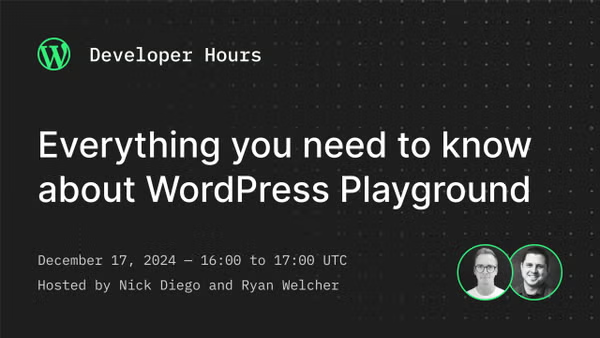
In the upcoming Developer Hours: Everything you need to know about WordPress Playground will take place on December 17th at 16:00 UTC. In the final Developer Hours session of 2024, Nick Diego and Ryan Welcher take a closer look at WordPress Playground. This tool lets you create fully functional WordPress instances directly in your browser, with no installation or setup required. Beyond spinning up WordPress sites, Playground offers powerful capabilities, from testing plugins and themes to running demos and even supporting app development. No matter how you engage with WordPress, Playground has something valuable to offer.
Need a plugin .zip from Gutenberg’s master branch?
Gutenberg Times provides daily build for testing and review.
Now also available via WordPress Playground. There is no need for a test site locally or on a server. Have you been using it? Email me with your experience

Questions? Suggestions? Ideas?
Don’t hesitate to send them via email or
send me a message on WordPress Slack or Twitter @bph.
For questions to be answered on the Gutenberg Changelog,
send them to changelog@gutenbergtimes.com