
Category: News

  • Interactivity API, WordPress 6.8.2, Transitions API and Pride Photo Drive — Weekend Edition #333

    Interactivity API, WordPress 6.8.2, Transitions API and Pride Photo Drive — Weekend Edition #333

    Hi there,

    Are you ready for a summer break of the Gutenberg Times? I am definitely ready for a vacation. It’s been a fabulous first half of the year with plenty of new experiences, and reconnecting with friends in the WordPress community. There is soo much inspiring creativity in the community around block editor, Playground and AI. I am curious what the second half of year will bring.

    As for WordCamps, I am considering going to WordCamps, Gyndia, Verona, and Pisa. Once the decisions are made, I, of course, will let you know. Do you have any WordCamp plans?

    Enjoy the summer and I’ll be back.

    Yours, 💕
    Birgit


    In their post, Share your Pride Photo Drive is back for 2025, Anne McCarthy invites you to an open photo submission event to boost LGBTQ+ representation in the WordPress Photo Directory. The initiative encourages everyone (not just the LGBTQ+ community) to contribute, with fun incentives and cash prizes, emphasizing the importance of diverse, high-quality imagery for web creators. The deadline is July 1st 2025.

    Developing Gutenberg and WordPress

    Jean-Baptiste Audras just dropped the schedule for WordPress 6.8.2 Release Schedule. There are a few bug scrub sessions coming up, with the first release candidate (RC1) out on July 8, 2025, and the final version landing a week later on July 15. He also shared some handy links to the list of fixes they’re hoping to squeeze into this update.

    🎙️ The latest episode is Gutenberg Changelog #133 – Gutenberg 23.6 Release and WordPress 7.1 with special guest Faith Imokol, webdeveloper from Uganda.

    Plugins, Themes, and Tools for #nocode site builders and owners

    In his post Introducing the View Transitions Plugin for WordPress, Felix Arntz
    announced a new plugin that brings smooth, animated transitions between pages to WordPress sites. He explains that the plugin uses the View Transitions API to create seamless visual effects, making navigation feel more modern and app-like without the complexity of single-page applications. Arntz described how the plugin works out of the box, offers customization through both the WordPress admin and theme code, and supports various animation styles. The goal is to improve user experience and perceived performance with minimal setup.


    In his latest video, The Secret to Client-Proof WordPress Sites, Wes Theron shows how to let clients safely update content while keeping a consistent design. He demonstrates using synced patterns with editable overrides. Global design changes to a pattern update all instances on the site. He explains how clients can modify specific elements without disrupting the layout. This method simplifies site management and maintains design integrity, making WordPress sites easier to manage and grow.


    Claire Brotherton reviewed the Twenty Twenty-Five WordPress theme, highlighting its flexibility and modern design. Brotherton details its customizable templates, diverse style variations, and extensive block patterns, making it easy to create unique layouts. She notes the theme’s accessibility features, international typography options, and compatibility with the latest WordPress tools. The guide also covers practical tips for editing menus, headers, and footers, and encourages users to experiment with the theme’s many design possibilities. The post Twenty Twenty-Five Theme: the Ultimate Guide definitely lives up to its promise.


    Johanne Courtright introduced the Groundworx Navigation plugin, a flexible, block-based navigation tool for WordPress. After years of building custom menus, she created this plugin to streamline features like accordions, slide-ins, sticky headers, and responsive toggles. Designed for Full Site Editing, it fits modern WordPress workflows and eliminates the need to rebuild navigation logic for each project, making advanced menu patterns easier for both developers and site owners. Check it out from GitHub. Once it goes through the approval process, it will also be available for download from the WordPress repository.


    In his post What’s the plan for PublishPress Blocks? Steve Burge mentions the new Block Usage Screen. It shows you any usage of blocks on your site or search for blocks. For example, it will show how many paragraph blocks you used throughout all blog posts. He also shows the new menu from within the plugin and lists six more features: control on who can use each block, additional blocks like accordion, galleries, tabs etc. I am excited about the feature to create my own Block Styles right from the interface without code. In the video on YouTube, Burge shows off how to find your WordPress Blocks with the PublishPress Blocks Plugin.

    Theme Development for Full Site Editing and Blocks

    A common solution to make a sticky header is to wrap the template part in a group block and set the Position to “sticky”. Mike McAlister has more elegant solutions to Fixing the sticky header bug in the WordPress site editor.

    Hans-Gerd Gerhards has also tackled this problem with his plugin Dynamic Header & Navigation for Block Themes, that also, among a few other things, it gives you settings to shrink the header on scroll, so it doesn’t take up too much real-estate.


    In her post, Layout and Design with the Grid Block, Anne Katzeff explains how the grid block can help make web pages look cleaner and more organized. She gives simple advice for setting up columns, spacing, and alignment, and encourages people to play around with different layouts to find what looks and works best. It might just be the manual you have been looking for.


     “Keeping up with Gutenberg – Index 2025” 
    A chronological list of the WordPress Make Blog posts from various teams involved in Gutenberg development: Design, Theme Review Team, Core Editor, Core JS, Core CSS, Test, and Meta team from Jan. 2024 on. Updated by yours truly. The previous years are also available: 2020 | 2021 | 2022 | 2023 | 2024

    Building Blocks and Tools for the Block editor

    In this high-level post, 15 WordPress Interactivity API examples – WP Gallery
    Diane Collet, co-founder of Twentig and WP Gallery, explains how the new WordPress Interactivity API empowers developers to create dynamic, interactive front-end experiences without relying on heavy JavaScript frameworks. She highlights how the API enables seamless, reactive user interfaces directly within WordPress blocks, making it easier to build features like live search, filters, and instant feedback. Collet emphasizes the API’s simplicity, performance benefits, and its alignment with WordPress’s vision for a more interactive and modern web, encouraging developers to explore its capabilities for enhancing user engagement.

    To get started with the Interactivity API, you can work through this list of resources:


    JuanMa Garrido was inspired by Igor Benić’s list of WordPress challenges. In his live stream he ventured to solve some of them. The recording is on YouTube. The first challenge was: Create a block that fetches and displays posts from a specific category dynamically (using ServerSideRender component).

    In his live stream, WCEU workshop code along, Ryan Welcher followed Bero’s WCEU workshop on setting up automatic testing with Playwright and Playground.


    This week, Jonathan Bossenger updates us about WordPress MCP & Feature API on his live stream.


    Need a plugin .zip from Gutenberg’s master branch?
    Gutenberg Times provides daily build for testing and review.

    Now also available via WordPress Playground. There is no need for a test site locally or on a server. Have you been using it? Email me with your experience

    GitHub all releases

    Questions? Suggestions? Ideas?
    Don’t hesitate to send them via email or
    send me a message on WordPress Slack or Twitter @bph.


    For questions to be answered on the Gutenberg Changelog,
    send them to changelog@gutenbergtimes.com

    Featured Image: Photo by Polesie Toys on Pexel


    Don’t want to miss the next Weekend Edition?

    We hate spam, too, and won’t give your email address to anyone
    except Mailchimp to send out our Weekend Edition

    Thanks for subscribing.

  • From WordCamp Europe to AI and Beyond: Figma, Fresh Courses, and Block Style  — Weekend Edition #332

    From WordCamp Europe to AI and Beyond: Figma, Fresh Courses, and Block Style — Weekend Edition #332


    Hi there,

    WordCamp Europe is over. I had a blast and also caught a bug.🤧

    The next flagship WordCamp is just around the corner: WordCamp US will take place August 26 – 29 with Contributor Day, Showcase Day and a two-day conference. The call for speakers is open, notice the deadline June 20 for your submission. Also open are the call for sponsors and for volunteers.

    I am so excited as I will finally connect with my WordPress friends from the US again. It took me three years to get back to WordCamp US after our move to Germany.

    With Automattic getting back to contributions, the team caught up on Gutenberg release posts and there is a new Gutenberg version available. I also have a few notes and links collected about the new AI team and their work.

    I hope to see you at WordCamp US, too

    Yours, 💕
    Birgit

    Developing Gutenberg and WordPress

    In the latest edition of What’s New for Developers (June 2025), Justin Tadlock collected lots of information relevant for plugin authors, themes builders and agency freelance developers from Core, Gutenberg, and Playground. It’s the best post to catch up on the last to month of updates in WordPress. 


    Carlos Bravo release Gutenberg 21.0. In his release post What’s new in Gutenberg 21.0? he highlighted.


    Jessica Lyschik used the time during Contributor Day at WordCamp Europe to get a head start on catching up with the release posts for earlier Gutenberg releases.


    🎙️ The latest episode is Gutenberg Changelog #133 – Gutenberg 23.6 Release and WordPress 7.1 with special guest Faith Imokol, webdeveloper from Uganda.

    New WordPress AI Team

    Just ahead of WordCamp Europe, Mary Hubbard announce the new AI team, identifying James LePage and Felix Arnzt as team reps. James LePage followed up with his post Welcome to the Core AI Team Blog.

    The community came together for the Introducing the AI Team Hallway Hangout and Anne McCarthy published the recap and the recording.

    What I learned:

    • The AI Team is laying the groundwork to bring AI into WordPress, and the timing couldn’t be better. With AI moving at lightning speed, it’s important for WordPress to stay in the mix.
    • For now, the AI Team isn’t adding big AI tools directly into WordPress. Instead, they’re working on simple plugins that help connect WordPress to different AI services. Maybe someday AI will be built right into the core, but that’s not on the table yet.
    • WordPress leaders are fully behind the AI Team, recognizing that AI is the future and wanting to keep WordPress front and center as things evolve.

    The current initiatives / plugins have been mentioned in early editions of the newsletter:

    • AI Services Plugin by Felix Arnzt provides an abstraction layer for multiple AI providers, enabling plugin authors to use a unified API for AI interactions.
    • MCP for WordPress plugin by Pascal Birchler implements Model Context Protocol (MCP) servers in WordPress, enabling advanced AI integrations via command-line or plugins. You can learn more about reading Pascal Bichler’s post Enabling AI-Powered WordPress Development with WP-CLI and the Model Context Protocol (MCP)
    • WP-Feature-API plugin by Automattic structures WordPress features for better AI interaction, offering a standardized way to register resources for AI use. It’s a system for exposing server and client-side functionality in WordPress for use in LLMs and agentic systems

    The WordPress AI Team chats in the WPSlack #core-ai channel and holds meetings every other Thursday at 16:00 UTC. You can read the summary of this week’s meeting on the Make AI blog.


    In his video The WordPress AI fightback begins! Jamie Marsland interviews James LePage about AI in WordPress and the new team.

    WordCamp Europe

    It was a fantastic WordCamp at a great venue. I enjoyed the many, many conversations with attendees, sponsors, contributors and fellow speakers. The organizing team has done a fabulous job, in all areas, and the volunteers were awesome. The speaker team was first-class in their support. As a first time WCEU speaker, I felt very well cared for. I loved the bright and brilliant designs at the venue as well as on the website and on screens.

    The most astonishing work was done by the AV team, who uploaded all videos to WordPress TV by the end of the WordCamp. In contrast to previous WordCamps, all workshops were also recorded, and you can watch them at your own speed. 

    As always, I share my opinionated list of favorites:

    During Fire side Chat with Mary Hubbard and Matt Mullenweg they discussed, among other things, the WordPress Campus Connect project that’s being rolled out as an official program. Hubbard also announced the start of a pilot project for student internships with the University of Pisa, encompassing 5000 students to contribute 150 hours and received six college credits.

    Mary Hubbard and Matt Mullenweg at WordCamp Europe 2025. Photo by Sathwik Prabhu

    Another great talk was by Noel Tock WordPress without Borders – The Fight for Digital Freedom. Tock not only shared from his charity work in Ukraine but also about other charities who help with finding kids, providing a roof over the head of people who lost their homes, and trying to alleviate other hardships. Tock made us realize the true impact of WordPress has to all the agencies who use it for their web site to fundraise and connect with communities. The pictures from Ukraine are heart-wrenching.

    The Block related talks:  

    If you are interested in working with Playground, two workshops might help you get started depending on your needs

    This is only a small list, and there are many great talks about all WordPress topics, for content creators, developers, entrepreneurs, and educators. Check them out.

    A few attendees published recap posts:

    Plugins, Themes, and Tools for #nocode site builders and owners


    Carlo Daniele
    , Kinsta, dug deeper in the term WordPress Hybrid Themes. He covered two approaches. The first is how hybrid themes bridge the gap between Classic and Block Themes by supporting modern block features. They maintain compatibility with traditional plugins and templates. The second highlights ways developers can enhance hybrid themes with global styles. They can use block patterns and template parts for flexible site building.


    In her post, From Page Builders to Blocks, Johanne Courtright, founder of Groundworx, explains why it’s time to move from page builders to Gutenberg, the built-in block editor. She points out its built-in stability, better performance, and easier design control. Courtright tackles common worries, then suggests starting small—like switching your blog first, updating your theme, and helping users learn—showing that Gutenberg’s block system is the way forward for WordPress.


    In here post Design Once, Build Everywhere:The Lego Principle for Page Builders, Tammie Lister reflects on the fragmented world of page builders, arguing for a “Lego principle” where design components are created once and used everywhere. She suggests that adopting shared foundations and modular systems—much like Lego’s approach—would unlock creativity, improve portability, and better meet modern demands. Ultimately, Lister envisions a future where page builders are collaborative, flexible, and empower users to build without barriers.

    Theme Development for Full Site Editing and Blocks

    Fabian Kägy, director of Editorial Engineering, introduced Fueled’s open-source Figma to WordPress plugin, which exports design tokens from Figma directly into a WordPress theme.json file, reducing a 10–15 hour manual process to about an hour and enabling rapid, consistent theme development without extra frameworks or licenses

    Screenshot of the Figma to WordPress plugin

    Jeremy Holcombe at Kinsta, also researched How to convert a Figma project to WordPress and walks you through three methods. He covers using the Figma plugin by Yotako for automation, manually rebuilding designs in WordPress for precision, and hiring professional services, highlighting the pros, cons, and best use cases for each approach..


    Mike McAlister introduced the Ollie Theme Academy video course a free and in-depth video course teaching everything from the basics to advanced techniques of WordPress block theme development. The course covers full site editing, global styles, patterns, and aims to help anyone modernize their WordPress workflow for 2025 and beyond.

    10 days later, McAlister followed up with the announcement of a Block Development course. This is a new resource to help developers master building custom WordPress blocks. It provides practical, hands-on video lessons focused on modern block development. This approach aims to make it easier for anyone to create powerful, custom blocks for their WordPress sites.

    Screenshot of the landing page for the Ollie Block Academy, courtesy of Mike McAlister

    Bernhard Kau explored Implementing a custom block style variation using only JSON files in WordPress block themes. He explains how to make a perfectly round button by defining a new style in a JSON file. This approach bypasses the need for PHP or JavaScript. Despite some limitations, this approach allows for easy customization. There is incomplete support for certain properties. Nevertheless, it enables consistent design without writing traditional code.

     “Keeping up with Gutenberg – Index 2025” 
    A chronological list of the WordPress Make Blog posts from various teams involved in Gutenberg development: Design, Theme Review Team, Core Editor, Core JS, Core CSS, Test, and Meta team from Jan. 2024 on. Updated by yours truly. The previous years are also available: 2020 | 2021 | 2022 | 2023 | 2024

    Building Blocks and Tools for the Block editor


    Alfredo Navas, developer at WebDevStudios, explored the MCP server plugin. He shared his findings and highlighted how it enables external tools or AI agents to interact with WordPress. These interactions are useful for tasks like creating posts or debugging. He notes its usefulness for automating workflows, its extensibility, and that it’s still under active development.


    Eric Karkovack explains how to add custom style variations to WordPress blocks using a custom plugin. He guides you through creating custom style variations for WordPress blocks. He details building a plugin, using the ‎`register_block_style()` function, and applying unique styles—like a “Unicorn” button—via PHP or JSON. This way you empower your users to personalize block designs and enhance site consistency. 


    I mentioned DeepWiki before, in WE #329, and now Jonathan Bossenger invites you in you YouTube video to learn more about DeepWiki | AI powered documentation you can talk to.

    I asked DeepWiki the following questions, click on the links to get to the answers.


    Need a plugin .zip from Gutenberg’s master branch?
    Gutenberg Times provides daily build for testing and review.

    Now also available via WordPress Playground. There is no need for a test site locally or on a server. Have you been using it? Email me with your experience

    GitHub all releases

    Questions? Suggestions? Ideas?
    Don’t hesitate to send them via email or
    send me a message on WordPress Slack or Twitter @bph.


    For questions to be answered on the Gutenberg Changelog,
    send them to changelog@gutenbergtimes.com


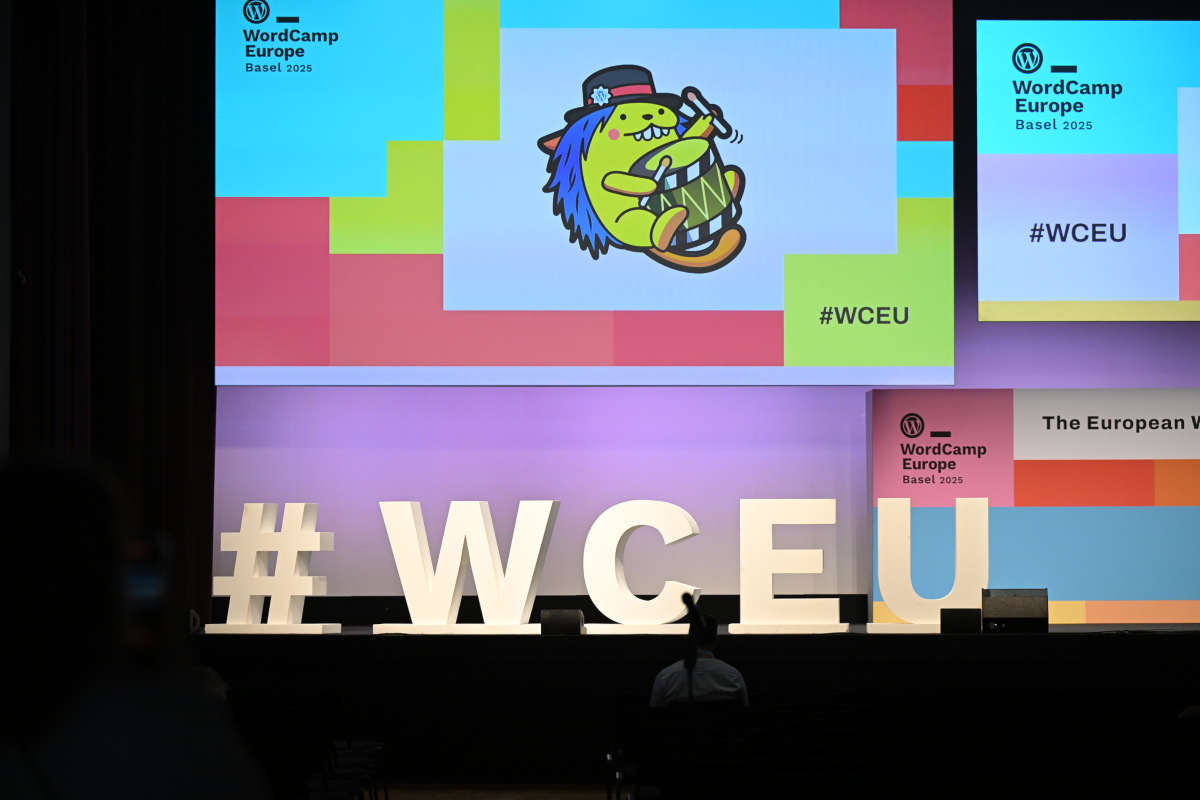
    Featured Image: WordCamp Europe 2025 photo by Kostas Fryganiotis, found on Flickr


    Don’t want to miss the next Weekend Edition?

    We hate spam, too, and won’t give your email address to anyone
    except Mailchimp to send out our Weekend Edition

    Thanks for subscribing.

  • Feature API, Playground, Gutenberg 20.9, Interactivity API, #WCUS and moar — Weekend Edition 331

    Feature API, Playground, Gutenberg 20.9, Interactivity API, #WCUS and moar — Weekend Edition 331

    Howdy,

    This week, I continued to learn about more plugins for the block editor. They might be new to the WordPress repository or just new to me, haha. Also, Playground came up in the last couple of weeks, and I share two tutorials and a video about my workshop at WordCamp Europe. And via the Feature API you can prepare your plugins for AI Agents.

    As every year, WordCamp Europe will also have a Live stream for the talks and keynotes. Just check out the website on Jun 6th, 2025. The next Weekend Edition will drop in your inbox after WordCamp Europe and I will share some cool talks from the live stream.

    Until have a great time!

    Yours, 💕
    Birgit

    WordCamp Europe is just around the corner! 🎉 If you want to meet up in Basel (June 4–7), grab a slot on my calendar or send me your link. #WCEU

    ICYMI: WordCamp US Call for Speaker is now live the deadline is June 20, 2025. WordCamp US will take place from August 26 to 29th, 2025. Similar to last year, there are no lightening talks, only long form talks, workshops, or campfire sessions. August 26 will be Contributor Day. Sessions start on August 27 in three tracks. You need to have a WordPress.org account to enter the form. The Call for Sponsors has also been published.

    Developing Gutenberg and WordPress

    George Mamadashvili just dropped the Gutenberg 20.9 RC1 for everyone to test out, and we’re expecting the final version to go live next week! After WordCamp Europe, I’ll catch up with Anne McCarthy to record our next Gutenberg Changelog, where we’ll chat about a bunch of stuff, including those two Gutenberg plugin releases, 20.9 and 21.0.

    🎙️ The latest episode is Gutenberg Changelog #133 – Gutenberg 23.6 Release and WordPress 7.1 with special guest Faith Imokol, webdeveloper from Uganda.

    Plugins, Themes, and Tools for #nocode site builders and owners

    Johanne Courtright explains how Gutenberg is a game-changer — and clients actually love it (when done right). When implemented thoughtfully, she found, the Gutenberg editor revolutionizes WordPress by empowering clients with intuitive, flexible content creation. In her experience, clients express genuine satisfaction, as Gutenberg’s block-based approach simplifies editing and design, making website management more accessible and enjoyable for non-technical users.


    Kevin Batdorf updated his plugin Pattern CSS . It lets you add CSS scoped to a block, and recently added a floating editor as well as a global CSS editor, making it easy to add custom animations or anything. It’s parsed via Lightening CSS in WebAssembly as you type, and works well with synced patterns.


    Thorsten Landsiedel published a plugin called “Hide Block in RSS feed,” which adds a toggle switch to block sidebars for suppressing content in RSS feeds. In his talk at WordCamp Leipzig, he noted that decorative icons/images may display differently in RSS readers. Using this block you can improve readability by suppressing specific blocks in the feeds. The plugin is available on GitHub.


    Weston Ruter, a long-time WordPress Core committer, explains step-by step how he added caption and lightbox to the featured image block. When Weston Ruter rebuilt his site with the Twenty Twenty-Five theme, he noticed the Featured Image block lacked caption and lightbox features. Both features are available for the Image block. Ruter shared code examples on how he implemented these features in a plugin. Then he also suggested future improvements for WordPress core.


    WM Animations plugin by Widescreen Media, a company from Sweden, helps users to add entrance animations like fade-in and slide-in to core blocks. “You can select animation type and adjust duration/delay per block, directly in the block inspector. Works well with all core blocks and most custom blocks.” Widescreen Media’s website might be the best demo for this plugin.


    Andy Fragen, core contributor and trauma surgeon, authored quite a few plugins. The oEmbed for GitHub Gist plugin enables writers to add code from GitHub Gists via the Embed block to their posts. For classic editor users, you just put the URL on a new line.

     “Keeping up with Gutenberg – Index 2025” 
    A chronological list of the WordPress Make Blog posts from various teams involved in Gutenberg development: Design, Theme Review Team, Core Editor, Core JS, Core CSS, Test, and Meta team from Jan. 2024 on. Updated by yours truly. The previous years are also available: 2020 | 2021 | 2022 | 2023 | 2024

    Building Blocks and Tools for the Block editor

    Video recordings from Lisboa’s WordCamp 2025 are already available on WordPressTV


    Seth Rubenstein, lead engineer at Pew Research Center, decided to take a break from regularly scheduled work to play around with an Interactivity API (iAPI) Inspector Chrome Extension. This tool offers dev tools to highlight iAPI directives and context associated with a block as well as map connections between iAPI stores on a page.

    Screenshot of the Interactivity API Inspector Chrome Extension

    Jonathan Bossenger has spent some time the last couple of weeks learning more about Feature API, the WordPress MCP plugin and the MCP WordPress remote package. In his latest video, Are your WordPress plugins and themes ready for AI? he puts it all together using one of his plugins and shows the various steps:

    • Registering Features with the Feature API Plugin
    • Converting Features into Tools with MCP Plugin
    • Configuring AI Tools to Use MCP Features

    Once you watched the video a couple of times, it might be helpful to also read Jamie Marsland‘s post on LinkedIn again:  WordPress Is Sitting on a Goldmine — And the Feature API Just Dug the First Tunnel


    In this week’s live stream, Ryan Welcher also took a A first look at the new WordPress Feature API. He calls the Feature API “a powerful new way of exposing WordPress functionality in a standardized, discoverable way for both server and client-side use.”

    What is new in Playground?

    Roger Williams and I spoke about my upcoming WordCamp EU workshop.” “From Zero to Demo: Mastering WordPress Playground Blueprints“. The recording is available on YouTube WordPress Playground Workshop Preview with Birgit Pauli-Haack


    Karthick Murugan, from the Multidots team, updated documentation with everything you want to know about the current web instance: WordPress Playground web instance.


    Earlier this week, I wrote about the early version of the Playground CLI and how to use it to test your plugin and theme in development or your blueprints locally. Early version Playground CLI testing.


    In Automating WordPress Playground Screenshots with Node.js and Playwright I shared the context and code using the JavaScript API to call a with a playwright browser instance to take a screenshot of the Playground site configured with a blueprint.


    Need a plugin .zip from Gutenberg’s master branch?
    Gutenberg Times provides daily build for testing and review.

    Now also available via WordPress Playground. There is no need for a test site locally or on a server. Have you been using it? Email me with your experience

    GitHub all releases

    Questions? Suggestions? Ideas?
    Don’t hesitate to send them via email or
    send me a message on WordPress Slack or Twitter @bph.


    For questions to be answered on the Gutenberg Changelog,
    send them to changelog@gutenbergtimes.com


    Featured Image: Photo by Ivan Bandura on Unsplash


    Don’t want to miss the next Weekend Edition?

    We hate spam, too, and won’t give your email address to anyone
    except Mailchimp to send out our Weekend Edition

    Thanks for subscribing.

  • Block Styles, Woo Product Collection, Deepwiki, Accessibility Day — Weekend Edition 329

    Block Styles, Woo Product Collection, Deepwiki, Accessibility Day — Weekend Edition 329

    Hi,

    “And just like that, winter has faded from our collective memory…”, Om Malik wrote in his Letter from Om, May edition. In Munich, we just had another cold spell, though. There is no doubt we are heading into the next hot summer.

    So it’s Saturday afternoon, and I am way behind on your newsletter edition. This week, I published approximately 7,500 words over three posts. Definitely a record! Plus, two podcast episodes (one is still with the editor).

    Don’t worry, this weekend edition is not entirely about me. 😜

    Have a splendid weekend ahead!

    Yours, 💕
    Birgit

    🎙️ The latest episode is Gutenberg Changelog #133 – Gutenberg 23.6 Release and WordPress 7.1 with special guest Faith Imokol, webdeveloper from Uganda.

    Workshop Registration Now Open for WordCamp Europe 2025 – Secure Your Spot Today! A reminder of the workshops offered:

    Here is the Workshop Registration page. You already need to have a ticket, and use for this registration the same email.


    Global Accessibility Awareness Day (GAAD) is celebrated on May 15, 2025. Amber Hinds from Equalize Digital invites people to join in a virtual accessibility contributor day. This event aims to improve accessibility in WordPress. Whether you’re a developer, designer, content creator, or site owner, you have the skills. You can help make the internet more usable. You can make a difference for millions of people with disabilities. she wrote. You pledge your time Global Accessibility Awareness Day Pledge – May 15, 2025.

    Suggested activities include reporting issues for Core, plugins, or themes. They also cover testing patches on accessibility tickets. You can offer feedback on existing accessibility issues or add captions to videos on WordPressTV. Additionally, running a webinar is another activity choice.

    cover image of the Accessibility Pledge page on Equalize digital

    Plugins, Themes, and Tools for #nocode site builders and owners

    Brian Coords published the release notes for WooCommerce 9.8.4. It addresses a fatal error that occurred as the result of a remote service failure.

    Stephanie Pi issued a Developer advisory: Subscriptions core code moving into WooCommerce Subscriptions plugin. he core code that powers WooCommerce Subscriptions will now be managed directly within the main plugin repository, rather than the separate, public Automattic/woocommerce-subscriptions-core codebase. This change, effective May 20, 2025, aims to reduce complexity, streamline versioning, and align with management of other WooCommerce extensions. Only developers directly depending on the core package or monitoring its repository are affected; regular plugin users or API integrators need not take action.


    Fabian Kägy and I hung out with Nathan Wrigley for the third episode of the At the Core show. We dove into the latest buzz in WordPress. We especially focused on the 6.8 release. We covered some cool new features like

    • better details and accordion blocks,
    • tweaks to the stylebook,
    • fresh pattern section styles,
    • upgraded gallery image options, and
    • some nice improvements in template editing.

    We discussed the shift toward a slower, more thoughtful approach to WordPress core releases. There are changes in the dev workflow. We also talked about some new plugins like ClassifAI and ThemeSwitcher Pro. These plugins make it easier to integrate AI. They also help to gradually move to block themes. This episode is packed with great tips for anyone looking to stay updated on new developments in WordPress. You also get hands-on insights about the latest features.

    cover image for the 421st episode of the WPBuilds podcast

    Kaspars Dambis created a nifty optimizing plugin called Lazy Load Blocks for WordPress. It does exactly what it says on the tin. Configurable per block, even. Lazy loading blocks improves the Web Vitals. It enhances the Page Speed metrics. It does not impact the layout shift (CLS) when the lazy loading is triggered. There is a great demo video on the page. You will also find screenshots and instructions. Explanations of how this actually works are also included. It’s comes with a small price tag of $5 per month, billed annually.


    In his latest video: How Thousands Use WordPress to Get Customer Feedback, Wes Theron demonstrates techniques for content creators and site owners. He shows how to use blocks by Crowdsignal to gather feedback. You can use highly interactive elements like polls, surveys, voting buttons, and more. Theron provides a step-by-step guide on how to add feedback tools to your site. This helps you start making smarter decisions based on real data.

    Theme Development for Full Site Editing and Blocks

    In my latest post, Mastering Custom Block Styles in WordPress: 6 Methods for Theme and Plugin Developers, I’m sharing some cool tips. These tips are for theme and plugin developers. They cover how to create and manage block styles in WordPress. The article discusses using JSON files. It also covers PHP functions like register_block_style().

    list of various methods to create block styles

    In, Seven Tasks to a Custom Block Theme: Anders Norén’s Weekend Workflow, A year ago, over a weekend, Anders Norén shared his block theme building process in a X thread. I finally found the time to make it a more enhanced tutorial for theme builders’ perusal. You learn about Norén’s tools, his methods, and his tricks to enhance his designs.

    An artist painting a website in the Sweden.

     “Keeping up with Gutenberg – Index 2025” 
    A chronological list of the WordPress Make Blog posts. It includes contributions from various teams involved in Gutenberg development. These teams are Design, Theme Review Team, Core Editor, Core JS, Core CSS, Test, and Meta team from Jan. 2024 on. Updated by yours truly. The previous years are also available: 2020 | 2021 | 2022 | 2023 | 2024

    Building Blocks and Tools for the Block editor.

    Eric Karkovack just published a tutorial on how to display WordPress custom field data with blocks. He introduces you to the Block Bindings API and walks you through an example from start to finish.


    Jonathan Bossenger shared with me DeepWiki, a service by Devin AI. it introduces itself as “your collaborative AI teammate, built to help ambitious engineering teams achieve more.”

    You can make it your companion developing for the Block Editor by visiting the sub-site for WordPress/Gutenberg. It provides you with access to the documentation and code in a human-readable form. The chatbot will answer your questions. I tested it with two questions:

    • What are Gutenberg stores and what information can you find there? You can read the answer here.
    • Is there a good analogy for state to better explain state management? The answer shows quite a few real live analogies: working with a notebook, a collaborative drawing board and a room with light switches and fixtures.

    Try it out yourself! It’s pretty helpful as it searches the documentation and digs through the whole Gutenberg code base for answers.


    In his tutorial on how to build blocks with WooCommerce, Marco Lucio Giannotta and Karol Manijak guide developers. They show how to build a WooCommerce Product Collection block. They break it down with an easy-going video and some code examples. You’ll get the scoop on block theory. You’ll watch a live-coding session where they create interactive blocks. You’ll dig deep into the default Product Collection block. There are two hands-on exercises. One teaches how to add a “Featured” filter. Another focuses on registering a custom collection of “on-sale products under $40.” It’s a great way to get the hang of block settings, custom queries, and using the WooCommerce API!

    Screenshot of the Video cover image Crafting Dynamic Catalogs

    The second part of the Unit test (with Jest) for WordPress Blocks is out. JuanMa Garrido programs unit tests for the copyright block from the “Tutorial: Build your first block”. He also explores how to debug the Save component of a block.


    The Codeable Team published How to Get Started with the Interactivity API. This article introduces WordPress developers to a way of adding real-time features to websites without using heavy scripts or plugins. It explains that the Interactivity API, available from WordPress 6.5, allows developers to update page elements quickly, enhancing site performance and making development easier. It highlights the API’s benefits in performance, scalability, and WordPress integration.

    The next episode of Jon learns to code with AI is up. In WordPress as a MCP Server, Jonathan Bossenger reviewed the WordPress MCP plugin from Automattic. This plugin turns your WordPress site into an MCP server that your AI Agent can interact with. To learn what that exactly means, you need to watch the video.

    Need a plugin .zip from Gutenberg’s master branch?
    Gutenberg Times provides daily build for testing and review.

    Now also available via WordPress Playground. There is no need for a test site locally or on a server. Have you been using it? Email me with your experience

    GitHub all releases

    Questions? Suggestions? Ideas?
    Don’t hesitate to send them via email or
    send me a message on WordPress Slack or Twitter @bph.


    For questions to be answered on the Gutenberg Changelog,
    send them to changelog@gutenbergtimes.com


    Featured Image: New York – View from The Highline 2015 by Birgit Pauli-Haack


    Don’t want to miss the next Weekend Edition?

    We hate spam, too, and won’t give your email address to anyone
    except Mailchimp to send out our Weekend Edition

    Thanks for subscribing.

  • Four Block Plugins, three events, two live streams, one course and more — Weekend Edition 328

    Four Block Plugins, three events, two live streams, one course and more — Weekend Edition 328

    Howdy,

    Now is the time to skill up your block editor and theme knowledge and craft. The more quiet release cycle of WordPress gives everyone some breathing room. You can explore more opportunities, like attending the Page Builder Summit. You could invest in a course. You could join in free webinars. You could listen to successful experts in the field to learn how they approach their business.

    What are your questions about core blocks, block themes etc.? You can ask via email, in the comments or join our new Discord space.

    Below, again a great mixture of plugins, live streams, upcoming events and tutorials. I hope you also have a great weekend!

    Yours, 💕
    Birgit

    Developing Gutenberg and WordPress

    On April 30, WordPress 6.8.1 Maintenance Release came out. Aaron Jorbin wrote in the release post that this minor release includes fixes for 15 bugs. These fixes span throughout Core and the Block Editor. They tackle issues affecting multiple areas of WordPress including the block editor, multi-site, and REST API. The top three fixes are:

    • A fix addresses the regression Meta boxes area showing unwanted resize handle. It also addresses the issue that breaks auto-scroll. This was discovered right after the release of 6.8.
    • The Edit Site link is restored to its earlier link behavior. It links to the respective template displayed on the front end. (#63358).
    • The REST API’s handling of sticky posts has also been fixed. (#63307, #63339

    For a full list of bug fixes, please refer to the release candidate announcement.

    🎙️ The latest episode is Gutenberg Changelog #133 – Gutenberg 23.6 Release and WordPress 7.1 with special guest Faith Imokol, webdeveloper from Uganda.

    Plugins, Themes, and Tools for #nocode site builders and owners

    In his post, Building a Custom Image Gallery with the Image Gallery Block, Kyle Van Deusen provides guidance. He explains how to create a custom image gallery in WordPress. He uses the “Image Gallery Block” plugin by WP Developer. This plugin offers more features than the default WordPress Gallery block.

    Van Deusen covers installing the plugin, adding a gallery, and selecting images. The plugin provides flexible styling like grid or masonry layouts, caption options, image sizing, responsive settings, and a lightbox. Extra adjustments include borders, rounded corners, and caption colors. The post emphasizes the plugin’s user-friendliness and concludes with a preview of its interactive features.


    Wes Theron has some awesome tips to Speed Up Your Workflow in WordPress. He’s sharing his favorite hidden gems of the Block Editor. You’ll get to know the Command Palette, different editing modes, List view, scheduling posts, and so much more. It’s a super quick video, and you’ll pick it all up in under six minutes. You probably already know most of it. You’re a long-time subscriber. You got the scoop when these features first dropped in the Block Editor. But still, this video shows you how those features have evolved and how they all work together for creating content.


    In the latest episode of Greyd Conversations #6 – Building upon WordPress, Mike McAlister, co-founder of Ollie, joined Jessica Lyschik. They discussed the advantages of their shared approach to developing products using WordPress’s Block & Site Editor. They also looked into the future direction of WordPress. They discussed features that product companies like Greyd and Ollie hope to see in the core.


    Al Amin Ahamed‘s new plugin, Author Profile Blocks, in now available in the WordPress Plugin Repository. With this plugin you can show user profiles in different styles using Gutenberg blocks. You can use it to highlight team members. It can also highlight contributors, authors, or any WordPress users you want to feature on your site.

    “Unlike other plugins, Author Profile Blocks leverages your existing WordPress users rather than creating a separate custom post type. This means you can showcase all your site contributors without duplicating content.” Ahamed wrote in his description.


    Selim Rana and his team at BdThemes released the Advanced Heading for the Gutenberg Block Editor plugin. It provides various options to style headings like text highlighting, gradient, image masking, drop shadows, and background effects.


    Bhargav (Bunty) Bhandari released a new plugin again: Thread Block with which you can publish Twitter-like Thread posts. It can also be used to do some live blogging of an event or a breaking news story. “Perfect for storytelling, debates, or breaking down ideas step by step” Bhandari wrote.

    Upcoming events

    On May 8, 2025, at 12:00 UTC, Anne-Mieke Bovelett will hold a free webinar for site builders and agencies. Discover how much power the WordPress Block Editor and Site Editor give you! She will walk you through what the WordPress Block Editor and Site Editor can do today. No custom code, no third-party builder, no bloated plugin stack. Just native WordPress, used to its full potential.

    Bovelett will cover:

    • What the Block Editor and Site Editor actually are
    • How to build layouts and templates without code
    • How reusable patterns can simplify your workflow
    • Building post grids (query loops) and juggling dynamic data

    Free registration is now open.


    The Page Builder summit 2025 will take place from 12th to 16th of May 2025. Hosts Anchen le Roux and Nathan Wrigley published the schedule. It is packed with fabulous speakers. The topics are perfect for site builders to enhance their business acumen. They will also expand their technical knowledge.

    Here is my watch list:

    • Alicia St. Rose: Loop, There It Is! The Magic of the Query Loop Block
    • Tony Cosentino: Supercharge Your WordPress Workflow: 10 AI Tools to Build Better Websites Faster
    • PK Son: Supercharge Your Builds with ACF Flexible/Repeater Fields
    • Luke Carbis: The Hidden Costs of Page Builders: Avoiding Technical Debt in No-Code Projects
    • Tammie Lister: Design Once, Build Everywhere: The Lego Principle for Page Builders
    • Benjamin Intal: Reimagine UX in the Block Editor with WP Interactions

    The event is totally free, and the recordings will stay free for 48 hours after the last day. I will be traveling during the week. I am glad to pay for an extension of that watch time. $47 is quite affordable to get unlimited access to the recordings.


    WordSesh returns May 13–15, 2025. It is a virtual conference for WordPress professionals. Its host, Brian Richards, is a seasoned virtual conference producer and WordPress educator. His speaker and session curation is top-notch. Sign up to get updates on the next event.

    Theme Development for Full Site Editing and Blocks

    In his latest live stream, Ryan Welcher shared his process in real time. He refined features and experimented with block-based design. He also answered viewers’ questions as we went along. The recording is now online on YouTube: WordPress Block Theming: Chat, Connect, and Chill!


     “Keeping up with Gutenberg – Index 2025” 
    A chronological list of the WordPress Make Blog posts from various teams involved in Gutenberg development: Design, Theme Review Team, Core Editor, Core JS, Core CSS, Test, and Meta team from Jan. 2024 on. Updated by yours truly. The previous years are also available: 2020 | 2021 | 2022 | 2023 | 2024

    Building Blocks and Tools for the Block editor

    I answered a listener question from the Gutenberg changelog. I published a short post on How to overwrite or remove core block styles. In a short video, you learn how to overwrite the styles through the Editor > Styles section. Another way is via the theme’s theme.json file. If you want to remove core block styles entirely, you’ll find a code snippet to put into your functions.php or plugin files.


    Milica Aleksandric announces a new WordPress Development Course for the Modern Era on WPShout. The course, Modern WordPress Fast Track, is a “10-week program.” It is designed to take you from beginner to pro with the latest WordPress tech. Think block themes, Full Site Editing, AI tools, and modern workflows. It’s taught by Kaspars Dambis, a WordPress core contributor with tons of real-world experience. The course community on Discord connects you to other students. It starts on June 1, 2025. Until then, you can take advantage of the 40% discount for early birds.


    In his latest recording of his twitch stream, AI Code Reviews | Jon learns to code, Jonathan Bossenger explored two AI code review tools. These tools hook right into your Git pull request workflow. He compared them to see how they work.

    Need a plugin .zip from Gutenberg’s master branch?
    Gutenberg Times provides daily build for testing and review.

    Now also available via WordPress Playground. There is no need for a test site locally or on a server. Have you been using it? Email me with your experience

    GitHub all releases

    Questions? Suggestions? Ideas?
    Don’t hesitate to send them via email or
    send me a message on WordPress Slack or Twitter @bph.


    For questions to be answered on the Gutenberg Changelog,
    send them to changelog@gutenbergtimes.com


    Featured Image: Photo by chuttersnap on Unsplash


    Don’t want to miss the next Weekend Edition?

    We hate spam, too, and won’t give your email address to anyone
    except Mailchimp to send out our Weekend Edition

    Thanks for subscribing.

  • How to overwrite or remove core block styles

    How to overwrite or remove core block styles

    The technical documented term for block styles is Block Style Variations and are the smallest unit of Styles. They are on the block level. The others are Global Style Variations coming with a block theme, and Sections Style variations, that are for patterns and container blocks.

    WordPress includes a few block-level styles. You might have an urge to change them. Adjust them to your theme or branding designs. This post shows you three ways on how to alter those styles.

    Use Editor > Styles > Blocks

    WordPress offers more than one style for certain blocks. For example, the Buttons block has two styles: Fill and Outline

    Content creators and site builders can change the block’s style on a per-block basis. They can also change it on a per-site basis via the Styles area in the site editor.

    Overwrite core block styles via theme.json

    As a developer, you can overwrite the Outline button styles via theme.json file.

    The example code below shows the modification of the core/button variation with a: 

    • 0px border radius.
    • 3px wide blue border.

    These styles will replace the default rounded, black, 2px borders.

    {
    	"$schema": "https://schemas.wp.org/trunk/theme.json",
    	"version": 2,
    	"styles": {
    		"blocks": {
    			"core/button": {
    				"variations": {
    					"outline": {
    						"border": {
    							"color": "blue",
    							"radius": "0",
    							"style": "solid",
    							"width": "3px"
    						},
    					}
    				}
    			}
    		}
    	}
    }

    🖼️

    For other core/block styles, you can overwrite their styles in the styles.blocks.core/[block] section of your theme.json file—simply replace [block] above with the actual block name. You can find a detailed walk-through of this process, including a list of available core block styles, on the WordPress.org Developer Blog: Customizing core block style variations via theme.json.

    Removing unwanted core block styles

    There are two functions you’ll need to address: 

    Block styles can only be unregistered in the same coding language used to register them. Core blocks are all registered via JavaScript. The example code removes the extra block style for the image block called rounded.

    wp.domReady( function() {
    
       wp.blocks.unregisterBlockStyle( 'core/image', [ 'rounded' ] );
    
    } );

    If you are keen to learn more about how to create block styles, I just published a deep dive into that topic.

    Mastering Custom Block Styles in WordPress: 6 Methods for Theme and Plugin Developers

    Resources to learn more

    For more ways to change the block editor, read 15 ways to curate the WordPress editing experience.

    For more articles on the various styles, there are great articles on the WordPress Developer blog:

    What are other questions you might have about changing core blocks via the Global Styles? Leave a comment or join us on Discord

  • WordPress 6.8 released, Block Accessibility checks, Stacking cards layout, and more — Weekend Edition 326

    WordPress 6.8 released, Block Accessibility checks, Stacking cards layout, and more — Weekend Edition 326

    Hi there,

    In most European countries, Easter is a four-day weekend with two bank holidays, on Good Friday and Easter Monday. It’s a welcome occasion to unplug and enjoy the life right in front of you. For me, that’s organizing my home, celebrating Spring in the English Garden, friends coming over for a card game and lots of art. What are you doing to unplug?

    A huge shoutout to Simon Kraft, Krautpress 👋 for inviting me to the WordPress Meetup in Konstanz this week! I had an awesome time and loved connecting with the German WordPress community. Plus, I’ve now got the German version of the slidedeck from my WordCamp Asia presentation!

    This week, the final release of WordPress 6.8 came out “Cecil”, the last major WordPress version for 2025. We will see more minor releases for sure, the first one is scheduled tentatively for April 29, 2025.

    And now, if you celebrate it or not, I wish you and yours a Happy Easter! 🐣🐰

    CU next week again, 💕
    Birgit

    WordPress 6.8

    WordPress 6.8 “Cecil” is out! It honors the legendary pianist and jazz pioneer Cecil Taylor. Congratulations to the release quad and the over 900 contributors from over 60 countries, 250 of them were first timers.

    Jeff Paul wrote in the release post: “WordPress 6.8 polishes and refines the tools that you use every day, making your site faster, more secure, and easier to manage.  The Style Book now has a structured layout and works with Classic themes, giving you more control over global styles. Speculative loading speeds up navigation by preloading links before users navigate to them, bcrypt hashing strengthens password security automatically, and database optimizations improve performance.”

    If you want to take a deep dive into all the updates, here are the couple of links, I shared before:

    More articles covering 6.8 from different point of views:

    🎙️ The latest episode is Gutenberg Changelog #133 – Gutenberg 23.6 Release and WordPress 7.1 with special guest Faith Imokol, webdeveloper from Uganda.

    Plugins and Tools for #nocode site builders and owners

    Last week, I mentioned the new AI builder at WordPress.com. Matt Medeiros, WPMinute, took it out for a spin and in his video you will be right there with him, getting a first impression. I Tried the WordPress.com AI Builder.


    ‪Troy Chaplin continued his work on the Block Accessibility Checks plugin. For the new features he added to the existing image conditions a check for the alt text length and matches with captions, plus tools to help follow WP coding standards. Version 1.2.0 now is ready for download from the WordPress plugin repository.

    Screenshot Block Accessibility Check plugin v. 1.2

    Jean-Baptist Audras, a core committer and engineer at the Whodunit agency, just dropped the Inline Quote Format Button for the Block Editor plugin in the WordPress repository. With this plugin activated, content creators can easily mark inline citations using the q HTML element right from the Format toolbar in the block editor. This way they make sure that assistive technologies get that the sentence is a citation, keeping things clear for everyone! Using this plugin keeps your site inline with one of the European Accessibility Act’s (EAA) criteria to properly indicate inline citations, according to Audras. To style the inline quote use the Editor > Styles > Additional CSS and add CSS for the element q, i.e., q {color:purple}.


    In his latest video, Jamie Marsland shows you how to create beautiful Stacking Cards in WordPress. “You’ll get a behind-the-scenes look at the process so you can understand how it works and tweak it for your own needs.” he wrote in the description.


     “Keeping up with Gutenberg – Index 2025” 
    A chronological list of the WordPress Make Blog posts from various teams involved in Gutenberg development: Design, Theme Review Team, Core Editor, Core JS, Core CSS, Test, and Meta team from Jan. 2024 on. Updated by yours truly. The previous years are also available: 2020 | 2021 | 2022 | 2023 | 2024

    Building Blocks and Tools for the Block editor

    JuanMa Garrido, developer advocate at Automattic, takes you with him on A deep dive into a block’s “attributes”. He explores how attributes work within WordPress blocks, focusing on their role in storing and managing block data. Garrido explains the different types of attributes, such as string, number, array, and object, and demonstrates how to define them in a block’s code. The article also covers how attributes are sourced from HTML, how they persist in the block’s markup, and how developers can use them to control block behavior and appearance. Practical code examples illustrate best practices for defining, accessing, and updating attributes in custom Gutenberg blocks.


    Riad Benguella announced new features for the WordPress Studio app. Add Custom Domains and HTTPS Support to Your Local WordPress Development. Users can now make local WordPress development more closely mirror live production environments. Developers can now assign custom wp.local domains and enable SSL for their local sites. It helps developers with better testing of plugins and themes that require specific domains or secure connections. The process is streamlined, with Studio handling most technical details automatically, though macOS users must manually install the SSL certificate. These updates aim to enhance flexibility and realism in local development workflows, based on user feedback, as Studio continues to evolve. You can download open-source WordPress Studio for free.


    Need a plugin .zip from Gutenberg’s master branch?
    Gutenberg Times provides daily build for testing and review.

    Now also available via WordPress Playground. There is no need for a test site locally or on a server. Have you been using it? Email me with your experience

    GitHub all releases

    Questions? Suggestions? Ideas? Don’t hesitate to send them via email or
    send me a message on WordPress Slack or Twitter @bph.

    For questions to be answered on the Gutenberg Changelog, email to changelog@gutenbergtimes.com

    Featured Image: Skyline Chicago by Birgit Pauli-Haack


    Don’t want to miss the next Weekend Edition?

    We hate spam, too, and won’t give your email address to anyone
    except Mailchimp to send out our Weekend Edition

    Thanks for subscribing.

  • Woo 9.8, Blocks and publishers, Interactivity API and more — Weekend Edition 325

    Woo 9.8, Blocks and publishers, Interactivity API and more — Weekend Edition 325

    Hi there, I am so excited! 🎉

    AI is here. WordPress.com just released the new AI builder for their new users. I am so excited as it solves the blank page onboarding problem, new WordPress users struggled with. Now they have an AI buddy to get online quickly. You can try it here. Let me know what you think, just hit reply or email pauli@gutenbergtimes.com. Rae Morey at The Repository has the skinny for you.

    🎉 Next week is WordPress 6.8 release! I hope you are prepared.

    Enjoy the conversations and updates in this shorter than usual edition. Take your time, slow down!

    Yours, 💕
    Birgit

    Developing Gutenberg and WordPress

    WordPress 6.8 RC 3 was released this week. In case you missed them before:

    Consult the WordPress 6.8 Field Guide about developer relevant updates and the Source of Truth (WordPress 6.8) for Block editor updates.

    As for almost every WordPress release, Carlo Daniele, Kinsta, published a comprehensive guide: What’s new in WordPress 6.8: security upgrades, performance gains, editor enhancements, and more! He breaks down the benefits of WordPress 6.8, offering actionable tips and advice for website owners and developers looking to take advantage of its capabilities.

    🎙️ The latest episode is Gutenberg Changelog #133 – Gutenberg 23.6 Release and WordPress 7.1 with special guest Faith Imokol, webdeveloper from Uganda.

    Milana Cap wrote the What’s new for developers? (April 2025) on the WordPress Developer Blog. As recent updates, she emphasizes performance and user experience, introducing a “performance mode” for speed prioritization and improved error messages for debugging. The core team has also enhanced accessibility by adding ARIA attributes and semantic HTML, facilitating the creation of faster, more secure, and accessible sites for developers.

    Plugins, Themes, and Tools for #nocode site builders and owners

    Steve Burge had a conversation with Brad Williams, co-founder of Webdev Studios on WordPress as a World-Class Publishing Platform. They talked extensively about how the agency’s approach working with organizations that want and need to transition to a block-based presence. Williams cited site performance reasons, great-looking content within minutes, and a better user experience. They talked quite a bit about an incremental approach to bring clients to the new system, so certain high-traffic pages can run on a block theme while the rest of the site stays on the legacy systems a while longer. Williams also covered why companies with multiple sites should consider using WordPress as a multi-site network. Via Bluesky, Williams also invited people to signup for the beta of their next product to help with the incremental migration process.


    Hitesh Patel, a developer in Ahmedabad, India, released his first plugin to the WordPress plugin repository: Flexi Patterns. With this plugin installed, you can create and manage custom pattern categories, making it easier to access and use design elements in the block editor. It’s the first version.


    WooCommerce 9.8.1 has been released. In his release post ,WooCommerce 9.8: Modernized Designs and Email Previews, Brian Coords highlights

    You might also be interested in the API Updates for Store API and REST API

     “Keeping up with Gutenberg – Index 2025” 
    A chronological list of the WordPress Make Blog posts from various teams involved in Gutenberg development: Design, Theme Review Team, Core Editor, Core JS, Core CSS, Test, and Meta team from Jan. 2024 on. Updated by yours truly. The previous years are also available: 2020 | 2021 | 2022 | 2023 | 2024

    Building Blocks and Tools for the Block editor

    JuanMa Garrido continue with his series Data in the Block Editor with @wordpress/data on his live stream. Part 4 is now available on YouTube.

    Previous Part 1Part 2 and Part 3 are also available on YouTube


    Nathan Wrigley published another episode on the WPTavern Jukebox podcast. 164 – Milana Cap on the Interactivity and HTML APIs, and Their Enormous Potential. The conversation revealed two exciting developments in WordPress. Milana Cap explained the Interactivity API using a party analogy – blocks that were once isolated can now communicate freely, enabling features like shopping carts to interact seamlessly with other elements.

    When discussing the HTML API, Cap’s enthusiasm was evident as she described how it replaces JavaScript DOM manipulation with faster PHP solutions. Built by Dennis Snell, this WordPress-original feature particularly benefits enterprise sites. These standardized APIs, she emphasized, mean developers can finally stop reinventing the wheel and build on a common foundation.


    Need a plugin .zip from Gutenberg’s master branch?
    Gutenberg Times provides daily build for testing and review.

    Now also available via WordPress Playground. There is no need for a test site locally or on a server. Have you been using it? Email me with your experience

    GitHub all releases

    Questions? Suggestions? Ideas?
    Don’t hesitate to send them via email or
    send me a message on WordPress Slack or Twitter @bph.


    For questions to be answered on the Gutenberg Changelog,
    send them to changelog@gutenbergtimes.com


    Featured Image:


    Don’t want to miss the next Weekend Edition?

    We hate spam, too, and won’t give your email address to anyone
    except Mailchimp to send out our Weekend Edition

    Thanks for subscribing.

  • WordCamp Europe, New Chart block, GitHub Deployment, and can AI fix my plugins? — Weekend Edition 324

    WordCamp Europe, New Chart block, GitHub Deployment, and can AI fix my plugins? — Weekend Edition 324

    Hi there,

    How is your block theme knowledge coming along? The slower pace of Gutenberg development is a blessing in disguise. I will take the opportunity to dive deeper into block themes, styles, block and section styles, and block development. I definitely also see a need to skill up my CSS. What is it that you need to learn?

    It sounds funny coming from me, as I’ve been knee-deep in Gutenberg development all this time. Still, if I don’t actually practice the skills I acquired, I lose them. That’s why I decided to tackle the migration of the Gutenberg Times website to a block theme. A step was long overdue. I’ll post about my progress.

    And now it’s time to see what others created, and I discovered during the week.

    Enjoy your weekend and get some rest.

    Yours, 💕
    Birgit


    WordCamp Europe will take place June 5 – 7, 2025 in Basel, Switzerland. This week organizers announced that they already sold over 1,000 tickets, already. They also published the program schedule. It’s a great mixture of many topics and perspectives.

    At first glance, here are my top sessions.

    Bonus: Two Playground sessions:

    Special treat: Mythbusting and Q&A about appearing in Google Search with Danny Sullivan, Google.

    Want to meet me in Basel? Send me the link to your calendar or use mine bit.ly/WCEUMeetBirgit.

    See you at WordCamp Europe

    There is a new kid on the block. In his post, WPCoven: Introducing A New Voice Covering the WordPress Ecosystem, Alex de Borba, CEO at Atmostfear Entertainment, introduced a publication. WPCoven will cover developments related to the Block Editor. It will also share best practices for its applications within the WordPress & WooCommerce community. 👋 Sending a hearty “Welcome to the space” to WPCoven. I will certainly watch the feed.

    WP Coven art

    Developing Gutenberg and WordPress

    Mary Hubbard posted the takeaways from a meeting with Core Committers and Matt Mullenweg. You can read the full meeting recap in Dotorg Core Committers Check In. The TL;DR about releases is:

    • WordPress 6.8 is the last major release for 2025,
    • Minor aka point releases will happen (6.8.x) as needed, with bug fixes, and small enhancements
    • Gutenberg plugin release cycle stays every other week.

    I also expect, we will read more about canonical plugins in the future.


    George Mamadashvili released Gutenberg 20.6 version.

    • The RSS block now offers an option to allow opening the links in a new tab. It can also set the rel attribute. (69641)
    • The Table of contents block received a new option to control the level of heading included. (69063)
    • The Navigation block now sports a slider to control the transparency for submenu background. (69063)

    JC Palmes, Principal Technical Manager at WebDev Studios, living in the Philippines, and I chatted about the Gutenberg releases 20.5 and 20.6. We covered WordPress 6.8 extensively, too and discussed the starter theme WebDev Studio has built. It was a great joy to chat with JC Palmes again.

    🎙️ The latest episode is Gutenberg Changelog #133 – Gutenberg 23.6 Release and WordPress 7.1 with special guest Faith Imokol, webdeveloper from Uganda.

    Plugins, Themes, and Tools for #nocode site builders and owners

    The editorial team at Codeable published a tutorial titled Easy Ways to Edit Your WooCommerce Product Page Design. You learn how to change the WooCommerce product page without altering core WordPress files by creating a new plugin. This method lets developers change the layout, design, and functionality using filters or hooks. Developers can make changes by focusing on specific parts like the product image, description, price, and currency. This approach avoids disrupting other sections of the page. This strategy keeps code clean and ensures functionality. It’s advised to use a child theme for WooCommerce plugin modifications to prevent conflicts.


    Bud Kraus‘s latest tutorial teaches How to make block content hide or appear in WordPress. He helps website owners learn to use the Block Visibility plugin, which is often misunderstood and underused. By installing the plugin, Kraus demonstrates how to hide specific blocks in a page or post. This provides more flexibility. It also allows for further customization. This method allows website owners to create dynamic layouts, improve user experience, and boost performance.


    Nick Schäferhoff walks you through the steps on How to Build a One-Page Website with WordPress . He explains how these single-page sites can be super effective for modern websites. They allow users to easily navigate. Users can find what they need quickly. Schäferhoff also shares some tips on how to make the site visually appealing. He advises on ensuring it is user-friendly. This makes it easy to get started with this trendy web design approach. The instructions detailed, and you also find excellent screenshots so you won’t get lost.


    A new Chart block plugin has arrived at the WordPress plugin repository. It was created by the folks at BdThemes, a WordPress product company from Bangladesh. The plugin is called Advanced Charts for Gutenberg Blocks Editor. Give it your data via CSV file and it assists create a visualization for it. It has many customization and design tools.

    If you only need basic chart tooling and designs, SB Chart Block by Herb Miller is ideal. From the block Inserter in the editor, search for “Chart” and you can install it right from within the editor.

    Theme Development for Full Site Editing and Blocks

    At the WordPress Meetup in London, Keith Devon and Mark Wilkinson, Highrise Digital, presented their theme building process. They demonstrated this process for a school project. I found it quite interesting to listen to the long-time theme builders. They approach building a theme with the site editor and offer the full range of editing tools to their clients. Here is the recording: Building a Block-Based WordPress Site with FSE


    Benjamin Intal and his crew at Stackable are super excited to share the New Stackable Global Design System! This update is designed to make life easier for developers. It helps them create consistent and cool designs across different websites. You’ll find loads of ready-made components, typography, colors, and more to play with. It’s crafted to simplify the design process and cut down on the usual headaches for developers. Or so they claim.

     “Keeping up with Gutenberg – Index 2025” 
    A chronological list of the WordPress Make Blog posts exists. It includes contributions from various teams involved in Gutenberg development. These teams are Design, Theme Review Team, Core Editor, Core JS, Core CSS, Test, and Meta team from Jan. 2024 on. Updated by yours truly. The past years are also available: 2020 | 2021 | 2022 | 2023 | 2024

    Building Blocks and Tools for the Block editor

    Jonathan Bossenger livestream about his question: Can AI fix Plugin Check issues? He recently adopted a WordPress plugin that was closed due to security flaws and other code issues. Can AI help him resolve these issues faster than he could himself? Let’s find out.


    JuanMa Garrido continued his series Data in the Block Editor with @wordpress/data. He presented Part 3 of building the app. This part is from the course Using the WordPress Data Layer. This course aims to get you comfortable with the WordPress data layer. It’s a JavaScript library used throughout the WordPress editor to read and write data. You can catch up on Part 1 and Part 2 of the series via YouTube.


    Ryan Welcher has been live-streaming on Twitch every Thursday at 14:30 UTC. Over the last two weeks, he focused on adding user profiles to the Block Developer Cookbook. He worked on Part 1 and Part 2. You’ll learn how to create an Author Archive template. You’ll also learn how to create an Author page layout while handling user metadata for display. Part of the experience of Welcher’s livestream is also method on debugging code and code review.


    In his latest video, Nick Diego introduced you to an awesome developer tool: How to use GitHub Deployments on WordPress.com. “Whether you’re building custom themes, plugins, or managing full-site deployments, integrating GitHub with WordPress.com offers a powerful and efficient approach to code management. In this video, you’ll learn how to connect a GitHub repository to your WordPress.com site using GitHub Deployments.”

    What’s new in Playground

    For the latest episode of the WPTavern Jukebox podcast, 163 – Birgit Pauli-Haack on the Magic of the WordPress Playground, I joined Nathan Wrigley. We talked about my experiences with the WordPress Playground. I shared how I created complex and interactive demos using the Playground. I even brought them online as fully functional websites. We discussed the power of storytelling in web development. You can use the Playground to experiment and learn new things.

    Need a plugin .zip from Gutenberg’s master branch?
    Gutenberg Times provides daily build for testing and review.

    Now also available via WordPress Playground. There is no need for a test site locally or on a server. Have you been using it? Email me with your experience

    GitHub all releases

    Questions? Suggestions? Ideas?
    Don’t hesitate to send them via email or
    send me a message on WordPress Slack or Twitter @bph.


    For questions to be answered on the Gutenberg Changelog,
    send them to changelog@gutenbergtimes.com


    Featured Image: Image by ta98mori from Pixabay


    Don’t want to miss the next Weekend Edition?

    We hate spam, too, and won’t give your email address to anyone
    except Mailchimp to send out our Weekend Edition

    Thanks for subscribing.

  • Field Guide, No-Code Theme, Pattern Library, why you might not need a Custom Block — Weekend Edition 323

    Field Guide, No-Code Theme, Pattern Library, why you might not need a Custom Block — Weekend Edition 323

    Hi,

    Spring is here. On the weekend I saw Forsythia bushes in full bloom all over the city. Yesterday, I passed the National Museum and saw their Magnolia trees blooming as well. The temperatures are still too low for my taste, but not for long. 🌤️

    “Isn’t this a WordPress newsletter”, you might think. I know, I know. Let’s get on with it, then. Carpe diem! 🤗

    Have a fabulous weekend!

    Yours, 💕
    Birgit

    PS: The links for mentioned people are now going to their Blue Sky profile, and if I couldn’t find them, it’s till their X (formerly known as Twitter) profile.

    Follow us on Bluesky @bph.social and @gutenbergtimes.com


    The Page Builder summit 2025 is on the calendar now: Anchen le Roux and Nathan Wrigley announced the eighth edition of the virtual conference will take place from 12th to 16th of May 2025. Save the date, and add your name to the Waitlist, to receive info, when registration opens. “The summit is a 5-day event that will help WordPress developers, designers, freelancers, and agencies to build better websites faster and more efficient. As well as learn more about the page builders and the awesome things you can do with them. “, they wrote.


    Web Agency Summit 2025 will happen April 7-11, 2025. “Learn proven strategies top agencies are using today to scale sustainably, streamline operations, attract high-value clients, and stay ahead of the curve.”


    WordSesh returns May 13–15, 2025. It is a virtual conference for WordPress professionals. Its host, Brian Richards, is a seasoned virtual conference producer and WordPress educator. His speaker and session curation is top-notch. Sign up to receive updates on the next event.

    Developing Gutenberg and WordPress

    WordPress 6.8 Release Candidate 1 is now available for testing. Final release is scheduled for April 15, 2025

    • You can check out the post Help Test WordPress 6.8 with detailed instructions and videos on selected features.
    • The Field Guide holds relevant information for developers about the new version.
    • The Source of Truth compliments with detailed information on block editor features for end users, plugin, and theme developers.

    The latest Dev Notes for WordPress 6.8


    Gutenberg 20.6

    George Mamadashvili released Gutenberg 20.6 RC 1 version, and it’s ready for testing. What to expect in this version?

    • The Table of contents block received a new option to control the level of heading included. (69063)
    • The Navigation block now sports a slider to control the transparency for submenu background. (69063)
    • The RSS block now has an option to allow opening the links in a new tab and set the rel attribute. (69641)

    🎙️ The latest episode is Gutenberg Changelog #133 – Gutenberg 23.6 Release and WordPress 7.1 with special guest Faith Imokol, webdeveloper from Uganda.

    Plugins, Themes, and Tools for #nocode site builders and owners

    Wes Theron created a video tutorial to teach you How to Build a WordPress Theme the No-Code Way. He shows you where to update your colors, choose your fonts, modify the Single page template and then use the Create block Theme plugin to save all the settings into a new theme’s file structure.


    In this short video on X (former Twitter), Jamie Marsland shows us How to create a One-Pager website with WordPress, using the site editor, core blocks and some custom CSS.


    MahdiAli Khanusiya, is the designer behind the PatternWP plugin that offers a big library of WordPress block patterns and full-page templates. Using it will instantly increase the range of designs and layout you can offer your customers, and streamline your production process. There is also a pro version available.

    Theme Development for Full Site Editing and Blocks

    Latest six block themes in the WordPress repository:

     “Keeping up with Gutenberg – Index 2025” 
    A chronological list of the WordPress Make Blog posts from various teams involved in Gutenberg development: Design, Theme Review Team, Core Editor, Core JS, Core CSS, Test, and Meta team from Jan. 2024 on. Updated by yours truly. The previous years are also available: 2020 | 2021 | 2022 | 2023 | 2024

    Building Blocks and Tools for the Block editor.

    In his post How to extend core WordPress blocks with Blocks API, Joel Olawanle, technical editor at Kinsta, introduced you to the basic extension methods like Block Styles and Block Variations with code examples and multiple ways to accomplish the tasks.


    Alfredo Navas, web developer at WebDev Studios, wrote a tutorial on how to use the Block Bindings API and why you might not need a Custom Block. Navas walks you through registering a Custom Source, how to create a Block Variation with custom data and making it all work in the editor and on the front end.


    In last week’s livestream, Ryan Welcher created a new WordPress block theme for the Block Developer Cookbook and gave it a new look. You can watch him turning change his color scheme and turn his existing theme into a style variation.


    Brian Coords found a way to create Dynamic WordPress Playground Blueprints with Cloudflare Workers and shared in his video how he built a system to spin up demo WooCommerce stores. The code lives on GitHub

    Need a plugin .zip from Gutenberg’s master branch?
    Gutenberg Times provides daily build for testing and review.

    Now also available via WordPress Playground. There is no need for a test site locally or on a server. Have you been using it? Email me with your experience

    GitHub all releases

    Questions? Suggestions? Ideas?
    Don’t hesitate to send them via email or
    send me a message on WordPress Slack or Twitter @bph.


    For questions to be answered on the Gutenberg Changelog,
    send them to changelog@gutenbergtimes.com


    Featured Image:


    Don’t want to miss the next Weekend Edition?

    We hate spam, too, and won’t give your email address to anyone
    except Mailchimp to send out our Weekend Edition

    Thanks for subscribing.