How did the upgrade to WordPress 6.9 go for you and those around you? Did anything break? Or are you waiting for 6.9.1 to come out?
Once in a while I get a question on how I keep up with the fast progress and the vast range of updates in Gutenberg and WordPress Core. Here is one source of information I am grateful for: Contributors working on the Gutenberg project started posting their so-called “Iteration for WordPress 7.0” issues on GitHub. I bookmarked this list and once in a while I will check up on the progress, especially when I get lost in the weeds of single PRs and need to align again on big picture goals. It’s not a comprehensive list, though.
From the conversations at State of the Word 2025, I learned that the community is embracing the educational initiatives of Campus Connect and WordPress Credits. Seeing more generations stream into the ecosystem warms this perpetual community organizer’s heart. Equally exciting is the foundational work the AI Team has accomplished to ready the ecosystem for the era of Artificialle Interlligence (AI) when LLMs and helper agents elevate research, publishing and amplification for people.
What did stand out for you after watching the State of the Word video? Email me or leave a comment.
Below is another walk-through of the buzz around block editor, plugins and Playground. Enjoy, and have a wonderful weekend.
Yours, 💕 Birgit
Table of Contents
Developing Gutenberg and WordPress
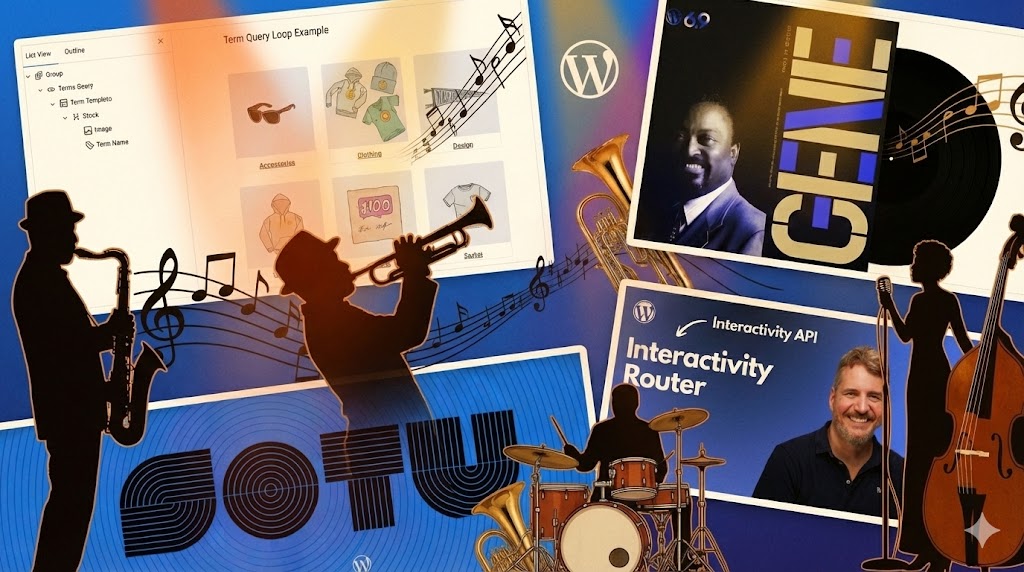
WordPress 6.9 “Gene” was released during State of the Word 2025, with most of the release leads present at the in-person event. You can revisit the moment on YouTube 41:35 minutes into the recording, with the demonstration of the major features by Matias Ventura.
Nicholas Garofalo wrote State of the Word 2025: Innovation Shaped by Community. Matt Mullenweg and Mary Hubbard, our Executive Director, delivered WordPress’s yearly update, which included an exciting live launch of WordPress 6.9. The keynote dug into how we’re mixing in AI with features like the Abilities API and MCP adapter, highlighted the awesome growth of our global community across 81 WordCamps, and showed off cool tools like Telex that help you create AI-powered blocks. Some major highlights were new collaboration features, upgraded developer APIs, and more ways to connect learners around the globe to opportunities on the open web.
James Le Page elaborated in SOTW 2025:The Year WordPress Became AI-Native how WordPress delivered four foundational AI components in version 6.9, six months after forming its first dedicated AI team. The Abilities API creates unified registries for AI agents, while the WP AI Client provides provider-agnostic LLM interfaces. The MCP Adapter exposes capabilities externally, and the AI Experiments Plugin demonstrates practical implementations. Looking ahead, version 7.0 will introduce client-side abilities and a Workflows API for chaining actions, positioning WordPress to remain central as AI reshapes content consumption and creation across the open web.
🔥 Save the Date! January 13, 7pm UTC Join James LePage and Jamie Marsland for a hallway hangout on all things WordPress AI. If you are interested, comment on the tweet or ping Jamie Marsland.
Maddy Osman reported on What’s New for Bloggers, Creators, and Site Owners in WordPress 6.9. and highlights collaboration tools like block-level notes and hide-show toggles, new creative blocks including Accordion and Term Query for enriched storytelling, plus performance improvements loading styles on demand.
In his post Ability to Hide Blocks in WordPress 6.9, Aki Hamano, sponsored triage co-release lead, shared more detail about this new WordPress features and how to disable it.
Rhys Wynne discussed the release of WordPress 6.9, noting it contains more visible features compared to version 6.8. He highlights three key improvements: the Notes,; the Accordion block, and the Command Palette.
On the Hostinger Blog, Bud Kraus explained the many features of WordPress 6.9, highlighting Notes, Accordion and Terms Query blocks and the Command Palette. Kraus emphasizes developer enhancements like the Abilities API, improved Block Bindings, and removal of legacy Internet Explorer code. He notes this release marks the official start of Phase Three collaboration features while balancing practical user improvements.
Carlo Daniele reported on the latest WordPress release for Kinsta. In New features, new blocks, new APIs: here is what’s new in WordPress 6.9, he discusses key features like the Command Palette, Notes, and new blocks. He also covers updates for developers, including the streaming block parser, custom Social Link icons, the Abilities API, Block Bindings, and improvements to the Interactivity API and DataViews.
Earlier this week, I worked on the release of Gutenberg 22.2. You can read my release post on the Make Blog: What’s new in Gutenberg 22.2 (03 December)?. The highlights are:
Bernhard Kau, a PHP developer from Berlin and community organizer, started an Advent Calendar to showcase recommended plugins. The Dec. 3 edition featured Block Editor: Reverse Columns on Mobile – a small block options plugin. He likes it for its ability to solve mobile layout issues with just 250 lines of code, managing columns, group blocks, and media-text arrangements. Instead of needing to add custom CSS classes manually, the plugin uses simple checkboxes to order image and text correctly on mobile and supports RTL languages and various flex layouts. While some believe fewer plugins are better, Kau prefers targeted solutions that do exactly what he would code himself, making features easy for content editors on no-code sites without overcomplicating the functionality. If you need a guide through the forest of plugins in the WordPress ecosystem you should follow Bernhard Kau’s blog.
Jake Spurlockreleased Placeholders, a WordPress plugin that simplifies wireframing ad layouts by offering fourteen Gutenberg blocks for common IAB advertising sizes. Each block shows clean wireframe-style placeholders with accurate dimensions, customizable colors, and alignment options, all without needing an actual ad setup. This free plugin empowers designers and developers to create mock placements for design phases, client presentations, and layout testing. Future updates may add custom sizes, layout templates, and ad management features. The plugin is available on the WordPress repository.
Joop Laan has created a new plugin called Inline Context. It adds expandable tooltip popovers to your content for easy definitions, references, and clarifications without interrupting reading. You can highlight text, provide rich-text explanations, and categorize notes with custom icons and colors. This plugin is great for editorial sites, documentation, and research platforms. It’s fully keyboard-accessible and ready for translation. Laan also offers a live preview of the plugin in Playground to see it in action.
“Keeping up with Gutenberg – Index 2025” A chronological list of the WordPress Make Blog posts from various teams involved in Gutenberg development: Design, Theme Review Team, Core Editor, Core JS, Core CSS, Test, and Meta team from Jan. 2024 on. Updated by yours truly.
Ronald Huereca discusses the Admin-Wide Command Palette which now operates in the entire admin area with CMD/CTRL-K. He shows how to disable the palette selectively using the wp-core-commands script handle, enable it on the frontend, and create custom commands using React hooks and registerPlugin. Huereca includes code snippets for different contexts—block editor only, admin excluding editor, or both—and suggests using separate script endpoints for new commands in existing block plugins to prevent iframe issues.
Brian Coords shared a tutorial on creating a Woo Product Category Image Block with WordPress 6.9, using the Block Bindings API and a new Terms Query Loop to show product category images without custom blocks. The method registers bindings using PHP on the server to get term meta thumbnails and uses JavaScript for the editor preview through WooCommerce’s data package. A block variation allows for easy insertion. Coords mentions this solves issues where taxonomy term images aren’t standard in WordPress, but he notes the increasing clutter in the block inserter due to more specialized variations.
Felix Arntzaddress on LinkedIn frequently asked question, on how he built the Gutenberg-like UI in his AI Services plugin for WordPress. In a new npm package calledwp-interface he provided an abstracted solution anyone can use to get started integrating it into their plugins.
On his livestream, Jonathan Bossenger tested WordPress 6.9 and showed how to use its Block Bindings updates in a custom plugin. He explored custom post types and meta fields, worked with block bindings, and updated custom fields. Watch him solve debugging issues, add a year field, and improve a custom plugin.
In his blog post WordPress Development Without a Computer, Alex Kirk, long time WordPress contributor, outlines how he envisions AI-assisted fixes on the fly on a WordPress site. “With AI coding assistants that run in the browser—like Claude Code, OpenAI Codex, GitHub Copilot Workspace, or similar tools—combined with WordPress Playground for testing, you can now do WordPress plugin development without a computer.” Kirk provides a step-by-step instructions on how to make it possible today.
In his livestream, JuanMa Garrido discussed the Interactivity Router package, highlighting its ability to load content without full page reloads. He demonstrated client-side navigation in query loop blocks and interactive lightbox behavior. The session included enabling client-side navigation, performance comparisons, and practical API documentation examples.
What’s new in Playground
In this 2025 Year in Review, Playground architect Adam Zieliński lists transformative achievements including supporting ninety-nine percent of WordPress plugins, running PHPMyAdmin and Laravel alongside substantial performance gains through OpCache and concurrent workers. New PHP extensions like XDebug enable modern debugging workflows while state-of-the-art MySQL emulation powers comprehensive database management. Developer tools now include file browsers, Blueprint editors, and one-click Gutenberg branch previews.
The community contributed translations across six languages, earned forty-eight contributor badges, and demonstrated Playground at WordCamps globally, establishing it as essential infrastructure for testing, teaching, and building WordPress.
Now also available via WordPress Playground. There is no need for a test site locally or on a server. Have you been using it? Email me with your experience.
Questions? Suggestions? Ideas? Don’t hesitate to send them via email or send me a message on WordPress Slack or Twitter @bph.
Before you dive headfirst into all the big and small changes and pick your favorites, make sure to read these preliminary thoughts about this post and how to use it. If you have questions, leave a comment or email me at pauli@gutenbergtimes.com.
Huge Thank You to all collaborators on this post: Anne McCarthy, Sarah Norris, Ella van Durpe, Ben Dwyer, Jonathan Bossenger, Justin Tadlock, Dave Smith and a lot more. It’s takes a village…
Estimated reading time
22–33 minutes
at
5,126 words
Table of Contents
Changelog
Any changes are cataloged here as the release goes on.
11/25/2025
Added Dev Note on miscellaneous block editor changes
Please do not copy and paste what is in this post since this will be shared with many people. This should be used to inspire your own content and to ensure that you have the best information about this release. If you do copy and paste, keep in mind that others might do the same, opening the door for some awkwardness around duplicated content out on the web.
Each item has been tagged using best guesses with different high-level labels so that you can more readily see at a glance who is likely to be most impacted.
Each item has a high-level description, visuals (if relevant), and key resources if you would like to learn more.
Overview
Note: As always, what’s shared here is being actively pursued but doesn’t necessarily mean each will make it into the final release of WordPress 6.9.
WordPress 6.9 introduces several new features and performance enhancements.
Key new features include:
Collaborative Feedback and Content Control: Block-level Notes facilitate team feedback, allowed blocks UI, Abilities API, visual drag and drop, binding blocks to external controls.
New Blocks: Discover Accordion, Terms Query, Math, and Time to Read blocks.
Typography Enhancements: Benefit from new text-fitting typography.
Dashboard-wide Command Palette: The Command Palette will help users streamline their workflow across WordPress Admin pages.
Performance improvements include:
Optimized Loading: On-demand block-style loading and faster emoji detection.
Efficient Scheduling: Optimized cron execution.
Furthermore, WordPress 6.9 lays the groundwork for future AI integration with the new Abilities API, which enables secure automation through machine-readable WordPress capabilities.
WordPress 6.9 is set to be released on December 2, 2025.
Of note, this release includes Gutenberg plugin versions 20.5 – 21.9.
To make this document easier to navigate based on specific audiences, the following tags are used liberally:
[end user]: end user focus.
[theme author]: block or classic theme author.
[plugin author]: plugin author, whether block or otherwise.
[developer]: catch-all term for more technical folks.
[site admin]: this includes a “builder” type.
[enterprise]: specific items that would be of interest to or particularly impact enterprise-level folks
[all]: broad impact to every kind of WordPress user.
How can you use these? Use your browser’s Find capability and search for the string including the brackets. Then use the arrows to navigate through the post from one result to the next.
Short video on how to use the tags to navigate the post.
Command Palette everywhere [all]
A couple of years ago the Command Palette was first released for the Site Editor. It provides content creators and administrators with a quick search and command execution tool. Invoked by Ctrl+K or Cmd+K. It is now available from any admin screen and helps streamline content creation as well as administering a WordPress site. It provides shortcuts to places otherwise only available by navigating multiple menu levels deep.
Technically, this change extracts navigation commands from `@wordpress/edit-site` to `@wordpress/core-commands`, making them universally accessible. This architectural shift sets the foundation for admin-wide command integration in WordPress 6.9 and beyond, potentially reducing the need for repetitive clicking through admin menus.
For developers the new useCommands hook was introduced. (71603)
Block editor updates
Notes [all]
Asynchronous collaboration comes to WordPress via the new Notes feature and rings in the 3rd Phase of Gutenberg. Site owners, Editors and Authors can collaborate by leaving comment directly on the post or page, attached to the blocks in the editor. The notes are threaded, resolveable, and can be reopened as well. Add an access notes from the Block toolbar and via the sidebar. Post authors will receive email notification when notes are added to the content.
Notes are by default enabled for Posts and Pages. They can be enabled also for other content post types via the `register_post_type` function.
Drag-and-drop just got smarter. Blocks now show live visual feedback as you reposition them, making layout building more intuitive and precise. You’ll see exactly where elements land before releasing, accelerating the creative process. (67470). Currently, this only works for single blocks. Drag and Drop of multiple blocks is slated for WordPress 7.0.
UI for managing allowed Blocks in Templates and Patterns. [end user][site admin]
WordPress now makes managing allowed blocks simpler with a new UI tucked in Advanced settings. Previously, developers had to edit block markup directly in code view—not user-friendly. This updates makes things easier for website admins, theme builders, and agencies enforcing specific block rules in patterns and templates. While agencies already handled this via code, the new interface offers a nicer interaction model. It’s part of WordPress’s broader mission: letting users build complex sites without touching code at all. (72191)
Hide and Show Blocks [end user][site admin]
WordPress 6.9 introduces long-awaited control to hide blocks in the editor while preserving their structure within templates. This initial implementation provides content creators and designers with the ability to manage blocks that are not always displayed, such as seasonal content or conditional elements.
Instead of deleting and recreating blocks, users can now simply toggle their visibility, retaining all settings. This foundational feature paves the way for more sophisticated conditional display options in future releases, potentially including role-based or time-based visibility controls. (71203)
Additional CSS control moved [end user][site admin] [theme author]
Theme builders might go searching for the Additional CSS controls. They were moved into the ellipsis menu in the header of the Styles page on either side of the screen (71550)
A new keyboard shortcut helps with pasting styles from one block to another and can speed up content creation workflows: cmd/ctrl + options/alt + v (69196)
Block Style Variations in Style Book [end user][site admin] [theme author]
To make the Stylebook even more comprehensive, it now surfaces block styles for core blocks as well as custom blocks. This makes it possible to change block style variations site-wide in one screen (70448).
The Starter Patterns modal for all post types. [theme author] [plugin author][enterprise]
With WordPress 6.9, contributors addressed a limitation in the starter pattern modal, which previously appeared exclusively when creating pages. This restriction is now removed from the `StartPageOptions` component, enabling the modal to display across all post types where patterns exist. The fix resolves a regression introduced in earlier pulls, expanding design flexibility for WordPress content creators working with diverse content structures.(69753)
Why iframe the Post Editor? [plugin author][enterprise]
The process to restructure how the WordPress post editor works started a few years ago. WordPress 6.9 begins transitioning the editor into this isolated iframe, with full completion coming in WordPress 7.0. Think of an iframe like a sandbox—a separate container within a webpage. Currently, the editor runs in the same space as WordPress’s admin interface, causing styling conflicts. This separation prevents admin styles from interfering with content editing, making the editor preview match what readers actually see. Plugin developers need to update older blocks to work with this new setup or they might stop functioning properly.
Certain bugs have been around for a while and developers often have found work arounds. Now that those bugs are fixed, it might be possible that the work around don’t work any more and it’s feasible to remove it.
Comments Pagination: Remove unwanted bottom margin from links. (70360)
Fix : Calendar block: Colors do not change between global styles and theme.json. (70184)
Image Block: Preserve line breaks in media caption. (70476)
Search Block: Move search setting to inspector. (70144)
New Blocks [all]
WordPress 6.9 brings six new blocks to WordPress editor: an Accordion block and its nested InnerBlocks, a Time-to-read block that also can show the word count of a post or page, the Term Query block, and the Math block to display mathematical formulas in science and essay posts. Comment handling also became easier with two more blocks, Comment Count and Comment Link.
Accordion Block
The Accordion Block has been long awaited and it is now available to all WordPress users. It’s a nested structure using Accordion Block, Accordion Item, Accordion Heading and Accordion Panel blocks.
An Accordion block has multiple Accordion Items, each comprising of a Accordion Heading + Icon and an Accordion Panel with the content.
Traditionally, creating category and tag pages has been complex and required custom queries and workarounds. The new Terms Query block offers a built-in way to display and organize categories and tags, similar to how the Query block manages posts. (70720)
There are also supporting blocks:
Term Template block
Term Name block
Term Count block
Together with the already existing Term Description block, this additional support for display of categories or tags is particularly useful for directory and magazine sites who provide content filters and subpages for their readers. The interface provides an `order` and `order-by` sorting in a single dropdown. All blocks have the necessary design tools for styling and the Term Count block also has a toggle to make it a link. For those working extensively with taxonomies, the ongoing hierarchy discussion outlines future enhancements to taxonomy handling in WordPress.
Time to Read Block
The Time to Read block, available in the Gutenberg plugin for a long time went through an extended accessibility review before it was added to WordPress Core.
It now has a toggle control to display a range of time rather than a fixed average reading time. It also comes with a variation to display a word count for the post or page it’s used on (71606) (71841).
Math Block
With the Math Block content creators can now add mathematical formulas in LaTeX syntax to their post and pages. The LaTeX syntax can also be used together with the inline Math format.
Longer formulas are handled with a horizontal scrollbar.
Comment Count and Comment Link Blocks
Two new comment blocks help theme builders to handle comment count and comment links separately. Both blocks have been available in the Gutenberg plugin for a few years and only for the Site editor. Earlier this year, they came out of experimentation and were made available for all editor screens. So now a content creator can for instance include a links to the comment section on top of the post and be more deliberate in allowing access to comments only on certain posts.
Updates to existing blocks
For WordPress 6.9, contributors standardized most blocks’ Inspector settings to use the ToolsPanel component, bringing visual consistency across the editor. The shift grants users granular control over displayed settings while simplifying how developers inject additional options into existing groups. The ToolsPanel aligns Inspector controls with the Styles sidebar, already leveraging the component extensively, creating a cohesive authoring experience. (67813)
Stretchy Text for Heading and Paragraph blocks. [all]
Both Heading and Paragraph blocks now support a new “Stretchy” variation that stretches text to the full width of its container. The transform tool from the button tools bar allowing users to convert text into this stretchy format.
Content creators can find these variations also in the Block inserter or via the Slash command.
Stretchy Text offers designers and content creators an additional creative tool, opening up numerous possibilities for visually appealing text, especially when paired with suitable fonts.
Developers can add support for this feature to any Custom text block via block.json. (73148)(73056) (73067)(72923)
JSON
{"supports":{"typography":{"fitText":true,}}}
Button Block [end user] [siteadmin]
Button Block now sports HTML element selection in Advanced settings, letting creators choose between semantic <a> links and true <button> elements. This tackles accessibility headaches where users mistakenly treat buttons as links, confusing screen readers. The dropdown educates users about proper usage, empowering developers and non-coders alike to build accessible interfaces without custom code (70139).
Cover Block improved video handling [all]
The Cover Block now supports poster images for videos, enhancing accessibility for users with slow internet or mobile devices. These images can be easily added by dragging and dropping the file onto the Poster Image control, streamlining the post creation process (70816) (71039) (70939).
The Formatting features are now enabled for the Details Block, similar to the Paragraph block. Users can now use special formatting like Strikethrough, Sub or Superscript, and highlighting. This also opens up the list to be extended via plugins.
Gallery Block [all]
This next WordPress version adds the support for gallery-wide aspect ratio setting to the Gallery Block. User can now set the same aspect ratio for all images in the gallery with one click from the sidebar. (71116) (72104).
Theme developers can control the availability via theme.json. The code snippet shows an example of removing the default choice defaultAspectRatios and only offering two choices in the editor.
WordPress 6.9 fixes a specificity issue with the Heading block’s background padding. Previously, padding styles applied to headings with backgrounds were affecting other blocks that use heading elements, such as the Accordion Heading block. This fix ensures that background padding is only applied to actual Heading blocks.
The CSS selector for applying padding to headings with backgrounds has been made more specific. The selector now targets .wp-block-heading.has-background instead of just heading element tags (h1, h2, etc) with the .has-background class.
The Navigation block in this WordPress release has been significantly improved. Builders can now find the create page functionality directly from the link UI dropdown and the process of creating a page is streamlined by an additional “publish immediately” checkbox. (71188)(71487)
Similarly the button block inside the navigation block also has the option to create a new page. It’s a slightly different approach, but it helps with streamlining site building work. (69368)
Site builders can now customize aria-labels independently of menu titles, which is great for accessibility. The text box is located under Advanced > Menu Name (66935)
The hamburger icon now consists of individual SVG lines, opening up more styling and animation possibilities. Plus, the automatic panel expansion for Navigation options in site editing makes the workflow smoother. (71791)(56346) (69343
To improve the robustness of the Navigation, the Navigation Link Block is now creating the URL dynamically and even if the slug of the page changes the link will be automatically updated.(72422) A similar mechanism also was applied to the Navigation Submenu block.
The submenu control of the background is now much easier. A new slider control for the overlay helps with the design. (69379)
In template part view, a new button Edit Navigation helps users to update Navigation block settings and menu items directly from this view.
Query Loop Blocks [all]
Blocks primarily used in a Query Loop context received a few quality-of-life enhancements and accessibility controls.
Content Block
The Content block in WordPress 6.9 now features a `tagName` selector in its Advanced Settings. This allows theme builders to replace the default div wrapper with semantic HTML elements (like main, section, or article), improving accessibility, SEO, and content structure. This powerful tool enhances how blocks align with web standards.(70698)
Date Block supports custom dates.
The Date block has undergone significant enhancements. It now supports custom dates, and its existing Post Date and Last Modified Date variations have been updated to utilize Block Bindings. This change involved creating a new binding source, core/post-data, which exposes the publish date as date and the last modified date as modified for any given post (70585).
Query Title get Post Type label
The Query Loop block now supports a new Post Type Label variation. This feature enables users to display the post type of the current item within the block, which is especially helpful for showcasing the post type name when creating custom post type archive templates. (71167)
Query Total
The total number of query results return are displayed via the Query Total block. In WordPress 6.9, this block received color controls for styling. (69500)
RSS Block [end user]
The RSS Block is a block to display another website’s RSS feed in a post or template. This version holds two small updates: An added option to display the links in a new tab or window and to control the `rel` attributes. RSS feeds from third-party sources sometimes include HTML entities in their titles. In a bug fix, the RSS Block now displays titles correctly.
A small update to the Separator block opens the styling options for designers: The HTML element can now be changed from a `<hr>` to a `<div/>` tag in not only increasing the range of design option but also accessibility. (70185)
Social Icons Block [developers][enterprise]
The update to the Social Icons Block enables now extenders to register custom Social Icons variations. This way, any group of Social Icons that are relevant to the site owner can be created and used in the content, for instance icons of various Podcast directories, or to add icons for payment systems not available in core.
The Table block received more robust handling of Markdown table parsing, specifically retaining alignment from a Markdown table.
| A – Left | B – Centered | C – Right | D – None |
| :——- | :———-: | ——–: | ——– |
| 100 | 150 | 200 | 250 |
| 200 | 250 | 300 | 350 |
| 300 | 350 | 400 | 450 |
| 400 | 450 | 500 | 550 |
| 500 | 550 | 600 | 650 |
The above Markdown example parsed into the block editor canvas is automatically converted to the Table block.
Video Block [all]
The Video Block can now handle multiple language tracks with the option to set one as the default track. It’s also possible to add a poster image to the video block to improve accessibility for visitors with slow internet connections (71039) (70939)(70227).
Theme.json and Global Styles [developers][enterprise][site admin]
Form elements in theme.json
WordPress theme development reaches new enrichment with theme.json support for form element styling. Developers can now target text-based controls and select/dropdown elements through the styles.elements property, defining colors, borders, and typography directly in Global Styles.
This eliminates custom CSS dependencies, allowing search forms, comment forms, and plugin-generated forms to automatically inherit the site’s design system. (34198) (70378) (70379) Below snippet shows an example for the textInput element.
It’s now possible to define border radius presets in the `theme.json` for your theme. The user experience changes slightly with the numbers of presets: up until eight, a user can enable the border radius along a slider. For nine and more present the user uses a drop-down select menu. Users can always access custom value input through the custom button to the right of the control.
As an example you can add the following to the `settings` property of your `theme.json` file. (67544). \
A closer look at performance optimizations [developers][enterprise]
WordPress 6.9 speeds up your site through several technical improvements. Scripts load more efficiently with priority ordering and move to footers when appropriate. Stylesheets load only when needed, particularly in classic themes, while styles for hidden blocks are omitted. The inline style limit increased to 40K. A new optimization system enables previously impossible efficiency gains. Database queries, UTF-8 processing, and cron tasks all improved. The Video block also eliminates layout shifts. Overall: more efficient performance across the board.
Improved accessibility across Core and Block editor
WordPress 6.9 delivers substantial accessibility enhancements across Core and Gutenberg, implementing 33 Core improvements and 44 Gutenberg refinements. Core updates address administration interfaces, customizer tools, login and registration workflows, media library functionality, and bundled themes.
Key changes include enhanced screen reader notifications, improved CSS-generated content handling, refined focus management, and superior color contrast adjustments. Gutenberg advances feature new accessible blocks, component redesigns, and data views improvements ensuring consistent editor interfaces.
Updates span Cover blocks, Site Title, Navigation elements, Button blocks, and Columns, alongside Component refinements addressing modal dialogs, font size pickers, and link controls.
Data Views enhancements prioritize checkbox visibility and text-based actions. Editor modifications involve iframe CSS classes, pattern modal behavior, and focus management within Global Styles panels.
These comprehensive improvements reinforce WordPress’s commitment to Web Content Accessibility Guidelines standards, enabling creators to develop inclusive content while providing developers cleaner, more accessible code foundations for theme and plugin development.
New and updated APIs for Developers [developers][enterprise]
Abilities API
WordPress 6.9 features the Abilities API, a new foundational system designed to standardize how plugins, themes, and the WordPress core register and expose their capabilities. This API provides a unified, machine-readable registry of functionalities, ensuring consistent discovery, validation, and execution across various contexts, including PHP, REST API endpoints, and upcoming AI integrations.
Updates to the Block Bindings API include enabling it for a few more core blocks. The refactor of the Date block is one of those examples. (70585)
Another is enabling Image block’s caption data to be available for Synced Pattern Overrides. (72476).
The list of supported block attributes by Block Bindings API.
The function `getFieldsList` was available via the Gutenberg plugin and has been merged into WordPress Core now. Also, the attributes UI in the Block editor is now more flexible and handles any attributes from plugin developers. [Details will be available on the DevNote.] More details can be found in the Dev Note: Block Bindings improvements in WordPress 6.9
DataViews and DataForm
WordPress 6.9 marks substantial progress for DataViews and DataForm components. There are no user-facing updates. Plugin developers can use the components for their products and on admin pages.
The Field API now handles array, boolean, email, media, date, datetime, telephone, password, URL, and color types with comprehensive validation support.
DataViews gained sophisticated filtering with type-specific operators, infinite scroll capabilities, and improved table layouts featuring alignment and action column pinning.
DataForm received new layout options including modal panels and card designs, alongside controls matching the expanded field types.
The new DataViewsPicker component is a selection-focused variant of DataViews designed for building item picker interfaces. It extends the familiar DataViews API with selection management and action buttons, making it ideal for workflows where users need to browse and pick items from a dataset.
These enhancements collectively strengthen the block editor’s data management infrastructure, enabling developers to build more capable interfaces while maintaining consistency across WordPress’s content administration.
Updates in WordPress 6.9 the Interactivity API with standardized directive IDs using triple-dash syntax, enabling multiple directives on single elements. The deprecated data-wp-ignore directive is removed. New TypeScript helpers AsyncAction and TypeYield improve asynchronous action typing. Client-side navigation improvements include dynamic stylesheet and script module loading, support for nested router regions, new attachTo options for overlays, and enhanced getServerState and getServerContext functions for proper state management across page transitions.
The Dev Notes provide more details and code examples.
WordPress 6.9 introduces a new way for plugin developers to handle HTML output, called the “template enhancement output buffer.” It standardizes output, meaning instead of plugins creating their own temporary storage for HTML, WordPress now provides a built-in system. If a plugin developer wants to use this feature, they just need to add a special wp_template_enhancement_output_buffer filter before the template is loaded. This system is designed for making small improvements or additions to a page, not for essential parts of the website’s functionality. If a website doesn’t want to use this buffer, it can disable it by filtering wp_should_output_buffer_template_for_enhancement to be false.
For older (classic) WordPress themes, this buffer is now enabled by default. This allows them to load block styles only when needed and move them to the <head> section of the HTML, which can significantly reduce the amount of CSS on a page. Even if the page has already started loading, you can still send HTTP headers (like Server-Timing) while the output is being buffered. #64126). #43258 (PR#8412) More details are available in the Dev Note.
Blocks: Efficiently find and traverse blocks in a document.
The Block Processor class is now available in WordPress 6.9 to efficiently scan through and manipulate block structure in a lazy and streaming manner. For certain workloads this should dramatically improve the performance of processing code, and even more importantly, prevent out-of-memory crashes in the worst cases. [Core#9105] (61401).
It’s an more
Do you need to do any of the following kinds of things? Check out WP_Block_Processor!
Checking if a post contains a block of a given type.
Counting or detecting all of the kinds of blocks present in a post.
Modifying a block of a given kind within a post, not touching any of the other blocks.
Finding the “wrapper element” surrounding the inner blocks and adding a class name to it.
Extract sections of a document as blocks, modify it, serialize it back, and replace the original blocks with the new HTML.
I am genuinely giddy about WordPress 6.9 and its delightful updates. Major kudos to all contributors, who push it over the first hurdle of this release cycle. The Beta 1 release happened earlier this week. The final release is scheduled for December 2nd, 2025.
There are lots of different updates for the full range of WordPress users.
Content creators get a number of new and waited-for Blocks, with Accordion, Time to Read, Term Query and MathML Block, and further refinements to block handling and existing blocks.
Theme and site builders get additional tools to style a site via theme.json and majorly improved template management right in the site editor, and
Developers can build faster with an enhanced Block Bindings API and Interactivity API, and for the admin side of plugins the component library of DataViews and DataForms has some great updates as well.
Release Test co-lead, Krupa Nanda posted great instructions on how you can Help test the Beta 1 release of WordPress 6.9 . It’s the best way to learn how to use the new features and report quirks and bugs back to the contributors, so they can be fixed before Release Candidate 1 which is scheduled for November 11.
In Europe we will turn back our clocks one hour on Sunday (Oct 26). The US will follow suit next week (Nov 2). This will be the week of “pick-up meetings” for me. It’s what I call the phase where I miss a meeting and instead turn up at someone else’s meeting and meet new people. Win-win. 🎉 But seriously, if you scheduled a meeting with me next week, you can’t send too many reminders if you want me to turn up in time.
Have a splendid weekend ahead,
Yours, 💕 Birgit
Table of Contents
This week in WordPress is a great long-running show by WPbuilds and host Nathan Wrigley. A panel of three people chats about last week’s WordPress news. They comment, explain and present addtional view points. It’s loosely inspired by “This week in Google” an even longer-running show of the This week in Tech (TWiT) network that was renamed at the beginning of this year to Intelligent Machines. With Jeff Jarvis, Leo LaPorte and others. It’s my favorite podcast. But I digress.
In the latest episode, This week in WordPress 353, Michelle Frechette, Tim Nash, Nathan Wrigley and yours truly discussed the great Internet outage of 2025 aka AWS outage, the WordFence Security Report, WordPress 6.9 upcoming features, Gutenberg updates, and Tammie Lister’s fun blocks and so much more. Listen in on YouTube or your favorite Podcast app.
Developing Gutenberg and WordPress
Rae Morey, The Repository, reported that WordPress 6.9 Beta 1 Now Available and Ready for Testing and gives and overview of the features and also what’s didn’t make it into the release, a nice recap on the progress of the Admin Redesign.
Besides WordPress 6.9 Beta, the fabulous crew of contributors also released Gutenberg 21.9. It brings three new blocks: MathML, Term name and Term Count blocks, the latter two used in the context of the new Term Query block. The allowedBlocks feature has been expanded to all blocks and users can also use the new UI tools to controls allowed blocks for templates and patterns, without writing code or editing raw block markup. Hide/show block features was added also to synced patterns and template parts. It can also be called upon via Command Palette and keyboard shortcut cmd/ctrl+shift+H.
Isabel Brison, JavaScript developer at Automattic and core contributor, joined me on the podcast and filled various knowledge gaps about the updates in this release. We also had great fun discussing WordPress 6.9 features, soon coming to your a WordPress instance near you.
On Thursday, Oct 30, at 20:00 UTC, Velda Christensen‘s workshop will be about Landing Pages, Posts, & More: Strategies for a Stronger Site -In this beginner-friendly workshop, we’ll explore simple ways to organize your WordPress content so visitors can easily find what they need and take the next step.
Plugins, Themes, and Tools for #nocode site builders and owners
Blocktober Fun, the October challenge to build a block a day with Automattic’s Telex, is almost over. This week, Tammie Lister prompted the Block building AI tool for another set of fun blocks:
A new fun plugin arrived at the WordPress plugin repository: It’s called Throwable by Qara Yahya, founder of BlockLayouts. Using it you can place buttons, paragraphs or image into the Throwable block. The adjust Gravity aka speed items fall and Bounce setting, and have some nice animation on your site.
Justin Tadlock released Breadcrumbs Block v. 3.0. The update includes support for the built-in Layout and Block Gap (Spacing) features in WordPress. “There are quite a few other changes and some notable bug fixes, particularly if you extend the block with custom code. Be sure to check out the changelog” he wrote on X.
Theme Development for Full Site Editing and Blocks
“Keeping up with Gutenberg – Index 2025” A chronological list of the WordPress Make Blog posts from various teams involved in Gutenberg development: Design, Theme Review Team, Core Editor, Core JS, Core CSS, Test, and Meta team from Jan. 2024 on. Updated by yours truly. The previous years are also available: 2020 | 2021 | 2022 | 2023 | 2024
Building Blocks and Tools for the Block editor.
Seth Rubenstein, lead developer at the Pew Research Center and speaker at WordCamp US, chatted with Nathan Wrigley on the Jukebox podcast about Block Composability in WordPress’ Future. Rubinstein “shares fascinating stories from the work h e’s recently been doing. He breaks down what block composability really means, the ability to build modular, reusable, and even interactive blocks that work seamlessly together, empowering both developers and end users to create sophisticated web applications within the familiar WordPress block editor.” wrote Wrigley in his podcast show notes.
Fellyph Cintra, developer advocate working for Automattic, published Things you might have missed about the Playground project over the past few months. It’s a great roundup post about the amazing work of the team. He mentions the PHP-Wasm changes, updates to the Playground CLI, the JavaScript API, how to use Playground with Playwright and the performance improvements with OPCache enabled by default. He also addresses rumors about missing features compared to traditional WordPress installs, noting that this gap is becoming less significant.
In preparation for the WordPress 6.9 Field Guide, André Maneiro just posted an update about the Fields API, that has been worked on for many Gutenberg releases. It lists functions and options with code examples. Updates on DataViews and DataForm are still to come.
Now also available via WordPress Playground. There is no need for a test site locally or on a server. Have you been using it? Email me with your experience
Questions? Suggestions? Ideas? Don’t hesitate to send them via email or send me a message on WordPress Slack or Twitter @bph.
A release party is coming up on Tuesday, October 21, at 15:00 UTC for WordPress 6.9 Beta 1. It’s the first time for this release squad. Good luck!
Will you start testing WordPress 6.9 next week? You can use the Beta Tester plugin by Andy Fragen and install it on your test site. I am using WordPress Studio on my computer for systematic testing and prep work for the Source of Truth post to come out in a few weeks.
The WordPress Test team already published a few pre-beta calls for testing, you can work through, and they are preparing a comprehensive post for all of WordPress 6.9 testing for next week.
WordPress 6.9 is a big focus of my work now. As always, I’ll keep you updated.
Have a fantastic weekend!
Yours, 💕 Birgit
PS: On Monday, October 20th, I will be on the 353rd episode of This week in WordPress show together with Michelle Frechette, Tim Nash, and the brilliant host Nathan Wrigley. You can join us live! 📺
Now also available via WordPress Playground. There is no need for a test site locally or on a server. Have you been using it? Email me with your experience
Table of Contents
Developing Gutenberg and WordPress
Yesterday, Matt Mullenweg talked briefly at WordCamp Canada, gave a demo, and then answered questions from the the audience. The wizards behind the scenes already posted the recording of the session to YouTube. WordCamp Canada 2025—Ma.tt Mullenweg “Town Hall/AMA”. If you rather read about the talk on Mullenweg’s blog, WordCamp Canada Talk. He also added the Q & A transcript as well.
Plugins, Themes, and Tools for #nocode site builders and owner
In his video AI Builds WordPress Blocks , Jamie Marsland introduced Automattic Telex and showed off about ten blocks he and other people built with it, like animated text, a countdown counter, and mermaid diagram and more. Check it out; it’s not only amazing, it borders on voodoo or magic.
Tammie Lister continues her October Challenge on the Blocktober.fun site. The latest blocks are Flip Card, Emoji Voting, Highlighter, Story Generator,Watermark and Make the logo bigger. You not only can try them all out on Telex and remix them with your own ideas. Lister also shares here elaborate prompts you can study and learn how to skill up your AI work.
Troy Chaplin released Block Accessibility Check v2.2! It introduces Heading structure validation, alt-text pattern detection and provides an upgraded URL checks with real TLD validation + dev environment support”Along with the new release comes a new dedicated website featuring improved docs, feature overviews, and developer API guide”. Chaplin wrote. The site is focused to assist content creators and developers alike.
Anne Katzeff shared how she created overlapping Columns with the Media & Text Block and little Additional CSS. The step-by-step instructions show you how you can build some dynamic layouts with the core block features.
Michael Manuel, WordPress VIP, posted a four-part series of short video: Behind the Build: How Christianity Today Modernized its Publishing Experience and how the team of WebDevStudios helped transform editorial workflows, infrastructure, and content operations for one of America’s most trusted media brands.
Part 1: Editorial empowerment & workflow efficiency
Part 2: Performance & platform modernization
Part 3: Homepage & design system overhaul
Part 4: Content migration & CMS modernization
Brad Salomons, 8r4d Consulting, Ltd, created the Panoramic Slider Block to scratch an itch. With this block you can post your Pano photos from your phone camera as it provides horizontal sliding controls.
Theme Development for Full Site Editing and Blocks
On the WordPress Developer Blog, Nick Diego published a Snippet on How to add custom blocks to navigation menus. It shows how to use the blocks.registerBlockType filter to extend the navigation block’s allowedBlocks array.
Elliott Richmond demonstrated how to create a block theme using Claude Code on YouTube. He built a theme from scratch with Claude Code, providing clear structure and Markdown tips for the AI tool. You’ll discover how to set up a CLAUDE.md file for AI-assisted theme development and how Claude works with the WordPress Block Theme structure.
“Keeping up with Gutenberg – Index 2025” A chronological list of the WordPress Make Blog posts from various teams involved in Gutenberg development: Design, Theme Review Team, Core Editor, Core JS, Core CSS, Test, and Meta team from Jan. 2024 on. Updated by yours truly. The earlier years are also available: 2020 | 2021 | 2022 | 2023 | 2024
Ryan Welcher was the Pro WordPress Developer Watches AI Build a Custom Block… and is Blown Away! He put Automattic’s Telex to the test, to build a live audio visualizer block inspired by the classic iTunes music visualizer. The AI writes the React code, handles audio input, and even makes the block respond to live microphone sound, all in about 15 minutes. It’s an impressive look at how Telex could reshape the way developers build custom blocks for WordPress.
JuanMa Garrido, developer advocate at Automattic, livestreamed his ongoing discovery of the Abilities API. He explored how to register custom abilities, expose them to AI models, and understand how this fits into WordPress’ broader AI architecture alongside the MCP Adapter and PHP AI API. The recording is now available on YouTube.
Questions? Suggestions? Ideas? Don’t hesitate to send them via email or send me a message on WordPress Slack or Twitter @bph.
After meeting so many people at WordCamp Gdynia, on the plane and then on the train, I caught a nasty cold and struggled all week. I call this stage mushbrain, and everything becomes much harder, especially reading comprehension suffers. I am over it now, though. It also wasn’t the first time that I sounded horsey on a podcast episode.
It’s the time of year now here in Munich when the days get shorter and the weather is cold, drissly and overcast. A time when snow would brighten the sights, with its whiteness covering partly the darkgray, dark brown background.
Enjoy again this weekend edition and stay healthy.
This week Gutenberg Changelog 122 recording, Beth Soderberg, lead developer at Bethink.studio and I chatted about the release and other WordPress topics around Block themes and on going change. The episode arrive at your favorite podcast app over the weekend.
It was JuanMa Garrido‘s turn to write the monthly roundup post What’s new for developers? (October 2025) on the WordPress Developer Blog. The 21.6, 21.7, and 21.8 Gutenberg releases add features for developers. The Command Palette now works throughout the admin, the new Terms Query block makes taxonomy layouts easier, and Block Visibility controls allow for conditional display. Notes (that’s how we call Block Comments now) improve team collaboration, while content-only editing maintains design integrity during client handoffs.
Help testing new features for WordPress 6.9
Release test co-leads Krupa Nanda and Jonathan Bossenger, published several calls for testing in preparation in WordPress of the 6.9 release. Each of the post has a detailed description of the feature, and instructions on how to test is with specific scenarios. It’s much easier to follow along with any of the calls for testing, to also learn what’s new in the next release.
Help test changes to template management is probably the most elaborate call for testing, as template management received a completely new feature, and it needs to be working for many different use cases, and has consquences on existing sites.
Call for Testing: Ability to Hide Blocks for this feature it’s the bare minimum of a new feature, that will be in future releases see some refinement and extensiblity.
Call for Testing: Accordion Block lets you dive into a whole new block, many users asked for an several plugins are already available for. Now it will come to core.
Your time spent on testing the new features for WordPress 6.9, has a lot of impact, as the bugs found now, make the release the best it can be for millions of other users.
Plugins, Themes, and Tools for #nocode site builders and owners
Lesley Sim informed us that EventKoi Lite is now available from the WordPress Plugin Repository. I mentioned the premium version before, Event Koi is modern, WordPress events calendar. Create single or multi-day events and display month, week, or list views via blocks (or shortcodes).
All controls are seamlessly integrated with the Core editor sitebar sections. Mark Howells-Meadcommented in the WordPress Slack #outreach channel: ” I’m very impressed with how he’s been able to integrate the little add-ons many of us are integrating to our own projects, but in such a seamless way by extending core controls.” McAlister shared an example Gist on GitHub.
David McCan took a deep dive into the world of Block plugins. In this blog post Performance of Third Party Blocks and Core Compared he tries to answer the questions many site builders and owners have: “Can you add the features Gutenberg is missing yet still be performant like core?”. McCan tested ten third-party Gutenberg block plugins with WordPress core, specifically focusing on performance.
Matt Medeiros, WPMinute, took the Mega Menu Designer, also made by Mike McAlister, out for the spin. He shared his thoughts in the Video How to Build Mega Menus with WordPress Blocks. He provides a detailed walkthrough calls it “Perfect for anyone looking to enhance their website’s navigation experience.” As reported earlier the plugin is available for free in the WordPress plugin repository.
Rae Morey, publisher or The Repository, reported Ollie’s Menu Designer Flagged for Core, With Automattic Developers Set to Help Shepherd It. Automattic’s Anne McCarthy says developers are preparing to review Ollie’s Menu Designer for inclusion in the Gutenberg plugin, marking the start of a collaborative push to bring the plugin’s features into WordPress. This follows WordPress co-founder Matt Mullenweg’s suggestion that the menu functionality should be part of core. Details and links in Moery’s article.
Theme Development for Full Site Editing and Blocks
This episode of Greyd Conversations show, Switching to FSE from a pagebuilder, covers the story of Buro Staal, a smal dutch agency, which switched from Elementor to Full site editing cold turkey. Greyd’s host Sandra Kurze and agency owner Rosanne van Staalduinen shared why and how her agency switched and the lessons learned along the way.
The biggest hurdles were limited functionality of navigation block, not able to create Mega Menus, and the need for controls for mobile sites and responsiveness. So they augmented their tech stack with Kadence Blocks and Ollie Pro theme.
“Keeping up with Gutenberg – Index 2025” A chronological list of the WordPress Make Blog posts from various teams involved in Gutenberg development: Design, Theme Review Team, Core Editor, Core JS, Core CSS, Test, and Meta team from Jan. 2024 on. Updated by yours truly. The previous years are also available: 2020 | 2021 | 2022 | 2023 | 2024
Building Blocks and Tools for the Block editor
Ryan Welcher published another recipe from his Blockdevelopment Cook Book on YouTube. How To Make A Simple Fade In Effect Fast. “In this recipe, we’re adding a little flair by loading custom JavaScript and CSS for the Cover and Image blocks to create a smooth fade-in effect as they scroll into view. To keep things efficient, we’ll only enqueue these files when the blocks are actually on the page.”
What’s new in and around Playground
Nick Diego announces that WordPress Studio version 1.6.0 now supports Blueprints, which are lightweight JSON files that predefine site configurations for quick and consistent setup. Instead of starting with empty sites or using large snapshots, teams can create portable recipes specifying WordPress versions, plugins, and settings. Studio offers three featured blueprints for quick starts, development, and commerce, while users can also upload custom blueprints. The feature integrates into the standard site creation flow and helps streamline workflows for solo developers and teams alike.
Playground documentation now has Ask AI button, to get help finding and understanding feature sets and APIs.
Ajit Bohra of Lubus shared on X “The Visual BluePrint Builder for Playground is shaping up nicely. All the latest updates are in, and it’s feeling solid. Stable version coming soon, but you can already check it out and start building visually.” A blueprint builder with blocks, how nice. You can test it via this Playground link. The code is available on GitHub.
Adam Zielinski created an online PHP code editor using Playground. It allows developers to test PHP snippets quickly in their browser. The tool supports WordPress functions, enables switching between PHP and WordPress versions, and allows sharing code configurations through links. Built with WordPress Playground, it runs entirely client-side with network access and popular PHP extensions included. He’s currently experimenting with adding CLI and file browser capabilities to support composer packages and frameworks like Laravel or Symfony.
Now also available via WordPress Playground. There is no need for a test site locally or on a server. Have you been using it? Email me with your experience
Questions? Suggestions? Ideas? Don’t hesitate to send them via email or send me a message on WordPress Slack or Twitter @bph.
And just like that, the last quarter of 2025 has begun. It’s been an interesting year again, and now we are on the home stretch, heading into a Holiday season. It’s become my favorite time of the year when Autumn make nature paint trees and bushes in so many colors. After a life near evergreen Everglades of Florida, the middle European changing colors of the fall seems magical.
Soon it’s time to plan for 2026. Speaking of which, in case you missed it, WordCamp Asia Call for Speakers has been out for a couple of week, and the deadline is quite early: October 31, 2025. If you were thinking about going to WordCamp Asia, what would be a talk you would be interested in seeing in April of 2026?
Anyway, the present is pretty amazing right now, too. So without further ado, the news.
.Jonathan Bossenger, WordPress 6.9 release co-lead for testing, is asking for your help to test changes to the template management. The new feature is a great enhancement to the way templates are handled in the Site Editor. More eyes are needed to make sure it’s the best it can be in the short amount of time until the first Beta version is released. The instructions are detailed, and Bossenger added a video to show how the various sections of this test should work.
Now also available via WordPress Playground. There is no need for a test site locally or on a server. Have you been using it? Email me with your experience
The security and maintenance release, WordPress 6.8.3 is now available. John Blackbourn led the release and shares the details in his release post. Update as soon as you can, as it plugs a few security holes.
Plugins, Themes, and Tools for #nocode site builders and owners
In the WordPress VIP blog post and video, Pew Research Center Builds Interactive Content at Scale, the Seth Rubenstein and his team share how they rebuilt their website using WordPress VIP to tackle challenges in a world where people seldom visit original sources. Their old method took weeks of custom coding for interactive content, which delayed publishing. By adopting a block-first strategy in 2022, they cut production time from weeks to minutes, enabling editors and designers to create quizzes and maps on their own. This shift allowed developers to focus on innovation while increasing publishing frequency and lowering costs with evergreen interactive content that engages audiences directly.
In his video Level up your Product Collections, Brian Coords demonstrates the new features in WooCommerce 10.2. He covered carousel layouts, taxonomy filters (Category/Brand/Tag), and an improved Cross-Sells collection for displaying products.
Joanne Courtright of Groundworx released a new Testimonials plugin in the WordPress repository. Get the skinny from her blog post: Introducing Groundworx Testimonial: Modern Testimonials for WordPress Block Themes. “Most testimonial plugins are still stuck in the classic era. This one is designed for developers and site builders who want testimonials that “just work” with Gutenberg, she wrote. It aims to be Gutenberg-native, theme.json aware, and accessibility-first. It includes a dedicated Testimonial post type + flexible blocks.
Justin Tadlock released the first version of an Authors List Block for multi-author sites. “This is especially useful if you’re coming over from using a classic WordPress theme and need a block that’s similar to the old wp_list_authors() template tag,” he wrote. The plugin comes with a full array of block design tools. It also sports options to display number of posts, various order filters, and feed links.
Mike McAlister released his Ollie Menu Designer for free in the WordPress repository. It is a powerful way to build mobile and dropdown menus in the WordPress block editor—no coding required. For more details, watch his announcement video on YouTube.
Blocks Galore with Telex
In his post, If Automattic’s Telex Builds This, You Might Not Need That Page Builder, Jamie Marsland explores how Automattic’s Telex AI tool could transform WordPress by enabling users to extend existing core blocks rather than just creating new ones. Currently, Telex generates custom blocks like video effects and timelines, but extending core blocks like paragraphs, tables, or buttons requires complex developer skills. If Telex could extend core blocks and offer a public directory for sharing these extensions, it could replace traditional page builders by unlocking the full potential of WordPress’s native blocks without adding technical debt or duplication.
Tammie Lister started her personal Blocktober, posting a block a day on the newly created site. Every day at noon, she uses Automattic’s Telex and builds a new block. Spanning the arc of history back to the 1980s, Lister started with an ASCII Tetris block. Here goes my Thursday morning….
In his latest blog post, Marko Ivanovic made a set of blocks for designers with the help of Automattic’s Telex. Earlier he also created animated icon blocks. Ivanovic is a designer working for Automattic, and since 2022. His post on how he rediscovered WordPress and why any designer should embrace WordPress is worth a read, too. And I love those sticky notes.
Theme Development for Full Site Editing and Blocks
In preparation for the WordPress 6.9 release on December 2, Justin Tadlock published a new tutorial on the WordPress Developer Blog: You on how to implement Border radius size presets in WordPress 6.9. “You define an array of sizes that users can apply to blocks that support border radius. You can also reuse them within your own theme stylesheets and theme.json file.”, he wrote.
“Keeping up with Gutenberg – Index 2025” A chronological list of the WordPress Make Blog posts from various teams involved in Gutenberg development: Design, Theme Review Team, Core Editor, Core JS, Core CSS, Test, and Meta team from Jan. 2024 on. Updated by yours truly. The previous years are also available: 2020 | 2021 | 2022 | 2023 | 2024
Building Blocks and Tools for the Block editor.
Long-time block developer Kevin Batdorf at Extendify just updated his Block Starter pluginrepo—an “opinionated starter template for crafting WordPress block plugins,” as he calls it. It uses Tailwind v4 with output for the editor and frontend, TypeScript and Biome.js for code quality and type safety, and runs Playwright tests on PR using the Playground CLI. It also includes a Plugin Check on commits to main and before a release.
Questions? Suggestions? Ideas? Don’t hesitate to send them via email or send me a message on WordPress Slack or Twitter @bph.
A month before Beta, is the time I get excited about a major release. Many new features—I see it all coming together via GitHub and Trac. The Source of Truth is in the works, but it will take a few more weeks to be published, as only when Release candidate 2 comes out I can be sure about what actually made it into the release.
Until then, check out Automattic Telex for your personal block-building needs. Below you learn from others who went before you.
Block-level commenting is Gutenberg Phase 3 feature and in very active development. Although still experimental, it is worth testing now, as it heads to WordPress 6.9.
Aki Hamano, core contributor to Gutenberg, has created the Block Commenting Data generator plugin to help him streamline his testing process for this feature. The plugin is available on GitHub, and it is not for use in a production environment. On activation it creates users, comments, and other data.
Gutenberg 21.7 Release candidate is now available for testing. It’ll be released on September 23, 2025. Block Commenting is a big part, as are DataForms improvements and write mode updates.
As a side note: You don’t have to wait for the next Gutenberg release to test things. You can use the Gutenberg Nightly with Playground
Now also available via WordPress Playground. There is no need for a test site locally or on a server. Have you been using it? Email me with your experience
Plugins, Themes, and Tools for #nocode site builders and owners
Check out Wes Theron’s latest video where he shows you how to build one-of-a-kind page layouts in WordPress. He dives into crafting a clean, distraction-free landing page, promoting a special event, and even how to give a specific page its own unique header and footer. Custom templates are totally where it’s at!
Justin Tadlock updated his Progress Bar Block plugin to v 2.0. It now supports Core features like drop shadow, blockGap and layout controls. It’s a feature-rich block that feels at home in the block editor, using the known interface components in the sidebar.
Dennis Buchwald, founder of the dbw-media agency in Germany, released his first plugin into the WordPress plugin directory, an infinite logo carousel block. You upload all the logos into the media library and into the block editor, and it displays a logo carousel with customizable speed, spacing, and hover-pause. A great way to display client, partner, or sponsor logos scrolling over your website. You can even control the overlay at the two sides. This one is a slight pink. It’s also on brand for dbw-media.
Welcome to the open-source community of WordPress plugin developers, Dennis Buchwald at dbw-media.de 🎉
Building blocks with Telex
Automattic Telex is like the next big thing in block building, all thanks to natural language! Just tell it what you’re dreaming up, and Telex will whip up the code, package it as a plugin, and you can test it out right away. It’s still experimental, but honestly, there’s no better time to start making your ideas into real WordPress blocks!
Not everyone who’s tried and shared their journey has hit the jackpot. Jamie Marsland totally had a blast, as he shared over on X (formerly Twitter)!
Jeff Paul also gave it whirl and shared his experience in Pong Block: A Fun New WordPress Plugin (and a Nod to Telex). He wrote, “That simplicity is why I’d recommend Telex to anyone curious about experimenting with block plugin creation. It feels like a fast way to explore an idea and get it live.” His plugin already landed in the WordPress repository, and you can add some playfulness to your site.
Marco Ivanovic, designer at Automattic, built a plugin called Space Dots with Telex. A fun block to display a bunch of moving dots that will react to your mouse movements.
Nick Hamze shared his Telex creations on X (formerly known as Twitter), like this flash card block. He also promised to submit his best 10 creations to the WordPress repository.
Theme Development for Full Site Editing and Blocks
Mary Ann Aschenbrenner,first-time speaker at WCUS 2025, was interviewed by Nathan Wrigley for the WPTavern podcast. #185 – Mary Ann Aschenbrenner on Switching Clients From Classic to Block Themes. They discussed the differences between classic and block themes, with Mary Ann offering practical advice for switching to modern block-based themes. She shared why to make the switch, potential challenges, and client conversion stories. Perfect for anyone wanting to understand how block themes make site building more accessible.
“Keeping up with Gutenberg – Index 2025” A chronological list of the WordPress Make Blog posts from various teams involved in Gutenberg development: Design, Theme Review Team, Core Editor, Core JS, Core CSS, Test, and Meta team from Jan. 2024 on. Updated by yours truly. The previous years are also available: 2020 | 2021 | 2022 | 2023 | 2024
Building Blocks and Tools for the Block editor.
Ryan Welcher has been on the quest to build the Core Icon block, inspired by Nick Diego’s Icon Block plugin and has been livestreaming his adventures with all kinds of tribulations. He dedicated two live stream sessions to this task.
Brian Coords, developer advocate with WooCommerce, asked, Are you down with MCP? because he initially didn’t get the hype—why waste AI tokens on simple tasks you could do faster manually? But after building a custom WordPress plugin for his wife’s bakery to track ingredient costs, he realized MCP’s power isn’t just data connection; it’s combining that with AI’s natural language interface to replace clunky forms with conversational commands.
This week, JuanMa Garrido tackled in his livestream REST API Authentication. Together with ChatGPT, he took a deep dive into WordPress REST API authentication methods, starting with the basics of how REST APIs work and setting up WordPress with proper permalinks. Then Garrido walked through WordPress’s core authentication systems, showing how cookie authentication works in the block editor by examining network requests and cookie headers. He explained WordPress’s built-in CSRF protection using nonces and demonstrated creating custom REST endpoints with permission callbacks. The tutorial also covers application passwords as an alternative to cookies, comparing them to JSON Web Tokens and discussing security considerations for token storage. Finally, Garrido explored more advanced topics like implementing JWT workflows with proxy servers and OAuth2 authentication for third-party apps.
Questions? Suggestions? Ideas? Don’t hesitate to send them via email or send me a message on WordPress Slack or Twitter @bph.
A few publishers assembled to come up with a license standard for machines, aka AI. As site builders, or owners, you’ll be interested that there has been some work on the way. More below.
Have a splendid weekend ahead!
Yours, 💕 Birgit
Table of Contents
WordCamp US
As mentioned, the recordings of the Workshop are now online. The block and site editor related ones are:
Plugins, Themes, and Tools for #nocode site builders and owners
In her latest post, The Pattern System: Publish Faster with Reusable WordPress Layouts, Anam Hassan breaks down how WordPress Patterns can save you tons of time by letting you reuse the same layouts over and over instead of rebuilding them from scratch. She explains three types: synced patterns that automatically update everywhere when you change them once, unsynced patterns that give you the same starting template but let you customize each one differently, and locked patterns that keep your design safe when other people are writing content.
Tune in to the latest episode of the WP Behind the Builds podcast on Open Channels. The Founders of Podcaster Plus Share Product Development Experiences and Community Insights. Host Mark Westguard speaks with Dan Maby and Nathan Wrigley, founders of Podcaster Plus, about their new WordPress plugin designed to simplify podcast publishing and customize audio players. The plugin uses the Interactivity API for modular blocks like play buttons and volume controls, enabling users to create personalized audio players. Podcaster Plus automates publishing by generating posts for new episodes in RSS feeds and offers add-ons for custom post types, SEO, and automation.
You can sign up for the beta of the new plugin at the website PodcasterPlus.
Theme Development for Full Site Editing and Blocks
On the WordPress Developer Blog, Justin Tadlock published an in-depth tutorial on Building a light/dark toggle with the Interactivity API. He demonstrates creating a toggle that works without custom blocks using modern CSS techniques and WordPress APIs. The tutorial covers theme setup, color scheme storage using user meta and cookies, implementing the toggle button with interactivity directives, adding JavaScript functionality, styling with icons, and registering a block variation for easy editor insertion, resulting in a complete light/dark mode toggle for block themes. You can follow along on the Block Developer Cook Book website.
Jason Crist published a new plugin: Synced Patterns for Themes. He writes in the description, “This plugin enables theme developers to ship patterns that behave as synced patterns (reusable blocks) while maintaining the benefits of theme-bundled patterns. When a theme pattern is marked as synced, it automatically becomes available as a reusable block that updates across all instances when modified.” The plugin description also elaborates on the features and how to use it.
Crist also authored the Pattern Builder plugin, you can also find in the repository. “Pattern Builder transforms how you work with WordPress block patterns, providing a comprehensive solution for creating, managing, and organizing patterns right from your WordPress admin.”
I have not tested these plugins. Use at your own risk!
Bud Kraus again has a great tutorial to unregister all kinds of core block features, i.e., block styles, blocks, or theme style variations. He shows you example code and also what happens when things are unregistered that were already in use. Check out his blog post on Kinsta: Unregistering style variations in a WordPress block theme.
“Keeping up with Gutenberg – Index 2025” A chronological list of the WordPress Make Blog posts from various teams involved in Gutenberg development: Design, Theme Review Team, Core Editor, Core JS, Core CSS, Test, and Meta team from Jan. 2024 on. Updated by yours truly. The previous years are also available: 2020 | 2021 | 2022 | 2023 | 2024
Building Blocks and Tools for the Block editor.
Ryan Welcher chips away at his Block Development Cookbook series on YouTube. In the video How To Convert WordPress Blocks Into (Almost) Anything!, you learn how to enable transforms for your blocks, a way to migrate a current block into a different block. The block editor has a few transforms out of the box, like changing the content of a paragraph block into a list block. Or a into a Quote block without losing the content. Ryan helps you solve this using the transform API for your custom blocks.
New in the Playground world
In his post, The future of WordPress? A complete website from nothing but a link, Jamie Marsland explores how WordPress Playground runs entirely in your browser without servers or setup, and Blueprints transform it from a demo into a powerful tool. Blueprints are recipes that create complete professional websites with one click, benefiting agencies, educators, freelancers, and developers. Marsland built PootlePlayground.com and PootleSites.com to expand Blueprint creation capabilities. The future roadmap aims to push these temporary browser sites into permanent hosting.
AI News
In his post, Boosting WordPress Development with GitHub Copilot, Seth Rubenstein explains how GitHub Copilot, an AI coding assistant, helped his team quickly build four WordPress features that would have taken months to complete manually. The AI handled tasks like creating admin panels and fixing SEO titles with minimal human oversight. However, the AI couldn’t test its own work, so Rubenstein integrated WordPress Playground, a browser-based testing environment, allowing the AI to actually browse and check the websites it builds, making the development process more reliable and efficient. Rubenstein shared all the details of how he accomplished it.
Matt Mullenwegshared on his blog, “one of the more interesting things to launch.” this week:
RSL (Really Simple Licensing) is an open standard that helps content publishers protect their rights in the AI era by embedding machine-readable licensing terms directly into web pages using XML markup.
The system supports various compensation models, including attribution-based licensing, pay-per-crawl, and pay-per-inference arrangements. Publishers can specify different terms for different usage types, particularly for AI training applications.
The standard addresses challenges content creators face with AI systems using their work without clear compensation or attribution by providing a structured format that automated tools can understand and respect, giving creators standardized control over their content usage.
The founders are Eckart Walther, who is also the co-creator of the RSS (Really Simple Syndication) standard, and Doug Leeds, former CEO of Ask.com and former CEO of IAC Publishing.
The RSL team has established a collective licensing organization, the RSL Collective, that can negotiate terms and collect royalties, similar to ASCAP for musicians or MPLC for films.
James Le Page, team rep on the WordPress AI team, built a first version of a plugin for publishers using WordPress: RSL Licensing for WordPress.
And I am left to wonder how public LLMs adhere to this standard and more interestingly, if they will pay licensing fees. Brandom wrote, “Without some kind of licensing system, AI companies could face an avalanche of copyright lawsuits that some worry will set the industry back permanently.”
Now also available via WordPress Playground. There is no need for a test site locally or on a server. Have you been using it? Email me with your experience
Questions? Suggestions? Ideas? Don’t hesitate to send them via email or send me a message on WordPress Slack or Twitter @bph.
I found a new AI tool, and I like it very much: Claude Code. For $20 per month you get a fabulous buddy to co-create plugins and themes for WordPress or scripts and modules for other purposes. It works right there in your terminal window.
It helped me a great deal writing a plugin for the Gutenberg Changelog podcast so I can build a great podcast landing page. I needed additional social link icons and created block bindings for episode meta and podcast options data. Block variations will help me add the blocks to the inserter, and I don’t have to write block markup. Then I created a podcast archive template that I registered directly from the plugin. I am not yet done testing, but if you want to look at the code it’s on GitHub with some additional details. My plugin augments the Seriously Simple Podcasting plugin I have been using since 2015 and makes it more blocky.
What AI adventure did you pursue this week? Hit reply or share in the comments. I’d love to hear from you.
Anne McCarthy published Roadmap to 6.9, the list of features contributors are working on to get ready for the release on December 2, 2025. It’s quite aspirational and starts with a few features where WordPress 6.8 left off. Here are the chapter headings.
Muhibul Haque, training team rep, just announced the Training Team Cohort: “WordPress Block Editor Basics”. “This hands-on learning experience will guide you through the essential tools, tips, and features of the Block Editor, helping you gain confidence and practical skills. ” he wrote. The post offers a form to indicate your interest.
The host of the WPLift’s Cosmos podcast, Julia Colomb, invited members of the WordPress AI Team, James LePage, Jeff Paul, and Pascal Birchler to chat with her on episode 5, WordPress AI Team on Future of WP, and Human Side of AI at Cosmos by WPLift ,of the new show. They covered the core building blocks of AI features. They aim to boost multilingual features and make developer workflows smoother. They also touched on privacy and bias in AI.
Plugins, Themes, and Tools for #nocode site builders and owners
Troy Chaplin recently launched version 2.0 of his Block Accessibility Checks plugin, enabling developers to add custom validation checks for their blocks. This version features a new Developer API that works with any block, whether it’s from your own plugin, a third-party source, or for a client project.
While initially aimed at identifying accessibility issues, the API also allows for various feedback types, such as content length checks and required fields, as long as it’s written in JavaScript.
Chaplin aims to integrate accessibility and quality checks seamlessly into the editing workflow.
Stephanie Pi, developer advocate at Woohas an update for WooCommerce site builders: WooCommerce Block Theme: An update on our strategy. In short, WooCommerce decided not to release its new “Purple” block theme as a separate product because it overlapped with other WordPress themes. Instead, they’ll add new design patterns and templates directly into WooCommerce, so all users benefit from updates, regardless of which theme they use.
A new event management plugin entered the stage: Lesley Sim and Ahmed Fouad launched EventKoi, built for classic or blocks theme. The first version comes wiht a 50% launch discount. On the roadmap are a free version as well as updates for Elementor, Beaver Builder, or Bricks, and a ton of features.
Theme Development for Full Site Editing and Blocks
Justin Tadlock has a great tutorial for those of us who are bit shy in using the full theme.json to style blocks. In You don’t need theme.json for block theme styles you learn about block stylesheets and how to wp-enqueue your styles for block related styling. Tadlock also says, “It’s not one or the other”.
If you are interested in the developer blog, Justin Tadlock and Mary Baum spoke with Abha Thakor on the OpenChannels show OpenMakers. In Learn, Share and Grow with the WordPress Developer Blog Community, they explored how this powerful resource helps developers at every stage. From sharing code breakthroughs and real-world case studies to offering guidance on writing, editing, and contributing, Justin and Mary unpack the collaborative spirit that fuels the blog and the broader WordPress community.
There is prior art, which I mentioned here a while ago.
Nick Diego wrote a developer blog tutorial on how you can build a mega menu yourself with a template part, a custom block and the interactivity API: An introduction to block-based mega menus with an experimental Mega Menu Block
Dave Smith authored the plugin Responsive Navigation Block,with which you can display and apply alternative styling to different navigation menus based on the screen size using the WordPress Navigation block.
Mike McAlister seems to take the task to the next level with the Menu Designer. Stay tuned.
On OpenChannels, Designing for Clients Using Figma Systems and WordPress Block Themes, Ash Shaw, founder of Lightspeed, joined Derek Hanson on the Publishing Flow show. Shaw shared how adopting Figma has revolutionized their design-to-development handoff, enabled more efficient client workflows, and strengthened alignment with WordPress’s core block themes.
“Keeping up with Gutenberg – Index 2025” A chronological list of the WordPress Make Blog posts from various teams involved in Gutenberg development: Design, Theme Review Team, Core Editor, Core JS, Core CSS, Test, and Meta team from Jan. 2024 on. Updated by yours truly. The previous years are also available: 2020 | 2021 | 2022 | 2023 | 2024
In his latest video, AI Assistance, Right in Your Browser!, Jonathan Bossenger explored Google Chrome’s built-in Gemini support for the Developer Tools. He wanted to find out if it’s any good at helping him fix warnings and errors in my code.
Tom Rankin published on the WPMayor site the 10 Top WordPress Web Development AI Tools for 2025 (By Use Case). He wrote, “The right AI tool will reduce your development time and improve both your code quality and creative output. I want to share 13 tools that could make the biggest impact on your WordPress workflow.” He tested them all.
Ryan Welcher continues his Block Developer Cookbook series on YouTube with The WordPress Developer’s Guide to Mastering Custom Block Bindings. He takes you along when he creates a custom block binding source to connect a block variation to the post excerpt. You’ll learn how to bind dynamic data to your blocks for a seamless editing experience.
Now also available via WordPress Playground. There is no need for a test site locally or on a server. Have you been using it? Email me with your experience
Questions? Suggestions? Ideas? Don’t hesitate to send them via email or send me a message on WordPress Slack or Twitter @bph.
It’s good to be back from vacation! Norway is a great country with a rich history, excellent food, great culture, and huge prices. It is absolutely worth it, though.
While I was away, some great educational programs came online. I am glad Destiny Kanno published How to Talk About and Support the New WordPress Education Initiatives to catch me and you up on all the fabulous opportunities to help young folks get acquainted with WordPress and learn some life skills, too.
For the first time in three years, I will be back at WordCamp US in Portland, OR, August 26 to 29, 2025. Will you be there? I would love to see you again in person. It’s been too long! Get your ticket now. The organizer started announcing speakers.
And now back to regular programming. Enjoy the newsletter.
Yours, 💕 Birgit
Table of Contents
Developing Gutenberg and WordPress
WordPress 6.8.2 Maintenance Release came out this week. Release lead Jean Baptist Audras mentioned in his release post that 20 core and 15 block editor fixes were included in this minor release. Update now to benefit from these bug fixes.
Core committer Jeffrey Paul posted the WordPress 6.9 Planning Proposal and Call for Volunteers. The deadline to apply for the release squad is July 25th, 2025. Beta 1 is scheduled for October 21, RC 1 for November 11, and the final release date is December 2, 2025.
Just doing some quick calculations here: It looks like the upcoming release is going to pack in all the goodies from Gutenberg versions 20.5 to 21.9, assuming we keep up that two-week release schedule.
Justin Tadlock published What’s new for Developer (July 2025) and lists phased plugin updates, custom social icons, and more in this summer edition of the monthly WordPress developer roundup.
Speaking of the WordPress Developer Blog, Mary Baum put out a call for writers! If you like writing technical tutorials and sharing your learnings or research with WordPress developers, get the skinny from her post: The Developer Blog needs you!
Hector Prieto just managed the release of Gutenberg 21.2. It brings further refinements to the interface , Dataviews and continued progress on toolspanel implementation. You can read the full release post with details on what’s new in Gutenberg 21.2? (16 July)
James LePage gives you a run down of the AI Building Blocks for WordPress. Each building block is listed with a brief description and a more detailed overview article linked for further reading.
The plugins will be worked on as canonical/feature plugins to avoid early lock-in in a space that moves really, really fast at the moment. LePage also gives context to how this work overlaps with the initiatives of Gutenberg Phase 3: new admin design, collaborative editing, and the work on revamping the Media Library.
In this week’s live stream, JuanMa Garrido covered each of the building blocks. You can watch the recording on YouTube: Core projects for AI in WordPress
Plugins, Themes, and tools for #nocode site builders and owners
In his latest video, Designing with the Columns block, Wes Theron guides you through how to use the columns block to build various layouts to build sites. He covers how to structure and organize your content. He’ll show you how to add, customize, and design layouts with multiple columns—ideal for displaying text, images, and other blocks side by side.
The release notes have all the details including screenshots and links.
Remote Data Blocks is a WordPress plugin by Automattic’s WordPressVIP team. It lets you fetch and display remote data in Gutenberg using customizable blocks. It’s ideal for flat, consistent data sources like APIs or Google Sheets. You map data to layouts, and the plugin handles fetching, caching, and rendering inside the block editor. Documentation is available on this site. You can test it with Playground.
Nathan Wrigley and Dan Maby have just rolled out the beta version of their awesome new Podcaster Plus plugin! It makes building podcast websites easy without any coding. It pulls your RSS feed automatically to show episodes and offers customizable blocks and a responsive player which works well on any device. It’s designed for podcasters and agencies managing multiple shows, focusing on quick setup and flexible layouts within WordPress. Or so the promise. You can sign up for the beta version with your email address.
Lesley Sim and Ahmed Fouad are the awesome duo behind Newsletter Glue, and guess what? They just sold it! 🎉 Now, they’ve rolled out their new project, EventKoi, which is a super cool events calendar plugin for WordPress fans. Want to know more about what they’re up to? Check out the sneak peek video and hop on that waitlist!
Marco Almeida from Naked Cat Plugins just published a free plugin called Language Attribute for Container Blocks. Once you install it, you can easily add an lang HTML attribute to your Group, Columns, and Cover blocks on your site. It helps accessibility tools and browsers figure out the language of different sections on your page. The readme file mentions that it came to pass as a community collaboration out of WordCamp Europe.
Paul Halfpenny announced PersonalizeWP Pro Is Now Completely Free: Choose Your Perfect Personalization Solution. “WordPress personalization just became accessible to everyone.” It also meant as a contribution to help WordPress stay competitive with other platforms that offer personalization out of the box. Halfpenny explains about the two version, PersonalizeWP Lite and Pro, for different use cases. The plugin helps site owners to provide different content depending on user behavior or make it visible under different conditions, depending on user types. while keeping within privacy guidelines.
Classic vs. Blocks vs. Page Builders
Sagar Sharma, from Lubus, just dropped a post titled Embracing What We Preach: Our Journey Migrating to WordPress Block Editor & Full Site Editing. It’s all about their journey moving the agency’s website from the old-school WordPress setup to the new block editor and block theme. Why? To get more flexibility, speed things up, cut down on plugins, and keep the design consistent. You’ll get the scoop on their rebranding, how they rolled out the FSE migration step by step, and how they’re fine-tuning things along the way. Sharma also shares how they empowered non-tech folks to handle content and how this switch seriously leveled up user experience and SEO scores.
While Lubus works with middle and large clients, Patricia Brun Torre tells a similar story on why she loves the WP block editor, site editor, and the Gutenberg project. She raves about how the WordPress block editor and site editor are super fast, easy to use, work without extra plugins and make teaching clients a breeze. She loves how everything is intuitive, copy-paste just works, and you can design full sites—including headers, footers, and layouts—without touching code.
At WordCamp Krakow, a panel discussion was held around Page Builders. Magdalena Pjoreck, former freelancer and now developer at a hosting company; Raitis Sevelis, owner of WPBakery; and Robert Windisch, owner of Syde, an enterprise agency, all come to the discussion from different angles. The conversation was recorded and is available on WordPressTV.
Theme Development for Full Site Editing and Blocks
Bud Kraus published a new tutorial on how to apply custom styling for WordPress block themes using a child theme. He explains that child themes remain essential for customizing WordPress block themes, allowing safe style overrides and customizations without altering parent theme files. Kraus details how, despite the flexibility of block themes and theme.json, child themes are still crucial for advanced customization in WordPress. He demonstrates creating a child theme for the Twenty Twenty-Five theme, using its own style.css and functions.php to safely override styles, define custom block styles, and set up style variations, ensuring control without modifying parent theme files.
“Keeping up with Gutenberg—Index 2025” A chronological list of the WordPress Make Blog posts from various teams involved in Gutenberg development: Design, Theme Review Team, Core Editor, Core JS, Core CSS, Test, and Meta team from Jan. 2024 on. Updated by yours truly. The previous years are also available: 2020 | 2021 | 2022 | 2023 | 2024
Building Blocks and Tools for the Block editor.
Ryan Welcher has been working on his Block Developer Cookbook for a few years. Hundreds of developers worked through examples at workshops at WordCamp Asia and WordCamp Europe. Now he brought it all to YouTube in one big livestream session. The Block Developer Cookbook: Live Stream Edition. You can use it to learn how to build custom WordPress blocks or freshen up on certain aspects of it. The video is full of real-world block development techniques , including custom blocks, variations, transforms, interactivity, and more.
In this week’s stream, Jonathan Bossenger covered Feature API updates & building a block with Claude Code. He wrote, “This week, I reviewed the latest update to the Feature API and tested it against my course creation flow. After that, I wanted to see how easy it would be to build a block based on existing HTML/CSS and JS, but only using Claude Code in PhpStorm. The results were pretty impressive, but not perfect, so I decided to try coding it myself. However, I soon discovered that it had been so long since I built a block that I’d forgotten how to do it.”
Now also available via WordPress Playground. There is no need for a test site locally or on a server. Have you been using it? Email me with your experience
Questions? Suggestions? Ideas? Don’t hesitate to send them via email or send me a message on WordPress Slack or Twitter @bph.