Howdy,
2023 is coming to the end. This is the last edition for 2023, as I take a few vacation days over the Holidays and be with ailing family members. In January, it’ll be six years of almost weekly news about the block editor, and its progress into a first class site building tool. Thank you for being a faithful subscriber to the Gutenberg Times, and all your encouraging comments over all those years.
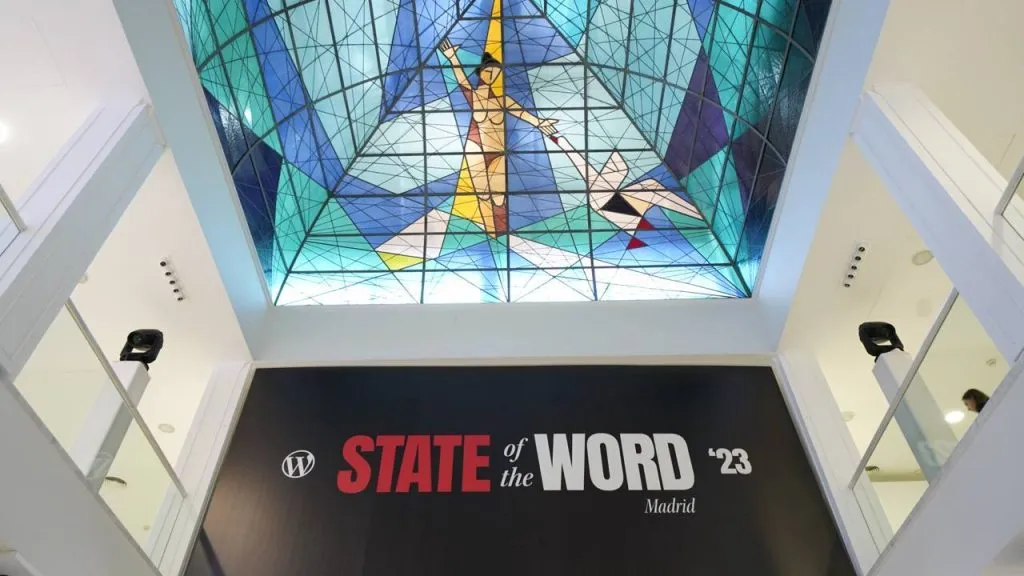
For a highlight reel of 2023, I recommend you watch the recording of the State of the Word 2023 by Matt Mullenweg, if you missed it on the live stream. It was a great presentation with an outlook for 2024 and beyond. If you are not the video-watching type, you’ll also find quite a few links to Recap posts below.
Wishing you and yours festive Holidays, and a prosperous, healthy and happy New Year!
Yours, 💕
Birgit
Developing Gutenberg and WordPress
State of the Word
State of the Word recording is available on YouTube.
What stood out for me in terms of what’s coming next year?Here is my list:
- Data Liberation is a massive initiative. Empowering users to take their site with them from one CMS to another is such a pain right now. It’s not only from Squarespace or Wix to WordPress, it’s also from one WordPress host to another, and also from one-Page Builder to Core. A giant step towards an open web. GitHub repository and WP Slack channel: #data-liberation.
- The promise of connecting the Block editor to Custom fields is intriguing. Mario Santos posted a proposal for the first iteration in WordPress 6.5.
- The Interactivity API, has been mentioned in a few Weekend Editions. It has been used internally for a few core blocks, in WordPress 6.4 and will become a public API in WordPress 6.5.
- Patterns will become first class citizens of the site editor with their upcoming partially syncing feature. It means you can change the styling of a pattern that’s used over multiple pages without updating the content.
- WordPress Playground will also change how we preview and develop for WordPress. We use it as another way to work with the Gutenberg Nightly.
- Mullenweg revealed that WordCamp US will be in Portland, Oregon with two contributor days and a two – day conference, September 17 – 20, 2024. Sounds like an exciting new format! Furthermore, I am excited about more WordCamps in 2024, especially in Europe with the shorter travel distances for me now. For now, I only have plans to be at WordCamp Asia in Taipei, Taiwan and WordCamp Europe in Torino.
List of Recap posts from around the WordPress space
Matt Mederios was probably the first to publish a State of the Word 2023 Recap.
Ioana Mureşan wrote the article on the WPTavern State of the Word 2023: ¡Hola WordPress! and includes demo videos from the talk so you can review them in due time. I bookmarked this article for later reference, too.
Joost de Valk wrote for the Post Status blog: State of the Word 2023: excitement all around!
Tom Willmot, CEO of Human Made, published his recap: State of the Word 2023: Takeaways for Enterprise.
Courtney Robertson posted here recap for GoDaddy: WordPress State of the Word 2023
Torque Magazine also reported on the event: Envisioning the Future of WordPress: State of the Word 2023
Last but no least, there is the State of the Word 2023 Recap on the WordPress.org site by Nicholas Garofalo
Q & A after State of the Word 2023
The recording of the Q & A portion of the State of the Word is also available on YouTube. Due to time constrains , only a few questions, could be answered. Matt Mullenweg started answering the overflow questions online.
Gutenberg Updates
Gutenberg 17.3 RC 1 is available now for testing. The stable release is scheduled for Dec. 20, 2023. Release lead is Madhu Dollu, JavaScript Developer at Automattic.
Jamie Marsland interviewed Matias Ventura to get the WordPress Gutenberg – The Inside Story! If you haven’t been around the project for that long, listening to the two of them discuss the Genesis of the project and its early days, gives you a great insight in how decisions were made, about the scope and the four phases of the project. The list of chapters makes it possible to view the one hour and twenty minutes video in several sittings. It’s a fabulous conversation where both men bring in context and can look at bigger pictures. You might not agree with some decisions made, but listening to Ventura, you will be in a better place understanding the context of decisions in terms of user experience and use cases, and their place in the project.

Upcoming events
Dec 19th, 23 – 16:00 UTC : Developer Hours: Modern WordPress development with the wp-scripts package
Jan 16, 24 – 21:00 UTC Hallway Hangout: Let’s explore WordPress 6.5

Plugins, Themes, and Tools for #nocode site builders and owners
Jamie Marsland found that WordPress users have trouble understanding the interdependency between global width and custom content width with Block themes and created Beginners Guide to Customizing Page Width Options in WordPress Gutenberg. “The page width options in WordPress Gutenberg, combined with the ability to set these values in global styles in block themes, offer an unprecedented level of control and flexibility in web design.” Marsland wrote.
In his video, Creating a one-page website, Wes Theron takes you through the steps on building a one-page website with WordPress. Theron starts with a discussion of what kind of content would be placed on a one-page website, goes through an example of a business website, and walks through the various steps on how to add each section to a page.
Thomas Zwirner created a single block plugin called Download list with icons. It provides you with a block to manage a download list with file type-specific icons. No configuration is necessary. The Block can be used immediately after installation.

Jacob Martella introduced the Crosswind Framework, a set of tools, out of the box templates, patterns, and themes and additional blocks for your building websites with WordPress and the Site Editor. Its promise is a complete, nocode way to build websites.
The Create Block Theme plugin by WordPress core contributors has received an update: with improved child theme export, increases consistency over the plugin pages and forms, and regularly updated Google Fonts available locally.
Ganesh Dahal recently published a A walk-through tutorial on using the Create Block Theme plugin, that should help you get started and take full advantage of the Theme building plugin.
Brian Gardner shared the updates for his themes: Frost - is now sporting, among other refinements, a progress bar pattern, better shadow presets, hover styles in theme.json. The Power Studio Theme just landed in the WordPress theme repository and offers a wide variety of wireframe patterns, styles, and templates, and color choices inspired by Tailwind CSS.
Theme Development for Full Site Editing and Blocks
At WordCamp Vancouver, Flynn O’Connor gave a talk on Exploring block themes, that is now available on WordPress TV. From the description: “This session provides an exploration of block themes, the modern approach to building in WordPress. We will examine how block themes differ from traditional PHP-based themes and highlight their core components, including theme.json. Reviewing the advantages of block themes and how they empower users to easily customize the visual appearance of their websites without touching the code. This session offers valuable insights into the world of block themes and their impact on the future of WordPress development.”
Anne McCarthy made a call for response in the #fse-outreach-experiments channel: Opportunity to share your theme building workflow with contributors working on theme tooling. McCarthy already identified about 30+ theme builders who were active in the channel before. If you want to participate in the initiative, chime in on the Slack thread, or email me at pauli@gutenbergtimes.com.
Maggie Cabrera shared her experience on being co-developer lead for the 2024 default theme in an Open letter to a future default theme lead. “While most of the work will be reviewing contributors’ work, the key part of your role is keeping an eye on the big picture and being ready to make high-level decisions. You won’t always have the answers, but you will have people around you to help you figure out the best outcome.” she wrote.
Ellen Bauer gives you a view behind the scenes, and shares how she creates patterns for a WordPress Block Theme. She first shows you her pattern building workflow and then builds a project pattern.
Building Blocks and Tools for the Block editor.
Nick Diego announced the Developer Resources redesign going public. The design is now block theme based and allows for much better on page navigation and helps developers with breadcrumbs and expandable right side navigation. Developer Resources are available via developer.WordPress.org and houses all Handbooks for Block Editor, Themes, Plugins, Playground, and Common APIs.

Jonathan Bossenger recording his tutorial on the Interactivity API, as new WordPress API now experimental and hopefully becoming a public API in WordPress 6.5. “he main goal of the Interactivity API is to provide a standard and simple way to handle the frontend interactivity of Gutenberg blocks. This standard would make it easier for developers to create rich, interactive user experiences, from simple cases like counters or popups to more complex features like instant search, or carts and checkouts. In this session, you will learn more about this new developer API, through a live” Bossenger wrote in the tutorial’s description.

Also at WordCamp Vancouver, Ryan Welcher talked about Extending WordPress using the SlotFill system - ”The SlotFill system can be used to extend blocks and the UI for the Block Editor and Site Editor screens, making it a critically important tool for any WordPress developer. This talk will take a deep dive into how this system works, show how and where you can currently extend WordPress, and finally, how to create your own custom SlotFills!”
Bartosz Gadomski wrote a post about Filtering the theme.json file values (such as default color palette and other global styles) in WordPress and dives deeper into the four new filters available since WordPress 6.1 to access values programmatically.
Need a plugin .zip from Gutenberg’s master branch?
Gutenberg Times provides daily build for testing and review.
Have you been using it? Hit reply and let me know.

Questions? Suggestions? Ideas? Don’t hesitate to send them via email or send me a message on WordPress Slack or Twitter @bph.
For questions to be answered on the Gutenberg Changelog, send them to changelog@gutenbergtimes.com