Category: Using Gutenberg

  • WordPress 6.8 Roadmap, Advanced Debugging Course,  Invoker Commands —   Weekend Edition 319

    WordPress 6.8 Roadmap, Advanced Debugging Course, Invoker Commands — Weekend Edition 319

    Hi there,

    So I’ll be off next week to Manila, Philippines. After a 15 hrs flight to a seven-hour time difference, I need a couple of days to acclimate, and I also want to get some sightseeing in before immersing into WordCamp Asia. The next weekend edition will be published after my return to Munich.

    I will be sharing photos on Bluesky if you would like to follow along my adventures. I’m excited about an infinite amount of 3D interactions with my fellow WordPressers. Sending virtual hugs to you. 🤗

    Have a wonderful weekend, and if you are coming to Manila, too, have a safe journey!

    Yours, 💕

    Birgit

    PS: Getting ready for WordCamp Asia 2025 in Manila, Philippines


    In the 407th episode of WP Build, titled “At The Core” with Birgit Pauli-Haack and Anne McCarthy, we had a fun chat with Nathan Wrigley about all the cool updates and features from the last three months. We dove into the neat experimental features aimed at making collaborative editing in WordPress a reality, which feels a lot like using Google Docs! Plus, we covered some handy tools and resources spotlighted on the Developer Blog, from nailing light and dark modes in block themes to figuring out data views and form components. And let’s not forget about “WordPress Playground,” an awesome tool that lets you whip up a site right in your browser without any hassle!

    Developing Gutenberg and WordPress

    Aaron Jorbin announced WordPress 6.7.2 RC1 is now available for testing. Final release is expected next week on February 11, 2025. The post has the list of all the bug fixes from trac tickets and GitHub pull requests. With the minor release, we will also see a new version of the default theme, Twenty-Twenty-Five.


    George Mamadashvili worked on this week’s Gutenberg plugin release. Here is the changelog of Gutenberg 20.2. At first glance, two enhancements stood out for me:

    • Details block: Add name attribute for exclusive accordion. (56971)
    • Post-content block header color support. (67783)

    Krupal Lakhia published the Roadmap to WordPress 6.8. WordPress 6.8 is dropping on April 15, 2025, and it’s all about making site building smoother and faster. Expect an improved editing flow with an enhanced “Zoom Out” mode, better style controls, and more typography options. The update also introduces “Write” and “Design” modes, so you can focus on content or layout separately. Under the hood, new tools like Block Hooks and Block Bindings make it easier to customize, while performance boosts—like speculative loading—help sites run faster. Plus, accessibility upgrades and continued PHP 8.x support keep WordPress user-friendly and future-proof. Lakhia goes into much more detail in his post and shares corresponding PRs from the tracking systems.

    Change section design from style variations

    Did you know that you can use Playground to test single Gutenberg PRs?


    🎙️ The latest episode is Gutenberg Changelog #133 – Gutenberg 23.6 Release and WordPress 7.1 with special guest Faith Imokol, webdeveloper from Uganda.

    Plugins, Themes, and Tools for #nocode site builders and owners

    After building multiple extensions for Gravity Forms, Johnathon Williams, owner of Odd Jar, has released his first plugin for the Block Editor – QuickLink Pro, a link management solution designed specifically for the block editor. It adds external links to the standard link dialog in the block editor for easy linking after you manage your link library on a settings page. This is a great tool to manage your affiliate links, subscription links, or documentation pages you keep referencing in your tutorials. It’s not free, and hopefully, there are a few more features added later this year. Williams also has some helpful tips on coding with AI. Hat tip to Davinder Singh Kainth from the WP Weekly for finding the plugin.


    Eric Karkovack, The WP Minute, dives into How WordPress Block Patterns Improve Your Workflow. WordPress block patterns are pre-designed sections that enhance your workflow by offering a quick way to build websites. Karkovack explains the value of patterns because they save time and offer ready-made reusable designs for common content. Multiple patterns can be combined to create landing pages and shorten their production time.

    Six newest block themes

    in the WordPress repository are:

    • HR Management by Peter Williams – helps you showcase HR services with eleven patterns and five Style variations
    • Gutenify Bold by Code Yatri, a child theme of Gutenify Starter, comes with 10 Style variations and 16 patterns.
    • EduGrove by Theme Grove – designed to meet the needs for educational institutions of all kinds. It entails 30 (!) patterns and 7 style variations.
    • WENS Food Palette by WEN Solutions, a child theme of WENS Haelo, for food related business with 20 patterns.
    • Healthy Food Blogger by Creta Themes – for passionate food bloggers, recipe creators, and culinary enthusiasts, with 10 patterns and a slider.
    • NAS Construction Build by Template House a theme for a construction company with 9 style variations and 16 patterns.

    The total number of Block themes in the repository is 1,130 as of today.

     Six newest block themes

    Theme Development for Full Site Editing and Blocks

    In his post Block Theme Circles WP – Developing and Customization, Hans-Gerd Gerhards takes you along his development journey of the block theme Circles WP, which is available in the WordPress repository. Gerhards characterizes his theme as “lightweight and therefore extremely fast.” Circles WP is already prepared for an accessibility-ready website. The font used is Lexend – an accessible font – as standard. Alternatively, the Atkinson Hyperlegible Font – Braille Institute (also accessibility-ready) or “System Font” are available. Circles WP was deliberately developed without any additional CSS, i.e., he only uses the settings of the block editor.

    Screenshot CirclesWP in the block editor

    The co-founder of simplenet, a hosting and web development agency from Romania, Andrei Chira, announced that their first theme, a block theme called Simplenet, was accepted into the WordPress repository. Chira also shared the genesis of the theme and its features. It’s meant to be used as a base theme to get started building a website with WordPress. “The Simplenet theme is the result of this learning process. I was inspired by other existing themes and tried to understand how the structure of a block theme works,” he wrote. The theme is also available on GitHub.

     “Keeping up with Gutenberg – Index 2024” 
    A chronological list of the WordPress Make Blog posts from various teams involved in Gutenberg development: Design, Theme Review Team, Core Editor, Core JS, Core CSS, Test, and Meta team from Jan. 2024 on. Updated by yours truly. The previous years are also available: 2020 | 2021 | 2022 | 2023

    Building Blocks and Tools for the Block editor.

    Geoff Graham created a WordPress block Baseline Status of a web feature base, meaning its browser compatibility. It’s the baseline status component formatted as a WordPress block. Graham then takes you along the journey of how he built it and what design decisions he made along the way. The plugin is available in the WordPress repository

    Baseline Status block

    A new course for WordPress developers is now available: Advanced WordPress Debugging Course. Although published by Learn VIP, the learning site of WordPress VIP, the course is open and free to the public. “Debugging is a critical skill for any software developer. We understand how important it is to quickly find and resolve issues, reducing downtime and ensuring users have a seamless experience on your site. For your organization, this means saving time, avoiding unnecessary costs, and having the flexibility to grow and adapt without worrying about technical hiccups,” Rick Hurst wrote on the announcement post. And the course is a “comprehensive exploration of advanced WordPress debugging techniques, equipping learners with the skills and tools needed to troubleshoot and resolve complex issues in WordPress applications.” The estimated course completion time is 5 to 8 hours. Other courses from the same team are:


    In his post, Getting the Block Editor Ready for AI, Brian Coords discusses his conversation with Matt Medeiros about the shortcomings of AI and then offers a few strategies on how to help AI become smarter about WordPress.


    So there is a new thing called Invoker Commands API coming to browsers. It’s so new, it’s only available in pre-release browsers like Chrome Canary, Firefox Nightly, or Safari TP (Technical Preview) behind a feature flag that you need to enable. So if you are not interested in these new experimental browser features, you can skip this paragraph. Pascal Birchler, WordPress core committer sponsored by Google, explored what Invoker Commands in WordPress would look like. He explains what the Invoker Commands API tries to accomplish and how, and then he switches to what this would mean for Blocks and how it relates to the Interactivity API. Then Birchler introduces the Block Invokers plugin and how you can provide Invoker commands to a custom block in WordPress.

    Need a plugin .zip from Gutenberg’s master branch?
    Gutenberg Times provides daily build for testing and review.

    Now also available via WordPress Playground. There is no need for a test site locally or on a server. Have you been using it? Email me with your experience

    GitHub all releases

    Questions? Suggestions? Ideas?
    Don’t hesitate to send them via email or
    send me a message on WordPress Slack or Twitter @bph.


    For questions to be answered on the Gutenberg Changelog,
    send them to changelog@gutenbergtimes.com


    Featured Image: Photo by Michael Buillerey on Unsplash


    Don’t want to miss the next Weekend Edition?

    We hate spam, too, and won’t give your email address to anyone
    except Mailchimp to send out our Weekend Edition

    Thanks for subscribing.

  • State of the Word, Gutenberg 19.9 and 20.0, Block editor for books, Studio Sync – Weekend Edition #315

    State of the Word, Gutenberg 19.9 and 20.0, Block editor for books, Studio Sync – Weekend Edition #315

    Happy New Year! 🎆 🙌 🎉🥂

    I hope you had some wonderful time with your family or friends over the holidays, and you started re-energized and excited into 2025.

    At Gutenberg Times, we, that’s you and me, are now celebrating our seventh anniversary! Although, I started curating Gutenberg updates right after WordCamp Europe in June 2017, I registered the domain Gutenbergtimes.com and started the newsletter on January 14, 2018.

    My dear friend, Bob Dunn aka BobWP started the DoTheWoo network around the same time, and we are planning a joined anniversary podcast episode to chat about our journey in the WordPress community. Stay Tuned!

    As I just returned from vacation, I am pretty sure I haven’t caught up with all the great things that happened around the block editor. The updates here are pretty cool, though!

    More again next week 🤗

    Yours, 💕
    Birgit

    PS: We are not only four weeks away from WordCamp Asia. If you want to meet there, use my public calendar to self-schedule a meeting: bit.ly/bph-wcasia.

    Developing Gutenberg and WordPress

    Jonathan Derosiers has published the final planning information for WordPress 6.8. The 10-person release squad consist of long-time contributors with a ton of experience. Desrosiers also confirmed the schedule, which was earlier proposed by Hector Prieto,:

    • March 4, 2025, for Beta 1
    • March 25, 2025, for RC 1 and
    • April 15, 2025, the general release.

    WordPress “6.8 will focus primarily on being a polish and bug fix release. New features will be considered if deemed reasonably ready.” Derosiers wrote.


    Justin Tadlock published the monthly roundup post on the WordPress Developer Blog What’s new for developers? (January 2025). You learn about the new Query total block, updates to styling blocks in themes, Playground updates as wells important update for Plugin developers.

    State of the Word

    Stage of State of the Word, photo by Hiromi-Ohta @nikosun

    On December 16, 2024, Matt Mullenweg, Matias Ventura, Junko Fukui, and Mary Hubbard delivered the State of the Word 2024 from Tokyo. The WordPress YouTube channel has all three videos for those of us, who could not be in Japan.

    Nicholas Garofalo published a recap on the WordPress news site: State of the Word 2024: Legacy, Innovation, and Community.

    Jyolsna J E posted her recap on the WPTavern. Recap of the State of the Word 2024 


    Gutenberg plugin

    Gutenberg 19.9 was released on December 19th. In his post What’s new in Gutenberg 19.9? (19 December) manager Ramon Dodd highlighted:

    1. Style Book in classic themes
    2. Introducing the Query Total block

    Jyolsna JE has the skinny for you via WPTavern: Gutenberg 19.9 Introduces Style Book to Classic Themes


    Gutenberg 20.0 was also released. It’s the 200th release of the Gutenberg plugin. The release post is still in the works but you can read the changelog on GitHub.


    Next week, Tammie Lister and I will talk through the two Gutenberg releases on the next episode of the Gutenberg Changelog. It’s going to be great fun as Tammie was one of the original designers/developers on the Gutenberg team, so the 200th release is a great occasion to talk about the journey in WordPress. Tammie Lister is also the design release lead for WordPress 6.8.

    🎙️ The latest episode is Gutenberg Changelog #133 – Gutenberg 23.6 Release and WordPress 7.1 with special guest Faith Imokol, webdeveloper from Uganda.

    Plugins, Themes, and Tools for #nocode site builders and owners

    Ella van Durpe created an early prototype to Write Books With the Block Editor. The nascent project outside of WordPress is used to create e-books and documents using the Block Editor, even offline. You can export your work in EPUB format for e-book readers like Kindle or as DOCX files. Its features include chapter navigation, cover design, and a demo editor available as a Progressive Web App (PWA). It’s still evolving, with planned improvements like revision history and better file support. Feedback is welcome to shape its development. You can try it out by going to the demo editor and install it as a PWA locally via the installation icon in your browser bar:


    Marko Krstic released his DBlocks Finder plugin for blocks & synced patterns and helps users find and manage Gutenberg blocks and synced patterns within their WordPress sites.


    Anne Katzeff shared in her blog post Convert Content from the Classic Editor to Blocks, the few easy steps to converting content from the Classic to the Block editor. Katzeff also created a video with the steps you can follow along which covers converting blocks one post at a time or Global conversation using the Convert to Blocks plugin by 10up


    Theme Development for Full Site Editing and Blocks

    Nick Diego published a code snippet on the Developer blog on How to filter the output of a block binding, using using the block_bindings_source_value filter. He provides a practical example of modifying the display of book prices in different currencies based on a URL query parameter.


    In his post WordPress Themes Need More Weird: A Call for Creative Digital Homes, Nick Hamze advocates bringing back creativity and uniqueness in website design, especially when it comes to WordPress themes. He points out how everyone’s designs are starting to look the same, which kinda kills the vibe of real self-expression. Hamze is urging theme designers to ditch the boring old layouts and go for bold looks that show off strong opinions and suit specific needs. Think of themes like album covers—it’s all about having personality and making that instant visual impact. Overall, it’s a shout-out to designers to try out those unconventional ideas to jazz up WordPress themes and make the whole web scene way more fun and varied!

    Theme: Psychedeli by Automattic

    In Mastering light and dark mode styling in block themes, Justin Tadlock shows you how you can implement a light or dark mode depending on the visitors system settings. “The color-scheme property and light-dark() function are the foundation of the method used in this tutorial. They are both baseline CSS standards in 2024, so the challenge is making them work with WordPress standards.” Tadlock wrote.

     “Keeping up with Gutenberg – Index 2025” 
    A chronological list of the WordPress Make Blog posts from various teams involved in Gutenberg development: Design, Theme Review Team, Core Editor, Core JS, Core CSS, Test, and Meta team from Jan. 2024 on. Updated by yours truly. The previous years are also available: 2020 | 2021 | 2022 | 2023 |  2024

    Building Blocks and Tools for the Block editor.

    Eric Karkovack posted on the Kinsta blog on how to Use the WordPress Block Bindings API to power your blocks. The Block Bindings API, introduced in WordPress 6.5, is a significant advancement for WordPress developers. It allows binding data sources to core WordPress blocks, enabling the creation of dynamic websites more efficiently.

    For more use cases and more in-depth insights, you can also peruse the WordPress Developer Blog. This page lists all articles on Block Bindings.


    In his video, Create an AMAZING WordPress Carousel with the Interactivity API!, Elliott Richmond takes you along on to build a Slider with the create-block scaffolding tool, using the interactivity api template. You’ll learn in this video:

    • Setting up a carousel container and managing context variables.
    • Calculating offsets and indices dynamically for smooth navigation.
    • Adding seamless transitions with CSS for a polished user experience.
    • Reverse-engineering forwards and backwards navigation with ease.
    • How to prepare your slider for integration with WordPress settings or database values.

    Sounds like a fun programming adventure! Richmond also shared his code on GitHub


    Ryan Welcher also shared a snippet on the WordPress Developer Blog:
    How to register a block variation but hide it from the inserter. “In some cases, a custom block is overkill, and a block variation is a better solution. For example, a user in the outreach channel wanted to add an attribute to a block that was only used in a template and, based on the existence of that attribute, add some custom functionality.” Welcher wrote.

    Playground updates

    This week, and new version of WordPress Studio, the local development environment based on Playground, was released. The post Build Locally, Deploy Globally: Meet Studio Sync for WordPress.com has all the details of the new Sync features. You can use it to

    • Synchronize local sites with WordPress.com hosted sites
    • Take a local site live with a WordPress.com hosting plan.

    The Sync feature is available to users with a Business or eCommerce plan.


    In the online workshop, an online workshop on WordPress Playground for developers,, Core WordPress Playground developer, Berislav Brgiacak joined developer educator Jonathan Bossenger to share insights into how developers can leverage WordPress Playground. Their notes are available on GitHub. You’ll learn

    • how to configure a playground instance with your custom plugin and theme, and store that in GitHub.
    • how to create a blueprint version of the above configuration to share with clients and coworkers.
    • about possible use cases to use Playground.

    Nick Diego and Ryan Welcher also tackled Playground in their latest Developer Hours: Everything you need to know about WordPress Playground. WordPress Playground allows users to create fully functional WordPress instances directly in their browser, with no installation or setup required. Beyond spinning up WordPress sites, Playground offered powerful capabilities, from testing plugins and themes to running demos and even supporting app development. No matter how you engage with WordPress, Playground has something valuable to offer. In the session, Welcher and Diego explored tools and workflows for plugin and theme development, demonstrated how to use Playground for testing and support, highlighted key improvements introduced in 2024, and offered a preview of exciting new features planned for 2025.


    Adam Zieliński did some experimentation over the holidays, and has been using WordPress as a git repo, using Playground. As to answer the WHY he wrote: “I want Notion that’s free, offline first, and where I own my data. I also want to collaborate with my wife and my improve group. WordPress is the perfect foundation, the hosted version solves many of my problems, but I really want to version my data as static files.”


    Need a plugin .zip from Gutenberg’s master branch?
    Gutenberg Times provides daily build for testing and review.

    Now also available via WordPress Playground. There is no need for a test site locally or on a server. Have you been using it? Email me with your experience

    GitHub all releases

    Questions? Suggestions? Ideas?
    Don’t hesitate to send them via email or
    send me a message on WordPress Slack or Twitter @bph.


    For questions to be answered on the Gutenberg Changelog,
    send them to changelog@gutenbergtimes.com


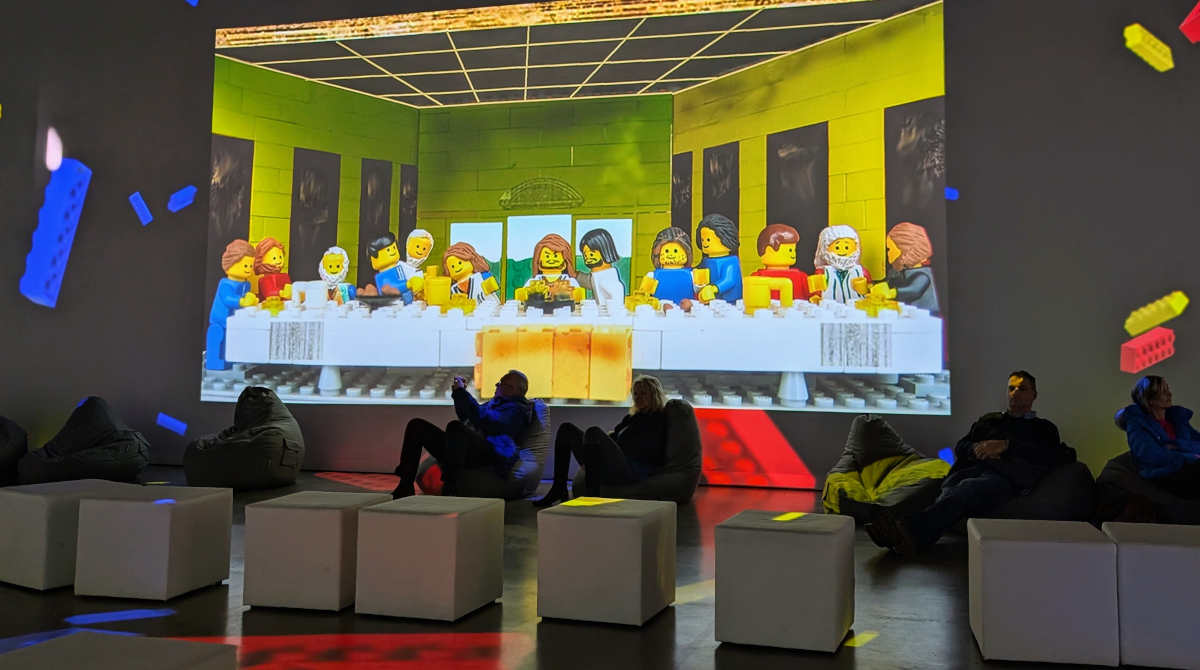
    Featured Image: Exhibition: The Last Supper Motor world Munich Photo by Birgit Pauli-Haack


    Don’t want to miss the next Weekend Edition?

    We hate spam, too, and won’t give your email address to anyone
    except Mailchimp to send out our Weekend Edition

    Thanks for subscribing.

  • New courses on Learn, My Menu theme, Section styles, Playground step library — Weekend Edition 299

    New courses on Learn, My Menu theme, Section styles, Playground step library — Weekend Edition 299

    Hello,

    We are a few days away from WordPress 6.6 version hitting a WordPress instance near you. The latest WordPress 6.6 RC3 was released earlier this week. By now most of your testing should be done. Or you wait a few weeks before upgrading. On the Developer Blog What’s new for Developers (July 2024), help you sort through all new features and updates coming to WordPress.

    Contributors are working on what next for Gutenberg, and there will be another Hallway Hangout on August 15, 2024, at 15:00 UTC / 9 am EDT to discuss what could be on the Roadmap for 6.7 and beyond.

    Exploring my hometown anew is a special treat for us; finding new Restaurants, hanging out in beer gardens and café’s with friends, shopping at farmers market, walking guided tours, and visiting art exhibitions in one of the seven art museums. It is wonderful to play tourist for a while. The next couple of weeks, I will write from my parent’s hometown, outside of Munich.

    Wishing you a wonderful weekend.

    Yours, 💕
    Birgit

    Developing Gutenberg and WordPress

    🎙️ The latest episode is Gutenberg Changelog #133 – Gutenberg 23.6 Release and WordPress 7.1 with special guest Faith Imokol, webdeveloper from Uganda.

    Learn.WordPress updates

    The training team started publishing their Learning Pathways courses.

    Beginner WordPress User is a course for WordPress users to learn more about the content management system that houses their content. It holds 25 lessons that users can tackle one at a time, or in single sessions, if they are eager to learn something very specific, for instance, how to use, the Media Library or about the difference between post and pages.

    If you design sites for clients, you can guide your clients to a single lesson on the official WordPress site with videos on the official WordPress YouTube channel, that doesn’t have any advertising nor any other uncontrolled suggested videos.

    The next set of Lessons are for an Intermediate WordPress User. This one lets learners “delve into advanced features, fine-tune site customization and implement effective content strategies.” It comprises 37 lessons, also all with individual links, for instance: Using the style book or Uncovering the Cover block

    Developer Courses

    For aspiring WordPress Developers the training team also released the first course. In 59 Lessons, the Beginner WordPress Developer “course provides an extensive overview of the basics of almost every development topic relevant to WordPress. While it is geared toward first-time developers, there’s enough information available that it’s worthwhile for veterans in the community to learn something new”, wrote Justin Tadlock in What’s new for Developers (July 2024)

    Beginner WordPress Developer

    On Learn. WordPress site, there are other developer related courses available which might be an overlap with the current work. They are more deep dives into certain topics.

    Josepha Haden Chomphosy and Wes Theron chatted about the Learning Pathways releases on the latest episode of the WP Briefing podcast: Episode 83: Learning Pathways

    Upcoming events

    July 23, 2024 15:00 UTC / 9 am EDT Developer Hours: Do you really need a custom block? Let’s explore alternatives. JuanMa Garrido and Nick Diego will explore several scenarios often addressed with custom blocks and discuss alternative approaches, especially those that leverage block patterns and Editor extensions. Key highlights include:

    • How to create overrides in synced patterns
    • How to add new functionality to core blocks
    • How to use content-only editing and the allowedBlocks attribute in patterns
    • How to integrate block bindings and block variations
    • How to effectively use block locking and naming

    July 24, 2024 18:00 UTC / 2 pm EDT What’s new in WordPress 6.6? with Bud Kraus and Laura Adamonis. You will see demonstration of the main features of this new version: Here are the main features that will be demonstrated during this prevention: Synced Pattern overrides, the Grid Block, an improved way to layout pages and negative margins. All part of the new and improved user experiences in the site editor and more.


    July 19, 2024, Stellar Spark Conference, a free online WordPress event! The lineup of speaker promises interesting, inclusive and innovative talks. It starts at 9 am EDT with a keynote with Josepha Haden Chomphosy. Among others, you can listen to Tammie Lister, Bet Hannon, Bud Kraus, David Wolfpas and Lindsey Miller.


    July 30, 2024 WordSesh produced by Brian Richards is back. It’s a free online event with eight sessions across three live broadcasts in three time zones. Speakers announced so far include Alex Thomas (Defiant), Daniel Bachhuber (Automattic), Kimberly Lipari (Valet), and Piccia Neri (UX and accessible design lead)


    Save the date:
    August 27, 2024 15:00 UTC /9 am EDT: Developer Hours: Building themes with the Create Block Theme plugin with Tammie Lister. In this session, you will explore how this plugin enhances WordPress theme development. You also learn to create custom themes, utilize the speed boost, define different types of themes, and streamline your theme creation process all the way to exporting the theme.

    Plugins, Themes, and Tools for #nocode site builders and owners

    Jamie Marsland published the recording of his talk at WordCamp Europe on YouTube: Master WordPress Block Themes: 3 Essential Principles for Beginners. He shows you how Blocks, Templates, and Styles can transform your website design with their simplicity and flexibility.


    Nithin Sreeraj at WP Content, takes you along WordPress 6.6 and its expected new features and changes and explains in short paragraphs why those features and changes are important for you and your customers.


    Mike McAlister announced the update of the Ollie Pro pattern browser just got a huge boost. To help you quickly browse the massive pattern collection, served from a cloud app, the updated increases load performance for these patterns seamless into the WordPress block editor. McAlister shared some technical details of the refactoring.


    One of the newest Block theme in the WordPress Repository is My Menu by Automattic. It “is a simple theme designed to facilitate restaurant owners’ site-building experiences. It is clean, direct, and customizable. Test the cool style variations that have been added to the theme.”

    My Menu – style variation “Maroon”

    Theme Development for Full Site Editing and Blocks

    Jessica Lyschik asked contributors and users on What would you like to see in the next default WordPress theme?  The next theme will be Twenty-Twenty-Five and is part of the next major WordPress version, to come out in mid-November. To be more specific, she asked:

    • What types of sites do you want to create with the theme?
    • What problems do you need the theme to solve to be able to create these sites?
    • Is there an existing feature that you want the theme to support?

    In his latest post, Brian Coords asked Will WordPress 6.6 have components? After outlining his expectations on flexibility, Coords reflects on how Section Styles and Sync Pattern overrides fit into the ideas of a design system.


    The summary of this week’s Hallway Hangout is now available on the Make Core Blog: Recap Hallway Hangout: Section styles and other block style variation updates “Attendees chatted about cool new features and handy tips for styling sections in WordPress 6.6. They also swapped stories and ideas on how to handle theme styles with section styles. The group shared their experiences and brainstormed ways to make pattern management and theme building in Gutenberg better.”

     “Keeping up with Gutenberg – Index 2024” 
    A chronological list of the WordPress Make Blog posts from various teams involved in Gutenberg development: Design, Theme Review Team, Core Editor, Core JS, Core CSS, Test, and Meta team from Jan. 2024 on. Updated by yours truly. The previous years are also available: 2020 | 2021 | 2022 | 2023

    Building Blocks and Tools for the Block editor.

    In this week’s Developer Hours: Editor unification and extensibility in WordPress 6.6, Ryan Welcher and Nick Diego discussed how the more unified slots and extensibility APIs are unified in the @wordpress/editor package global variable, simplifying the integration of extensions across editors for developers. The user interface is also becoming more standardized.


    WordPress Playground

    Alex Kirk has created a WordPress Playground Step Library. To learn more about the thoughts behind it and how to use it, he also wrote a blog post about how to Build a Playground Blueprint with a Drag and Drop UI.

    Need a plugin .zip from Gutenberg’s master branch?
    Gutenberg Times provides daily build for testing and review.

    Now also available via WordPress Playground. There is no need for a test site locally or on a server. Have you been using it? Email me with your experience

    GitHub all releases

    Questions? Suggestions? Ideas?
    Don’t hesitate to send them via email or
    send me a message on WordPress Slack or Twitter @bph.


    For questions to be answered on the Gutenberg Changelog,
    send them to changelog@gutenbergtimes.com


    Featured Image: Reflections Munich Marstall photo by Birgit Pauli-Haack

    Don’t want to miss the next Weekend Edition?

    We hate spam, too, and won’t give your email address to anyone
    except Mailchimp to send out our Weekend Edition

    Thanks for subscribing.

  • Build modern layouts, WordPress 6.5 Dev Notes, Gutenberg in Drupal, Block Bindings and more — Weekend Edition 287

    Build modern layouts, WordPress 6.5 Dev Notes, Gutenberg in Drupal, Block Bindings and more — Weekend Edition 287

    Howdy,

    What a great experience WordCamp Asia and Taipei, Taiwan was! I went a few days early so I could do some sightseeing. The city combines the traditional, the unconventional with the 21st century high-tech vibe. I will share photos and details in the coming weeks. Meanwhile, you can browse the official photo album of the WordCamp.

    The WordPress Community organizers of Asia did a fantastic job bringing all the cultures of the region together again. It was interestingly enough, marketed as the Premier Open-Source event for the Web. It’s a strong argument to be made that’s what attracted about 36% of local and first time attendees. It was again super well organized! It was heart-warming to see and hug so many friends and make new ones. I love the WordPress community.

    So, now the downside of me traveling was that I didn’t publish during my trip. This weekend’s edition is again huge. Get your favorite beverage, and let’s see what happened in between.

    Yours, 💕
    Birgit

    PS: I might have missed something awesome, please let me know and I add to next’s week’s edition.

    Developing Gutenberg and WordPress

    During the break, Joen Asmussen published two Design shares: Design Share: Feb 26-Mar 8 and Design Share: Feb 12-Feb 23, where he highlights the work the WordPress Design team has accomplished lately.

    There is a lot of work being done for the upcoming revamp of the Learn.WordPress.org site. You can see the exploration for Learn video thumbnails.

    For the editor, designers are working on placeholders, for the group and columns blocks. “Threading the needle on setup states that provide convenient shortcuts when inserted empty, yet still scale to very narrow contexts when they are inserted, for example, in a 100px thin column, is a tall order. ” he wrote.

    He also visualized the work on Social Icons, Inspector controls (dev speak for options in the editor’s sidebar), a refreshed Select Mode and a new icon for the Metabox modal.

    The team continued work on the redesign of WordPress.org. Forums and pattern directory are next.


    In the monthly roundup post on the Developer blog, What’s new for developers? (March 2024), Nick Diego collected 28 developer relevant changes in this round-up post. You might want to reserve some time going through it.

    WordPress 6.5

    WordPress 6.5 Release Candidate 2 was released March 12, 2024. It’s really time test and make sure your plugins and themes are compatible.

    Final release is scheduled for March 26, 2024.

    In her post Unblocking WP6.5 – Font Library and Synced Pattern Overrides Josepha Haden Chomphosy explained the decisions on two discussions about Font Library’s default upload directory and naming patterns for the Synced pattern overrides feature. TL;DR Font Library is still in the release, Synced pattern overrides was punted to WordPress 6.6


    With the release candidate, the documentation release leads collected, published the Dev Notes about new features and updates and compiled WordPress 6.5 Field Guide.

    Block-centric Dev Notes for WordPress 6.5


    Leonardo Nurugha, documentation co-lead of the release, offers a preview: What’s Coming in WordPress 6.5.


    Carlos Daniele took a deep dive into the most important features for the Kinsta Blog: What’s new in WordPress 6.5: Font Library, DataViews, Block Bindings, Interactivity API, and much more!


    Courtney Robertson published a What’s new in WordPress 6.5 walk-through and separated the updates for site builders and users from those relevant for developers.


    And if you want to drink from the fire hose about updates in WordPress 6.5, Anne McCarthy has the ultimate WordPress 6.5 Source of Truth for you. In this over 10,000-word opus, you’ll find the updates tagged for each group of WordPress users they would be relevant to end users, theme or plugin authors, developers, site admins, and enterprises. For selective reading you could use your browser’s “Find on page” feature and search for these tags. She lists 15 priority items, with an array of 26 sub-items, and then another 23 additional items, and closes with information about items that didn’t make it into the release for one reason or another.


    You could also go the other direction and watch Jamie Marsland explain WordPress 6.5 in 250 seconds.

    Gutenberg plugin releases

    Gutenberg 17.8 and 17.9 together comprised of 360 merged Pull requests.

    Joni Halabi, senior software developer at Georgetown University, and I chatted about the new features in Gutenberg as well as what’s coming in WordPress 6.5 in our 97th episode of the Gutenberg Changelog. As always, the latest episode will drop into your favorite Podcast app over the weekend.

    🎙️ The latest episode is Gutenberg Changelog #133 – Gutenberg 23.6 Release and WordPress 7.1 with special guest Faith Imokol, webdeveloper from Uganda.

    If you haven’t yet, you can subscribe to any of these services and apps:
    Apple Podcasts | CastBox | Google | Podcasts | PocketCasts |  Podbean  
    Podchaser | RSS | Spotify


    Grant M. Kinney, core contributor, sponsored by Automattic, lead the release of Gutenberg 17.8 and highlighted in the release post What’s new in Gutenberg 17.8? (28 February)


    Andrew Serong, lead the Gutenberg 17.9 release. In his release post What’s new in Gutenberg 17.9 (13 March) he highlighted:

    My “About-time-feature” in this round: Using the tab key to indent list items. It has been so ingrained in my muscle memory from using Google Documents tripped my up every time, I wanted to indented list items. Anything you have been waiting for a long time?

    Plugins, Themes, and Tools for #nocode site builders and owners

    Eric Karkovack did a deep dive into How to Create & Manage Block Patterns in WordPress. It’s a fantastic tutorial explaining what patterns are and how you can create your own with the WordPress Site editor.


    Paul Halfpenny introduced a new plugin called PersonalizeWP, which allows you to use personalization features within WordPress. “The plugin can help you tailor your content for your website visitors using the Block Editor to define what appears for them based on the conditions you choose.” he wrote. Learn more about pro version and all the features on their website


    Jamie Marsland and Brian Coords discussed in this video How to Fix WordPress Gutenberg! Specifically, they walk through some usability issues of Block themes and the Site editor.


    A similar discussion followed Anne McCarthy’s post about overlapping problems from last month in a Hallway Hangout. McCarthy posted the Summary of Hallway Hangout on overlapping problems in the Site Editor


    Did you know you can install and use the Gutenberg block editor, built for WordPress, in Drupal! This video on YouTube walks you through the steps: Getting Started with Gutenberg (Block Editor) in Drupal (2024)


    Rich Tabor introduced his new block: Cards. “This block is technically two blocks: a “Cards” block and a singular “Card” block, which is repeated—reminiscent of the WordPress Buttons block. Even now, I find it incredibly helpful to look at the source code for official WordPress blocks, which has all the tried-and-true methods for just about any type of block you’re looking to build next. Don’t reinvent, iterate.” he wrote.


    In his video You won’t believe WordPress can do this! Jamie Marsland shows off the Cover Block magic possible with the WordPress Core. He shows you five different effects: the magical Parallax, the Scroll Snap, the Font Reverse the animation, and the Rick Roll.

    Theme Development for Full Site Editing and Blocks

    Claudio Rimann shared his latest article Git going with FSE and Block Theme Development “Working with Block Themes and versioning in Git didn’t play together as nicely as I was used to. Here’s how we adjusted our workflow to make it work for us.” he tweeted. It fits into a discussion that also happens in the Make WP Slack #outreach channel


    The video of a workshop called “Developer Hours: How to build modern web layouts” available on YouTube. In this one-hour workshop, Justin Tadlock made it all about learning to make website layouts with WordPress blocks. It was really helpful for anyone who wants to figure out how to put together different blocks to make cool and useful website designs.

    Tadlock also looked at some website layouts people had made without blocks and showed how to make those using blocks instead. In the later part of the workshop, he gave some helpful tips, like when to use your own extra styling, how to make blocks look special, and when to turn your design into a repeatable pattern. This is great for making your site look just right but also keeping it easy to use. The examples are available for download from GitHub

     “Keeping up with Gutenberg – Index 2024” 
    A chronological list of the WordPress Make Blog posts from various teams involved in Gutenberg development: Design, Theme Review Team, Core Editor, Core JS, Core CSS, Test, and Meta team from Jan. 2024 on. Updated by yours truly. The previous years are also available: 2020 | 2021 | 2022 | 2023

    Building Blocks and Tools for the Block editor

    Keith Devon and Mark Wilkinson from Highrise Digital discuss WP Café #80 | New features coming in WordPress 6.5. They cover the discussion around McCarthy’s overlapping problems post. Then they move on to cover the Block Bindings API, Interactivity API, and some design tools coming in the new version.


    Mark Howells-Mead shared his views on the WordPress Interactivity API, pointing out that while there are simpler methods to create interactive interfaces, such as using plain JavaScript or React, learning a framework like the WordPress Interactivity API entails understanding both the core concepts of JavaScript and the specifics of the framework itself.


    In this episode of the Do the Woo – Inside Woo show, The Collaboration of the Interactivity API with WordPress and WooCommerce, BobWP (Bob Dunn) chats with WordPress and WooCommerce developers Carlos Bravo and Lucio Giannotta about the collaboration between WordPress core and Woo working with the Interactivity API, a new framework for WordPress developers.


    Brian Coords reported for the WPTavern on The Block Bindings API Brings Dynamic Data to Blocks. “As the block editor continues to evolve its content management capabilities, the lack of support for custom fields has been one of the key roadblocks for users and developers. While custom fields in WordPress are still widely used, in the block editor they’ve been relegated to a drawer at the bottom of the screen, and haven’t been as deeply integrated as many would like. With the coming Block Bindings API, things are about to change in a very good way.” he wrote.


    Eric Karkovack explored Why Keeping up with Gutenberg Is a Challenge for Developers. “Let’s say you have a #WordPress block plugin. What do you do when WP core offers overlapping features? I spoke to some developers about the challenge of keeping up (and adjusting) with Gutenberg.” Karkocack tweeted.


    Nick Diego invites you to the next Developer Hours on March 26, 2024, at 14:00 UTC (9 am EDT). He tweeted: “While Block Hooks were introduced in WordPress 6.4, I’m very excited about the upcoming enhancements in 6.5. So many more tools for plugin developers. Join me and Bernie Reiter for Developer Hours: Exploring Block Hooks in WordPress 6.5.

    Bernie Reiter also wrote the Dev Notes about the Updates to Block Hooks in 6.5

    From the WordPress Developer Blog

    In his latest post, How to register block variations with PHP, Justin Tadlock provides a step-by-step walk-through of how to register block variations using PHP in WordPress 6.5.


    Nick Diego posted An introduction to block-based mega menus and explored how to build a Mega Menu block that integrates with the Core Navigation block using new features coming in WordPress 6.5.


    Justin Tadlock posted Introducing Block Bindings, part 2: Working with custom binding sources. The second tutorial in a two-part series that introduces the Block Bindings API in WordPress 6.5. Part 2 focuses on registering and using custom binding sources.


    Never miss any WordPress Developer Blog post again. Subscribe


    Need a plugin .zip from Gutenberg’s master branch?
    Gutenberg Times provides daily build for testing and review.

    Now also available via WordPress Playground. There is no need for a test site locally or on a server. Have you been using it? Email me with your experience

    GitHub all releases

    Questions? Suggestions? Ideas?
    Don’t hesitate to send them via email or
    send me a message on WordPress Slack or Twitter @bph.


    For questions to be answered on the Gutenberg Changelog,
    send them to changelog@gutenbergtimes.com


    Featured Image: View of Taipei, Taiwan from the Elephant Mountain, Photo by Birgit Pauli-Haack


    Don’t want to miss the next Weekend Edition?

    We hate spam, too, and won’t give your email address to anyone
    except Mailchimp to send out our Weekend Edition

    Thanks for subscribing.

  • State of the Word, Redesign Developer resources, Block Theme updates — Weekend Edition 278

    State of the Word, Redesign Developer resources, Block Theme updates — Weekend Edition 278

    Howdy,

    2023 is coming to the end. This is the last edition for 2023, as I take a few vacation days over the Holidays and be with ailing family members. In January, it’ll be six years of almost weekly news about the block editor, and its progress into a first class site building tool. Thank you for being a faithful subscriber to the Gutenberg Times, and all your encouraging comments over all those years.

    For a highlight reel of 2023, I recommend you watch the recording of the State of the Word 2023 by Matt Mullenweg, if you missed it on the live stream. It was a great presentation with an outlook for 2024 and beyond. If you are not the video-watching type, you’ll also find quite a few links to Recap posts below.

    Wishing you and yours festive Holidays, and a prosperous, healthy and happy New Year!

    Yours, 💕
    Birgit

    Developing Gutenberg and WordPress

    State of the Word

    State of the Word recording is available on YouTube.

    What stood out for me in terms of what’s coming next year?Here is my list:

    • Data Liberation is a massive initiative. Empowering users to take their site with them from one CMS to another is such a pain right now. It’s not only from Squarespace or Wix to WordPress, it’s also from one WordPress host to another, and also from one-Page Builder to Core. A giant step towards an open web.  GitHub repository and WP Slack channel:  #data-liberation.
    • The promise of connecting the Block editor to Custom fields is intriguing. Mario Santos posted a proposal for the first iteration in WordPress 6.5.
    • The Interactivity API, has been mentioned in a few Weekend Editions. It has been used internally for a few core blocks, in WordPress 6.4 and will become a public API in WordPress 6.5.
    • Patterns will become first class citizens of the site editor with their upcoming partially syncing feature. It means you can change the styling of a pattern that’s used over multiple pages without updating the content.
    • WordPress Playground will also change how we preview and develop for WordPress. We use it as another way to work with the Gutenberg Nightly.
    • Mullenweg revealed that WordCamp US will be in Portland, Oregon with two contributor days and a two – day conference, September 17 – 20, 2024. Sounds like an exciting new format! Furthermore, I am excited about more WordCamps in 2024, especially in Europe with the shorter travel distances for me now. For now, I only have plans to be at WordCamp Asia in Taipei, Taiwan and WordCamp Europe in Torino.

    List of Recap posts from around the WordPress space

    Matt Mederios was probably the first to publish a State of the Word 2023 Recap.

    Ioana Mureşan wrote the article on the WPTavern State of the Word 2023: ¡Hola WordPress! and includes demo videos from the talk so you can review them in due time. I bookmarked this article for later reference, too.

    Joost de Valk wrote for the Post Status blog: State of the Word 2023: excitement all around!

    Tom Willmot, CEO of Human Made, published his recap: State of the Word 2023: Takeaways for Enterprise.

    Courtney Robertson posted here recap for GoDaddy: WordPress State of the Word 2023

    Torque Magazine also reported on the event: Envisioning the Future of WordPress: State of the Word 2023

    Last but no least, there is the State of the Word 2023 Recap on the WordPress.org site by Nicholas Garofalo


    Q & A after State of the Word 2023

    The recording of the Q & A portion of the State of the Word is also available on YouTube. Due to time constrains , only a few questions, could be answered. Matt Mullenweg started answering the overflow questions online.

    Gutenberg Updates

    Gutenberg 17.3 RC 1 is available now for testing. The stable release is scheduled for Dec. 20, 2023. Release lead is Madhu Dollu, JavaScript Developer at Automattic.


    Jamie Marsland interviewed Matias Ventura to get the WordPress Gutenberg – The Inside Story! If you haven’t been around the project for that long, listening to the two of them discuss the Genesis of the project and its early days, gives you a great insight in how decisions were made, about the scope and the four phases of the project. The list of chapters makes it possible to view the one hour and twenty minutes video in several sittings. It’s a fabulous conversation where both men bring in context and can look at bigger pictures. You might not agree with some decisions made, but listening to Ventura, you will be in a better place understanding the context of decisions in terms of user experience and use cases, and their place in the project.

    Matias Ventura in a conversation with Jamie Marsland.

    🎙️ The latest episode is Gutenberg Changelog #133 – Gutenberg 23.6 Release and WordPress 7.1 with special guest Faith Imokol, webdeveloper from Uganda.

    Upcoming events

    Dec 19th, 23 – 16:00 UTC : Developer Hours: Modern WordPress development with the wp-scripts package

    Jan 16, 24 – 21:00 UTC Hallway Hangout: Let’s explore WordPress 6.5

    Announcement graphic of the next Developer hours on Dec 19 at 16:00 UTC

    Plugins, Themes, and Tools for #nocode site builders and owners

    Jamie Marsland found that WordPress users have trouble understanding the interdependency between global width and custom content width with Block themes and created Beginners Guide to Customizing Page Width Options in WordPress Gutenberg. “The page width options in WordPress Gutenberg, combined with the ability to set these values in global styles in block themes, offer an unprecedented level of control and flexibility in web design.” Marsland wrote.


    In his video, Creating a one-page website, Wes Theron takes you through the steps on building a one-page website with WordPress. Theron starts with a discussion of what kind of content would be placed on a one-page website, goes through an example of a business website, and walks through the various steps on how to add each section to a page.


    Thomas Zwirner created a single block plugin called Download list with icons. It provides you with a block to manage a download list with file type-specific icons. No configuration is necessary. The Block can be used immediately after installation.

    Screenshot of the download list block

    Jacob Martella introduced the Crosswind Framework, a set of tools, out of the box templates, patterns, and themes and additional blocks for your building websites with WordPress and the Site Editor. Its promise is a complete, nocode way to build websites.


    The Create Block Theme plugin by WordPress core contributors has received an update: with improved child theme export, increases consistency over the plugin pages and forms, and regularly updated Google Fonts available locally.

    Ganesh Dahal recently published a A walk-through tutorial on using the Create Block Theme plugin, that should help you get started and take full advantage of the Theme building plugin.

    Brian Gardner shared the updates for his themes: Frost - is now sporting, among other refinements, a progress bar pattern, better shadow presets, hover styles in theme.json. The Power Studio Theme just landed in the WordPress theme repository and offers a wide variety of wireframe patterns, styles, and templates, and color choices inspired by Tailwind CSS.

    Theme Development for Full Site Editing and Blocks

    At WordCamp Vancouver, Flynn O’Connor gave a talk on Exploring block themes, that is now available on WordPress TV. From the description: “This session provides an exploration of block themes, the modern approach to building in WordPress. We will examine how block themes differ from traditional PHP-based themes and highlight their core components, including theme.json. Reviewing the advantages of block themes and how they empower users to easily customize the visual appearance of their websites without touching the code. This session offers valuable insights into the world of block themes and their impact on the future of WordPress development.”


    Anne McCarthy made a call for response in the #fse-outreach-experiments channel: Opportunity to share your theme building workflow with contributors working on theme tooling. McCarthy already identified about 30+ theme builders who were active in the channel before. If you want to participate in the initiative, chime in on the Slack thread, or email me at pauli@gutenbergtimes.com.


    Maggie Cabrera shared her experience on being co-developer lead for the 2024 default theme in an Open letter to a future default theme lead. “While most of the work will be reviewing contributors’ work, the key part of your role is keeping an eye on the big picture and being ready to make high-level decisions. You won’t always have the answers, but you will have people around you to help you figure out the best outcome.” she wrote.


    Ellen Bauer gives you a view behind the scenes, and shares how she creates patterns for a WordPress Block Theme. She first shows you her pattern building workflow and then builds a project pattern.

     “Keeping up with Gutenberg – Index 2022” 
    A chronological list of the WordPress Make Blog posts from various teams involved in Gutenberg development: Design, Theme Review Team, Core Editor, Core JS, Core CSS, Test, and Meta team from Jan. 2021 on. Updated by yours truly. The index 2020 is here

    Building Blocks and Tools for the Block editor.

    Nick Diego announced the Developer Resources redesign going public. The design is now block theme based and allows for much better on page navigation and helps developers with breadcrumbs and expandable right side navigation. Developer Resources are available via developer.WordPress.org and houses all Handbooks for Block Editor, Themes, Plugins, Playground, and Common APIs. 

    Screenshot of developer.wordpress.org

    Jonathan Bossenger recording his tutorial on the Interactivity API, as new WordPress API now experimental and hopefully becoming a public API in WordPress 6.5. “he main goal of the Interactivity API is to provide a standard and simple way to handle the frontend interactivity of Gutenberg blocks. This standard would make it easier for developers to create rich, interactive user experiences, from simple cases like counters or popups to more complex features like instant search, or carts and checkouts. In this session, you will learn more about this new developer API, through a live” Bossenger wrote in the tutorial’s description.

    Still image from the Tutorial Video

    Also at WordCamp Vancouver, Ryan Welcher talked about Extending WordPress using the SlotFill system - ”The SlotFill system can be used to extend blocks and the UI for the Block Editor and Site Editor screens, making it a critically important tool for any WordPress developer. This talk will take a deep dive into how this system works, show how and where you can currently extend WordPress, and finally, how to create your own custom SlotFills!”


    Bartosz Gadomski wrote a post about Filtering the theme.json file values (such as default color palette and other global styles) in WordPress and dives deeper into the four new filters available since WordPress 6.1 to access values programmatically.

    Need a plugin .zip from Gutenberg’s master branch?
    Gutenberg Times provides daily build for testing and review.
    Have you been using it? Hit reply and let me know.

    GitHub all releases

    Questions? Suggestions? Ideas? Don’t hesitate to send them via email or send me a message on WordPress Slack or Twitter @bph.

    For questions to be answered on the Gutenberg Changelog, send them to changelog@gutenbergtimes.com


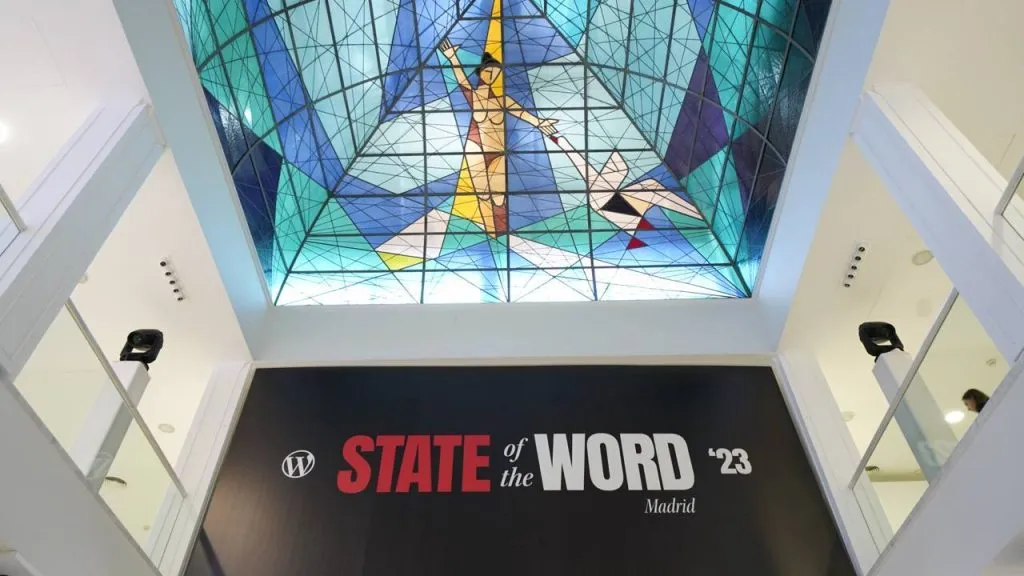
    Featured Image: Palace Neptuno, Madrid, with State of the Word 2023 displays.


    Don’t want to miss the next Weekend Edition?

    We hate spam, too, and won’t give your email address to anyone except Mailchimp to send out our Weekend Edition

    Thanks for subscribing.

  • Reusable Blocks are Patterns too, Style Book, Block Handbook Navigator and Command Center—Weekend Edition 258

    Reusable Blocks are Patterns too, Style Book, Block Handbook Navigator and Command Center—Weekend Edition 258

    Howdy,

    It’s been a more quiet week. Many people have been working hard to get the latest features into the next Gutenberg release, so they can also be merged with WordPress 6.3. If you want to start testing, the Gutenberg 16.1 RC is available here. The changelog is massive. Next week, Tammie Lister will be going over this with me when we record the next Gutenberg Changelog.

    On Friday, I’ll hope on a train to Leipzig and give a presentation to the attendees of the back-to-the-roots, no frills WordCamp. Added thrill for me: it’s my first time presenting in German about technology. Oy.

    Next week is also WordPress 6.3 Beta 1 release. Get ready for testing and filing bug reports! The best way to learn what will be in 6.3 is by using the beta version and heed the Testing Call #24: Momery Makeover. Testing a new version pre-release, is an open-source contribution with the highest impact. If you are keen to learn how to do it, please let me know and I do a short tutorial zoom with you.

    This weekend edition seems rather short, too

    Yours, 💕
    Birgit

    Join us for the next Gutenberg Live Q & A July 6th, 2023, at 17:00 UTC

    Leveraging Gutenberg’s architecture to take plugin development to new levels.

    Learn how Gutenberg components and scripts can be used outside the block editor to revamp a plugin’s code base in this Case Study of GiveWP 3.0 with Jason Adams, Director of Development, Jon Waldstein, Lead Developer of GiveWP and co-host Lena Morita, JavaScript Developer on the Components team.

    Developing Gutenberg and WordPress

    🎙️ The latest episode is Gutenberg Changelog #133 – Gutenberg 23.6 Release and WordPress 7.1 with special guest Faith Imokol, webdeveloper from Uganda.

    In his latest Design Share: Jun 5–Jun 16, Joen Assmussen shares the work of the WordPress Design team on the

    • flow of creating patterns via the Site Editor,
    • Top Toolbar refinements,
    • ideas on how to customize the Drop Caps,
    • more customization tools for the list blocks,
    • Home template details panel
    • Site editor publishing, and
    • Interesting mock-ups for a redesign of the Learn.WordPress pages.

    Plugins, Themes, and Tools for #nocode site builders and owners

    Jamie Marsland shared in his latest video, WordPress Block Theme Secret Hacks You Didn’t Know Existed, five secret features of Block Themes, you might not know about. Marsland also offers a Block Theme course: Mastering Site Editing and WordPress Block Themes, so you can get a head start.


    Wes Theron also shares his secrets, too in the tutorial Using the block editor: Tips and shortcuts for efficiency on Learn WordPress. He has eight tips and shortcuts for you to work faster and more efficiently in the block editor.


    In this video on WordPress TV, Kathryn Presner and Sarah Snow showed their students how to Create a four-page WordPress website: Explore Plugins + Contact Forms. Watch this workshop to learn about plugins–how to find them, how to vet them, what can go wrong–in WordPress in 2023.


    Another new feature is coming to WordPress 6.3, the Command Center. Be aware that’s only the working title and contributors discuss renaming it. Sarah Gooding reports on the discussion WordPress Contributors Discuss Renaming Command Center Tool.

    Reusable blocks are now called Patterns

    Creating patterns using the block editor has been one of the most requested features since Patterns have been available and since the release of the Pattern directory on WordPress.org in Summer of 2021. It’s now coming to the editor in WordPress 6.3 version. It uses the same workflow as creating reusable blocks. To remind you: create a collection of blocks, group them, and use the 3-dot menu “Create reusable Block” except it now says “Create custom pattern”.

    Turns out Patterns and Reusable blocks are cut almost from the same cloth. The only difference is that the change to a reusable block synchs over all the instances the block has been used, hence the new name “synched pattern”. There is now a toggle switch to “Keep all pattern instances in sync” or not. This is the first iteration: the name change and the creation workflow.

    To re-use the pattern, you find them in different places, though. Synched patterns are listed in the list of Blocks in the Inserter and available via slash “/” command. Unsynched patterns are in a new Pattern category = Custom Patterns in the Patterns Tab in the big blue button inserter.

    There are many users, and I might be one of them, who find patterns, should also be at least partially sync-able. That feature is planned to come to the block editor after WordPress 6.3 is released. It will take a few more thoughts on how to separate the various pieces. You might want to synch the design but not the words, or styles but not the images. The headings but not the links. And immediately you see that this can be quite complicated. So, it might take some more time. You can read up on the genesis of this new feature in the PR Reusable blocks: Rename to ‘Patterns’ and add option to also add a non-synced Pattern. (51144)

    Theme Development for Full Site Editing and Blocks

    Ganesh Dahal, also writer at CSS-Tricks, published his first article on the WordPress Developer Blog about The Style Book: a one-stop shop for styling block themes. The Style Book is the new one-stop Global Style feature of the Site Editor that allows you to add all global or per-block design elements with a live preview window. This also lets users create a new set of variations that they can modify with a single click.


    Wrestling with a huge theme.json might deter people from creating block themes. Petter Walbø Johnsgård developed the npm package @theme-json/create that helps you with that. It allows you to create a logical directory structures to separate out various parts of the theme.json. It makes it easier to maintain and quickly navigate to the necessary area you wish to modify. This way you can standardize variables and reference them in our theme.json, and makes it them much more maintainable when designers decide to make changes. (Thank you to Marius Jensen for the tip).

     “Keeping up with Gutenberg – Index 2022” 
    A chronological list of the WordPress Make Blog posts from various teams involved in Gutenberg development: Design, Theme Review Team, Core Editor, Core JS, Core CSS, Test and Meta team from Jan. 2021 on. Updated by yours truly. The index 2020 is here


    In his post for the Torque Magazine, How to Add Widget Areas to WordPress (Block & Classic Themes), Nick Schäfferhoff took a look at different ways to add widgets to your WordPress theme. You learn how to use widgetized areas and create new ones in classic themes, as well as how to make widgets show up in your block themes.

    Building Blocks and Tools for the Block editor

    It might be the post you have been waiting for. In his post on How to Navigate the Block Editor Handbook, Michael Burridge leads the way with Compass and Maps so to speak. “The Block Editor Handbook is intimidating even for seasoned developers. If you are new to block development, you’re likely to feel completely overwhelmed. This guide will help you find your way around the Block Editor Handbook. It suggests a learning path that will help you become an expert in no time.” he wrote in the excerpt


    Brian Coords published a tutorial about Custom Lists in WordPress with Register Block Style. He explains how to work with Block styles without a build process. It’s a great way to learn to customize the blocks without any JavaScript and very little php.

    Earlier this year, Justin Tadlock wrote about Creating custom block styles in WordPress themes, that could be another great tutorial for you.


    Need a plugin .zip from Gutenberg’s master branch?
    Gutenberg Times provides daily build for testing and review.
    Have you been using it? Hit reply and let me know.

    GitHub all releases

    Questions? Suggestions? Ideas? Don’t hesitate to send them via email or send me a message on WordPress Slack or Twitter @bph.

    For questions to be answered on the Gutenberg Changelog, send them to changelog@gutenbergtimes.com


    Featured Image: Skyline of Athens, view of the Acropolis from the roof of the Museum for contemporary art by Birgit Pauli-Haack


    Don’t want to miss the next Weekend Edition?

    We hate spam, too and won’t give your email address to anyone except Mailchimp to send out our Weekend Edition

    Thanks for subscribing.

  • Live Q & A: Block-First Approach at Pew Research Center

    Live Q & A: Block-First Approach at Pew Research Center

    On July 22, 2022, Michael Piccorossi, Head of Digital Strategy and Seth Rubenstein, Lead Developer at Pew Research Center talked to co-hosts Anne McCarthy, WordPress Product Liason and Birgit Pauli-Haack, WordPress Developer advocate and curater at Gutenberg Times, on they use a mixture of Core and Custom Blocks to streamline their publishing process, and to create powerful charts and quizzes for the Pew Research Center.

    Resources

    Seth Rubenstein’s Example Code Repo (GitHub)

    Issue: Allow usage of block based “template parts” without using block based “templates”: https://bit.ly/3aWn55a (GitHub)

    Comparing Patterns, Template Parts, and Reusable Blocks (WordPress Support)

    Tracking issue: Missing Query block functionality (GitHub)

    FSE Program Testing Call #15: Category Customization (WordPress Make Blog)

    Connect on Twitter

    Speaker information

    Michael Pioccorossi, Director of Digital Strategy

    Michael Piccorossi is the Director of Digital Strategy at the Pew Research Center where he leads a multidisciplinary team that includes web development, design, product, user experience, analytics, social media and video. He has extensive experience with all phases of digital product and audience development. Before Pew Research, he was Director of Online Operations at U.S. News & World Report.

    Seth Rubenstein, Lead Developer

    Seth Rubenstein is the Lead Developer at the Pew Research Center, where he leads a team of 3 developers. He has 12 years of experience in developing enterprise level WordPress applications. Before joining Pew Research, he was the Senior WordPress Developer at the Center for American Progress.

    Transcript of Live Q & A

    Birgit Pauli-Haack: Welcome to our 32nd live Q&A on Gutenberg Times. It’s a great way to connect with people who are using Gutenberg and we have an excellent show today for you. My name is Birgit Pauli-Haack, and I’m the host of and the publisher of Gutenberg Times. Thanks for joining everybody. With me is a co-host, Anne McCarthy, who’s the WordPress Product Liaison. Howdy, Anne, thank you for being here.

    Anne McCarthy: Thanks for having me. I’m very excited to introduce how we’re going to talk to folks in the Pew Research Center about how they use a mixture of core and custom blocks to streamline their publishing process and to create a lot of the stuff that you know and love from them, with their charts and quizzes and all that good stuff. So with me here today, Seth Rubenstein, lead developer… Rubenstein. Apologies, lead developer and Michael Piccorossi Director of Digital Strategy. Thank you both so much for coming Seth and Michael apologies if I completely ruined both your last names and thank you so much for taking the time to just talk about all the cool stuff you’re doing at the WordPress block editor. I know it’s going to inspire a lot of folks. How are you both doing today? We’ll start with Seth.

    Seth Rubenstein:  Oh, I’m doing fine. I’m living in the middle of a post-home renovation construction zone, but other than that I’m doing great.

    Anne McCarthy: Amazing. Minor details, Michael, how are you doing?

    Michael Piccorossi: I’m doing great. Thanks. Thanks for having us. We’re really excited to talk about the work that we’re doing and how we might help other people with what they’re trying to do. So, thanks.

    Birgit Pauli-Haack: Yeah. So I’m so happy. Totally thrilled. I couldn’t wait because we were talking about this since end of May and now it’s end of June. I had to wait two months, but we do proper introduction in less than a minute, but I have a few housekeeping notes. So please use the chat feature to let us know where you are watching from.

    Then for the question process, for those who are watching on YouTube livestream, use the chat bot next to the video player for your questions. Here on Zoom, use the Q&A button on the bottom of the screen for your questions and the chat bubble to share your thoughts and comments.

    A little reminder, yes, please be kind even if you disagree. This is a family-friendly endeavor.

    So before we head first into the behind-the-scenes tour we are going to get, I want to ask both of you to tell us briefly about your WordPress story and how long have you been using it. Seth first, and then Michael.

    Seth Rubenstein:  Sure. I’ll go first. I mean, I’ve been using WordPress for, I don’t know, 18 years or something like that now? I started using WordPress in college. I was responsible for all the school’s clubs and newspaper, websites and all that stuff. So that’s when I started to learn WordPress.

    Then I just went successively from one job to the next, building out different WordPress products. I think I built one of the first learning management systems in WordPress many, many years ago, in my first job. Then I started at Pew in 2015 and they were doing some interesting stuff with WordPress and WordPress Multisite and we just went from there. I’m excited to show you what we have built over the last couple of years.

    Birgit Pauli-Haack: Well, that’s a great career and a lot of nonprofit and going from Drupal to WordPress must have been a major switch of culture as well. So, Michael, how about you? What is your story?

    Michael Piccorossi: Yeah, I’ve been doing digital stuff for more than 20 years, more years than I like to admit sometimes. Prior to Pew Research, I managed a team at U.S. News & World Report. We built a custom-based, a Python-based CMS and e-commerce system. That was back like in 2006. So I’ve been doing a lot of different content management things.

    I started at Pew Research in 2009. When I got here, we had four different CMSs, none of them WordPress, 2 DotNet, Drupal, custom PHP so it was really kind of a mess. One of my first hires after I got here was another person you may know from the WordPress community, Russ Heimlick. He was our first web developer and he and I talked about where we should take this organization and we decided that WordPress was the right way to go.

    So we ran a custom-hosted version out of a data center in Virginia for a while and then Seth joined us, as he said in 2015. For a couple of years, we were managing on our own AWS infrastructure and then we moved over to WordPress VIP in 2018, and we’ve been really happy working in that environment ever since. So we’ve really never been happier and we’re really committed to the platform.

    Anne McCarthy: I love this. This is very cool. I’m going to later have a question so just tuck this away for now, around why you chose WordPress, especially with what seems to be more of an emphasis on the data side of things. I’ve read books about how for humanity’s sake, we need to find ways to preserve data for the long term. So I’m curious, that played into part of, for human knowledge sake of, what platform can we choose that will have the most longevity and sustainability into the future? So I’m fascinated by that entire concept when it comes to this kind of work and research, but just tuck that away for later. I just had to mention it for now.

    Michael Piccorossi: Sure.

    Anne McCarthy: Oh, Birgit, you’re muted. Sorry.

    Birgit Pauli-Haack: … to type some things. I apologize, our chat was disabled for a few minutes here and now you can all tell us where you’re watching from. I’m sorry about that, but it seems to be that Zoom is changing the default settings all the time, and I had this set up. Well anyway, so Michael, so what do you exactly do at the Pew Research Center?

    Michael Piccorossi: Sure, sure. So me personally, I’m the director of Digital Strategy. It’s really product and strategy and like I said, I’ve been here for 13 years now. So I oversee a larger team of 20 people. In addition to the web dev, I also oversee the design team, video products, social, email, user experience, and audience measurement. So basically I’m the chief cat hurder.

    I think we’re similar to a lot of news organizations. So I really describe us as, we’re news adjacent. So, the work of the center is, if you’re not familiar with it, we are a nonpartisan, non-advocacy, public opinion polling, demographic analysis and a variety of other social science research. Historically, the roots of the center is in survey research and polling, but in the last five years, we’ve really made a strategic shift to seek new ways of measuring public opinion and that facilitated us starting our data labs team. They’re doing data science and computational social science so that’s a new area of research for us.

    Our core product, as is baked into our name is, nonpartisan, non-advocacy research. So these authoritative, data-driven reports, they’re big things, they’re multi chapter, and those are still really in many ways, one of our core products, but we also do shorter but equally rigorous and authoritative data-rich blog posts and things like that.

    But the digital team here also, in addition to doing all of the regular day-to-day publishing, we’ll publish in a given year maybe 40 or 50 data-driven features based on center research. And they run the gamut from D3 visualizations to interactive maps, data lookup tools, essays, and quizzes. And I don’t want to overlook the fact that we’ll publish about 2,500 static charts in a given year and it’s really an important part of how we get our information out there. So shout out to our design team, I think they’re the best in the business and I think they do great stuff. So it just doesn’t have to be interactive to be important to us.

    I think in general, one of our real special sauce for these features that we do is, allowing users to see themselves in our data. So Anne mentioned some of our quizzes and things like that. That’s really in terms of broad reach, we know that for the public, that’s what they want to see. So that’s it.

    So, like I said, we are really similar to a news organization and we’re involved in a lot of the same communities as news orgs, Online News Association, NYCAR, the News Product Alliance, those are sort of the people we hang out with.

    In addition to being a pointing head and middle manager, I’m really a product guy at heart so I really do spend a lot of time in WordPress. So that’s my story.

    Birgit Pauli-Haack: Right. Well, thank you, Michael. I had no idea about the full scope of the Pew Research Center. I only have been an avid reader of the internet research since the early 90s, I think because that was the one research where you knew who’s online and who’s online where, and especially then with the advent of user-generated content, social media, it was really nice. Yeah. It was the one authority about internet usage, especially in America. So I’m really happy that I know now more about it. So Seth, what do you do at Pew Research Center?

    Seth Rubenstein:  Well, I am the lead developer. So when I started at Pew, there were a few developers, but there wasn’t a defined dev team and there wasn’t modern dev team practices. So a lot of the challenge was getting that spun up in the first couple of years.

    Now, we have three other developers beside myself. We have two developers that focus on these digital features that Michael alluded to maps, interactives, we call them scrolly teleinteractives. You scroll through and different things happen. Then another developer and myself, we manage the majority of the WordPress app and especially now, the Gutenberg infrastructure.

    Birgit Pauli-Haack: Yeah. I just want to go through the chat. Hi to Washington DC. Heimlich is here. No. Nice, wonderful. Bud is here. Hi Bud. Henrietta, Matt and well, yeah, Ann is online the chat and thank you for greeting everybody.

    So the Genesis of this live Q&A is actually that I, around the Web 6.0 release, Seth tweeted the following, “For all its naysayers, Gutenberg is a gamechanger for digital and news apps. It’s a force multiplier for your team and we’ve spent about the last three years going all-in, in block development.” Then in the thread, you shared quite a few videos of examples and it was really interesting. I jumped at it and DMed you if you and your team come on the show. So what is it that you’re going to show us today?

    Seth Rubenstein:  Sure. So I have a couple of examples from that kind of thread. I think we’ll dive in and I’ll show you how we can build out homepages, that’s one thing, how we are using Gutenberg in a quasi full-site editing method to edit taxonomy archive pages, as well as a couple examples of how we build out digital features like quizzes, like charts and interactives now, some of these scrolly tele things I’ve told you about.

    We also have this other concept of a quote sorter, where we get quotes from the public and we sort them into different groups and things so you can browse that information. We’ve just created the ability for this, and it’s not launched yet, to build those out in Gutenberg. So let me share my screen here.

    Birgit Pauli-Haack: Yeah, that would be lovely. Well to the audience, if you have questions, just put it in the chat and after the demo, well, Anne and I get the privilege of first questions and then we’ll go through your questions and have Seth and Michael answer them.

    Seth Rubenstein:  Sure.

    Birgit Pauli-Haack: Go ahead, Seth.

    Seth Rubenstein:  So the first thing that you see when you hit pewresearch.org is this page here. In the past, this might have been something built out with God knows how many short codes, if that was even possible at all. So now, and I’ll just kind of, I have a couple tabs lined up here, now, it’s very simple for an editor to come in and build out a homepage, especially with things like block patterns. We’ve established some of these basic sections of the homepage that you can just drag and drop in.

    So let’s see, I’ll just throw one together real quick and maybe we’ll do that. So the first block that we built in our journey on Gutenberg was what we call story item block. It’s definitely our most used block. It’s our most custom, the most developed out block. With it, you can just drop in a story and we have a couple of different variations. We’re using block variations throughout our block library for quick shortcuts to…

    Anne McCarthy: It’s so cool you’re using variations for this, I just have to say. I’m like… I’m already seeing the pieces and like this is amazing.

    Seth Rubenstein:  Yeah. And using WordPress REST API and all of the WordPress components to build these things out. So let me just type in a post. I’m running this on my local dev so it will be a little bit slower. An editor can just search for a post or they can drop in either a live link or another feature that they requested, which I think has come in handy is the edit URL for like an article that’s not been published yet, so we can go try to grab some information about that.

    Then once in here, this block is using block context as well. We have found block context to be extremely important to our efforts, to guide producers into how things should be set up and set restrictions on how things should work. So for example, we have our own grid block as well. If I were redoing it today, I probably would stick with the core column blocks, but this was years ago and there were some features and stuff and we didn’t know how to tap into core blocks the way we do now. So we just went through and made our own grid block.

    The column block passes down through block context, the width of the column so that, for example, a story item block, when you’re choosing the image position can say, “Oh, you can’t do left or right position because this column is not large enough.” So this is great because this makes sure that, once again, I go back to shortcuts because this is how it used to be. With shortcuts, you really could place those restrictions on the interface that maybe had to happen on the back end and an editor would go and drop in a short code and they will, “This doesn’t look the way I wanted it to look. I didn’t know about these restrictions.”

    So now an editor can come in here and do all this visually. They could set an image size, enable different features, like bulleted items underneath here. They can include links in here, whatever.

    Then we are also using the query block. This is one of our more recent core block modifications. I’ll actually get rid of this to show you how that works. So you can drop in a query block and we are registering through the block API, our own variation here. We’ve got all the basic query block things, but we’ve added our own thing, which will drop in the default settings for the story item block.

    This, I think also alludes to what I was describing in that thread of our block first approach. Everything is a block in the site, or at least everything’s moving in that direction, to be a block in the site. To give you an idea of what that looks like, lets just save this real quick.

    Another important thing and probably the most important thing about Gutenberg is the fact that what you build here, hopefully is how it’s going to look on the front end. We’re still dealing with some typography stuff. I think when we go in all-in a full-site editing, that’ll be more one-to-one. But now if I come over to our new homepage… Come on. What I’ve built out here is exactly as you’re going to see it on the front so there should be no mistakes, there should be no, this doesn’t look how I thought it was going to look like, all that stuff is visible in the back end.

    On the front end here, in the query block, obviously, I’m sure most people aren’t aware the nuts and bolts on how the query block works, but on the back end, obviously there’s a block called post template block and that is rendering out your blocks using PHP on the backend. This is a story in a block, basically being rendered out in PHP on the backend. These aren’t actually static blocks. These are dynamic. So the query block gets the information. It says, “There’s a post type we want a query,” then it outputs all that using the story item block as a template. So that’s homepages.

    I think the other thing I wanted to dive into was the taxonomy pages. Where do I have that? So this is an example of a taxonomy page for us, our most important taxonomy topic.

    Birgit Pauli-Haack: Sorry, but so what I’m hearing is, that you are actually way ahead of the Gutenberg team. You have build query blocks and templates all before it actually went to the plugin.

    Seth Rubenstein:  We did build out our own query block originally, because when we first started looking at doing query blocks in places, the query block did not have taxonomy support, or at least very, very minimal taxonomy support. That’s since changed so we have now moved over to the core query block, but there were a lot of cases where we had to build out stuff before it was ready in Gutenberg, and then come back later and figure out if we were going to use the core block that Gutenberg had built out. In the most cases we do, we do end up going with whatever the core block is.

    So this is, I think, our best example of our approach to full-site editing before we got full-site editing. So this is your standard taxonomy archive page, but we have two positions, one we call menu and the other we’re called top. Actually, we have another one at the bottom called bottom. These link up to a post type that we’re calling taxonomy block area, which is not super creative, but it describes what it does. There’s a taxonomy for that for location, menu, top, bottom. So you can go into here and you can say, edit the menu, edit the top, whatever and just like on the homepage, you can build out these featured content areas in Gutenberg using whatever block you want, in this case story item. We also have a promo block we built out on our own MailChimp block and that’s what you get.

    Michael Piccorossi: Yeah. 

    Seth Rubenstein:  Then… Yeah, go ahead.

    Michael Piccorossi: I just wanted to add, yes. So last summer we launched a site redesign with a whole new information architecture and a multi-level content taxonomy. As Seth pointed out, these topic pages were really the central component of that entire redesign. Being able to manage these in the ways that he’s discussing has really been transformational for us. One of the things I like is, you can create one of these topic blocks and assign it to multiple pages if they’re the same. We can also create these pages in a very short period of time, literally in minutes. Usually, it’s more the editorial decisions that take longer than any of the actual production stuff.

    Seth Rubenstein:  So yeah. Yeah. The other nice thing is that you can schedule these, because we are ostensibly, a news site. We, I think we, Mike alluded to, like to think of ourselves as being a resource for the news rather than being an actual news service, but we post things that are on the topics of the day and so we can change these. We can schedule changes out. We can schedule tomorrow’s homepage, we can schedule next week’s big release of some report we have, we can schedule the topic page changes that’ll happen for that, because this is just a post-type. So we just create a new post, slot it into this topic in the top location and schedule it for next Wednesday to publish at 10:00 AM. This will change at 10:00 AM. So that’s also, I think been a really great feature and that of course applies to homepages and any of these full-site editing things that we’re doing.

    Then the other thing is that we… This is one of the things that we’re going to have to struggle with in the next couple months is, we also built out our own navigation block. When I say we built out, we forked the early efforts of the Gutenberg team’s navigation block and we went a little bit further with how we needed it to work. So a lot of that change was making these different menu links that would point to topic pages specifically, and stuff like this and the ability to have a sub menu and that would follow our CSS and stuff like that. So that’s taxonomy pages, that’s full-site editing.

    The other thing I wanted to show was quizzes. We might not have enough time to show us some of these other interactive, but the quizzes stuff, this we launched last fall in order to support what is by far, our most popular product. I mean, it blows our analytics out of the water every year. That is our political typology quiz. It’s definitely one of our complex interactives too. If you haven’t taken this, you should, it’s pretty fun. People will enjoy it.

    Anne McCarthy: I’ve taken this with friends, like at a bar years ago. We’re like, “Let’s all take the quiz and we can talk about it.” Yes. This is really fun.

    Seth Rubenstein:  And we have a group feature too. So if you sign up for an account on our website, you get a little login and you can go create your own little community group. So you can say, here’s how this group of people is responding to this, which is fun. So here’s what it looks like. Go through, ask questions, to answer them, et cetera, et cetera, et cetera.

    Before, we were using Gravity Forms for this. Before that, there was a completely homegrown system. That was, we were finding, kind of taking down the site under load. So we switched to Gravity Forms pretty quickly when I started just to get things stable. We could have stayed there, right? We could have kept iterating on that Gravity Forms built system that we had, but we want everything to be a block, we want everything to be under Gutenberg. So we built our quiz builder in Gutenberg.

    To give you an idea of how that works, this is a framework that we’ve played around with, to great success. I’m just calling it the controller block paradigm. So here we have one parent level block, the controller. All it does is, it stores some attributes. It doesn’t really do anything, at least on the back end here and it’s just a way for us to contain inside blocks or inner blocks.

    Then within that, we have a pages block that controls the pages and a results block that controls the results. Then in each of these, you can insert any of the core blocks, headings, images, whatever, but we also have a question block and then an answer block. As you go through here, you just type out what the answer is or what the question is. You can set an image, question type, all these sort things. This is way more visual than we had, and what you build out here is what you see.

    I have a smaller example that I can show you a little bit more of what’s going on in the back end. For example, this quiz. This is a pretty simple quiz for us. This is what we call it knowledge quiz, as opposed to typology quiz, meaning there are correct answers here. So as you go through, you just click the little smiley face to determine that’s the correct answer, not correct answer. But then when we get down to the bottom here, I think this is the most exciting part, or the best example of block context, is, the results block. So here, an editor can drop in all the different things that you might see in a results page, “You scored X out of whatever, share your score.” You can build out some horizontal bar chart blocks that we’ve built out, all this sort of stuff.

    Then we have a general response table block. Let me just run through this quiz real quick and show you how that works. So when you hit the quiz, at first, what we do is, on the back end in PHP, we’re pulling out all of the question and the answer blocks and we’re formatting it out so that you get the correct layout. None of these are going to be right. I’m going to get a terrible score, but just click through some of these.

    Michael Piccorossi: We’re not here to judge.

    Seth Rubenstein:  No. Might have missed one. That’s okay.

    Birgit Pauli-Haack: You won’t be graded.

    Seth Rubenstein:  Okay. So then you submit your quiz. When you submit the quiz, we store your results as an archetype rather than each individual entry. So we say, “Here’s all the possible combinations of answers. Here’s what you gave. Let’s store that.” That way, the next person that gives that possible combination of answers, we’re not duplicating database space for no reason. We just store that archetype of answers.

    When you hit the quiz page again, with URL rewrite here for this archetype query bar, we go to the database, we grab that. Then through block context, we pass that through the controller block as your score. So that means that all of the blocks put in the results block, grab that context from the controller block, what the score is, and they can change accordingly. Maybe the bar chart changes to match what your score is. This thing changes to whatever your score is. Then of course the table response goes through and it gets the database entry and returns all this stuff through block context to the table block.

    So that was really exciting for us. That proved out the concept that we could do interactive things. We could build out little mini web apps, basically, for users and they could interact with them and we could construct a data model around that. So that’s our quizzes. What else do I have for you?

    Birgit Pauli-Haack: Those are pretty neat, yeah.

    Seth Rubenstein:  Chart builder. This is definitely one of the more exciting things we’ve been working on lately. We launched this in the spring and it’s a twofold project for us. One there’s the backend charting library and then there is the WordPress plugin part of it.

    Let me get this load again. As I mentioned, we have three developers on our team. One other developer is working with me on all this stuff. This is from one of our other developers, Ben Wormald. He spearheaded this project and it came out just fantastic. Not only did we gain the ability for editors to come in and make charts, but using the Gutenberg PHP API, we are using this in a more static database, which I’ll show you in a moment, to generate charts for that. So it provides us one endpoint for accessing charts and creating charts.

    So it starts off with a table. This one has a lot of data, just an example I threw together. We’re using block transforms here, so we can target the table block and say-

    Anne McCarthy: You are using everything, you have the you have the transforms, you have-

    Seth Rubenstein:  We’re using the whole kitchen sink. Yes.

    Anne McCarthy: Yeah, it’s amazing. This is really, really cool.

    Seth Rubenstein:  So you can start off with the chart builder block and that’ll have a table in there and you can fill that information, or you can just start out with a table and convert that to a chart. So I’ll do that now.

    So once again, the concept here is, you have a controller block, the builder controller, you have your table for your data. Then if we come down to the bottom here, you’ve got your chart. As you edit data, let me just see if I can change this, you’ll see that this stuff updates in real time, which is fantastic.

    Then in the chart itself… Oops, I think this data’s not formatted for that, you can customize pretty much all the visual aspects, spacing, what type of chart it is, colors, et cetera, et cetera. Let me let this load again one more time.

    Anne McCarthy: So fond of live demos.

    Seth Rubenstein:  Isn’t it? Isn’t it great.

    Anne McCarthy: I was doing some the other day where I was like, “Let me make this really dramatic,” and then it broke and I was like, “Got it. Okay, cool. I found the edge.”

    Michael Piccorossi: Seth, this is independent of whatever charting library you want to use, correct?

    Seth Rubenstein:  That’s correct. Yeah. I spoke about this in the thread that I posted to Twitter. Some people were asking questions about it. And that we do intend to open source the block at some point so you’ll gain the ability to convert tables to charts and then pick all your different settings that you might have, but it will be up to you to create the middleware to link that to your own charting library. We won’t be open sourcing our charting library.

    So let me just see. I mean, we have a lot of options here. I’m not going to go through all of these. Let me just tweak some of the visual stuff for better effect. So you can tweak this however you want. We’re also using the resizing component so that you could do that visually in real time if you’d like. You can go in and give this title, test charts or a subtitle, whatever you want. So best chart builder, there’s a lot more complex things you can do with it. This is a very simple chart. To give you an idea of once again, our whole block process, let me just go to this page real quick.

    This is a database that we run. It’s very exhaustive, called the religious landscape study. It has a lot of information about all the various religious groups in the United States, populations, things like this. In those, we have a lot of charts. Maps are not part of it yet, but all of these charts, all the bar charts, pie charts, and things like that, you might see that in this product are actually rendering out a block via PHP. So this is just the chart builder block being manually rendered through PHP on the back end. That way, any updates we make to chart builder for editors also get applied here to this product.

    I think that’s another important part to make about Gutenberg is that it’s not just in the Gutenberg editor, anything you make there, any block you make there you can also do in PHP. I think that’s important for maybe the PHP-only developers in the WordPress community to know is that, this doesn’t have to be just a JavaScript-only thing. You can utilize this using PHP as well. So that’s chart builder.

    I think that’s all the demos I have for right now. I do have a repo I was going to share of some of the modifications that we’ve done to core blocks. So like I walk through those real quick. Let me just pull open a post, because I think that’s probably the best example of this.

    Michael Piccorossi: I would just one add one thing on chart builder. Since we do so many charts, it’s unlikely that we’re going to do all of our charts using chart builder, but for really custom-lead charts, or these data-driven acts like Seth just showed it, it’s really fantastic and we’d like to be able to use more of it when it’s appropriate for the content.

    Seth Rubenstein:  Yeah. No not every chart will be this, so it’s right. Yeah. Sometimes it’s just the fidelity that you go with a static chart that we just can’t achieve. I don’t know that we’d ever be able to achieve in Wizzy Wig drag-and-drop builder.

    So this is an example of a post for us. Once again, what you see here is what you get. This is another block that we built out, the collapsible block. We use these at the top of all of our posts. What else was I going to show about that? Let this load.

    One of the other things that we had to build out with Gutenberg, one of the other things that Gutenberg gives you is, I think a great UI library that we’ve never really had in WordPress, with WordPress components and with inspector controls and advanced panels and stuff like this.

    So another part of our Gutenberg journey was not just the blocks, but how are we going to utilize this editor to its fullest extent for our publishing platform? Part of that is, we’ve built out some controls for the stuff that you might see here in the sidebar. So the report PDF, top line promo, you can change these things around, you can drag and drop them just in a more visual way than you were able to before.

    In the past, we used advanced custom fields for all this stuff, and that was great and all, but once again, there was only so much you could do to customize how that looked, how it worked. It had to fit in that ACF framework, but here, we’re given all those tools by Gutenberg through components to build out exactly what we want.

    One of the things here is, this is a block. The table contents is a block that’s being rendered out in PHP on the back end. What that also means is, that if you build out an essay or something and you want to throw a table of contents in, you can. You can just throw the table of contents block in the editor. But one of the core customizations that we had to do, we’ve done a number, is, add support to the heading block to support our table of contents block. So when you’re going through here, let’s go to… Well, actually this is using an older version of that block, not a good example, but I’ll change it out.

    When you’re going through here, you can type in a heading block, right? Just, and we’ve added a little icon. Not much is going on here. We’ve added one attribute called is chapter, and then we’ve added an icon to toggle that on or off. So I’m going to toggle that on. Then this might freak out because of the variety of blocks from this older post and it didn’t show up, but each of these is one of our older blocks called the chapter block, another thing we had to build out before we could figure out how we were going to book into core blocks.

    The way that works is… This is a high level, I’ll share this link in the chat so people can take a look at these examples. I’ve got two examples here. One is how we’ve added chapter support to headings and how we’ve added an alternate mobile background for the cover block. So that when you’re on mobile, maybe you get a different sized image for your cover block than you might get on desktop.

    So the heading block is comprised of two things obviously. One is using the PHP API that Gutenberg affords is adding an attribute in. It can be very easy to do. You can just use the block type metadata filter to change a lot of things, but specifically you can splice in new attributes in this case this chapter, which is just a bullion yes or no. Then you can affect the rendering of it using the render block filter. We’re doing this in a lot of places with the core blocks. We say if you do have the chapter attribute and it’s true, then we just add a little data attribute to the H element. So that’s a very simple example. People can take a look at this and use this.

    Another part of that obviously is the actual little toolbar icon itself. Once again, this is pretty simple too, using the filters, the JavaScript filters in Gutenberg. So you intercept the editing block. You say, Hey, if this isn’t the heading block, just give what was already there. Otherwise, we put in a little toolbar button and click it. Sets the attribute or unsets it. Then also have a variation which I alluded to. We use variations a lot as shortcuts. So you could just type in slash chapter if you wanted to and that would insert a heading with the chapter already selected. So it’s pretty easy to actually take a core block and give it completely new functionality that it didn’t have before, which I think is great. We’re trying to get more of our stuff into using core blocks.

    I don’t have any examples of this, but probably our most modified core block is the group block. We’ve added the ability to make it sticky, so that a group will stick to the top of the pages you scroll. We’ve added the ability to set a responsive threshold. When you reach set threshold, then it will move itself to this div or this idea or something that so that editors can change things around the page based on whether you’re on mobile or not.

    The other example is, in the cover block, we are adding another media field, or actually I guess, more of an ID field so that you can associate an image ID so that when you go to mobile, the cover block, we use a different version of the image. Same thing here. Intercept the block edit. You say, if you’re not the cover, just go ahead and return to what you’re doing.

    Otherwise, we have a little panel that we insert into the editor and a component that we’ve written. It’s a riff on a variety of different things in core for a drop zone for media. That’s also in this example if people want to use it. On the back end, it’s pretty simple here too. We’re using jetpack_is_mobile to detect if someone’s on mobile. If so, we get the image ID and splice it in, replace the image with that. So these are pretty easy, simple core block customizations, but I think if people dive in here, they might get a feel for what is possible for taking core blocks and making your own block library out of that basically.

    Anne McCarthy: Thanks so much for putting that in GitHub too.

    Seth Rubenstein:  Yeah, no problem. No problem.

    Anne McCarthy: Yeah. That’s awesome.

    Seth Rubenstein:  But also just one last thing, this is a story in a block being rendered out in PHP. This is actually one of those full-site editing template block areas I told you about before. So we’re going to have something at the end of our sidebar. We have a little block area there that people can go into Gutenberg and drop this stuff out. Michael manages this most popular list using every usable block so that I can show up on the homepage or the sidebar anywhere else and we added it in one place and it edits everywhere. Yeah. So I think that’s all of my demos today.

    Michael Piccorossi: Yeah. We use reusable blocks in a couple of different contexts so, there’s 

    Seth Rubenstein:  Mm-hmm. Oh yeah. We use them at the end of posts as well for various promos, newsletter signups, this sort of things.

    Birgit Pauli-Haack: This was an awesome demonstration. Thank you so much. I’m totally thrilled that you brought some code examples that we can share with the developers that are watching and also maybe come back to in the recorded version and want to follow up on, on some of the things.

    Seth Rubenstein:  Sure. No problem. Sure.

    Birgit Pauli-Haack: Yeah. So what are our first questions here?

    Anne McCarthy: I’ll just say I’m itching to ask a bunch of questions.

    Birgit Pauli-Haack: Yeah. Go ahead.

    Anne McCarthy: Yeah. Can I jump in?

    Birgit Pauli-Haack: Oh, absolutely.

    Anne McCarthy: I want to just drop this GitHub issue in that I think will be of interest. This is like hyper practical, but just around allowing usage of block-based template parts without actually accessing the whole template. A lot of what you’re describing with the taxonomy pages fuels very similar to that, where you can create template areas and then have access to just edit those. So that’s something I really look forward to and I see as a huge way… I’ve heard from a lot of different page agencies and organizations that’s what they’d love to have access to. It’s like we can define a template area and just allow people to edit that, that would be huge rather than opening up the whole gamut.

    Birgit Pauli-Haack: Yeah. Yeah.

    Anne McCarthy: So I wanted to put that out there. And I definitely think you could have some really cool insights in helping shape this going forward so I want to encourage, be like, bring all your insights and all your experience of maybe what has tripped up users or what features you’d want to see.

    Birgit Pauli-Haack: Oh, absolutely.

    Anne McCarthy: … all that good stuff. Yeah. I’d love to go back to the original, why WordPress? Was it part of wanting to rely on the open web? Was it what made you want to adopt Gutenberg? Is that also related to data consistency over time and not in the migrate stuff? I’m very curious with all the work that you do and the value brand.

    Seth Rubenstein:  Sure. I think I could touch on the why Gutenberg stuff real quick and I think maybe Michael can touch on the why word WordPress stuff. I’m sure that the audience here knows why WordPress. It’s, we’re all fans of it, but at the why Gutenberg front, I think that it was just kind of, I don’t know, kismet that we were looking to redo these topic pages. We were looking to make all these big editorial changes to the site and the question was, how are we going to manage all this? How are people going to slot in these different stories to these templates and so on and so forth? I think I had gone to a word camp for publishers in Chicago-

    Anne McCarthy: Oh yeah.

    Seth Rubenstein:  … a couple years back, and I really didn’t know much about Gutenberg. I knew it was coming and I really hadn’t tried it out. I think I was resistant to it. I think a lot of WordPress devs were and part of the reason I made the thread is, because I think some people still are, because it really is a complete sea change for WordPress. I’m a self-taught WordPress developer and I’m only a self-taught WordPress developer because when I started in WordPress, there were frameworks, there were guidelines, coding standards, there was the WordPress way to do things so that made it easy to get in.

    Now, we’re dealing with something entirely new and a completely new paradigm with blocks. So the guidelines aren’t there yet, the frameworks aren’t there yet, the Gutenberg way isn’t really well defined yet. I’m hoping that what we show here and what we give back to the community in the next couple of months as we open source more of this stuff and review more code is, we can help shape what is the Gutenberg way of doing things. 

    Michael Piccorossi: Yeah, and if-

    Seth Rubenstein:  … yeah, it was just fortuitous that we stumbled upon it at the right time.

    Michael Piccorossi: Yeah. Going back to the earlier times, as I mentioned, when I got here, we were running every different type of CMS except for WordPress. And actually Russell and I at the time, did an analysis. And kudos to Russell too, because he really sort of pushed me in this direction, but it was open web, was part of it. We liked the open source ethos. We liked the fact that we weren’t getting charged a per user license or anything like that. So, a lot of it was commitment to opensource and it really was I think a really smart decision for us and it got us into the WordPress ecosystem. Then when Russell moved on and I was looking for a new developer, the community was really strong and we were able to find Seth and it just has always been a really good, a good fit for us.

    One thing on the Gutenberg thing, I think Seth has been really great about, we don’t try to swallow the ocean at one time. As you pointed out, we dealt with the topic pages first and we roll out one little component of this thing to this one little portion of our site. As he mentioned, we’re about to bring a medium blog in-house and I think that’s going to be the first time we take our next big step with this full-site editing. So, really doing it incrementally is, I think, a really smart product ethos for us so that’s how it’s worked great for us.

    Anne McCarthy: That’s really neat. It’s amazing to hear about both historically and just at the right time and working for publishers, folks should definitely check them out. I think two years ago went and talked to them about full siting, in the early, early, early days. So it’s neat to hear them mentioned as a way in.

    I’m curious too, because I know some folks have, I was talking to someone else this week who’s from Agencyland and how much the workflow has changed as people have adopted Gutenberg. I’m curious if that is the case with editors or people you’re working with, or it’s both a technology change and a workflow change. That’s the piece that I think often gets overlooked as people just talk about the technological change and mean to do things like learn JavaScript deeply or dig into blocks. But then I think there’s also a very real organizational way of how do you train people up in this new way or potentially have design look at things after the fact or before, and switching around the workflow. So I’d be curious to know what that’s been like.

    Michael Piccorossi: I was… Do you mind?

    Seth Rubenstein:  Go ahead definitely.

    Michael Piccorossi: One thing, I actually think to be candid, I think that’s an area we’re making sure that everybody’s on the same page, it’s an area where we’re always striving to do better. There is this tension between innovation and making sure that your editors understand what’s going on. I’m sure they would probably plus one on this. So I would say that it’s not something that we’ve really solved the problem. I think it’s common in most organizations like, so I think-

    Anne McCarthy: You’re definitely not alone there.

    Michael Piccorossi: Yeah. I think it’s one thing I think we’re aspire to is doing a better job at making sure that everybody’s up to speed as we roll stuff out, but I think we do what we can. So Seth, do you want to add to that or?

    Seth Rubenstein:  I think that that is still a struggle for us, for anyone. I was listening to a Gutenberg podcast, it might have been Gutenberg Changelog or something like that a while back. There was some guest on. I think he’s the head of Florida’s state’s web properties or something. He had mentioned that what they did when they brought on Gutenberg was, they recorded a bunch of videos and snuck it into the help menu. I thought that was really clever. That’s something that we’re going to look to do by the end of the year, too.

    It has been a struggle to get people to understand Gutenberg and not just the editor interface, but the concept of blocks and inner blocks and how they’ll nest together and stuff like that. We have a lot of blocks and we’ve tried a bunch of different ideas as far as interface and how you interact with these things. I think we’re finally settling on a good practice. We try to keep things in the block toolbar if you need them a lot, otherwise we hide them away in panels. There’s a fine line of when to use a block style, when should that just be a toggle on an attribute or something. That stuff’s hard to figure out and I don’t know that anyone has the right answer yet, but we’re trying.

    Birgit Pauli-Haack: Yeah. So we have one question from Matt Redford and I think it touches on that. “How do you find content editors with reusable blocks? When I’ve exposed them,” he writes, “to users before the idea that it was a global element they were inserting and changing rather than something they thought they would be duplicating, caused issues.”

    Seth Rubenstein:  Yeah. It has caused issues. We had… I think there’s a lot of confusion about the difference between a reusable block and a block pattern. I know there’s a ticket. It’s been pretty active the last couple days, actually on-

    Birgit Pauli-Haack: Actually yeah.

    Seth Rubenstein:  … exploring the interface for that. I think it looks like it’s heading in the right direction to me. I’m pretty excited to see if this makes it into the plugin soon, but it’s been a problem because someone will drop in a reusable block thinking that this is like a template, a block template, and they’ll edit something. Maybe that something was a post ID attribute that told that block specific information about that post and now, every single post that was using that block is referencing that one thing. That has been a problem for us. So getting people to use block patterns I think has been harder to do. People instinctively go to the reusable blocks. I’m not sure why. Maybe it’s a little bit easier to surface, but it has been a problem.

    Birgit Pauli-Haack: Yeah. It was also the first concept for two, for almost three years before pattern.

    Seth Rubenstein:  Oh, right, right. We didn’t have patterns. Yeah, exactly.

    Michael Piccorossi: Yeah. I think it’s a UX issue right on the admin side and communicating to the end user what you’re… Yeah. I agree with Seth. It’s something where we haven’t really looked and so, and yeah.

    Anne McCarthy: I’ll note… Oh, sorry.

    Birgit Pauli-Haack: Go ahead.

    Anne McCarthy: I was going to say, one of the things that I’m really looking forward to tied to this is, block locking and adding the ability to disable editing and block locking specifically for the reusable block. This was actually looked into for 6.0 and did not make the cut, but it is something that is on the line because this is something that has come up a lot in the community is, the reasonable block, being able to edit in a way that is more intuitive.

    This is also where I think I saw you all using some block locking whenever you’re going through the demos, which is very neat. So I’m excited to see that system expand, but we have to make it intuitive for editors too. So if you limit options, it needs to make sense. I liked how you were doing that, where some of the options with the custom blocks that you have going already pick different headers and different image sizes. There’s a lot of interesting work being done there.

    Seth Rubenstein:  Yeah. We’re using block locking in some situations. We’re also… I have found, it’s useful if you’re making a custom block that has a lot of inner blocks is, you can set the template, lock that, but unlock maybe some of the inner blocks that you want people to edit. I think that’s worked out pretty well actually to funnel people into how you want people to use this block. They click and say, “Oh, I can’t change that,” you know?

    Birgit Pauli-Haack: Yeah. There’s something that… Just with the 13.7 version of Gutenberg plugin, you can now with one toggle actually lock all the inner blocks as well. So you don’t have to go from block to block to block, but I’m now thinking about reversing a test for that to say, “Okay, what happens if I want to edit just one block? What do I have to do?” and if that block works. It’s kind of the QA person in me, that is saying, let’s see if we can go back to the original idea.

    So, but I wanted to go back to two things. Well, it’s actually one thing. So there is this whole 10 years big, great plugins that helped out a lot of people, millions of developers. One is Gravity Forms and the other one is ACF, advanced custom fields. You said you were using them, but then moved away from it. Can you dive in that a little bit more?

    Seth Rubenstein:  Sure. No shade to those plugs. I mean, Gravity Forms is phenomenal as is Advanced Custom Fields. I mean, I don’t know where we would’ve been without ACF years ago, honestly, because I think the broader, Hey, WordPress needs a field’s API stuff, stuttered out after a while and there really no movement happened there because Gutenberg was coming and ACF was great. So mad props to Eliot Condon and I guess Delicious Brains now owns them. I don’t know.

    Birgit Pauli-Haack: They’re sold to WP Engine now.

    Seth Rubenstein:  Oh, okay. Wow. Yeah. So we stuck with ACF for a while into our Gutenberg transition. I think we have a few locations where it’s still being used, taxonomy term, edit page, we’re still using ACF for some fields there, but it just made sense that for all of the stuff that was in the editor screen when you’re actually editing a post or something, to go all-in on Gutenberg. That’s the whole point of what we’re doing. We are going all-in on Gutenberg.

    We have this UI library with WordPress components and it felt like a shame not to use it. So almost all the stuff that originally was in ACF report materials, I showed you that in the block side bar, table of contents, child posts… We do a lot of reports, so we have one post and we’ll associate other posts as a child of that so they appear in the information architecture correctly. That’s now all happening using WordPress components and REST API and stuff like that.

    So, there was no reason not to use ACF. There was no reason not to use Gravity Forms. It was just a matter of long term, we have to maintain these things. Everything you have to maintain, and it’s better, I think if we’re all-in on Gutenberg and the concept of blocks, to handle all that stuff.

    Birgit Pauli-Haack: Well, thank you. So with ACF, moving away from just kind of thinking about, you would need to build a block about that. Then with the block, came the interfaces, well, the inspector control on the right hand side of the side bar?

    Seth Rubenstein:  Mm-hmm. Yeah.

    Birgit Pauli-Haack: Yeah. All right. Do we have any more questions from the audience? And do you have more questions?

    Anne McCarthy: I mean, I feel like I always have more questions. I’m curious, what’s your wish? It looks like-

    Birgit Pauli-Haack: Yeah, we’ve got another two minutes.

    Anne McCarthy: I know. Sure. It’s like, do you have anything that’s on your mind where maybe it’s really out there, but either current pain points or wishlist items far into the future? I’d be curious.

    Seth Rubenstein:  I think a lot of them center around full-site editing and I haven’t gone deep into full site editing yet. That’s happening next month. As Michael said, we have a new sub-site we’re launching, so that we’re going to use that as an opportunity to learn about block themes and full-site editing.

    I think if there’s one wish that I would have it is, that on the PHP side of things, of core blocks, there were more filters. The query block is a good example of this. You have to intercept the whole thing. If you want to modify it, you have to intercept the whole post template block and the WP query there, which we are doing unfortunately. I would love it if you could just tap into the query arguments before they’re sent to WP query in the query loop block and modify things. So I think probably even more PHP APIs and more endpoints that we can access through PHP would be my top wish list. I think on the JavaScript side thing, I mean, whatever you want to change is there, it’s pretty easy to do. That’s probably my biggest thing.

    Anne McCarthy: I dropped in an issue if you want to. I think it’s related to what you’re talking about, because this is also… I’ve heard from a lot of agency folks that they tend to hack apart the query block and extend it for their own purposes. So it’d be neat to gather what those main requests are, see what’s going on and see what can evolve from there, what’s missing. So that’s a great one. It’s a good call out.

    Birgit Pauli-Haack: So there is JavaScript is one change coming. I don’t know if it will really affect you, but it is on the components. They are all now refactored with TypeScript and I think it’s a big project.

    Seth Rubenstein:  Yeah, it is.

    Birgit Pauli-Haack: So to increase the developer experience because TypeScript, then your IDE taps into that and helps you with the types of the parameters and everything. So, yeah, I just wanted to tell you, this is coming.

    Seth Rubenstein:  That’ll be great. We use, many years ago now, we settled on Semantic UI as a way to bootstrap our theme redevelopment efforts. We were standardizing everything under one parent theme and we went with Semantic QI. They have a great react set of components. I actually think Microsoft hired the guy who made that to lead their TypeScript team, because they’re so good. So yeah, getting all those hints and stuff while you’re typing out those components is great so I look forward to that.

    Birgit Pauli-Haack: All right. Okay. So I think that’s all the time we had. It has been very, very interesting and totally inspiring to think a little bit beyond what normal websites do, especially in the news side. So at this point, I only have two more questions to all three of you. So are there any announcements that you have and couldn’t get into, because we were talking other things? The other thing is, when people want to get in touch with you, how could they? What’s the best way? Michael, did you want to start?

    Michael Piccorossi: I would just say I don’t really have any announcements, but if you want to get in touch with me, you can email me mpiccorossi@pewresearch.org. You can hit me up on Twitter. Those are the two ways to do it. If you can figure out how to spell my name from Twitter, then you can M that my last name @pewresearch, you can get to me. So thank you for having us. It’s really been enjoyable.

    Birgit Pauli-Haack: Wonderful, wonderful. Seth?

    Seth Rubenstein:  Yeah, you can get ahold of me on Twitter, LinkedIn, wherever I have links or might get a profile. If you’re interested in getting in touch with me, that link for that repo is in the chat so you can find that there. And yeah, thank you for having us. It’s great to show what we’ve built. We’re very proud of it. We think we’ve built a pretty rocksolid Gutenberg news publishing system and it’s cool to show it off.

    Birgit Pauli-Haack: Anne?

    Anne McCarthy: I’ll close this off. I’m just going to plug the latest call for testing the cool setting outreach program I have too. So if you’re interested in the staff and whatever stage you were in, whether you’re deep in the customizations and Gutenberg first, like these folks are, or if you’re scared to adopt feedback on all this stuff and what would make it easier is really helpful, there’s a whole outreach program designed to bring that stuff in and I would love to hear about the blockers. So I just want to nudge that.

    Otherwise, I am not really on social media. So LinkedIn, I don’t know if that counts as social media, but I’m on LinkedIn and you can also find me at nomad.blog. There’s a contact form and I welcome people to use it.

    Birgit Pauli-Haack: And for those who are on the WordPress Slack, it’s on the WordPress Slack and my name, Birgit Pauli-Haack, bph on Twitter, on Slack and also pauli@gutenbergtimes.com. So I don’t have an announcement either, but just my brain is really full of these great demos. I’m going to watch this probably quite a few times again.

    Speaking about recording, after YouTube is through the rendering, it will be on YouTube, on our Gutenberg Times channel and a big thank you to the viewers and to our panelists. It was fabulous. It’s wonderful to see that. I know there are quite a few developers on the Gutenberg team or around that are going to look for that, especially also digital strategists like Michael, to what is really possible. I think you’re really, really on the forefront on the… I’m not allowed to say that so I’m saying the leading edge of the Gutenberg development. So thank you so much.If you have questions or so, send me to pauli@gutenbergtimes.com. Thanks everybody and bye-bye. Let’s get out of here. Thank you. Bye-bye.

  • Introducing the Museum of Block Art (MOBA)

    Introducing the Museum of Block Art (MOBA)

    Introducing the Museum of Block Art

    Introducing the Museum of Block Art (MOBA), a new project from WordPress community members that seeks to inspire creativity and push the limits around what can be done with WordPress. 

    All of the art curated here is built using the block editor thanks to design tools that have come over the last few releases from border support to gradients and more. Here’s just a peek of some of the pieces of art below: 

    The Museum of Block Art’s mission is to show just how far you can go with WordPress these days. Each featured creation is made using just the block editor, mostly without any custom CSS. 

    Wondering how it’s all done? Just click on the art piece that has captured your attention and you’ll see the markup used along with the “raw materials” in the form of blocks. The site itself is designed and built by Beatriz Fialho, Product Designer at Automattic, using the latest and greatest with a block theme and full site editing features. 

    Community Innovated and Inspired

    After a hallway hangout a few months ago with folks from the community, I found myself exclaiming out of excitement “we have to do an art museum” after seeing some neat patterns from Tammie Lister, Senior Product Designer at XWP. Unable to get this idea out of my head, I jotted it down into the notes and started to consider how to bring the idea to life, especially as WordPress continued to add even more options for design.

    It was the same feeling I have when visiting museums where, after being so inspired by what I see, I find myself picking up my camera with new vigor to capture the world creatively. Fast forward to today and a community of folks have come together to make this a reality from all over the world. If you’re like me and find yourself inspired to create your own art, share what you’ve made using the hashtag #WPBlockArt. 

    This was a true “teamwork makes the dream work” project with folks so thank you to Tammie Lister, Beatriz Fialho, Allan Cole, Rich Tabor, Nick Hamze, Brian Gardner, Javier Arce, Mel Choyce-Dwan, Channing Ritter, and Francisco Vera for each of your contributions. 

  • Preliminary Road Map for 6.0, Block Theme Creator, Developer Hours — Weekend Edition #201

    Preliminary Road Map for 6.0, Block Theme Creator, Developer Hours — Weekend Edition #201

    Howdy,

    What a week this was! It was probably the biggest release for the project. Yes, even bigger than WordPress 5.0. Now all areas of a website can be handled by blocks.

    I am awed by the massive accomplishments of all the contributors working on a major WordPress release that affects hundreds of million websites. I find these numbers mind-boggling:

    • 1900+ pull request merged for WordPress 5.9
    • by over 600 contributors
    • One hundred eighty of them contributed for the first time.
    • before WordPress 5.9 was released, WordPress 5.8 was downloaded more than 107 million times,
    • Today, four days after the release, WordPress 5.9 was downloaded already 12 million times.
    • 87.6% of all WordPress sites are now on version 5.0 or higher
    • 63.8% of all WordPress sites are on versions 5.7 and higher.

    The transition to blocks for plugins and themes will take a few years for various reasons. The side editor and all Full-site editing capabilities are just the beginning. It’s important to give feedback from your experience, so the team can iterate and improve fast.

    Nothing is perfect, especially not a release with so many code changes and contributors working on it. No amount of testing can surface everything. With so many configurations, settings, codebases and hosting offerings, not all the edge cases get caught. The release team is already preparing for a 5.9.1 version and is working fast to fix the bugs already reported, and those that didn’t make it into the release after code freeze.

    And with that note, have a wonderful weekend ahead, hopefully away from the screens.

    Yours, 💕
    Birgit

    The Gutenberg Developer Hours event series is now scheduled. The first event will take place on February 8th, 2022 at 11 am ET / 16:00 UTC with the panelist Tammie Lister, Nick Diego and Fabian Kägy. This event is geared towards developers to get their questions answered, discuss block development or get help with a bug. Register via the WordPress Social Learning Meetup.com space. Looking forward to talking to you then!


    Release Week WordPress open-source Project

    WordPress 5.9 Josephine is out now!

    To catch-up on what’s new in WordPress 5.9, full-side editing and Block themes topics, the separate reading list has all the information you need. The End User documentation, DevNotes, and also a few curated Block themes you can use to get acquainted with the new features.

    Sarah Gooding covered the release for the WPTavern: WordPress 5.9 “Josephine” Released, Introduces Full Site Editing and New Twenty Twenty-Two Default Theme


    For folks curious about the impact of the Customizer, Anne McCarthy published this video on YouTube: All you need to know about the Customizer

    • If your current theme uses the Customizer, the Customizer will remain as is.
    • If you switch to a block theme, which is a theme that supports full site editing features, the Site Editor will replace the Customizer.
    • If you are using a block theme and you install a plugin that requires the Customizer (like WooCommerce), it will automatically return as a menu item under Appearance. This will happen without you or the plugin author needing to do anything.
    • While the menu item is hidden, you can always access it directly with wp-admin/customize.php direct link.
    All you need to know about the Customizer video on YouTube by Anne McCarthy

    🎙️ New episode: Gutenberg Changelog #59 – Gutenberg 12.4, Developer Hours, Extensibility of the Block Editor and more with co-hosts Grzegorz Ziolkowski and Birgit Pauli-Haack. Special guest: Fabian Kägy


    Blocks, Blocks, Blocks. They are everywhere.

    In his post Making the web better. With blocks!, Joel Spolsky, author and creator of many things, like Stack Overflow, Trello, or Glitch, announced Block Protocol as a new standard for sharing blocks. He wrote:”This kind of “insert block” user interface concept is showing up in almost every blogging tool, web editor, note-taking app, and content management system. People like it and it makes sense.” and he continues “Our hope is that this will make life much easier for app developers to support a huge variety of block types. At the same time, anyone can develop a block once and have it work in any blog platform, note-taking app, or content management system.”

    Matt Mullenweg and Matias Ventura as well as Kevin Marks from IndieWeb movement engaged with Spolsky via Twitter

    In her article, Block Protocol Project Aims to Create Universal Block System, May Collaborate with Gutenberg, Sarah Gooding, puts this new initiative into larger context. She cites two examples, Drupal Gutenberg and Laraberg, where the block-editor is used outside of WordPress. She also dived deeper into the Block Protocol.

    Gutenberg Updates

    The day after the WordPress 5.9 release, Matias Ventura, the architect of Gutenberg, posted the Preliminary roadmap for 6.0 for the Gutenberg project. Ventura lists, by area the new features and refinements the team will be working on.

    Justin Tadlock recounts the post in his article: Looking Ahead to WordPress 6.0: The Early Roadmap

    What is it that you want to see in WordPress 6.0 for the block editor? Share in the comments on either post.

     “Keeping up with Gutenberg – Index 2022” 
    A chronological list of the WordPress Make Blog posts from various teams involved in Gutenberg development: Design, Theme Review Team, Core Editor, Core JS, Core CSS, Test and Meta team from Jan. 2021 on. Updated by yours truly. The index 2020 is here

    Gutenberg for content creators and site builders

    Eric Karkovack explored Scenarios Where the WordPress Gutenberg Block Editor Replaces Custom Code. “Developers may not need to fire up that code editor quite as often these days. Slowly but surely, the Gutenberg block editor is changing how we go about website customization. The result is an increasingly code-free experience.” Karkovack wrote.


    Ganga Kafle published a comprehensive guide on What is WordPress Full Site Editing & How to Use it? It covers all features, and discussed the advantage, how to use it and showcases the best block themes. It ends with a discussion FSE vs Page builders.

    Themes

    45 is the current number of Block Themes, ready for Full-Site Editing in the WordPress repository. The newest one is the WordPress new default theme Twenty-Twenty-Two designed by Kjell Riegstad and Jeff Ong.

    Stewart is also a fairly new theme by Automattic. It is very opinionated and probably the only one that sports a left sidebar.

    UXL Theme shop added another new Block Theme Framboise, offering style variations of Alara theme. Justin Tadlock took a closer look and shared his review in this article UXL Themes Releases Framboise, a Colorful Child Theme Variation of Alara and introduced us to the developer of the themes Andrew Starr. Tadlock also noticed, “Framboise does not add its own set of block patterns. Instead, they all live in the parent, Alara. The same is true of Ceres and Zelia, the other two child themes. ” and concluded: “This is one of the most fascinating aspects of child theming with blocks. ”

    Plugins

    Chris Coyier, founder of CSS-Tricks, elaborated in his post: 4 Quality Options for a Table of Contents Block in WordPress on what to look for when you search a Table of content solutions, checks each block plugin against these requirements.


    Aurooba Ahmed published her SuperList block in the WordPress repository. Use it to nest blocks inside list items, a feature many content creators have been looking for the core List block. You could also use the SuperList Block to create simple grid layouts, like a properly responsive pricing table, or a wrapping icon list. Ahmed wrote: “It aims to provide you with as much flexibility as possible, so you can harness it to create the content structure and layout you like.” Dennis Snell started working on InnerBlocks for the Core List block.


    Nick Diego published the Block Pattern Exlorer plugin in the WordPress repo. The difference to the just released Pattern Explored in 5.9 is that it includes the ability to preview patterns at different sizes (mobile, tablet, and desktop) and displays patterns individually or in a grid view. Diego also experiments with category and types for better grouping in the modal. The Block Pattern Explorer plugin is a safe space to explore different ways to built in explorer can be enhanced.

    Building Block Themes for Full Site Editing

    Daisy Olsen and Ryan Welcher continued their Video Series “Creating a Block Based Theme” Part 2 is now available on YouTube. They covered:

    • Created a header.html and footer.html template parts
    • Discovered an issue with the Navigation block that has already been fixed
    • Defined a custom gradient in theme.json

    The code is available on GitHub

    Creating a block-based theme with Daisy Olsen. Part 1


    Eric Karkovack wrote an essay and explored What Does WordPress Full Site Editing Mean for Freelancers? Karkocack started with “When we start digging into new features, there’s always a concern for any immediate impacts. But whatever comes from Full Site Editing will happen gradually.”


    Justin Tadlock already looked ahead to next week’s Gutenberg plugin version 12.5, now available as release candidate and found Global Style Variations, “Skins” for themes, Have Landed in Gutenberg. He explained “a global style variation is user-selectable skin for their currently active theme.” and called it his most-wanted component for Gutenberg. “From a theme developer’s viewpoint, they would drop custom stylename.json files under a /styles folder in their themes” he wrote. The Create a Block Theme documentation page already has more details for theme developers.

    Need a plugin .zip from Gutenberg’s main (trunk) branch?
    Gutenberg Times provides daily build for testing and review.
    Have you been using it? Hit reply and let me know.

    GitHub all releases


    Caroline Nymark created a Block Theme Generator with three levels of Starter Theme. You can create an Empty theme with 6 templates (Index, single, page, archive, 404, and search), a theme.json file and not patterns or block styles.

    Then you also could create a Basic Theme, that has an additional custom template, and Header & footer template parts. It also creates examples for block patterns, selectable style variations, Block styles for specific blocks and HTML forms elements. You’ll find a more elaborated configuration via the Theme.json file in the downloadable Zip file.

    The Advanced Theme adds a Category template and additional post and page templates to the packages, accompanied by six block patterns, and examples for using Google Fonts, example variations to core blocks and unregisters styles and blocks patterns. Its theme.json is also quite opinionated with elaborate configuration for various blocks, and offers 8 gradients, 3 duotones.

    If you want to take a deep dive into Block theme development, this is the tool for you to get started and learn from one of the leading full-side editing experts.


    Justin Tadlock recounts his journey as a theme developer from Classic to block themes in his post If This Is Modern WordPress Theme Development, Sign Me Up. He cherishes, the “No build process, no php composer, no node_module folder” approach to just build a WordPress Theme.

    Tammie Lister express similar enthusiasm when she phrased: “Let Themes be Themes again” during our Live Q & A Theme.json for Theme Authors or Getting started building WordPress Themes for Full-site editing.

    WordPress Social Learning Events (and Meetups)

    February 2, 2022, 12 pm (noon) ET / 15:00 UTC
    Ride Along: How To Switch From a Classic To Block Theme with Sarah Snow

    February 4, 2022 1 pm ET / 18:00 UTC
    Zero to Block Theme Series #3: theme.json Continued – Styles with Daisy Olsen and Sarah Snow

    February 4, 2022, 3 pm ET / 20:00 UTC
    Beginner’s Guide to Full Site Editing with Roxy Kohilakis via WordPress Social Learning Spaces

    February 7, 2022, 12pm (noon) ET / 17:00 UTC
    Taking Control Over the Editor for Client Builds with Fabian Kägy via WordPress Social Learning Spaces

    February 8th, 2022 11 am / 16:00 UTC
    Developer Hours with Birgit Pauli-Haack and expert panel via WordPress Social Learning Spaces

    February 9th, 2022 5pm ET / 22:00 UTC
    Using Block Patterns with Wes Theron via WordPress Social Learning Spaces

    February 11, 2022 – 3 pm ET / 20:00 UTC
    Breaking it Down: Blocks, Patterns, And Templates with Full Site Editing with Roxy Kohilakis via WordPress Social Learning Spaces

    February 14, 2022 – 4 pm ET / 21:00 UTC
    Exploring Theme Blocks with Wes Theron via WordPress Social Learning Spaces


    Don’t want to miss the next Weekend Edition?

    We hate spam, too and won’t give your email address to anyone except Mailchimp to send out our Weekend Edition

    Thanks for subscribing.

  • Pattern Block, State of the Word and theme.json builders – Weekend Edition 196

    Pattern Block, State of the Word and theme.json builders – Weekend Edition 196

    Howdy,

    it’s great to be home again! How are you?

    We are coming up to the end of the year, and it’s time for the annual State of the Word (SOTW). Matt Mullenweg, co-founder of WordPress, presents the accomplishments and challenges of the outgoing year and of what’s to come for next year to the WordPress open-source project.

    The event will be live-streamed from New York, on Tuesday, December 14th, at at 5 pm ET – 22:00 UTC. On the SOTW announcement page, you can also find a list of watch parties from around the world, some in-person, some virtual.

    After the two-hour event, the Post Status team will hold a live event on Twitter Spaces to discuss SOTW. I’ll be there to listen in.

    Now, let’s catch up on last week’s Gutenberg news!

    Yours, 💕
    Birgit


    Table of Contents


    Gutenberg Plugin Version 12.1

    The new plugin version came out Wednesday Dec 8th, 2021, with plenty of bug fixes that made it also into WordPress 5.9 Beta 2.

    Riad Benguella published the release notes: What’s new in Gutenberg 12.1 ( 8 December)

    Justin Tadlock took it for a spin. You can read his take in Gutenberg 12.1 Fixes Block Appender Layout Shift, Adds Template List Views, and Enhances Global Styles. And Congratulations to the WPTavern team to the new Site design, released together with the WordPress Special Projects team at Automattic.

    Grzegorz Ziolkowski and I discussed the new Gutenberg version in our episode 57 of the Gutenberg Changelog podcast. Many links in the show notes.

    Subscribe to the Gutenberg Changelog podcast
    🎙️ Spotify | Google | iTunes | PocketCasts | Stitcher |
    🎙️ Pod Bean | CastBox | Podchaser | RSS Feed 

    Plugins and other tools for the Block Editor.

    The agency, 10up published their Publisher Media Kit Page plugin that created pre-configured media pages using Block Patterns. It works with Newspack and the Twenty-Twenty-one default theme.

    Justin Tadlock gave it a whirl. Here is his post: 10up Releases the Publisher Media Kit WordPress Plugin


    The number of “Full-site Editing” Themes in the WordPress repository increased to 31 this week. The newest Theme is Videomaker by the designers at Automattic. It’s aimed at film directors and video creators. Justin Tadlock posted this review: Videomaker Block Theme Targets Film Directors and Video Creators


    In Cwicly Gutenberg Toolkit: A New Full Site Editing Solution, David McCan reviews the kit that includes a block-based theme, a Gutenberg blocks add-on, and Advanced Custom Fields Pro. McCan includes a video walk-through of this new tool.


    The team of Trewknowledge wrote The Future is Coming, Now. Watch and Learn About WordPress 5.9 Anticipated Features and summarizes the most important features coming to a WordPress instance near you in January 2022.


    In his article, Custom Single Post Layouts with WordPress Gutenberg, Jamie Marsland covers the process on how to build a custom layout for your single posts using the WordPress Gutenberg Block Editor and Full Site Editing. He covers the dynamic post blocks and how to use the template editor.

     “Keeping up with Gutenberg – Index 2021” 
    A chronological list of the WordPress Make Blog posts from various teams involved in Gutenberg development: Design, Theme Review Team, Core Editor, Core JS, Core CSS, Test and Meta team from Jan. 2021 on. Updated by yours truly. The index 2020 is here

    Building Custom Blocks and Features

    This week, Ryan Welcher showed us how to create a Meme Block on his live stream. The code is available on GitHub.

    “I don’t always type badly, but when I do, it’s during a live stream”.

    Phil Sola and James Koussertari are the WPBros and started their YouTube Channel with episodes covering Gutenberg Block Development. The first four episodes are already available. Check them out.

    Creating Block Themes

    Rich Tabor has been a giant fan of Block Patterns. This week, he wrote a tutorial on Building WordPress Block Themes with the New Gutenberg Pattern Block.

    The Pattern block renders a pattern — typically used within a template from a block theme. The main advantage is that it allows for translatable templates in themes.


    David Gwyer has been working on a Block Theme Generator and the first version is already online. It offers HTML form and some tools to select all the settings you would want to configure for your theme in the theme.json file, assembles it and lets you download the file to add to your theme. It’s a first version, but already quite nifty. I, for one, had great fun playing around with the color pickers for all kind of features.

    Screenshot: Block Theme Generator by David Gwyer.

    On a side note, Ryan Welcher is also working on creating a theme.json generating tool within the block editor. You can watch the progress on this GitHub repository.


    Jeff Ong and Jason Crist picked 4 topics to highlight in the post Gutenberg + Themes: Week of Dec 5.

    1. New Color Picker is coming to Gutenberg
    2. There is an ongoing discussion on how best to add global padding, and still allow for full-width alignment. Check out the ideas that are tested. 
    3. Opt into block styles via theme.json. This is to allow wp-block-styles support via theme.jscon. 
    4. Contrary to other styling, it seems Global link styles override block-level styles. Chime in on the issue. 

    I am a big fan of the digest form of their weekly round-up post.

    As always, the weekly round up also lists Overview issues for various feature in the works, like the Typography Tools, the Global Styles interface, the Default theme and a few more items. 

    And lastly you find a list of General Resources to documentation and tutorial. 


    Block Themes were also a topic for the Ask the Bartender column at the WPTavern: Justin Tadlock answered the question: Is There a Starter for Building Block Themes?


    Upcoming WordPress Events

    December 13, Monday 1pm ET / 6pm UTC
    WordPress Trends to Watch in 2022
    Discussion with Paul Lacey, Ronald Gijsel, Cami MacNamara, and Anne McCarthy.
    They’ll share ideas about emerging trends beyond WordPress 5.9 for:

    • Full Site Editing
    • Block Themes
    • Where Gutenberg goes from here
    • Performance improvements and more

    RSVP now to attend or catch the replay (GoDaddy Pro Online)


    Post Status is not the only team getting the hang of Twitter Spaces. Ellen Bauer, friend of Gutenberg Times and co-founder of Elma Studio, also started informal audio-only discussion. Bauer shared her schedule for the next few weeks:

    • 16 Dec, Thursday, 6pm UTC / 1pm ET
      Thoughts on Matt’s ‘State of the Word’
    • 22 Dec, Wednesday, 9am UTC / 4am ET,
      How to prepare for FSE & the WP5.9 release
    • 30 Dec, Thursday, 6pm UTC / 1pm ET,
      Casual End of 2021 WordPress recap/chat

    Follow Ellen Bauer on Twitter to get the links to the Twitter Spaces events.


    December Fri, Dec 17, 2021 at on 10:00 AM ET / 15:00 UTC
    Kyle Van Deusen will host a live event and show people interested in building blocks how he rebuilt the WaveApps homepage with his favorite block packages, He will answer viewer questions. Add the event to your calendar


    On the Calendar for WordPress Online Events site, you can browse a list of the upcoming WordPress Events, around the world, including WordCamps, WooCommerce, Elementor, Divi Builder and Beaver Builder meetups.


    Don’t want to miss the next Weekend Edition?

    We hate spam, too and won’t give your email address to anyone except Mailchimp to send out our Weekend Edition

    Thanks for subscribing.

    Featured Image: “LetterPressBlocks_RT5” by fiveten is licensed under CC BY-NC 2.0 via Openverse