Category: Using Gutenberg

  • Live Q & A: The Making of Open-Source Story by Yoast with Blocks

    Live Q & A: The Making of Open-Source Story by Yoast with Blocks

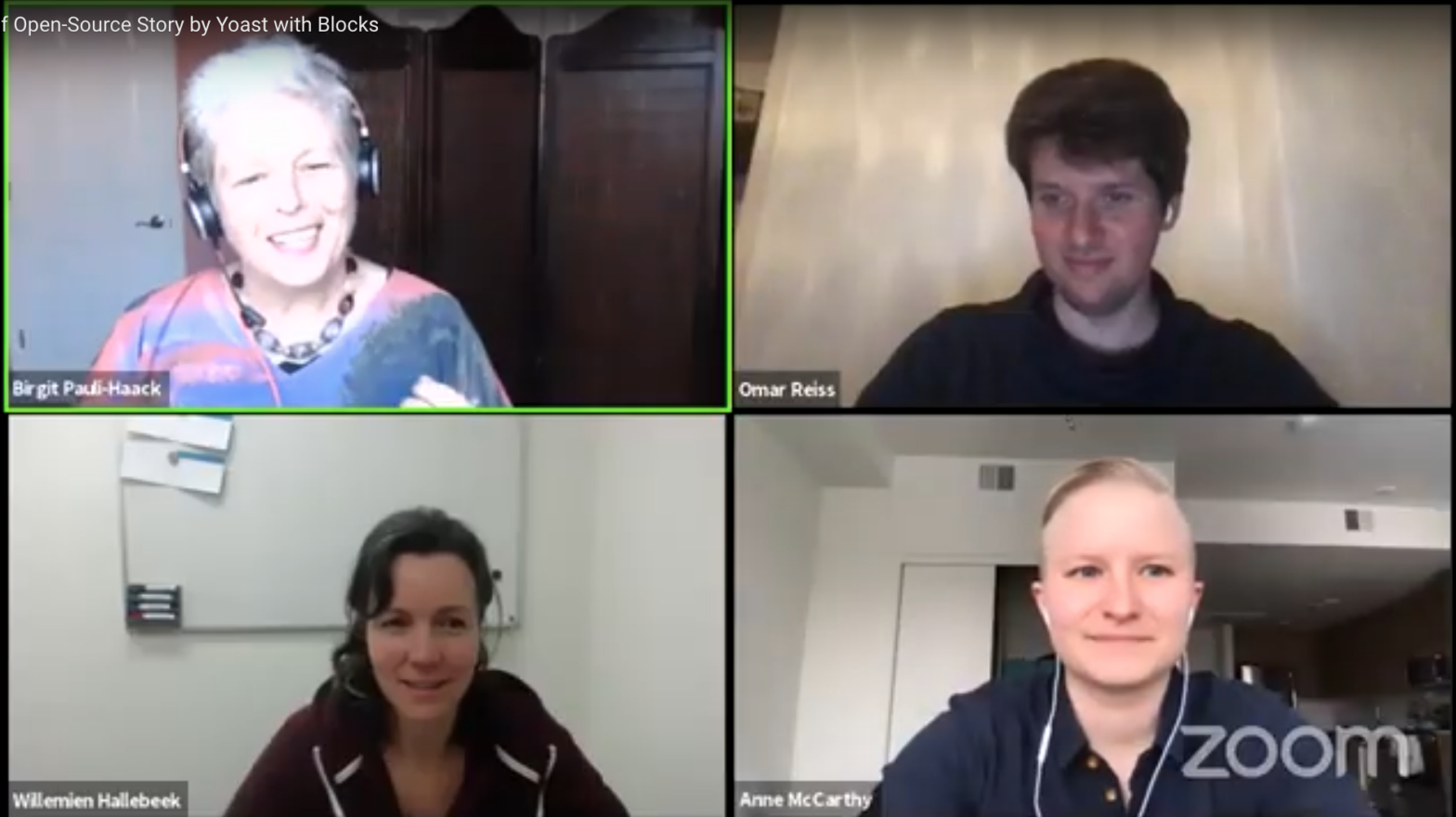
    Yoast partner and CTO, Omar Reiss and content team lead Willemien Hallebeek took us behind the scenes of the making of the Open-Source Story, a richly illustrated and interactive post about the nature of open-source from a collaborative business point of view. They also shared how they built it with the WordPress block editor, explain their approaches and answer your questions.

    Transcript

    Birgit Pauli-Haack: 26 Gutenberg Live Q&A. My name is Birgit Pauli-Haack and I’m your host, and the curator of Gutenberg Times. Thank you all for watching, it’s great to have you. 

    In today’s show, we will discuss The Making of the Post Open Source Better Solutions and more inclusive society that the content creators at Yoast and the techies put together. I’m extremely honored to have as guests three wonderful experts to discuss this and answer all your questions. We have Willemien Hallebeek, she’s the manager of content at Yoast. Hi, Willemien. How are you this evening?

    Willemien Hallebeek: Hi. I’m doing great. Thank you so much for having us.

    Birgit Pauli-Haack: It’s awesome that you’re here and then I finally get to meet you. I read a lot of your content. We also have with us Anne McCarthy, developer relations wrangler at Automattic and on loan to the WordPress open source project. She’s also co-host of the show. Good afternoon, Anne. How are you today?

    Willemien Hallebeek: Doing great. Thanks so much for having me.

    Birgit Pauli-Haack: Awesome. And then, we have Omar Reiss, partner and CTO at Yoast. Hi, Omar. Welcome to the show. Thank you for all three of you, you’ve taken the time out of your day and be with us together. So how are you doing?

    Omar Reiss: Great, great. Thank you so much for having us.

    Birgit Pauli-Haack: All right. Well, and welcome to Bob from Las Vegas. Who else is in there? Yeah, well, use the chat window to let us know more about you, dear listeners. Before we do proper introductions, in less than a minute, I hope, I have a few housekeeping notes and an announcement. This is going to be a mixed conversation, so we have demos, we have the questions that we have, and then we have your questions. If you have questions, please add them to the YouTube chat on the right, or use the Q&A feature on the bottom of your screen to let us know your questions. We will give answers in between segments, so put them in here so they’re in the queue and we can get right to them. Feel free also to share your thoughts and comments in the chat, but please be kind, even if you disagree. This is a family-friendly endeavor.

    Announcement

    Before we go into the deep weeds, and I have you here and your attention, State of the Word, the annual keynote by WordPress co-founder Matt Mullenweg is next week. Because WordCamp US was canceled, this is going to be a live stream event simultaneously streamed to the WordPress YouTube channel, the WordPress Facebook page, and the WordPress Twitter account. So mark your calendar. It’s on December 17th at 16:00 UTC. That is 11 a.m in Eastern, it’s 8 a.m Pacific, and it’s 5 o’clock Middle European time, I think. 

    For the Q&A part of the live stream, and that’s something totally new, you can pre-record your question via a video. And a big emphasis on landscape format, not landscape, and send it before the event. Actually, the deadline for that is tomorrow, so you don’t have a whole lot of time left. Detailed instructions are in the news post on the WordPress.org, so go there. Yes, so that’s out of the way.

    Introductions

    I’m thrilled you’re all here. So let’s start. Omar, it’s been a while that we connected on WordCamp. I think we met in 2019 or so in … no, ’18.

    Omar Reiss: 2018.

    Birgit Pauli-Haack: In Nashville.

    Omar Reiss: Yeah.

    Birgit Pauli-Haack: You’re a partner with Yoast, one of four, now six, I heard, or the border is now six, and you’re the chief technology officer. What exactly are you doing with Yoast? What’s your responsibility?

    Omar Reiss: Well, yeah, I’m just in charge of everything that has to do with technology at Yoast. So the development teams, the QA teams, and the devops teams all report to me. I am also responsible for software architecture, so basically, the design of the code itself.

    Birgit Pauli-Haack: All right. Interesting. Are you also going to fix my printer or you don’t have any printers anymore?

    Omar Reiss: No. That’s the only part of technology that I’m not responsible for at the Yoast. That’s part of the operations side of things.

    Birgit Pauli-Haack: All right. Well, thank you. Yoast is, after Automattic, the biggest corporate contributor to the open source project, WordPress open source project. How deep are you involved in this part of the Yoast team.

    Omar Reiss: Well, I’m starting to get quite involved again. The team is led by Francesca Morano, who you might know.

    Birgit Pauli-Haack: Yes.

    Omar Reiss: I led a couple of WordPress releases. I think we have meetings every Tuesday where we discuss our efforts, and I’m generally present there. It kind of got the contributor virus reactivated, and I plan to work on some build tooling stuff for WordPress 5.7. So, yeah, ready to get back in the game.

    Birgit Pauli-Haack: Okay, excellent. 

    Anne, we had many, many chats conversations on Slack about the various aspects of Gutenberg adoption events and the testing part of it. I’m so thrilled that you’re a co-host on the show today. You work as developer relations wrangler on loan through the WordPress project. What exactly do you do?

    Anne McCarthy: It’s a good question. I also just want to say it’s so awesome to actually be able to collaborate with you on this. I feel like we talk so much. It’s really, really an honor, so thank you for having me. 

    Yeah, I focus on the developer experience, whether that’s through creating better product feedback loops, through things like the full site outreach program, or calls for testing, trying to help get developers better connected both with each other and with the wider community and sharing resources. I helped kind of start a thing called Hallway Hangouts, which a bunch of people have done, which is super exciting. Trying to make it easier for new devs, that they’re first coming in to get acquainted with the community and get onboarded. So there’s been a couple different like documentation initiatives with that.

    Most recently, if you join co-editor for the first time, you’ll get a nice little Slack bot ping introducing you to things. So trying to be a bit creative there, especially while we can’t gather in person. And probably the last thing is just community-wide communication to get people excited about what’s happening with development and kind of just making it known in a way that’s user-focused and just builds excitement about the future of WordPress. So that’s kind of it in a nutshell.

    Birgit Pauli-Haack: Yeah, but that’s a lot of work. I’m glad that you’re doing it. 

    Willemien, it’s such a pleasure to meet you, manager of content. Knowing Yoast’s work in SEO, that sounds like a big job. What is it exactly that you do and how many people do you have doing it?

    Willemien Hallebeek: Well, yeah, it’s a great job. It details a lot of content. Yoast.com has a lot of content. My main focus used to be on our blog, but since you’re short while, I’m also responsible for all the content on Yoast.com. That means we have a lot of help pages, feature pages, product pages. Well, I’m responsible for the entire thing, so make sure what’s created, and check the coherence and consistency of it. Because we’re growing, more people are working on our content, we want to prevent that we’re doing on one side something and on the other side the same thing. Yeah. It’s like the overview, overall responsibility of the content.

    How many people? Yeah, that’s actually quite difficult. Well, I have three people in my blog team, well, we’re three actually; and three people from our academy team, they make our courses but also contribute a lot to the website; and then we have some people who actually work on the website but are not necessarily in my team, people creating content for our product pages, feature pages.

    Birgit Pauli-Haack: Yeah, interesting.

    Willemien Hallebeek: Yeah.

    Birgit Pauli-Haack: Who writes documentation at Yoast?

    Willemien Hallebeek: Documentation. I think … Omar, I think it’s Jimmy who writes for the dev portal documentation, right?

    Omar Reiss: Yeah. Even Joost himself still writes a lot of documentation. Jono-

    Willemien Hallebeek: Yeah.

    Omar Reiss: … Jimmy. That’s a lot of development documentation and the support team does a lot of the help documentation.

    Birgit Pauli-Haack: Okay.

    Omar Reiss: I think the academy team recently rewrote a lot of the stuff as well.

    Willemien Hallebeek: Exactly, yeah. Yeah. We had a huge knowledge base, which was transformed to our help section of the site, and academy did a great job in making that very easy to understand for people. Because if you’re looking for a help article, it needs to be you know understandable for many people.

    Omar Reiss: Yeah. It’s not mainly the academy job. Yeah.

    Birgit Pauli-Haack: It needs all the green lights on the Yoast plug-in, right?

    Willemien Hallebeek: Exactly, yeah. Yeah. We read all of that on our website. Yeah.

    Open-Source Story

    Birgit Pauli-Haack: So taking this open-source story that’s our topic today, as an example, so what’s your process from idea to publishing? What’s the genesis pretty much of that post on your site?

    Willemien Hallebeek: Yeah. The idea, I think Omar can tell that story best because he was there when the idea was born. I just took it on later.

    Omar Reiss: You can tell something about the creation process that’s been mostly your job.

    Willemien Hallebeek: Exactly. I can tell …

    Omar Reiss: But let me give a brief, I think I was with Marieke at a WordCamp, Marieke, our CEO, and she gave a really great talk about gender stereotypes and prejudices. It’s a really, really nice talk. If you’re into diversity, I think it’s a really nice talk to also go look up on WordPress.tv. At Yoast, we’ve traditionally been really strong in our core values. We have a couple of things that are important to us, diversity is one, open source is another one. We have all these great stories that we tell on WordCamps, wouldn’t it be awesome to have these in a digital story format on Yoast.com as well, as really rich content that is dynamic and interactive?

    With Gutenberg being present at the time, that was actually something that seemed really attainable. We basically said, “Let’s go. Let’s turn our important sort of core value stories that are close to our hearts. Let’s turn them into digital stories on Yoast.com and really give people something special. And then we turn to Willemien to create that.

    Willemien Hallebeek: Yeah.

    Omar Reiss: That’s how that process goes.

    Willemien Hallebeek: And then I was involved.

    Birgit Pauli-Haack: Yeah, go ahead.

    Willemien Hallebeek: I got this idea, and then what we did was I started, first, we thought what do we want to tell people of course. And then I started gathering content we already had on our website, because we had some story, well, not stories, just more posts about why open source is great, or how to contribute. We had smaller parts of the story already on our website. I started gathering that and writing a complete story of it. We would really have a long read, and then I started thinking about what is a nice way to visualize this? We also had videos and we had a copy on some parts. I thought about a quiz for instance that we could add.

    So, yeah, that was just a big document actually with ideas and content, some links to videos and that went to our design department. They’ve created this awesome design of the page. They already kept in mind the blocks that were created previously for the prejudice story. Because they’ve kept that in mind, in fact, it was quite easy to create the content in the editor because the blocks were there, the content was there, and mainly, it was just on the getting it in.

    Birgit Pauli-Haack: Sure.

    Willemien Hallebeek: Making sure it all looks fine on the front end.

    Birgit Pauli-Haack: Yeah. I think it would be a good occasion here to have Omar kind of walk us through the back end, just scroll through the front end and then also through the back end of it and kind of talk about those segments. You can certainly, both of you kind of talk about things. What do you think?

    Omar Reiss: Definitely. 

    Birgit Pauli-Haack: Okay.

    Omar Reiss: Let me show you the page.

    Birgit Pauli-Haack: Yeah.

    Omar Reiss: Just for reference, I’ve also opened up the first one that we made, which is the ‘Gender, stereotypes and prejudice’ one and you see that it’s also got animations; the open source one, we left it out for this time, but something that you can also do with Gutenberg, and I might show a little bit later. Basically, most of the stuff you see here, even this probably, it can be done with Gutenberg natively, which is really nice, even though, in our case, this table of contents is block, because we generated it with a special block, but we’ll show you about that later.

    Birgit Pauli-Haack: Okay.

    Omar Reiss: This was added later, right, Willemien?

    Willemien Hallebeek: Yeah, it was added later. It was actually some feedback from Yoast. He thought, well, maybe we could have something at the beginning just making clear what you can find in the story. Because it’s a long story, so you want to take people by the hand and already give them some idea of what’s in it.

    Omar Reiss: Yeah. The funny thing is right at the start of the story you see this sort of card game where you can basically do sort of a quiz, where you can guess, so is this washing machine? Is it partly or created with the help of open source technology? And then you can guess like, “Well, no, it’s a washing machine, it’s not open source.” It’s like … no, oops.

    Anne McCarthy: I love this. I thought this was such a cool way to bring home the power of open source and engage with the page.

    Omar Reiss: Right.

    Willemien Hallebeek: Yeah. This part was really, because I thought, well, maybe people know some software is open source, but perhaps they don’t know washing machines can be open source.

    Omar Reiss: This kind of quiz sort of format we actually reused it from the stereotype where you have to choose if this is a stereotype or a prejudice. Basically, “This sentence, is it the prejudice?” And they’re like, “Yes, well done. It’s a prejudice because it makes a harmful judgment based ….” It’s the exact same kind of quiz format where you have to guess if it’s one or the other, but it’s a completely different game because this is aimed at understanding the difference between a stereotype and a prejudice. Here, it’s aimed at sort of simply guessing if open source is involved or not. You can even imagine a true or false game or whatever. There’s many different things that you could use this block for.

    But the funny thing is that, like for instance, behind here, you can see a nice cover. That’s something that is just using Gutenberg natively. I’ll show you that in a minute. Yeah. So it’s got all kinds of this kind of interactive elements. You can see that there is a regular video here and that it has a sort of special functionality, that you can read also the transcript of that video. So it’s in there, if you want to read it; and if you want to hide it, you can hide it. So that makes it a really dynamic story. You can watch the video and it will tell you a little bit more, and then you continue farther into the story. 

    Yeah. Like I said, most of what you can see here, you can do this in Gutenberg. There’s nothing needed to make this work. It’s just an image in a column block, and I will show you that later, which I think is amazing because what we set out to do … like, you have a couple of these examples of big publishers like the New York Times who creates these really compelling interactive digital stories. That’s really costly to do and they need designers and developers to make it. Basically, all of them have tried also turning that stuff into a framework that can be reused to create other stories. Well, basically, with Gutenberg, in a few blocks you have this framework. It’s really easy for anyone to sort of create this sort of rich, compelling content by themselves. It only requires a few blocks and a really nice book editor. So, yeah.

    Anne McCarthy: That reminds me of the snow article from New York Times. I think Mel Choyce might have given a WordPress TV. I think it’s a WordPress TV talked about that, how you can recreate that in Gutenberg and how much it’s unlocked. It’s super cool.

    Omar Reiss: I’d love to see that talk. That’s exactly the kind of ….

    Anne McCarthy: I’ll get back on you when I find it.

    Omar Reiss: That’s exactly the kind of example that I was thinking about.

    Anne McCarthy: Yeah.

    Omar Reiss: It’s also the example that I gave I think about four years ago in the cafeteria of the Yoast.

    Willemien Hallebeek: Yeah, I remember.

    Omar Reiss: I gave a presentation about digital storytelling and I gave that example as well. It’s like so cool what you could do. But it was so hard to make that at that time.

    Anne McCarthy: They spent months on that, right? It was a huge undertaking from them to do that.

    Omar Reiss: Exactly. You can see there’s some design things that are being reused. I’ll show you some examples from the other story as well what we did. Let me look if I can find another compelling block. 

    This is the important. This ‘Thrive for the future’ talk here, which is a talk by Joost and Marieke, and it’s been done in different forms also by Joost alone and he also did it together in a couple of occasions, which is really sort of our story about open source. That story sort of explained here in WordPress.tv, but then it’s also completely explained here in the whole ‘Tragedy of the commons’ and how open source can help lead to a sort of reverse tragedy of the commons, and how can we get to a victory of the commons. Basically, the whole fight for the future thing in WordPress is explained and why it’s important. It’s a really important story for us and we really like to tell it. And you see the ‘Five for the Future’ is explained here.

    Birgit Pauli-Haack: Right. Are these column blocks or are these media and text blocks?

    Omar Reiss: We should watch it. Let’s briefly go to the back end to see what this looks like. Let’s first go to those blocks that we were just looking at. Yeah, we were looking at this one, right?

    Birgit Pauli-Haack: Oh, they’re column blocks, yeah. Okay, got it.

    Omar Reiss: So these are column blocks. I think, just here, if you look at this, this is I think is a group block. No, that’s a column block, and then this is a group block, and then these are columns. It’s so incredible what you can just do with playing old Gutenberg right out of the box.

    Birgit Pauli-Haack: Yeah. So that’s a gallery, I would assume, the pictures up there.

    Omar Reiss: Oh, yeah. We’re looking at this one. Which one did you say, gallery?

    Birgit Pauli-Haack: The four pictures, kind of in the further up I think it was.

    Omar Reiss: Oh, yeah. Right. So it seems like this is also a column block with multiple images.

    Birgit Pauli-Haack: Yeah.

    Omar Reiss: And then to right below each other. This is a group.

    Birgit Pauli-Haack: Yeah.

    Omar Reiss: And you can see the structure here.

    Birgit Pauli-Haack: Yeah, it’s called the list view now. It was the block navigator. Just kind of a little tidbit here, we changed the interface, everything.

    Omar Reiss: Yeah. That’s been quite some interface changes, but fortunately, it all still works.

    Birgit Pauli-Haack: Right.

    Omar Reiss: I think a good thing to take a look at now is the how we use ACF. Because that’s made it so much easier to do this stuff, right?

    Birgit Pauli-Haack: Yeah.

    Omar Reiss: We actually have a native table of contents block in Yoast SEO, but it doesn’t include this sort of image format. So if you go to that, you see these images that are in front of the table of contents and then basically the sub-headings. We created the sort of custom fields block for that where you can….

    Birgit Pauli-Haack: Oh, okay, yeah.

    Omar Reiss: Yeah. Basically this is … I think it’s a repeater where you can have multiple links.

    Birgit Pauli-Haack: These are the three sections, yeah.

    Willemien Hallebeek: Yeah.

    Omar Reiss: Yeah. The downside of this is that it’s not 100% what-you-see-is-what-you-get. But the upside of this is that it’s really easy to give rich elements, interactive elements and just fill them with the data and the content that’s needed.

    Birgit Pauli-Haack: Yeah, even more so with the quiz, I would think.

    Omar Reiss: Definitely, this is a really good example. So this is the quiz. What I really find compelling about is that here you see there’s a Cover block, there’s a Group inside there with a Heading and a Paragraph, which is these two, and then the Yoast Stories Card Game and it all just seamlessly works together. I think it’s really miraculous how intuitive that is.

    Birgit Pauli-Haack: Yeah. So, in ACF, you create your field group, and then you tell in the field group that is for a block, and then you need to…?

    Omar Reiss: Yeah. Let me show you the card game. Here, this is our field groups in ACF. Basically, what we did is we defined upfront what a card game is in terms of data. Here, we’ve defined that, we’re saying basically a card game is a repeater block and every sort of card game has its own image: Option A, Option B, Statement, and Explanation. Yeah, what you get here to put there. Basically, what ACF requires you to do to turn a sort of field group into a block is you need to register a template for that block, and then the template can use the fields. And then that’s basically how you can use it as a blog.

    Anne McCarthy: How quickly did you realize you needed to use ACF for this? Did you try to use Gutenberg first and then it was like, “This isn’t going to work, we have to switch over,” or did you live with this?

    Omar Reiss: No. Basically, we knew that it wasn’t possible to do it with Gutenberg natively without coding a block so we would have to create a custom block. Then you can do it with ACF, which is really simple to do, especially if you have a little bit of development power. But anybody who’s able to create a WordPress theme or even tweak a WordPress theme could create an ACF block. 

    If you want to create a custom sort of Javascript powered what-you-see-is-what-you-get block in Gutenberg, it’s much more work, basically. You have to completely think through the entire interface of how to interact with that. Yeah, it’s really not trivial to do, especially if you want to make something dynamic and interactive.

    Birgit Pauli-Haack: Have you tried any other of the non-Javascript block builders like Block Lab that’s now Genesis Blocks Pro, I think it’s called, the other one is called Lazy Blocks?

    Omar Reiss: I haven’t tried those yet. But I have created a lot of custom blocks sort of from scratch. Also, Yoast SEO has got a couple of ones. So we are definitely familiar with how to create native blocks, so to speak. But I haven’t tried the other sort of custom block solutions that are out there.

    Birgit Pauli-Haack: Yeah. I did a few months back, maybe a year and a half ago, kind of a summary on that, on the W Tavern from creating blocks without Javascript and comparing all three of them. I’m going to try if I can grab that and share it in a bit. Yeah. Oh, and then you wanted to show us the video, the special features?

    Video data in ACF Block

    Omar Reiss: Yeah. I just wanted to show you this example because I think it would have been nice to create this as a native block, because this is a video. A video is something that the Gutenberg Editor actually knows how to do. But then again, because we also wanted to have a transcript, we sort of took a shortcut. And it was just the easiest thing to do this in an ACF block because I would only have to worry about the template. Well, it kind of works, but then again, this would not have been hard to do more natively. Maybe if we put in like two hours extra, then this could have been a nicer, better experience.

    Birgit Pauli-Haack: Well, I’m always on the impression, if it works, why change it?

    Omar Reiss: Yeah, that’s true as well.

    Anne McCarthy: It also adds a nice experience for people who are building the content to kind of prime them to include a transcript, which I think on the content side I’m sure that’s also helpful.

    Birgit Pauli-Haack: Yes, it’s absolutely helpful. Yeah. Because not everybody can listen to audio on their computers.

    Willemien Hallebeek: Yeah, exactly. That’s why these are added.

    Omar Reiss: I think I’d like to show … Oh, sorry?

    Willemien Hallebeek: I just want to say we added them to these two videos.

    Birgit Pauli-Haack: Yeah. I’m just making a call for our audience here. If you have any questions to Willemien and Omar, please use the Q&A on the bottom of the screen and then we can kind of read them here for both of them to answer. Just not seeing any, so I think I need to coax a little bit more.

    Anne McCarthy: Won’t you pull up the animations? I know, Omar, you said you might show how that’s done.

    Animations

    Omar Reiss: Wanted to show you is there’s two things about this post that I really like, that I also wanted to showcase, because it shows a little bit more what’s possible even. All of these animations are powered by a library called Lottie. Lottie is basically a Javascript library that allows you to animate SVGs in a certain format. If you use I think Adobe, some kind of Adobe product, it’s really easy to make those animations with Lottie. It’s a library by Airbnb. Basically, what I did is I included Lottie with Yoast.com. So it now comes with Yoast.com and you can now directly export these sort of animated SVGs from Adobe and upload them to Yoast.com and use them in any content, basically.

    So this was an experiment to do that. I think it’s really cool that sort of Yoast.com now by default supports these animations in the block editor. I actually got it to work … Let me, this is going to be a live demo risk, but I’m still going to take it. Let me see. I think they work also in the editor themselves, which I was like, you know, my nerd heart beating….

    Anne McCarthy: I have one of those moments.

    Omar Reiss: Yeah. So because I want, when I upload those images, and I hope I can find an example, yeah … that I can see them animate in the editor.

    Anne McCarthy: Wow, that’s really cool.

    Omar Reiss: That would be the magic moment for me. That, I got to work so. Yeah, that was a really big, big victory and a lot of fun.

    Anne McCarthy: Do you share how you’re doing it all? Have you all written up like the process you went through, to integrate the library?

    Omar Reiss: Yeah, actually I think I do.

    Anne McCarthy: That would be super cool to see.

    Omar Reiss: Yeah. Frontliners …

    Anne McCarthy: I’m glad we all Google the same way for things.

    Omar Reiss: Yeah. I wrote this post.

    Anne McCarthy: But Yoast app just wouldn’t be showing up in Google.

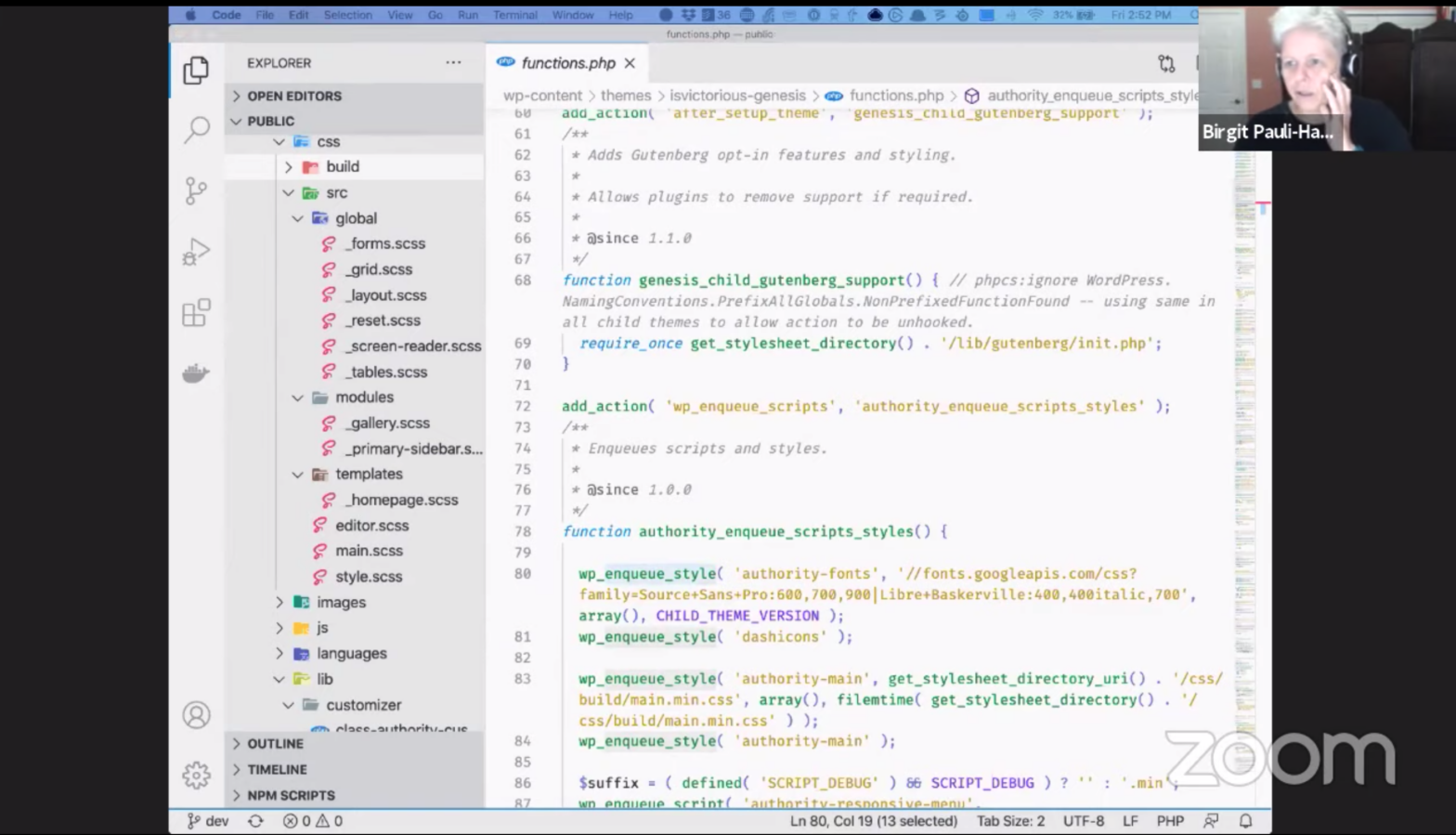
    Omar Reiss: In 2020, I wrote this post ‘Digital storytelling in the age of blocks’ where I explained every step and, basically, the basics just use the block editor. I also show how we did a lot of the stuff and also the templating and stuff. Because one of the things that I was excited about, and I also show in this post, is that we actually use the Yoast FAQ block. Let me try to find it.

    Birgit Pauli-Haack: Yeah. I’m glad you mentioned that.

    Omar Reiss: Here, in this post, this is just the Yoast FAQ block. You can see that this “Are men smarter than women?” This format is not what you see on the front end because what you see on the front end is this, it’s where the answer is actually hidden and these prejudices are shown. And then you sort of first get to think about it and then you show the answer and you hopefully get confronted with something to think about even more.

    So what I did is on the front end I filtered the blocks, the Yoast FAQ block, and came up with a different representation of the same block, which sort of turned it a little bit in this game format. It’s just one other example of how incredibly flexible the block editor is and blocks are to use to your advantage. I thought it was really compelling, nice example of how we can reuse an existing block actually made by a plugin in our, in this case, our plugin. But, yeah, that was really exciting for me.

    In terms of demo, I think that’s the most important thing. Is there anything you would like me to showcase or show?

    Questions

    Birgit Pauli-Haack: Well, ask the people in the audience I think … well, we certainly have a few questions.

    Anne McCarthy: I’m also happy to jump in with some too because this has been really fun.

    Birgit Pauli-Haack: When do you decide between kind of using something like ACF or do you want to do custom build blocks. It’s certainly one that I’m always struggling with. Also, what does Willemien think about ACF versus a custom-built block and all that. 

    Willemien Hallebeek: Well, yeah, I’m really the least technical person here. Awesome. I think that the nice thing is if you really use block … for us, it’s mostly important that you can see what you get. So, yeah, if it gets closest to that, if you’re creating the content in the back end, it’s just so nice that you don’t have to switch all the time between preview and go back to the editor and doesn’t really look like what you want to. Yeah, that’s mainly ….

    Birgit Pauli-Haack: Yeah. That’s a very important one. 

    Willemien Hallebeek: I think, well, it’s just nice to see, to do most stuff in the editor whenever it’s possible, what Omar said as well.

    Omar Reiss: And if-

    Birgit Pauli-Haack: Yeah. Go ahead, Omar.

    Omar Reiss: No, I just want to share, if anybody wants to see anything, I can always share again.

    Birgit Pauli-Haack: Yeah, sure.

    Omar Reiss: But I like to see you large as well, so that’s right.

    Birgit Pauli-Haack: Yeah. I think it’s important to, what you say, Willemien, in terms of, well, on that blog or post, you only had maybe three videos in ACF and that quiz, but when you look at larger publishers’ websites, yeah, I went to the WordCamp for publishers and one of the speakers showed nine pages of ACF fields with all kinds of different data. But only when you hit Preview, you were able to actually see what you put where and where it will show up. I think that what you see is what you get is really important. Yeah.

    Willemien Hallebeek: Yeah. It makes our job a lot easier, yeah.

    Omar Reiss: I totally agree with the long list of ACF that is not a great user experience. We’ve created a couple of dynamic blocks because this is what we’re talking about. Basically, blocks that are rendered in the PHP via a template, that’s very easy to create. 

    What I think I prefer in those blocks and maybe the other examples that you gave just now Birgit. It more like that is where you have sort of the server-side render component in the editor where you actually see what is being rendered in the editor. And you do the editing in the sidebar and then, on mobile, this is not the best experience maybe, but it’s a really nice experience on desktop where you can actually see what you’re editing. That might be a good middle ground. But generally the reason why we chose ACF blocks for this kind of stuff is just also cost. A cost reason because it’s just you know it’s really easy, much easier to do and cheaper.

    Anne McCarthy: Yeah. Quickly, there’s an attendee question that we can answer. The question’s anonymous and it’s, “How About Site Speed in such long stories? Were there any measurements done in terms of site speed both front-end and back end good question yes thank you well a really.

    Birgit Pauli-Haack: Good question, thank you.

    Omar Reiss: Well, it’s a really good question. I remember having the question the first time, I don’t know, did you look at site speed for the open source post that we did.

    Willemien Hallebeek: We did. After we posted it, we checked it. We found out we could improve some images so we really we turned them all into png to make sure they can be with clouds there. They now are transferred, they’re now made into a web pea and I think that’s the fastest way and to make them as small as possible actually I think there are also Lazy Loaded now, right?

    Willemien Hallebeek: Yeah. I think yeah.

    Omar Reiss: When you scroll….

    Willemien Hallebeek: Yeah. Lazy Loading. I don’t know about the animations and those are actually ….

    Omar Reiss: SVGs, yeah.

    Birgit Pauli-Haack: Yeah.

    Omar Reiss: So the animated image, I remember also looking at that, they’re not very big but there are a lot of them on the page. I think in the end we also … but I should check if that if that indeed works. But I think we also managed to lazily load those SVGs.

    Birgit Pauli-Haack: It’s always a little bit of a technical, so what’s speed and what’s perceived speed.

    Omar Reiss: Yeah.

    Birgit Pauli-Haack: So as soon as I can read something very quickly, yeah, I don’t care that much how long it takes that what I’m not who I’m not scrolling to is not there. Yet, yes, it kind of comes back comes later so I think that … have you done any measurements in that regard or optimized your site like the text is not, that the site doesn’t have to be fully built to show people something, or fully rendered.

    Omar Reiss: I think the main thing that we lazily load is the images. So those are not rendered on page. But all the rest is entirely cached in CloudFlare, so generally Yoast.com pages, even bigger pages are really quite fast to load because they’re completely cached and nothing has to be sort of made ready to download before it can come to your browser.

    Willemien Hallebeek: Yeah. It’s definitely something to keep in mind when you create a story like this.

    Birgit Pauli-Haack: So does that answer the question of Anonymous? All right. Yes. Okay, good. 

    I had also a question that we put together. Now that it’s out there and how you built it, if you had it to do all over again, would you do anything differently or what is it to improve?

    Willemien Hallebeek: I can’t tell, but after looking again at the other story, I just really regret that we didn’t add more animations in it. Yeah, because they mostly make it just more fun to watch, more dynamic. But they also take more time to be created, to be developed. So, it’s kind of the….

    Anne McCarthy: The victory of the commons, I feel like that could have been really cool, like people cycling together kind of thing.

    Willemien Hallebeek: Yeah, exactly.

    Anne McCarthy: The animations.

    Omar Reiss: And you can make it alive, right? Yeah. There’s lots of ideas, right? We are actually planning on another big one. I think it’s coming out in a couple of weeks.

    Willemien Hallebeek: Yeah, Schema.

    Omar Reiss: It’s a big one on Schema. But the idea from the start was to have a framework and to improve on it. Basically, we wanted to just see how difficult is it to create a framework for digital storytelling now that we have this awesome block editor. I think the experience with this second post, the second story, was that it really didn’t require a lot of extra work to build it technically. We got a new table of contents idea there and it was built by a front end there. It was added to what we had already and mostly we could build with the building blocks that we had. I do think that it would be nice to explore the other options, for instance, that you shared, I think Atomic Blocks, is that the one??

    Birgit Pauli-Haack: Atomic Blocks. Yeah. You mean not using Javascript but a templating thing for that?

    Omar Reiss: Yeah.

    Birgit Pauli-Haack: One is the Genesis Blocks actually, which is the Block Lab out of Australia, was bought by WP Engines, and they are now Genesis Blocks Pro I think.

    Omar Reiss: Right. Yeah.

    Birgit Pauli-Haack: They have a free version in the repository. That was actually quite powerful. Actually, when I scrolled through this and now listening to you, have you thought about would it be even faster to put together if you had section block patterns instead of kind of having, yeah, together three … I can see that the columns block was the group block with a different background and with the different images in there take actually quite a bit to put together from scratch. If you had a block pattern then you could just kind of pull it in and say, “Okay. I have these two guys to the right with text and then in the middle column and just kind of pull it in with the background.” Yeah. Have you thought about doing that and kind of improving on your framework?

    Omar Reiss: Yeah, definitely. I haven’t thought about it yet, but it sounds like a great idea.

    Willemien Hallebeek: Yeah. It sounds like a dream for a content editor to be able to drag it in. Yeah.

    Anne McCarthy: I made a site recently and I did something like that with some patterns where at first I was like manually copying-pasting, removing the stuff I didn’t want and all of a sudden I was like, “Wait a second. I can just have a pattern, have it ago, and just plug and play,” so for content, it’s amazing, especially….

    Omar Reiss: Did you need to do any development for that or is it something that you can do as a content editor?

    Anne McCarthy: No. I did it just on the side. A lot of it was done, for this site in particular, I did it on WordPress.com which has come in with built-in like I think 117 block patterns. So this was just kind of like a for fun. I have a lot of for fun sites.

    Omar Reiss: Nice.

    Anne McCarthy: But it was kind of showing the future where we’re going to go. I’ll link to the WordPress.com pattern library.

    Birgit Pauli-Haack: Yeah, it’s pretty cool. Well, there is a plugin out there by JB Audras where you can actually convert your reusable blocks to block patterns, kind of get over that problem that if you change reusable blocks you change it on all of them instead of using it as a template. Here, in his plugin, he has a feature where you can actually transfer it. And then there’s another plugin out there called Block Pattern Builder and the author is Blockmeister. They also let you kind of highlight a block and then have a menu in the more options block save as a block pattern.

    Yeah. So content creators can at least start out with that. And if you need them tweaking you can hand it to your designer because it’s pretty much templating, yeah, that can be added to theme. Yeah. There is a resource list of all the things Block Patterns on the Gutenberg Times. I think it was the second last post that I did and it has a lot of additional ideas on themes that have come with Block Patterns. So it’s definitely something to take a look at.

    Anne McCarthy: Did you all explore or have you looked into Google’s web stories plugin? Because I feel like they’re trying to accomplish a similar thing. I haven’t played around with it yet though.

    Willemien Hallebeek: Yeah. We’re actually experimenting a bit with that as well. It was really nice that we got a tweet from someone who is also working on the web stories and he contacted us saying, “Well, this is actually…”

    Anne McCarthy: Perfect use case.

    Willemien Hallebeek: Yeah. This would be a perfect web story. Definitely, I think we’re now in the process of getting it on Yoast.com. We really want to start creating some web stories. Well, I don’t know if we’re going to choose this topic or another one, but yeah, definitely, something we’d like to … it will be like, yeah, we have to play around with it and see what we can make with. It might be a bit you know shorter I think. The content needs to be even more snackable than what we have here.

    Anne McCarthy: Do you struggle with that at all, of trying to make something snackable like you said versus like a long form, or have you intentionally gone more long form with this stuff?

    Willemien Hallebeek: Yeah. I think it’s intentionally more long form because … yeah. We really want to tell the story well and otherwise it gets … snackable, is nice but this is something like maybe elaborate a bit more.

    Anne McCarthy: I’m all for long form, so you can consider me a fan.

    Birgit Pauli-Haack: Me too. Me too. But I liked how you broke it up. Yeah. So it’s kind of snackable to kind of come back and say okay yeah this is the topic and then they have bullet lists and not this wall of text that others have. So you kind of really … yeah.

    Anne McCarthy: The best of both worlds.

    Birgit Pauli-Haack: Both worlds, yeah. Yeah, and having a good designer as well, with the iconography. Even if it’s just a non-animated thing, it still kind of breaks up the text so much. Yeah. My favorite block right now is the media and text block because the image can change the size of it, depending on the text. So you can fill the full bleed of the column with an image and then you have the text next to it. So I really like that.

    Willemien Hallebeek: So it’s dynamic to the amount of text you ….

    Birgit Pauli-Haack: Yeah.

    Willemien Hallebeek: Great.

    Birgit Pauli-Haack: So if you have a long picture, you don’t need to have long text to go with it there. You can say crop it to the text size and that’s really good.

    Willemien Hallebeek: Yeah.

    Birgit Pauli-Haack: So use it a bit more.

    Willemien Hallebeek: Yeah.

    Birgit Pauli-Haack: That’s why I was asking are these columns or are these media and text blocks at the beginning. And I can see that columns from the idea is really easy to grasp, “Okay. I have two columns, three columns, four columns,” but then, yeah, so I really like that.

    Well, yeah, so we don’t have any more audience questions. Do you have any more questions, Anne, that you want to ask them?

    Anne McCarthy: I’d love to know if you have any more stories coming up, just like content wise? Is there another WordPress related open source maybe inspired story that you all are trying to tell, like a next version because these are the next things we we’re going to get into.

    Willemien Hallebeek: We wanted to build the next story on Schema and structured data. So that will be coming out. 

    Birgit Pauli-Haack: There’s a there’s a lot of things to do: that’s reviews, it’s recipes.

    Willemien Hallebeek: Oh, yeah.

    Omar Reiss: Also, just the higher level, philosophically.

    Willemien Hallebeek: Yeah. I think we will be….

    Omar Reiss: It’s super interesting. It’s basically the story of open data and of the sort of evolution of the web. Yeah. So that’s also something near and dear.

    Birgit Pauli-Haack: So you’re going back to Adam and Eve, practically.

    Willemien Hallebeek: Yeah. I’m not sure if you go back that far, but … No.

    Birgit Pauli-Haack: It’s not your fault, that’s 2000 years. Yeah. Andrea had a question here from the audience, “Based on your experience working in the block editor for complex posts like this, is there a particular request you’d like to make to the team working on Gutenberg?” Apart from switching off the full screen.

    Omar Reiss: I’m leaving it to our competitor, but otherwise … I also have a request, but I think it’s already on the roadmap.

    Willemien Hallebeek: Okay. Yeah. That’s a hard question. Yeah. Well, let me think about it. Yeah. Maybe we have to add some help from front end, making tweaks to headings and stuff to be able to move them easily. I don’t know if that’s something ….

    Anne McCarthy: Yeah, drag-and-drop is a big thing.

    Birgit Pauli-Haack: Oh, maybe the alignment, kind of full width.

    Willemien Hallebeek: Alignment option.

    Omar Reiss: Yeah, alignment options.

    Anne McCarthy: Yeah.

    Birgit Pauli-Haack: Do you want to control line heights as well?

    Willemien Hallebeek: Yeah.

    Birgit Pauli-Haack: Sometimes it’s something a little bit too compressed and if you have more line height, control ….

    Omar Reiss: Sometimes you might have like a heading in the design, which I think it’s probably already possible where you have a relatively small heading, but you need a bigger heading level. That’s probably already possible. I can almost not imagine that to be a problem today. I know you have a font size. You have a font size.

    Anne McCarthy: Yeah, there’s a font size. I regularly mess with that.

    Willemien Hallebeek: Yeah.

    Anne McCarthy: Well, the heading, yeah.

    Omar Reiss: Yeah. I would personally really, really like collaborative editing features.

    Birgit Pauli-Haack: Okay.

    Omar Reiss: It would make me completely skip Google Docs in writing. I really like collaborative editing personally for whatever I do. It’s not for everyone maybe, but especially the commenting part of that.

    Willemien Hallebeek: Yeah.

    Omar Reiss: I don’t need to be in the same document with someone necessarily, but I would really like some editorial workflows where you can comment on stuff and give suggestions.

    Birgit Pauli-Haack: Yeah.

    Willemien Hallebeek: Yeah. Skip the heading part, focus on that, that’s better, that’s the best idea, definitely.

    Birgit Pauli-Haack: Yeah. What I struggle with is that, if I have an older post yeah and when I edit it I have to kind of copy it somewhere else, edit it, and then get it back because I cannot finish it in one session. And I cannot schedule these revisions, yeah.

    Willemien Hallebeek: Yeah.

    Birgit Pauli-Haack: And that’s kind of one thing, but, yeah, collaboration is on the roadmap. You’re right, Omar.

    Anne McCarthy: I just dropped a link to something Riad had experimented with. Yeah.

    Birgit Pauli-Haack: Riad had experimented with it, yeah. Quite, quite a bit actually here. Site up there it’s called Asblocks.com, but it’s on the roadmap for the next phase. So, I think 2023 or something like that.

    Omar Reiss: Yeah.

    Birgit Pauli-Haack: Or 22, yeah. I think ’21 is already over and I’m thinking ’22, but that’s not right. That’s not right. ’20 is almost over.

    Anne McCarthy: We’re still just trying to get through 2020. I mean, I think there’s also already a plug-in offering it. And yeah, and I really reapps work on this as well. I remember when he tweeted his AS blocks out, it’s, yeah, good to be reminded of that.

    Birgit Pauli-Haack: Yeah.

    Omar Reiss: But it’s just so exciting. I want to see it. Also, we will probably utilize it if we have something like that in Yoast SEO. We can imagine using a sort of commenting system to give inline feedback really granularly. That I think could turn into a really amazing experience where you sort of enable sort of SEO mode and you get really granular SEO comments sort of automated editorial workflows, that kind of stuff.

    Birgit Pauli-Haack: Yeah.

    Willemien Hallebeek: Yeah.

    Omar Reiss: Really promising.

    Willemien Hallebeek: We already have the readability analysis that says, “Your sentences are too long.” So if you could get this kind of feedback on a more granular level that would be super helpful.

    Birgit Pauli-Haack: Yeah. Andrea, you indeed specialize in hard questions, that’s okay.

    Omar Reiss: It’s really cool to see you also like the collaborative editing.

    Birgit Pauli-Haack: So much, yeah. So we are at the end of our show. I could probably talk with you another two more hours, but I want to, yeah, let you go. And we probably can do this again. Thank you for the questions from the audience. At this point, I have two more questions for you, all three of you. 

    Do you have any announcements that you couldn’t get to talk about before, what you want people to keep in mind? If people want to get in touch with you, what would be the best way? Willemein, do you want to start?

    Willemien Hallebeek: Yeah. I don’t really have any announcements I think.

    Birgit Pauli-Haack: Which is fine.

    Willemien Hallebeek: Yeah. Well, you can find me on Twitter and reach out to me on willemien@yoast.com.

    Birgit Pauli-Haack: Via email, yeah, cool.

    Willemien Hallebeek: Yeah, the best, fastest way.

    Birgit Pauli-Haack: Yeah. Omar?

    Omar Reiss: The best way to reach me is either Twitter @OmarReiss or on the WordPress Slack where I typically respond quite fast. No announcements here either.

    Birgit Pauli-Haack: No announcement.

    Omar Reiss: I would like to say that I really enjoyed this webinar, of course.

    Birgit Pauli-Haack: Okay. We enjoyed having you, of course. Anne?

    Anne McCarthy: I actually do have some announcements.

    Birgit Pauli-Haack: Yeah.

    Anne McCarthy: There’s a great post speaking of kind of the phases of the core editor. Matias just posted a really awesome update kind of showing what’s happening with editing. I think it’s really worth reading through and kind of getting excited about it. I read through it and just kind of had my brain exploding with ideas and hopefully it does the same for you. 

    I also just want to give a big props to the 5.16 that release just came out this week. It was the first women in non-binary-led release for WordPress, which feels pretty historic. So I just want to like shout that out and major props to everyone involved in that effort. 

    And then, for keeping in touch. I’m a weird millennial who doesn’t like social media, but I blog at nomad.blog and you can find me on WordPress.org slack as annezazu. Feel free to reach out to me either place.

    Birgit Pauli-Haack: All right. And that’s it. Big thank you to the viewers. Big thank you to you for being here. You can reach out to me on twitter or on the WordPress Slack. You could also send emails to pauli@gutenbergtimes.com, a recording of this will be available in a few minutes on YouTube and I’ll share it of course also with a panelist, so you can share it, but also over the social media. 

    Well, it was a joy talking to you. Yeah. I wish everybody wonderful holidays. Happy Hanukkah to Israel and the Jewish community Merry Christmas and happy holiday. This is also the last show of the year from Gutenberg Times we won’t have a Changelog because the team. We always do a Changelog podcast after the release and the release moved a week into my holiday or into my vacation time, so we will be back January 8th with a Changelog and we will cover two Gutenberg releases. And so, that’s my announcement. I wish you all yeah good evening, a nice afternoon, and thank you for watching and being with me here.

    Willemien Hallebeek: Thanks so much, Brigit. This was wonderful.

    Birgit Pauli-Haack: Thank you.

    Omar Reiss: Thank you so much. It was a pleasure.

    Birgit Pauli-Haack: Thank you.

    Resources mentioned

  • Customizing WordPress Block Editor for Client Projects

    Customizing WordPress Block Editor for Client Projects

    Recording of a Live Q & A with Victor Ramirez, TheKnottWW

    Victor Ramirez is the Lead product analytics engineer @TheKnotWW and worked @DowJones @WSJ until about 9 months ago? He is also a co-organizer of WordCamp NYC and WordPress meetup. Founder of the Abstract Agency doing digital marketing and content strategy for customers. 

    Over Labor Day weekend he posted a twitter thread on his progressive plant to customizing the WordPress editor for clients.

    This is the tweet that started the thread:

    https://twitter.com/isvictoriousss/status/1302297166237532160

    For better readability, I posted the other tweets here.

    The progressive plan for customizing the WordPress Editor for clientx

    Level 1

    Level 2

    Level 3

    • Build Gutenberg block patterns by grouping together core blocks and styling with CSS.
    • Pro-tip: also disable columns. They’re too messy & your patterns can cover these.

    We still have not created a custom block, installed any plugins, or added dependencies

    Level 4

    More Block Editor & Development Resources

    Transcript

    Birgit Pauli-Haack: So, hi there. Welcome to the 21st Gutenberg Times Live Q&A. My name is Birgit Pauli-Haack and I’m your host and the publisher of Gutenberg Times. Thank you all for watching and joining us on this short-term notice, kind of two days before the event. Today’s show, we will discuss a multitude approach on customizing the block editor for clients. 

    Victor Ramirez is here with me and we will take a look at how he and his team approach it. Thank you, Victor, for taking the time and putting this together. Walk us through the process.

    We’ll do some proper introduction in less than a minute. I have just a few housekeeping notes. As you all know, there is on the right-hand side … oh, on the bottom of the screen you see the chat window and that’s where you can post comments and say hi and where you’re coming from or where you’re watching from. Then there’s another one that says Q&A and that’s when you can put in your question and I will then, with Victor, kind of answer those. On YouTube, we are also live now and there’s on the right-hand side, there’s the chat window where you can leave your questions and your comments.

    So thank you, all, for watching. Also those that are watching this on the re-run, welcome.

    Well, if you make sure that you keep your questions question-like, not so much a blog post but more a question, and then also keep it family-friendly. Even if you disagree, be kind. That’s part of our housekeeping here. Yeah.

    Well, Victor, you agreed to come to the show and I get an hour with you to talk about your work. But let me introduce you. 

    Victor Ramirez is the lead on product analytics engineer at The Knot WW, and formerly worked at Dow Jones and the Wall Street Journal until about nine months ago, and he’s also co-organizer for WordCamp New York City. One of my favorite WordCamps, of the WordPress MeetUp. He’s also the founder of Abstract Agency, doing digital marketing and content strategy for customers.

    Hi, Victor. How are you and what’s new in your life?

    Victor Ramirez: Just living through a pandemic like everyone else and just moved into a … you and I were just talking before. I moved into a co-working space to kind of get out of the house a little bit. I am isolated, though. I’m in my own little two desk space. Just moved in, so there’s … I don’t know if anyone sees the mess behind me. But yeah, doing that. And interesting enough, this year, even though it’s been a terrible year for the economy, I’m very lucky. Still employed, fingers crossed, at The Knot, but also my side business doing WordPress has been busier than ever just because clients are looking for ways to streamline content creation, and I’ve been working a lot with that, so I’ve been really busy.

    Birgit Pauli-Haack: Wow, that’s awesome. I’ve had actually the same occurrence with February, March I got really busy and it got busier, busier. Right now, I’m still a little bit in the summer, summer ditch a bit which is actually good for recovering. So, I say hi to Ramona from Colorado. Hi to Rita from Reno. Thanks for saying hi in the chat.

    You got my attention when you, Victor, when you tweeted over Labor Day weekend, and I think not only my attention but somebody else. Very quite insightful and succinct. This four-tiered approach on customizing block editor for clients. I think it’s very helpful for developers, aspiring developers and also developer designers who are just getting started with WordPress or Gutenberg. You started out with, because I’m overly opinionated … aren’t we all, Victor? The progressive plan for customizing WordPress Gutenberg and level one … so we have levels one, two and three. Then they require zero plug-ins and 90% cascading side sheets and level four. So do you want to walk us through the levels and kind of get started on that?

    Hi, Andre.

    Victor Ramirez: Yeah. Yeah, so the … it’s interesting. So my girlfriend and my coworkers have been telling me to begin to document the stuff that we’re doing because one of the things that I’ve gotten really, and I think it’s just from being involved in the meetup, in the WordCamp, and as like a quick FYI, every time a speaker flakes, and I don’t mean flakes. Things happen, people get busy, people can’t make a call. So I will step in as the speaker and so the challenge to me is then to have to write something quickly and what I do is at my day job, not just at The Knot doing analytics but my side business doing WordPress, most of the work I do is educating my developers and educating my clients about how we use WordPress.

    So what I had to begin to do was … so I guess like my one teammate, she calls them Victor-isms, and they’re things that where I compartmentalize ideas to be in very kind of digestible steps that not only allow us to communicate to the client, but to communicate to the developers and communicate to the larger groups. For example, and this comes from the concept of when I was at Dow Jones, it took us two months to get a local environment set up, and I said, “Guys, it should take one day. Why does it take … a student can set up tensor flow in a weekend,” tensor flow’s a machine learning algorithm from Google, “and it takes us two months to set up a local environment for a WordPress website.” Now I keep that in my mind when I work with clients and I work with developers.

    We recently hired some developers from offshore. One developer’s based in Vietnam, one’s based in Brazil, and then I work with a developer in Croatia. Every developer has their own approach, so what I wanted to do was try to one, have a uniform approach but two, I wanted to hire from less … from different talent pools. So one of the things when I hired the person that I hired from Vietnam, he’s like 23, just graduated college with two kids so he’s a very busy guy, and the other person, this young woman in Brazil, she is mainly a view developer, not a WordPress developer, but she knows WordPress enough. 

    So by doing this kind of leveled framework of where I’m like, “Hey guys,” they immediately would go, “Yeah, no, I’m going to go away for four weeks and do all this the way I do it and research things.” Now that could lead to a nightmare because some people might use ACF for fields, someone might use Metabox for fields, someone might roll their own fields. Again, think about all the things that are involved in a WordPress, basic WordPress project, right? Whereas I said, “Hey, I don’t want you to go away for four weeks because by the time that happens, WordPress could change completely, Gutenberg could change. Let’s work incrementally. What could we do in a week? What could we do in two weeks?” 

    So when I add a developer, the developer from Vietnam when I tested him before being hired, I gave him an HTML template to add in and he added the HTML template and knew how to use Gulp and SaaS and because of that, he was more able to get to what I would say the level two or level three of my tweets better than some WordPress developers because a lot of WordPress developers are so focused on PHP. They’re still using PH … most WordPress plug-ins and tutorials are still using PHP 5. You can cut and paste from PHP 5, 6. So what I tried to do was say, “Hey, let’s break this down where it’s just what can I do? What can I have a low level developer from Vietnam, Brazil, who’s just starting out do in three steps?” So the first three levels, I can hand them a handbook, walk away, and one week later they’ve completed it.

    Birgit Pauli-Haack: So the level one is kind of … has three things on it, right? One is style the editor and the core blocks to match the client theme. Then this enables the custom colors and the fonts to keep the client on brand, and then disable all core blocks that your client doesn’t need for post type. Too many options are confusing. I totally agree with that. So style the editor and core blocks to match the client theme.

    What other tools that you suggest to developers? You linked a page, or a website, an article by Rich Tabor saying how to add retro theme styles to Gutenberg. I’m going to share that link.

    Victor Ramirez: Yeah, and if you want, what I can do also share my screen about….

    Birgit Pauli-Haack: Right. 

    Victor Ramirez: I brought up … so WordCamp Phoenix, I did a talk about Gutenberg and the joke was that you don’t even need to know a reactor JavaScript to do half the things that we’re doing here. So this is my … and by the way, after the call, or after this Zoom or YouTube or whatever we’re calling it these days, this is a repository. It’s public. It’s on my GitHub user name is victorious. It’s WCHPX 2020. Shout Out out to WordCamp Phoenix. That was a really fun time. They had laser tag.

    So basic WordPress … so if you see, the first step was style the editor and the core blocks to match the client theme. What I did was I would say to them, “Hey, look, the first thing I set up, and I even have it on my own personal site to show you guys,” I have them set up Richard Tabor’s block unit test. So that is not actually available in the WordPress repository anymore, but Richard Tabor’s project was acquired by GoDaddy and he was acqui-hired, but the plug-in is still available on the Go Daddy repository.

    So the first thing my developers do is they go in and install the block unit test and what the block unit test does is creates every single available version of every single core block in the system and creates a mega page. Then what we do is if the developer … sorry, if the client already has brand styles, then we just match the brand styles to this. So for example, this is Heading One, Two, Three through Six, and we will then say to the client, “Do you have any alternate styles?” What we will do is then we will add, and this is in the level two I’ll talk about that, but we say, “Hey, do you have any H One through Six?” And it’s kind of funny. A lot of times, clients won’t have these styled, and this is one of the most frustrating things about WordPress. A lot of times when agencies sell a theme, they sell an incomplete theme. They sell a theme that only designs what the clients sees, whereas with this block unit test, we’re designing everything the client could potentially see in the future.

    So we have the designer go and style these on the front end and on the back end as well so that not only when the user or the site owner is interacting with the blocks, they are interacting with it, excuse me, in the way that the user would. So we expect the same thing from our developers and it’s a challenge to them.

    So in level one, they’re going and … let me just jump into this site to show you how the block unit test actually works.

    Birgit Pauli-Haack: Mm-hmm. Yeah. That’s cool.

    Victor Ramirez: So when that loads, like I said, from Richard Tabor, the block unit test and that plug-in goes and creates a page, and that page I have here called Block Unit Test, and the other thing, too, is we say to the developer, because a lot of times developers will just go and style the front end and they’ll go … and so many developers I found are used to the WordPress backend just being ugly and not looking nice. So what I say to them, “No, no. Look. This has to work this way and the client should be able to …” so that’s the level one, right? Just go and style all the things that are available in the core blocks.

    The level two is disable custom colors and fonts. This isn’t on my site, but I can just let you know why this is a problem. You give this client this beautiful H 1. It matches their branding exactly. Then the client goes and instead of going to H 6 to make it smaller, they go and … oh, sorry. We did disable this. We remove the default font picker so they can’t go and pick the font size for these. The reason we do that is we don’t want the client to go and highlight this and then go make this font size 35 and all of sudden, they’re not using the H 1 in the way that it was meant … they’re going to take an H 6 and resize it, right?

    The other thing is we usually disable custom colors, but we import the client colors. You can do a color palette for the client and have all their colors there, and then remove the custom color because in reality, they’re just going to go and do something silly like put a black font on a dark blue background and make it unreadable. So we restrict that.

    Then in that same thing, we go and disable core blocks, and this is actually … this is kind of a nightmare. I have these things, there’s the affiliate’s image. That’s from my site, and I’m a WordPress user so I know what needs to be there, like layout elements, but one of the things we found is that clients … the column system is just not, and this isn’t any … it’s not even just like … it is not the system because Beaver Builder, Elementor, they’ve kind of been working on columns for four years. Clients just don’t understand columns. They’re never going to get a column to work correctly on mobile. So what we do is we disable the column picker, we disable Spotify, and we create a spreadsheet. 

    What I actually do is I go and I actively do a rest API, call up all the available blocks, dump it to a spreadsheet on a monthly basis, and when we onboard a client, we quickly go through and go, “Here’s your suggested configuration and here’s some blocks that we’re turning off. Do you think you need Spotify?” And the clients are like, “No,” and it’s very easy to turn off, by the way. Just to show you what I wanted to show you was in the repository that I shared from WordCamp Phoenix, I didn’t get into block development but I got into customizing the editor. What we went and did on every single type, this is … we create a custom functionality plug-in, and again this is more modern development that WordPress developers may not be used to. They go into everything into functions.php. The problem is if you throw everything into fucntions.php, and you change your theme, you lose everything. 

    So we go and add all of our blocks … sorry, all of our custom functionality that is not related to the theme into a file in a core functionality plug-in. In that core functionality plug-in, we require, once all the types and so for example here, we have this type of service and I think it’s the type of case study, I think, is where we removed … we did a block white list in one of these, so this was in February that I did this talk so I forget … ah, here we go. So in this February talk, all we do is run this big function, and I know I don’t normally like commented code left in a PR, but we leave this here so the client can just go and say … the client goes, “Oh, I want gallery back.” Okay, we comment it back on. “Okay, we want this back.” Oh, we turn it back. In each CPT file, we just have this big directory of the available blocks. So for this promotion, we limited it to only paragraphs, images, and headings for this CPT.

    Birgit Pauli-Haack: CPT is custom post type?

    Victor Ramirez: The other thing I do, just if anyone asks custom post type. Custom post type. Correct. Sorry. Thank you for that. I forget that we’re … outside the WordPress, we get in our little bubble. 

    Birgit Pauli-Haack: That’s okay. That’s okay. 

    Victor Ramirez: Yeah. There’s some other things that I highly recommend in this. Always document your functions. So we document the function of what it does. Restricts blocks for promotions post type. Put a link, so you can do at link. Again, if you borrow this repo, I put a hot link to every single function and you can command click it in VS Code or PhpStorm, and that way instead of my developers coming and going, “How’d you do that?” I literally link to every single thing because I’m not that smart and it makes it easier. So we’re documenting in the code, where the developers then, we go and hack and borrow from our own code. 

    So that’s level one and that was a lot, but those little things all of a sudden, cleaning up the client theme so it looks exactly how they want it, removing certain functionalities so they can’t make it look the way they don’t want it, because you don’t want a phone call when the client goes, “All my text is blue when I’m green,” and then disable the blocks they don’t need and then already the editor is much cleaner.

    Birgit Pauli-Haack: Yeah. So there are, I think, two functions. One is to disable the core block colors and the other one is disable the core block font types.

    Victor Ramirez: Correct.

    Birgit Pauli-Haack: Okay. Yeah. Yeah, and the … you said you used the API column to clean, install, and then have that in a spreadsheet when you try to serve all available blocks?

    Victor Ramirez: Yeah. So let me actually bring up my … in my other window, I have it. Let me … I’m just looking for it because we’ve done so many client projects recently with this, but it is called 03 and it is structure, so one second here. I’m actually going to show you one of the spreadsheets that we do this with, and it’s called … I’m in another window. Here we go.

    So when we go and plan out the CMS, and this is something we’re doing now for clients, and I’ll show you guys in the window, we go … we don’t even work in the CMS with the client, because the client, they start to get blind. They go and see all these things in CMS, so we work in spreadsheets, and this client, for example, they had … their dashboard had all this garbage in there and so we were like, “Hey, we’re going to go and make it so all these are hidden and sliders, etc.,” then we go and get the types and then finally what I do is I hit the rest API and the rest API gives you all the available blocks. It can print out all the blocks. And we just shoot it into a spreadsheet and we go … if you recognize, let me zoom in a little bit here. If you recognize common formatting, all of these blocks, we go and say to the client, “Hey, which ones will be available per post type?” So the blog will have paragraph, we’re turning off audio, we’re going to turn on this.

    Then also to make it easier for the client to understand, we go and link to every single … we do a demo where they as the … because everything’s remote and I kind of, not that I don’t like phone calls, it’s just exhausting to be talking all day. And so what I do is I say to the client, and also the client, I’m working with a CMO or marketing director or a manager, they don’t want to have to go and bother them so what they do is they can share this in a 20-person team and they’re like, “Well, what’s a quote block and how does that work?” Then I link to that for each one and then they go and … they just go and, “Oh, that’s a quote block and that’s great. Wait a minute. But our quote blocks should look different,” and that brings me to level two where we go and say, “Hey, you can choose styles,” and that’s how we demo this. We say, “Hey, look. There’s quote style one and quote style two, but we can do … what’s your brand’s quote style one and quote style two?” So yeah, so that’s how we plan that.

    Birgit Pauli-Haack: That’s awesome. Thank you for sharing that. Yeah. So any questions for this level one customization from our people that are watching? Well, hi, Yuca, on YouTube. She had a comment. Although seeing the Gutenberg engine already, but definitely interested in this show. Super big thanks. Okay. Cool. There was this funny joke, you saw it kind of. Are those short stack developers instead of full stack developers? That’s pretty cool.

    Victor Ramirez: Yes. Yeah, and it’s … but I think the thing, too, is we don’t … it’s not even like we’re not trying … I’m not hiring developers that are purposely lower skilled. It’s that also there are some developers who just to get up and running on WordPress, it’s so much work. It’s easier to find someone, in my opinion, who understands semantic HTML, CSS, and build tools, and then we disable the PHP engine and we just say, “Hey, look, now the WordPress site, the template, looks the way it needs to look, the HTML template looks the way it needs to look. Please go and use JavaScript and CSS to add the UI functionality that we need for the client to be happy.”

    Birgit Pauli-Haack: Yeah. I totally get it, yeah. So if that’s level one, what’s level two? It says customize the core blocks by adding block styles, and then extend the existing functionality. Example, you don’t need a custom testimonial block. What you actually need is a block quote with a custom style and a link attribute. That’s kind of the next tweet. There was a lot of information in this Twitter thread.

    Victor Ramirez: Right. So I don’t have … again, I don’t have styles loaded from a client, but if you guys steal somebody’s screen, this is a default functionality of WordPress core. So again, this is not anything custom. This is the default block quote from WordPress and it comes in two styles, default and large. What a lot of people may not realize is you can then … what this large is actually doing, and all it’s doing, is it is going and adding a wrapper, a class wrapper, around this block quote, with the class of let’s say large, right? And then so when I go to that quote, so then the client comes to us and says, “Oh, well, our block quote looks a certain way.” We can just go to this actual … find the block quote and see it says is style large, right? Well, now I just go look for that is style large in my CSS, and I could go and target only that particular style large class, right? 

    So when you go, and that’s why kind of that Richard Tabor tutorial, and actually I think the other one that’s really good that keeps it very straightforward, Bill Erickson does Gutenberg styles and he does block styles. Again, because I don’t have an option ready, he shows two versions. He just modified large and modified a regular, right? Again, you can just use the default styles, but then you can add an additional style by adding a JavaScript call. You do need a custom JavaScript file for your core editor and you can see here, some of what I was talking about before, he did Heading 1 through 6 one style, had a style two. So it’s about … I think it’s about 10 lines of code. You’re creating and queuing custom scripts that load in the editor and then he is registering the custom style and he labeled it alternate.

    So they’re doing the same thing here in core, where they’re saying is large. You’re going to do is alternate, and then your new style will be available for each of these. You can do these for any of these. You can make your headings … I worked with clients where when you add that style, now that style will be pickable there, and that happens all the time where a client may have a cursive font or some kind of CTA font they want. You can do that even with buttons. We have, and actually I think that’s in core, in core there’s button style one and button style two. Actually, this is from this theme that I’m using. So you can go build your own.

    Then extending the custom functionality, again I don’t have one right in front of me right now, but we had a client that wanted to do quotes, and what we did was we found okay, they wanted quotes with a link to the author’s name. All we did was we extended it, and I think linked in there to add extended functionality. That’s from Jeffrey Carandang. Sorry, Jeffrey, if I’m butchering your name. I know we’ve met twice. 

    So he has it’s extending blocks and it’s Jeffrey Carandang. So all you do is again, basic JavaScript. Now that you’ve added that basic JavaScript file that loads particular styles, you can use that same JavaScript file to add an attribute. What you can see he’s doing here is he is adding a custom attribute to a core Gutenberg block of like, and it adds an attribute and what it looks like it’s doing here is it’s assigning an attribute of visible on mobile and he’s registering it to … let me see here. Where he’s passing it? Right. Custom panel control. See, he added mobile, and this is a toggle. Mobile device visibility.

    So recently we did that for a client where all we did was we added a text field and let them add a URL, and we didn’t add a custom testimonial block. All we did was add a custom attribute of a URL and they could click … they could highlight here, or click there, and have the URL and add the link. So you can modify the basic WordPress blocks very easily. So what we try to do is when we go and work with a client on a project, we work through these and we say, “Okay, do they need level one, level two, level three,” and that gives us also a better way to scope time.

    So yeah, that’s what I was saying here. You don’t need a testimonial block. And also the other thing, too, is you can actually use Inner Blocks to cheat. I guess I should have put that as a level 2.5, where now ACF has Inner Blocks and even Gutenberg has Inner Blocks. An Inner Block is where you essentially create a block that calls in other blocks. So you can make your own testimonial block by using the H 1, the paragraph, a link, and then an image. Then now, use Inner Blocks to put those in with default attributes and now you’ve created your own testimonial block, but you’re not actually … you didn’t actually create a block. You’re just using the core blocks and calling them in a pattern.

    Birgit Pauli-Haack: Yeah, so Juca Pauline has a question on YouTube. Is name scope a problem in doing Gutenberg blocks? Can the component be easily shielded into its own name space?

    Victor Ramirez: So I’ve not run into any issue, but name spacing is important to make sure when you’re going and it’s all about how you build your files. So whenever we’re working with CSS, prefixing all of our functions, prefixing everything and actually had that in the demo. We’re building out currently where all of our CSS, all of our JavaScript is modularized where it is all name spaced and so by default, ES 6, and if you guys can see my screen, we go through all of our code and we make sure to name space this … sorry, I just pulled this down. I have a developer working on it. So yeah, for all that, you will run into name space issues if you don’t properly prefix, name space, and work with your code.

    So that is one of the things that gets frustrating for developers, but that’s why I recommend, again, starting with level one and two. You really shouldn’t run into those issues as long as you’re using the core blocks and you’re, again, prefixing your functions, making sure to name space things and import properly. But yeah, that will be an issue if you go to scale and you don’t plan for those things.

    Birgit Pauli-Haack: I’m just making a little pause here to make sure that people who have questions can kind of be more targeted and not have to wait until later. If you have questions about adding custom block styles as well as extending core blocks, now is a good time. Of course, we can do the Q&A later, but just to get the first questions out of the way.

    Victor Ramirez: Then one more thing. On my screen, you might see there’s this guy, Igor Benic, who’s really….

    Birgit Pauli-Haack: Benic.

    Victor Ramirez: Yeah, Benic. Sorry. I’m going to butcher his name, yeah. So butchering names today. But yeah, so he writes great stuff and he actually wrote this a while back. If you look at this article, he talks about Inner Blocks but the thing I think that he did great was he showed how CoBlocks, which is owned by Richard Tabor, went and used the Accordion lock and the Accordion Block is using Inner Blocks. They didn’t really go and write their own block, they just used the core blocks to create a block called Accordion that uses Inner Blocks.

    Birgit Pauli-Haack: Yeah, I’m glad that you mentioned that. That is actually one of the most clicked links on one of our resource pages from the Gutenberg Times. It’s Enable Inner Blocks for Gutenberg. It’s kind of interesting, yeah. Yeah. Okay. So we have that. I’m looking around the space and I don’t see any questions right now. Oh, good. Yuca Pauline says, “Good tip on naming.”

    All right. We are at level three. Build Gutenberg block patterns by grouping together core blocks and styling with CSS. Pro tip, also disable columns. That’s what you mentioned before. Nobody gets that right. The Gutenberg block patterns is just new in WordPress 5.5, but it was around the Gutenberg plug-in for quite a while, and we have another link to Rich Tabor, How to Build Block Patterns for the WordPress Editor.

    Victor Ramirez: Right. So the way that I came into that, I didn’t even know it was called block patterns because I had not been really following the block pattern build-out. So I left Dow Jones in January and I had not really been involved, kind of like tracking the active development of Gutenberg, but I did go … and what I was doing was we were using StudioPress Genesis, and a couple of things I actually kind of don’t like about StudioPress Genesis. I want to give a warning because sometimes I feel like some people may go and purchase something because I recommend it and then get mad because I didn’t warn them about something.

    One of the things I don’t like about Genesis is it goes and changes default functional … I’m very opinionated in the sense that everything that you do should be as close to core as possible because you’re doing your clients and your user a disservice. So for example, if I want to change the layout of this to full width sidebar, in default WordPress you would go to page attributes and choose the … this should say sidebar left, sidebar right, but Genesis does this thing where it does layout. We actually kill this, get rid of this whole custom sidebar and move all the settings back over here via custom attributes.

    Again, they had that. It wasn’t … again, they may be doing it for a particular reason. We did it and moved it over, and now we’re moving back to Patterns because before Atomic Blocks and Genesis, before Patterns was out, they had this thing called Layouts, and it actually was Patterns, but built a different way. So we would go and it wasn’t really well documented, but Atomic Blocks had in their repository you could go and make your own patterns. So these are patterns. 

    So if you see the way I’m doing this now, if I want to go and add something here on this page, instead of going add a block, and by the way in the new WordPress, in 5.5 which I don’t have active right here now, you would go like and instead of just adding a block, these patterns would show up next to your blocks as well and you can add a preview of each one. The layout picker, the way it works from Genesis or Atomic, is if I go and pick a layout and then I go and pick this and I click it, it goes and adds a layout, and what do you know? Three columns, right? I’ve disabled, again not in this instance, but they went and added in this layout, they went and added columns, they added column gap. So this whole pattern has its own controls, had its own functionality. 

    So now it’s really restricting the user, but it’s restricting the user in a good way. If you remember I said remove columns, now it’s easier because there’s so many times where a client will say, “Oh, I want to add two columns,” but then they go and … I had a client who was adding … they kept making columns and trying to put the media text block. If anyone’s not familiar, the media text is like a hero type image. But they kept trying to put the media text block into four columns and then getting annoyed that it looked terrible on mobile, but they didn’t understand padding, they didn’t understand all these things. So what we did was by getting rid of columns and restricting to layouts, they couldn’t just go and add other blocks in other places. If you see here actually, I can’t go and add other blocks into this layout. 

    So by restricting that, you’re taking away control for the client, but you’re also giving high value adds where you’re saying to the client, “Hey, just give me all of the available patterns or all the things you use, and I will add these for you.” Now some clients, I hear marketers and people that use Beaver Builder screaming, but what I do is I restrict … I will go and create a custom post type of promotions and restrict the page builder to only promotions of a custom post type. That way when the user logs in, they can only ruin those pages and then they can fight with the designer on how to get that. But for the primary users, we use this. So that’s what I like to do there.

    Then yeah, that’s kind of it, really. They’re simple. You can build these blocks and similar to Richard Tabor’s tutorial, once I build out a group of blocks, I can just take that group and then export it and turn it into a pattern.

    Birgit Pauli-Haack: Yeah. Yeah, and that’s what Rich is showing. I also shared a link to the Gutenberg Times WordPress Block Pattern resource list, which is actually covering the whole aspect of it, not only how you use them but also how there are plug-ins available that you can install as a site owner on your site, and then create, with the core blocks, your pattern so to speak, and then save it to the Pattern and it will show up as a pattern in your inserter. Those are quite nice. There’s some other cool links in there, also. 

    I found three themes that do block patterns quite well, so you can actually look at them and maybe learn from it and do some creative inspiration there. But that is … with 5.5, it has been … I think it’s a game changer, block patterns, because it can be done by anybody to do these templates but you don’t really need JavaScript for it. What Rich is showing is actually how to put it in your Functions page or a separate plug-in but also using the block editor to create them. You can style them and everything, so it’s really interesting. 

    I would suggest that any designer and developer to learn more about block patterns because it helps you so much with the Gutenberg and making really good with the clients, yeah.

    All right. So, but we … as you said in your tweet, we still have not created a single custom block, installed any plug-ins, or added any dependencies, right?

    Victor Ramirez: Right.

    Birgit Pauli-Haack: So now we come to level four, or do we have questions before we go to level four? No question here. Nope. Nope. Yeah, go ahead.

    Victor Ramirez: Okay, cool. Yeah, so on the level four, and again, there was actually someone that commented on the tweet, or the tweet storm I guess, that I did and they said, “Oh, I don’t agree about ACF.” I’ll be honest. I actually, when I was at Dow Jones, I kind of began to not like Advanced Custom Fields but the other thing was I … and I think a lot of developers make this mistake that you are in the WordPress developer bubble because what happens is you end up thinking, “Yeah, man. It’s just easy to maintain a block,” and it’s like if it was so easy to maintain code, I mean look at it like, what is it? Space Jam? Has anyone ever seen that, by the way? The Space Jam website, the Michael Jordan cartoon movie, the website’s still standing, I think 20 years later. Twenty years later this site is still standing, right, but if we were to go and look at the source code it is just plain HTML. There’s nothing in here. There’s no scripts. There’s nothing. I think there’s a script for a policy update warning and that’s it.

    Birgit Pauli-Haack: There’s a tracker, yeah.

    Victor Ramirez: Yeah, where as modern development, there’s so many different changes, so many things going in and when you are … and you’re doing yourself, in my opinion, a disservice. You can’t be mad at a client who pays you $10,000 for a website and then when you … when a block breaks they call you three months later to fix it and you’re like, “Oh, that will be another $500,” because now you’re charging them 5%. They’re abstracted from that mentally, meaning where they are like … and the one reason I bring that up, too, is I would say at Dow Jones and I even say at The Knot, we’re competing with Domino’s and the reason is that the user experience, when you go and order a Domino’s pizza, there’s a pizza tracker and you can watch from the minute the person puts the pizza in the oven to the minute the person delivers the pizza. For $10, that’s the user experience they get. People don’t realize there’s a 500-person development team at Domino’s who’s building their infrastructure systems, but to the user, they’re like, “Why does my $10 pizza have a better user experience than my $10,000 website,” right?

    So one of the big things that I brought from being in enterprise development to now still doing websites for marketing for start-ups for their marketing websites is kind of how’s this thing going to stay standing? So AVF may … it doesn’t have inline … the one thing that drove me nuts, it didn’t have inline editing, right? You’re essentially just putting fields inside of the Gutenberg editor. The one thing that it does do is it handles the dependencies. Your client only has to worry about updating Advanced Custom Fields. They don’t have to worry about updating low dash, updating babble, updated web pack, updating all these JavaScript technologies, right? So ACF is really beneficial for that.

    Now, of course, if you’re dealing with an enterprise client where you’re on an annual retainer and you have the development hours, go for it. Build custom blocks, right, but like I said, if you don’t have a client on a retainer and they’re not doing a maintenance plan you’re putting yourself in for a world of trouble by not using Advanced Custom Fields. The other thing, too….

    Birgit Pauli-Haack: Especially now, yeah. Especially now that Gutenberg is still so volatile, changing APIs left and right and CSS and all that. Yeah.

    Victor Ramirez: Right. And JavaScript and the web in general is getting volatile with core web vitals now, the way that we track speed. Everything’s changing.

    But the beauty of Advanced Custom Fields is that, and actually I can even show you. Let me see if I have a demo available. So this is … let me see if this still works. Give me one second. And probably not, but let me see if I get in here. Give me one second. And auto fill. Nope, that’s the old one. Other pro tip, use a password manager always.

    Birgit Pauli-Haack: Yeah.

    Victor Ramirez: And so….

    Birgit Pauli-Haack: Yeah, so I shared in the chat the link to the documentation for ACF guide, how to do blocks, so people can then study for themselves later on. Yeah.

    Victor Ramirez: Yeah. And so this is actually one of my favorite examples of what we do now for clients. This is like full circle WordPress 101, okay? This is actually … this is what I spoke about at WordCamp Phoenix. If you go and borrow that repo, it’s what I built in here. 

    So the number one thing that drives me nuts at most WordPress build-outs is you will see here that notice it says Search. That should say Search Testimonials. But even Modern Tribe Events Calendar Pro, when you go and hit view or whatever, it will say when you hit Add a New Testimonial or you publish a testimonial or publish an event, it will say View Post. That drives me crazy. It’s not a post, it’s an event. Again remember, get out of your WordPress bubble. Outside of the WordPress bubble, that is very confusing because you know that an event is a custom post type because you’re in the bubble. Outside the bubble, they don’t know that.

    So the other thing is that on most people when they go and create CPTs, they leave this button up here that says View Posts, View Testimonials. Well, this testimonial is headless, meaning where we don’t even allow … there’s no render. And so what people don’t realize you can do, and I did this at WordCamp Phoenix, is you can go to the type of testimonial, and I did this here. I went and disabled … I changed all the labels to match exactly which is insert testimonial, view testimonial, filter testimonials, et cetera, et cetera. I go and remove … I leave the title, by the way. It drives me nuts when people change the default title to an ACF field. There’s so much rich functionality that the default title field does. You’re creating work for yourself. Don’t do it. So I change that. 

    Then we go and do this kind of work, and again it’s documented here at site point, where we go and it says testimonial updated, testimonial created, and if there is no front forward facing publicly queryable link, it will not say view update. It will just say updated. It won’t say view updated testimonial.

    So why does this all matter? The reason this is great is now we have this set up where there’s a front-end submission form where the client, via gravity forms, can send it to the user, they go and fill out the form with their testimonial. When the testimonial … and then they see it as a draft. The client goes into the testimonial and then publishes it. If you see here, just standard ACF, they can go and see here. It gets categorized, the testimonials, the user image, and then the program type. The reason I’m showing you CPT when I’m talking about blocks or ACF and blocks is now this user can go and simply add this testimonial wherever they want. 

    The way that we’ve written these … let me just go here. The way that we’ve written these blocks is if the testimonial that they chose has been deleted, it will fall back to the most recent testimonial. So that way if the client forgets to put a testimonial, and so I can go here. And the other thing we did was we put the user’s … we put the site’s keywords into each custom block. So if you see here, this is ACF, ACF, ACF. So they have SEI testimonials, and then it by default lists all the testimonials but they can go pick one, they can select the testimonials. So a lot of the stuff that I see people doing with custom blocks, the client doesn’t want a custom block. All they want to be able to do is get the content into here.

    Now an example of that is you go and get a tool like … I was using, in my younger days when I was in WordPress, eight years ago, I would go and reach for a plug-in. I would go and say, “Okay, they want testimonials. What’s the best testimonials plug-in? Tick, tick, tick. Okay, what’s the best whatever?” And then there was a great plug-in called like Super … not Super. Great Testimonial … there was a great testimonial plug-in, but the user would have to go and create a testimonial view, then take that testimonial short code and paste it where they wanted it. Then they would have to go and add the testimonials in the testimonials section. That was actually good … so you’re sending the user all these places.

    Now think about this. The people who maintain this site, they don’t have to actually go and create the testimonials. They’re submitted to a page. They go and get an alert when there’s a new testimonial via Gravity forms that needs to be approved. They approve it and then the people creating the content can just go and grab the testimonials and add them where they want them, swap them out, select the testimonials here. They can even go taxonomy. So now you’ve made this … and there’s nothing to change, there’s nothing here. They can’t really break it because they’re not actually choosing the testimonials.

    Now some people might say, “Well, why not just make a testimonial block they can fill in,” right? Well, you’re assuming that someone wants to go and change the testimonials on 50 different pages, right? What I’m doing here is I’m giving them hey, you never have to touch this page again because it’s using a CPT and it’s querying those. 

    So that even means like when we’ve done … outside of this, I’ve done logo sliders. I’ve done logo arrays where people show off their favorite clients and all they have to do … and even bigger, and this is kind of like I don’t want to jump off Gutenberg, you can use something like WP All Import and there’s other ones too, that synchronize via CSV and we have clients where they have sites with thousands of posts. They don’t actually go into WordPress, they edit the event via CSV in a Google sheet. The Google sheet is dynamically being pulled in the blocks and then people can go and style and do whatever they want to do and add different things to the pages, but the events are automatically pulled into CPTs and no one can even actually edit the custom types. 

    So that’s why I love … again, I went on a little diatribe there, but that’s why I love ACF for blocks for CPTs.

    Birgit Pauli-Haack: Yeah, yeah, very interesting. Good. Then you shared … so you shared the post with ACF, how to bridge custom blocks, but you’re still … so it’s without code on that side, but you still need to template the block on how it’s rendered.

    Victor Ramirez: Right. So that would require … yeah. And to show you kind of, let me bring it up. SAI. So this is the code base. It’s not public, sorry. I probably should make an OpenSource of a full theme that we did. Again, we do everything in the functions file. So the types and taxonomies are in the functions file….

    Birgit Pauli-Haack: Of the plug-in.

    Victor Ramirez: Of the plug-in, correct. The plug-in function file. But then for the theme, we do put all of the in the lib, all of the blocks which are actually under … man, I haven’t touched this in forever, and I’m actually on the wrong branch, I think. Ah, doo, doo, doo. It’s under either template parts … here we go. Template parts. And so for the testimonials, they have the block CSS and this is all it is. Block PHP and it’s just a loop to, “Hey, here’s the loop.” If the testimonials are ordered by single or by count or selected and remember I told you all we do is go and get basic HTML and this is super basic HTML. It’s going and getting the post thumbnail, the attachment URL. By the way, that’s because I prefer thumbnails over custom fields. Gets the attachment responsive. Post meta. And that’s it. That’s the template to go and create the block and then the CSS is very light as well. 

    Again, just basic CSS and then the block is actually declared, because again this belongs to the theme itself. The type, the data still exists, but the block belongs to the theme in this case. So in that case, we went and moved … again, this is crazy. This was built four or five months ago, and now we’re realizing no, this is not how we want to do it. We want to move these over somewhere else. But we go and register those here, so like that. And that’s all it is. Like 10 lines. 

    Birgit Pauli-Haack: Yeah. Yeah, and then in the level four, you also shared a link to the 6-Step Guide To Custom Post Loop Gutenberg Blocks by Joey Farruggio, I think was his name. So I’m going to share that out as well, because you want to….

    Victor Ramirez: And actually my comments are … I have a super comment on there where I told him, “Hey man, you probably should not use the word post because people don’t know what that means. It should be select testimonials,” and when you see in his tutorial, he literally tells people select post, and that makes no sense. Again, because he’s using WordPress brain, not user brain.

    Birgit Pauli-Haack: Yeah. All right. So well, we are all through the level one with styling, core block disabling parts. Then customizing the core blocks with adding block styles, adding stuff. That’s the level two. Level three is build the Gutenberg block patterns with a lot of resources there, and then level four is build the custom block with ACF, or if you are willing to do that, you can certainly do this in JavaScript and build your own custom blocks, but for maintainability….

    Victor Ramirez: By the way, I just saw Carrie … sorry. I just saw Carrie Delzazon here, by the way. So Carrie, if I did anything stupid with Genesis, tweet me because now I’m like, “Uh oh.” I’m checking the names to make sure … yeah.

    Birgit Pauli-Haack: Yeah. 

    Victor Ramirez: Carrie … I steal all of Carrie’s … can I just say that the best part of the WordPress community, I feel like we’re all just Mad Max ripping stuff off each other’s car and trying to put together hot rods and I borrow Carrie’s. Carrie’s like … if anyone is interested in Genesis after this, go look up Carrie’s LinkedIn courses, and then also Tonya Mork has this great site called Know the Code, and so I borrow their stuff from Genesis. So I’m like all these concepts I borrowed from the Genesis community and the Atomic community who gave me a heads-up. You can tell I kind of have my favorite artists that I follow, right? It’s like a record collection. You have these certain labels and groups. If anyone remembers, you used to follow a record label, you know?

    Birgit Pauli-Haack: Yeah, yeah. So Tom, yes. This show will be shared on YouTube and I have the links here. I’ll put them on gutenbergtimes.com. So each of our live Q&As has its own post on the Gutenberg Times with all the links that were shared in a transcript later on. You can always use it as a resource. Carrie Dils just published another article on Gutenberg blocks and Genesis, so we will have that in our newsletter that comes out tomorrow. So if you want to sign up for it.

    All right. Now are there any questions, apart from things? Yeah, hi, Carrie. Any other questions? I see … yeah, this is awesome. All right. 

    We also have … the Gutenberg Times also has the Gutenberg Changelog podcast. The number 28 has been published, or the episode 28 has been published and we will record next week, Friday, after Gutenberg 9.0 comes out and do that.

    Other announcements I don’t have. Do you have anything?

    So if people want to contact you, Victor, thank you so much for leading us through this and giving a little deep insight on how you and your team work this all out. Is there a place … how can they reach you and if you have anything else that you want to have last words, so to speak?

    Victor Ramirez: One thing I did not mention in this tweet storm, and I probably should add it at the end, is I use WPGulp. It’s not … it hasn’t updated in a minute. It’s by a guy named Ahmad Awais. WPGulp, there’s a comment in there … I think Carrie and I actually uploaded the comment and I even … the guy has had a … there’s a guy who made a PR and it’s how to split your code between so you can write one file for your fonts and it will automatically split it between the editor and the front end. Same thing with JavaScript, same thing so you’re not having one giant, 20,000-line front end code item. You can split your code, and I even now have it where I split code by CPT, split code by the editor if we have a really large set of data for our front-end component. So I highly recommend that.

    If you want to talk to me, just talk to me on Twitter is probably the best space. DMs, there’s just so much spam out there and that way, too, on Twitter, it makes it I can share answers with everybody. So yeah, check it out on there. That’s the best … or even go to … we have a meetup. Shout out to WordPress NYC. We have a meetup this Tuesday. Luckily I’m not speaking this week, but someone will be speaking about unit testing and we are 100% virtual, so just go to meetup or just Google meetup WP NYC, and also more of my talks are on wpnyc.org, we record all of those, or you can check me out on WordPress TV.

    Birgit, you’re muted, Birgit.

    Birgit Pauli-Haack: Well, I didn’t want to … I muted myself because I was typing and some folks kind of get those vibration on the show. I just shared the WPGulp link in the chat and it’s by Ahmad Awais, who also is kind of very strong in VS code stuff as well as he was the first with cool grade Guten blocks.

    Victor Ramirez: Yeah. CGB.

    Birgit Pauli-Haack: Yeah. So it’s a great community. Thank you so much, Victor. This was an awesome show walk-through. Within one hour you kind of have the whole development process revolutionized for a few people. Thank you so much and it was great that we had you.

    Victor Ramirez: By the way, I’m flattered that you even thought that, so thank you for everyone who was impressed by that tweet, so thank you.

    Birgit Pauli-Haack: Well, thank everybody for attending. If you have any questions, just shoot me an email or also connect on Twitter. Well, this was it. Thank you so much, everybody. Have a great weekend, and I’ll see you when I see you.

    Victor Ramirez: Bye. Thanks, guys.

    Birgit Pauli-Haack: Bye. Bye bye. Bye, Peter. Bye, Rita. Kristen. Bye bye. 

  • Block Editor Workshops on Learn.WordPress #LearnWP

    Block Editor Workshops on Learn.WordPress #LearnWP

    The community, training, WordPressTV and the marketing teams collaborated and created the official learning site Learn.WordPress.org with on-demand video workshops and discussion groups on Meetup.com. The teams have been working on the site for several months, and launched it officially this week.

    The workshops cover a broad range of topics, from how to use the dashboard to troubleshooting and getting help, to diversity training, to how to contribute to publishing with WordPress. The full catalog holds currently over 30 workshops. Find the six block editor workshops below. We’ll update this post when new workshops become available.

    Josepha Haden made Learn.WordPress one of the focus areas for 2021. The purpose of LearnWP is to enable WordPress skills-leveling by providing workshops, pre-recorded trainings, and self-serve learning opportunities on learn.wordpress.org. The goal of 2021 is to regularly publish new workshops and lesson plans and maintain a high pass rate on workshop quizzes to establish learner success and comprehension.

    Block Editor Workshops content creators, site owners and developers.

    After you watched a workshop video on-demand, sign up for Group Discussions on Meetup.com

    Intro to Publishing

    In this workshop, geared towards beginner to intermediate users, we will cover:

    • What is an editor and, more specifically, what is the block editor
    • What are blocks, and how to use them
    • Creating a full post, from scratch, using the block editor
    • Ways to level-up your block editor knowledge for the future

    Intro Block Directory

    8 min with Angela Jin

    • Understand what the Block Directory is.
    • Learn how to access the Block Directory, search for and download new Blocks.
    • Learn how to manage downloaded Blocks on your site.

    Advanced Layouts

    26 min with Mel Choyce-Dwan

    In this workshop, participants will learn the core concepts of basic blocks provided in all current WordPress installs. We also explore the anatomy of advanced block layout and how to construct more complex and attractive layouts by just using blocks – without any custom code or plugins.

    (This is an adaptation of a talk from WPBlockTalk, April 2020)

    Intro to Block Patterns

    Learn.WordPress.org: Intro to Block Patterns
    • Understand what block patterns are.
    • Learn how to access block patterns.
    • Learn how to add block patterns to posts and pages.
    • Understand how to customize block patterns for your content.

    Custom CSS in the Editor

    11 min with Tammie Lister

    From customizing a block to adding a class in the advanced CSS field, this workshop will guide you through the process of customizing the editor using simple CSS. There will also be a little trip into using the inspector along the way to find the perfect class.

    Intro to Block Development

    47 min with Jonathan Bossenger

    • Set up a block enabled plugin/enabled your existing plugin to be block-enabled
    • Create a simple block, and the basic elements of a block
    • Use existing WordPress components to create a custom block
    • Create a custom component to use in your custom block

    Contributing to Gutenberg and the block-editor

    https://learn.wordpress.org/workshop/how-to-do-triage-on-github/
  • Update #106 Upcoming Events, Block building, Plugins and tutorials

    Update #106 Upcoming Events, Block building, Plugins and tutorials

    Is already June 2019, WordCamp Europe has come to an end, and I realized, I have been curating the Gutenberg News and Updates around the WordPress ecosystem now already for two years. WOW. “All good things take time” is a quote from my father who just turned 92 this week.

    What have we been doing over the last month without a post? Well, between client work, organizer work for WordCamps US, my own travel to WordCamps – Boston is next, then WordCamp for Publishers – working on the JavaScript for WordPress Conference w/ Zac Gordon, and our local WordPress Meetup, there weren’t enough hours in the day.

    It’s not because nothing happened in Gutenberg Land-ia. As a subscriber of our e News, you received your weekly Gutenberg fix.

    And now without further ado here is the Table of Contents for this week’s post:

    Podcast: Gutenberg Changelog and Live Q & As

    The new podcast “Gutenberg Changelog” is now available on the podcast directories of Google Music, Apple iTunes, Stitcher and Spotify and, of course, via RSS for any other players and readers

    Mark Uriane, designer at Automattic and core contributor, and I will be co-hosting a weekly show, talking through the Gutenberg news of the week. We plan to record on Friday afternoons and publish over the weekend. The intro-episode came out this week, just in time (JIT) for WordCamp Europe.
    Due to travel and vacation we won’t be able to start with our weekly schedule until July 12th, 2019.
    If you have stories, ideas and suggestions, or questions send them via email to changelog@gutenbergtimes.com.

    I also started planning more Gutenberg Times Live Q & As via Zoom and YouTube. The next show will be about the AMP plugin bringing AMP Stories to Gutenberg and WordPress. Save the date: July 26th, at 2 pm EDT / 18:00 UTC for our show talking to AMP plugin team members Alberto Medina, Pascal Birchler and Cathi Bosco. Registration is already open.

    Registration is open. Reserve your seat!

    This show will be sponsored by Pantheon. Their team has also been looking into making AMP part of their hosting and development stack and help WordPress agencies succeed in the fight of speed, security and providing and excellent user experience.

    If you subscribe to the eNews on Saturdays you will among the first people to learn about more scheduled shows. You can watch previous shows on YouTube via this Live Q & A archive page.

    WordCamp and Conferences

    Online conferences are all the rage now!

    Schedule announced for JavaScript for WP Conference 📢

    Gutenberg has its own track on July 12th, 2019 (Times are EDT)

    • 9:00 am Becoming a Core Contributor by Ajit Bohra
    • 10:00 am Growing JavaScript Skills with WordPress by Grzegorz Ziółkowski
    • 11:00 am JavaScript Hooks in WordPress by Adam Silverstein
    • 12: 00 pm Examples of JavaScript Hooks in the Real World
      by Ernest Smuga
    • 1:30 pm – Internationalization with Gutenberg by Pascal Birchler
    • 1:30 pm – The Gutenberg Plugin Landscape by Birgit Pauli-Haack
    • 2:30 pm – The Gutenberg Slot Fill Systems by Ryan Welcher
    • 3:30 pm – Breaking Apart Block Data by Kelly Dwan
    • 4:30 pm – Gutenberg Components Outside of the Editor by Igor Benic
    • 5:30 pm Testing Your JavaScript by Josh Pollock

    Register Now for Free

    Speaker Applications are open

    Updates WordPress Core & Design

    Riad Benguella’s full Changelog

    Discussion on new Block Directory for Plugins

    Design Team

    Meta Team

    Themes and Layouts for the Block Editor

    Tutorial by Stephan Nijman
    https://wpblockstyles.com/resources/
    https://www.elegantthemes.com/blog/wordpress/how-to-create-gutenberg-templates
    Published by Heart Internet
    There are multiple levels of Gutenberg-readiness. Enabling Align-wide and Align-full, styling for the various blocks (columns, images, cover, gallery), custom color and font-size pickers for your customers to stay within the brands boundaries. With a ton of resources for theme developers and a list of block-ready themes for site owners. Written by Birgit Pauli-Haack

    Block editor for content creators

    https://cambridgesocial.media/gutenberg-intro-and-social-media-tips/
    https://speckyboy.com/why-gutenberg-has-changed-my-opinion-of-page-builders/
    Reusable Blocks as Templates
    “Gutenberg. It’s real, it’s happening, and it’s terrifying because you don’t know how you’re going to do everything you do today. What if Mika Epstein told you that for the majority of the simple tasks out there, no only will you still be able to do them, they’ll be even easier?
    Let Mika show you how with the magical, repeatable, Gutenberg block.”

    Building blocks and extending Gutenberg

    https://zao.is/blog/2019/05/30/an-introduction-to-gutenbergs-block-parser-class/
    https://css-tricks.com/managing-wordpress-metadata-in-gutenberg-using-a-sidebar-plugin/

    WordPress Data API

    Zac Gordon’s talk at WordCamp Miami

    Zac Gordon, Master educator, advocating for JavaScript Deeply has three courses for WordPress developers. Check them out.

    On May 25, 2019, we shut down our Patreon page and sent a note to our faithful patrons in gratitude for the their ongoing support. On top of the publishing schedule for our eNews, blog posts and Live Q & A shows, I was not able to dedicate additional time to keeping the Patreon page up to date . Earlier this month the Gutenberg Times was accepted in Jetpack’s beta test for the recurring payments button. You can support us now right here.

    Photos from Around the World

    https://twitter.com/Mapk/status/1142076475073544193

    Featured Image: Photo by Amador Loureiro on Unsplash

  • 98 Plugins for the new WordPress Block editor

    98 Plugins for the new WordPress Block editor

    Over the last 18 months, we have used and tested quite a few plugins providing Blocks beyond the default blocks of Gutenberg or add-ons to the workings of the block editor. Then I started making a list and it became a major undertaking! I was not able to test all plugins mentioned here. So use at your own risk.

    We found plugins in the following categories:

    Check the Changelog for recent updates

    This list of Block editor plugins is not complete, but we are aiming for it. This is a very fast moving target, and I appreciate your help:

    If you built or found a plugin that should be on this list, fill out the form on this page and we will add it during our next round of updates. We are exploring building a richer interface for our #280Blocks database. For now this list is it.

    Here are the Quick Links to the various plugins sections of this list.

    Blocks Suites | Single Blocks | eCommerce | 3rd Party Services | Layouts | Tools

    Wide Banner

    All-in-one or one block at a time?

    There are multiple reasons why a plugin developer would opt for a block collection rather then single purpose block plugins. Two stand-out: One is to make a companion plugin to a Theme, the other is development speed and maintainability. Once a developer starts creating blocks, doing it within the same plugin saves time creating and maintaining the underlying architecture, and she only has to upload one new update. Having it all in one block also simplifies promotion and support.

    For the site-owner it’s not that clear cut, though. You might want to use four blocks from one set, and just one from the other set, and the rest will populate the block inserter view.

    The block editor has this nice feature to narrow down the creators choice with the last used or often used blocks to be displayed first, and the powerful slash command that helps with the selection of blocks. Some people might get distracted by the vast amount of choices, once you installed two or more block collections. Some of the plugins provide you with a enable/disable feature so you can switch off the blocks you don’t need, and there is are also two plugins available that do this on a site wide basis rather then just for a the blocks of a particular plugin.

    Single Purpose Blocks do one thing and only one thing, and do it well. My favorite is the Guidepost by Nick Hamze and the 360 Image by Kevin Bazira. Another reason is to provide a integration path for 3rd party services, like embedding Gumroad digital products, or connect with Mailchimp.

    Contributors are discussing who they can make a block manager a built-in feature for WordPress Core. If you are interested you can follow along here.

    The most intriguing idea for distributing Gutenberg blocks is Gutenberg Cloud, with a centralized place for blocks and the content creator can select just the blocks they need for a particular site. Gutenberg Cloud was created by Drupal Community members, and aims to o keep blocks CMS agnostic.

    Blocks Suites | Single Blocks | eCommerce | 3rd Party Services | Layouts | Tools

    Block Suites provide you with a set of various blocks for your posts and pages. They are all bundled into a single plugin. You can have more than one collection installed. As always, make sure you test them for plugin conflict with existing plugins. For your post you can mix and mash blocks for different plugins. It’s actually quite cool.

    WooCommerce

    30 Block Suites – Collections for your WordPress Site


    ACF Blocks

    Advanced Gutenberg

    Advanced Gutenberg Blocks

    https://wordpress.org/plugins/advanced-gutenberg-blocks/

    Atomic Blocks

    https://wordpress.org/plugins/atomic-blocks/

    Blocks Kit

    Bokez

    CoBlocks

    Cosmic Blocks

    https://wordpress.org/plugins/cosmic-blocks/

    Demoify Blocks

    Designer Blocks

    Easy Blocks

    Editor Blocks for Gutenberg

    Elegant Blocks

    https://wordpress.org/plugins/elegant-blocks/

    Enhanced Blocks

    Getwid

    GhostKit

    GutenBee

    HT Blocks

    Mega Blocks

    This plugin was closed on May 9, 2019 and is no longer available for download.

    Nelio Maps

    Get this plugins on WordPress.org

    Ninja Gutenberg Blocks

    OtFm Gutenberg Spoiler

    Otter Blocks

    Premium Blocks

    Qubely Blocks

    Snow Monkey

    Stackable

    Stag Blocks

    https://wordpress.org/plugins/stag-blocks/

    Ultimate Addons for Gutenberg

    Ultimate Blocks

    Ultra Blocks

    https://wordpress.org/plugins/ultra-blocks-free-by-fest/

    WP Munich Blocks

    Blocks Suites | Single Blocks | eCommerce | 3rd Party Services | Layouts | Tools

    29 Single Purpose Blocks Plugins

    Single Purpose Blocks do one thing only, but that very well. Some are very specific in their focus, and some extend existing blocks with much more settings and configurations.

    360 Image

    360 Video

    Accordion Block

    Block Gallery – Photo Gallery Gutenberg Blocks

    https://wordpress.org/plugins/block-gallery/

    Coming Soon & Maintenance Mode

    https://wordpress.org/plugins/coming-soon-blocks/

    Events Calendar Shortcode & Block

    FAQ Blocks

    FooGallery

    Gosign – Masonry Post Block

    https://wordpress.org/plugins/gosign-masonry-post-block/

    GT3 Photo & Video Gallery Block

    Guten Post Layouts

    Illustrations Block

    Info Blocks

    Logo Carousel block
    “This plugin was closed on May 23, 2019 and is no longer available for download.”

    Listicles

    MathML Block

    Meow Gallery Block

    Organic Profile Block

    PDF Viewer

    Pop-Up Block

    https://wordpress.org/plugins/pop-up-block/

    Post Layouts

    Pricing Table Block

    “This plugin was closed on April 16, 2019 and is no longer available for download.”

    Recipe Card Blocks

    Simple Code Block

    Social Share Buttons

    Secure Blocks

    https://wordpress.org/plugins/secure-blocks-for-gutenberg/

    Timeline Blocks

    WordPress Download Manager

    WPSeed Container Block

    https://wordpress.org/plugins/wpseed-container-block/

    Video and Image Slider

    Blocks Suites | Single Blocks | eCommerce | 3rd Party Services | Layouts | Tools

    Courses for Developers - JavaScript for WordPress with Zac Gordon
    Check ’em out now!

    📢 Now on available: Advanced Gutenberg Development  📢

    7 Block Plugins for eCommerce

    In this eCommerce category, we list block that provide product blocks for both, eCommerce plugins as well as 3rd Party services.

    BigCommerce

    Dispensary Blocks

    https://wordpress.org/plugins/dispensary-blocks/

    Easy Digital Downloads

    https://wordpress.org/plugins/edd-blocks/

    Ecwid

    Gumroad

    https://wordpress.org/plugins/gumroad/

    WooCommerce Blocks

    https://wordpress.org/plugins/woo-gutenberg-products-block/

    Product Blocks for WooCommerce

    Closed July 8th, 2019

    Blocks Suites | Single Blocks | eCommerce | 3rd Party Services | Layouts | Tools

    6 Blocks for 3rd Party Services

    EmbedPress

    Flow Platform Embed

    Google Maps Gutenberg Block

    Google Fonts for WordPress

    Kona – Instagram Feed

    https://wordpress.org/plugins/kona-instagram-feed-for-gutenberg/

    Newsletter Block for Mailchimp

    https://wordpress.org/plugins/newsletter-form-gutenberg-block-mailchimp/

    Blocks Suites | Single Blocks | eCommerce | 3rd Party Services | Layouts | Tools

    8 Layout and Page Design Plugins

    Caxton

    https://wordpress.org/plugins/caxton/

    Grid Block

    Grids

    Gutenberg Blocks Design Library

    Guten Post Layout

    Kadence Blocks

    Stylist

    https://wordpress.org/plugins/stylist/

    Drop Shadow Boxes

    Blocks Suites | Single Blocks | eCommerce | 3rd Party Services | Layouts | Tools

    18 Tools for the Block Editor

    Advanced Rich Text Tools

    Animated Blocks

    Archive Mapping and Post Selector Gutenberg Block

    Block Background

    Block Lab

    https://wordpress.org/plugins/block-lab/

    Blockbuddy

    BlockContext

    Blocks CSS

    Blocks CSS: CSS Animations for Gutenberg Blocks

    Disable Gutenberg Blocks

    EditorsKit (renamed from Block Options)

    Fabrica Reusable Block Instances

    Gutenberg Custom Fields

    Gutenberg Manager

    https://wordpress.org/plugins/manager-for-gutenberg/

    JSON Content Importer

    Lazy Blocks – Gutenberg Blocks Constructor

    Syntax Highligher

    WPSiteSynch for Content

    https://wordpress.org/plugins/wpsitesynccontent/

    Blocks Suites | Single Blocks | eCommerce | 3rd Party Services | Layouts | Tools

    How we selected plugins for this list?

    As a member of the Global Community Team and part of the organizer Team of WordCamp US, I subscribe to the four freedoms of WordPress and only list plugins that are 100% compatible with the WordPress GPL license.

    This first edition also only lists plugins available in the repository, as they are easily downloaded and added to your site. Developers also went through the effort to have their plugin reviewed by the guardians of the ecosystem, the Plugin Review Team.

    Some plugins we mention in our Update posts are only available on GitHub are mostly shared with fellow developers to show use cases, explore various ways for a problem solutions, or as examples to shorted the start-up ramp for new developers. Some are so specific and geared towards one custom solution, that it won’t make sense to make them available for a larger groups of site owners, but can provide some additional models for other developers. As soon they make it into the plugins respository, we will list them here, too.

    What to do when you run into trouble?

    If you at anytime in exploring any plugin you run into trouble, please use the Health Check and Troubleshooting plugin to narrow down the cause and then use the Support Forums associated with the particular plugin to get support and report a bug to the developers. They will be more than happy to help you out and appreciate any feedback.

    Blocks Suites | Single Blocks | eCommerce | 3rd Party Services | Layouts | Tools

    Featured Image: Photo by Cobro on Unsplash

    Changelog

    • Sep 1: started to breaking up the last post (247 Blocks in single posts)
    • June 3 Added Getwid
    • †May 24:
      • Added WPSiteSynch, Drop Shadow Boxes, Info Boxes.Removed: Logo Carousel block, Pricing Table Block, Mega Blocks
    • May 9: Added ACF Blocks
    • Apr 30: added Block CSS 4 Animations, Reusable Block Instances
    • Apr 11: added Grids
    • Apr 7: Added Listicles, Guten Post Layout, Enhanced Blocks
    • Mar 28: Added MathML Block, FlowPlayer embed, Footnotes, Dispensary Blocks, Product Blocks for Woo, Nelio Maps and Timeline
    • Mar 15: Added EmbedPress, BlockContext
    • Mar 10: added Block Options
    • Mar 9: added Accordion Block, Pop-Up Block
    • Mar 8: added Events Calendar Shortcode & Block
    • Mar 7: Ultimate Blocks, Grid blocks, Container Block
    • Mar 7, 2019: Initial list with 75 plugins
  • What does ‘Gutenberg-ready’ mean for WordPress themes?

    What does ‘Gutenberg-ready’ mean for WordPress themes?

    This week on Heart Internet.

    “The new Blocks include baseline support in all themes, enhancements to opt-in to and the ability to extend and customize.”

    Gutenberg Handbook, Theme Support chapter

    That’s how the developer handbook for the block editor of starts its Theme Support chapter.

    In other words, there are a few features the block editor offers, that might not be available yet for your theme and your site, so it’s not pure binary, works or doesn’t work.

    There are multiple levels of Gutenberg-readiness.

    It goes from enabling Align-wide and Align-full styling for the various blocks (columns, images, cover, gallery), to include styling for each core block to providing custom color and font-size pickers for your customers content creators, so they stay within the brands boundaries.

    In this article, I’ll talk about all these different ways your theme can interact with the block editor. We’ll talk about stylesheets, CSS specificity and layout. There are voices, and mine is among them, that building blocks are the domains of plugins. Themes provide the glue between features and front-end, and a site owner should be able to switch out their theme without losing content or composition. Of course, like everything else in life, the edges are blurry and the block editor is still in its infancy.

    In my guest blog post at Heart Internet, we will look at

    • Block styles
    • Align-wide and align-full
    • Custom colour palettes
    • Block font sizes

    I also share a lot of resources and a list of Gutenberg-ready themes.

    Head on over to HeartInternet site and read the full article

    Featured Image: Photo by Cristina Gottardi on Unsplash

  • Episode 14: Teaching WordPress Block Editor w/ Angela Bowman, Bud Kraus, and Shawn Hesketh

    Episode 14: Teaching WordPress Block Editor w/ Angela Bowman, Bud Kraus, and Shawn Hesketh

    Opportunities and challenges of teaching WordPress in the era of Gutenberg, the new WordPress block editor. – a discussion w/

    We talked about the great features of the block editor, plugins with blocks that augment the core editor, and the biggest hurdles to get comfortable with this new editor. We also answered a ton of audience questions from you! 💕


    Scroll down to the Transcript, provided by Pauli Systems, Naples, Florida

    Transcript

    Birgit Pauli-Haack: We are preparing to stream on the webinar. All right. It should come up now. All right. Well, let’s get this party started. Oops. Where am I? I lost my documents. Can this be? Well, good morning, good afternoon wherever you’re from. Welcome to our 14th episode of our Gutenberg Times live Q&A. I’m still looking for my notes.

    My name is Birgit Pauli-Haack and I’m the curator on Gutenberg Times and your host tonight so thank you all for watching. It’s great to have you. Today is all about teaching Gutenberg and we’re gonna explore the question from all different kind of angles, what it takes to teach site owners and content creators about the WordPress new block editor. And I’m thrilled to have these three strong educators take the time out of their busy schedules to discuss this in depth with you and me.

    So we have Angela Bowman, and her site is askwpgirl.com, she teaches in person, beginners and advanced workers in workshops in Boulder, Colorado. We also Bud Kraus from New York and his site is joyofwp.com, he offers workers training with a personal touch and Shawn Hesketh of wp101, who offers online courses for WordPress and via his wp101 plugin, he offers the hundreds of awesome training videos to agencies and hosts.

    We do proper introduction in less than a minute, but a little bit about the format today, thank you for attending the Zoom and the YouTube. We use the chat window so you can tell us where you’re from and where you’re listening from and who you are, and we’re using the Zoom Q&A feature that you can access on the bottom of your screen. There’s a chat bubble in our Q&A kind of thing, so the chat is for saying hello and all the comments and all the background chats, if you want to do that, and the Q&A is for us to answer your questions live. In YouTube there’s also a chat and we use that for Q&A as well. So let’s use it, type where you’re from and from which part of the world you’re watching, that would be great.

    Mark from San Antonio, thank you, hello. Bethany from Boulder, that might be a good friend of Angela’s. Janice from Fort Myers, Linda from Naples, hi Linda. And Adam Warner from Florida, Adam Warner, we know you. Patty of Florida as well, so there’s a lot of things going on in Florida that does not keep people from coming into our show. And Michelle from Boston, yes, okay.

    So let’s start the speaker introductions, we have some awesome guests who work not only in and on their business but are also deeply involved in the WordPress community team.

    Angela Bowman

    So Angela, apart from training and consulting, you are also a co-organizer of your local WordPress media and you do so many other things, so tell us about yourself, where do you live, what do you do for fun, and what’s new and exciting thing you’re working on.

    Angela Bowman: So I live in Boulder, Colorado and Boulder is surrounded by a huge amount of open space and so what I do for fun is explore all the trails and hiking opportunities in our area. Recently my car died and I didn’t have the heart to buy a new car so I bought an e-bike, which is kind of an electric assist bicycle, it’s a normal bicycle but I thought with climate change, global warming and all these magnificent interconnected trails in our city, why not just bicycle? So that’s kind of my new fun, exciting thing I’m exploring. And in terms of WordPress, some of you may know that I’ve started this Women in WP podcast with Amy Masson and Tracy Apps and we are having so much fun interviewing women from around the world and I just wait every two weeks with bated breath, like I can’t wait for it to drop each time, so I wish we were pushing them out faster but we’re just trying to pace ourselves so that’s my new and exciting thing.

    Oh, you’re muted. I think, Birgit, she’s muted. You’re gonna have to repeat yourself.

    Birgit Pauli-Haack: I’m just talking, and talking and talking.

    Angela Bowman: She’s talking to herself.

    Birgit Pauli-Haack: There I am. I wanted to say, Angela, what’s the url where people can catch that podcast?

    Angela Bowman: Oh yes, of course, that’s very important. Womeninwp.com, and you can get it on all of your podcasting subscription methods, iTunes, etc.

    Birgit Pauli-Haack: Right, thank you.

    Angela Bowman: Thank you.

    Bud Kraus

    Birgit Pauli-Haack: Good, Bud, what are you doing? If you’re not working on your business, are you involved in WordCamp New York City, I know. Tell us about yourself.

    Bud Kraus: Well the thing I do the most, I guess in my spare time is play guitar. I enjoy it, I just bought a twelve string guitar and I’m about to buy a ukulele because since I can’t master twelve strings, maybe I can master four. So I do that and I also, I used to garden but I don’t do as much gardening anymore because the animals have overtaken everything, they sort of won so I don’t do that. And travel is a really good thing, it’s a good way to get away from the congestion of where I live because I live really close to New York City but I love the city, where I live you don’t really feel that you’re in New York but there’s plenty of cars and traffic, that’s for sure.

    As far as WordPress goes, I started teaching web design twenty years ago at Pratt Institute and I gradually morphed into teaching WordPress because it was the natural thing where everything was going and on my site, joyofwp.com there’s lots of free videos out there. I actually have them organized in two different courses and my site is sort of a huge lead generator so that you look at my course and say, “Hey, I’d like to hire Bud to work on my website,” which does happen. It’s also something for me to refer to clients, the big thing though is that if you’re interested in anything that I do and you want to keep up with WordPress, I run this thing called the WordPress Big Three, it’s a newsletter that comes out every Sunday, all you have to do is go to joyofwp.com/newsletter and sign up. It’s pretty simple. So check it out. So that’s what I do.

    Birgit Pauli-Haack: Awesome, thanks for being here, Bud. And Shawn your tutorials have been seen by thousands of people, so tell us a little bit about yourself and where do you live and what do you do for fun and what you’re working on next.

    Shawn Hesketh

    Shawn Hesketh: I live in hot, humid Houston so I try to do as many activities indoors and in air conditioning as a good Houstonian does. We eat at a lot of restaurants and I hang out in a cigar lounge and enjoy cigars and whiskey and these kinds of things and the fun times. Also, we enjoy traveling, my wife and I have three kids and because we homeschool them we’re able to travel so we live to spend extended periods of time in other places including Florida so we try to travel as much as possible. And we make a point of attending as many WordCamps as possible, so we enjoy travel quite a bit.

    I started the original WordPress 101 video series that I created back in 2008, was recorded because I needed a resource to provide to my clients. So I was doing freelance design at the time and I needed a resource that I could leave with my clients so I didn’t have to continue doing one on one personalized training as I had done over and over and over again. I thought there had to be a better way to do this so I recorded this series of video tutorials over ten years ago, put it up as a membership site largely at the request of some friends of mine who were also WordPress developers and said, “I need that for my clients, set it up as a website, as a membership site and I’ll send my clients your direction.” That was 2008 and since then our videos have been viewed by over two million people.

    Birgit Pauli-Haack: Ah, not thousands, millions. Yes.

    Shawn Hesketh: Yeah, which just blows my mind, it’s humbling but it’s also a lot of fun.

    Birgit Pauli-Haack: I can only, if you’re an agency, small or big, I can only say good things about it, people like them and they discover them, I’m not always pointing them to it buy I’m always installing it so yeah.

    Well, that brings us back to our questions. Let me ask you this, Gutenberg is a whole topic and I think we can definitely do a two hour series or five hours or even ten hours about Gutenberg and the good things, so you as a trainer and talking to other people and content creators and site owners, what are the three features that everybody, once they got over their hurdle and offer they got over their, “Ah, this is new!” What are the three features that they like? That kind of triggers them, “Oh, this is really cool”? Do you have an answer to that?

    Educators’ Three Favorite Features of the Block Editor

    Angela Bowman: I have one I can mention, I think the gallery feature is really awesome. I think what you can do with images and with the galleries is really great. I’d like to see being about to do a light box with the gallery would make it even better so I’m gonna write a little tutorial on that. I think if I want to wow someone with why they want to use it, just diving into the imaging gallery feature is the one thing.

    Birgit Pauli-Haack: Okay, yeah. Bud, what’s yours?

    Bud Kraus: I did a talk at a meetup in New York recently on the subject of Gutenberg plugins because I think that we’re so limited by the blocks that come with WordPress by default, they’re sort of like, primitive and not really useful, like how am I gonna make a website.

    Birgit Pauli-Haack: It’s early! Early!

    Bud Kraus: So I starting looking at all these different plugins that extend what Gutenberg does and of course this is a huge direction of what’s going on now with this whole new genre of Gutenberg plugins. I’m not gonna mention all the names but they’re out there, I did a whole post on this which is probably the most popular post I’ve ever written and I like the fact that there’s a lot of good development going on to extend what Gutenberg offers by default so I just-

    Birgit Pauli-Haack: I’m kind of, what’s the feature?

    Bud Kraus: Well it depends, for example, table of contents that’s dynamically created, a lot of guys are doing these shape dividers that divide sections of content, different blocks with, sort of like SVG artwork, so there’s a lot of really good stuff going out there that you just don’t get with Gutenberg.

    Birgit Pauli-Haack: Is there a feature that’s actually built into the Gutenberg editor that you can show off?

    Bud Kraus: I don’t really like any of them that I can say-

    Birgit Pauli-Haack: Alright, okay.

    Bud Kraus: They sort of do the basic things, paragraphs, I will say one thing, as long as you’re asking on one feature, I do like the fact that they paid much more attention to HTML markup in Gutenberg, specifically how headings and subheadings are being used so that people are no longer using them just to make font bigger. I think that’s a really good move in the right direction for everybody. That’s one good feature.

    Birgit Pauli-Haack: Shawn, what do you think?

    Shawn Hesketh: I hear from users that they like the links and buttons, the ability to create buttons is a relatively simple thing, right? Buttons are something we all have to use, it’s a call to action, it’s used all over the place and the fact that you can now do that with a beautiful block that allows you to change the colors and styles is really great.

    But I have to echo what Bud said as well, some of the real power and potential I think is in nesting these blocks so you can create reusable chunks of blocks that you might use. So for example for displaying team biographies with a photo and their social media handles and a little description. Being able to save that then as a block, a reusable block and then use that over and over again on other pages is really helpful. And there are a bunch of companies now that are making third party blocks without committing to any of those, there’s a service called Design Hub, wpdesignhub.com and these guys are just creating layouts using only the default blocks in Gutenberg and they’ve got over a hundred different layouts for all kinds of things, calls to action, testimonials, so they’ve kind of done the layout for you, nesting the blocks of you, then you can use those in your page layouts. We could never do that before Gutenberg. There’s a lot of flexibility and that’s what I hear most people love the most about it, once they get past that initial bump as we were talking about.

    Birgit Pauli-Haack: Yeah, what I see is that I think that the cover block, now that you can have a headline and a text and a button in there, will be very, very popular once people discover it and have it in their plugin or in their site, because right now it’s only available in 5.3 Gutenberg, which will come out with the WordPress 5.2 on April 30th. Then it will be in there.

    Yeah, so now that we have the good things,

    What are the hurdles? What are people stumbling on? Angela do you want to start again? [00:14:20]

    Angela Bowman: Sure. I complained about this on Twitter recently but when you are using Gutenberg and wanting to do a layout, you have to get your head around the concept of rows and columns like you do with any page builder plugin, and so I try to emphasis that in my classes when I’m teaching to more of the designers who want to use it potentially for page layout, it’s like, “Okay, well you need a row, you need columns,” and what I discovered is on smaller monitors, often the built in columns with Gutenberg, I don’t recommend people use so I’m turning them onto the Ultimate Gutenberg add-ons plugin or CoBlocks, I really like the CoBlocks rows and columns feature, I think the ultimate add-on has some possibilities that I liked but it was a little too much and too confusing and hard to manipulate.

    So that brings up one issue, just it being hard to figure out where you are in the block to get the to the settings, you want to get and to manipulate and it’s kind of little bit of black magic and you’ve got to do some incantations and you’ve gotta sprinkle some pixie dust on it and then maybe you can get to the place where you need to go to be able to manipulate things but one of my big complaints with the rows is that if you set them to pop out and you’re on a smaller monitor, you can’t get back to the settings you need to get to to change them because your monitor’s too small. And so you really have to have a pretty large monitor to be able to work with some of the ways that the blocks are set up right now. At least, that’s my experience, maybe I’m missing something but it’s hard.

    Birgit Pauli-Haack: So these are the hurdles that you see, but what are the hurdles that your students that want to create content-

    Angela Bowman: I think it’s all of that, it’s kind of like, “Where am I and how do I get to where I am?” So they’re having that same frustration with finding the settings or sometimes the settings are just randomly different. I think there’s just a lot of bugginess in a lot of the Gutenberg blocks, not just in the core blocks but in the plugins as well, so the plugin developers are still working through a lot of their issues, and so I think that’s just confusing to people because it’s like, “Am I losing my mind or is this really not working properly?” I guess that’s kind of my experience with it, is just where you need to do stuff can be really hard.

    Birgit Pauli-Haack: Yeah, that’s I’ve found with WordPress, period, that, ‘Is it me or is it WordPress?’ Shawn, what do you think? What are the biggest hurdles that you see? Or the most questions that come up?

    Shawn Hesketh: Yeah, I get a lot of complaints about columns and that’s one of the most frustrating, it definitely is buggy, right? It’s early days, we’ve kind of recognized that there are some issues, they’re being ironed out as we go along but even when I was recording the video tutorials to demonstrate columns, it took three or four takes just to have the columns behave the way that I wanted them to in the video, the way they should, right? So I had to do multiple takes in order to get that right and that’s not the best thing, obviously it’s very confusing. Getting back into blocks, once you’ve created columns, but once you’ve nested some blocks inside there, how do you select the actual block you want to edit is still a challenge.

    And then we continue to have the same, I’m sure everyone who’s ever taught WordPress to someone has dealt with this, it is the abstraction between what you see in the editor and then having to jump out to front end and see what is the effect of the changes that you just made. And that disconnect hasn’t gotten any better, really, or only marginally better I think with Gutenberg and depending on the theme that you’re using and whether or not it has support for all the Gutenberg blocks, you’re having a totally different experience. So most of the questions I’m fielding now are, “Now I’m understanding what to do with the blocks, I’m building some pages in my page editor, but then I jump out to the front end and it blows all apart, what’s going on?” Well that’s because your theme doesn’t support Gutenberg. So there still is a gap that we’re having to close between the back end editing experience, what you actually see on the front end and then hopefully, theme creators are as quickly as possible building in that kind of support for this new editor because it’s really unfolding right now.

    Birgit Pauli-Haack: Yeah, I get that. And we’re getting quite a few comments and questions so I’m gonna go through them, Adam says, ‘Buttons for the win,’ on that earlier thing. So, ‘Why don’t people,’ I think that’s Mark having that question, ‘Why don’t people use local hosts such as Flywheel, to test Gutenberg and all the upgrades before using them live and complaining about Gutenberg? I have used it since September and have almost no problems.’ [00:19:06] People don’t test, right?

    Bud Kraus: A lot of new users aren’t going to know about local and they’re not gonna know about desktop servers. If you’re talking about new users, just getting them to install a WordPress, everybody thinks it’s so easy and one thing I’ve learned as a teacher is to take out the word ‘easy’, because that word is just banned form my vocabulary when I teach, I just don’t use it.

    Birgit Pauli-Haack: How about the word ‘just’?

    Bud Kraus: Or, it’s intuitive. Anything but intuitive. I don’t think it’s intuitive at all. I always have to remind myself what it was like when I first started teaching myself WordPress, and now we’ve added this whole layer of complexity with Gutenberg. With a whole lot of hidden UI that people just have no idea-

    Birgit Pauli-Haack: Well we don’t have a manual right now, have you discovered the manual on wordpress.org yet?

    Bud Kraus: Yeah, but not everybody’s going to read manuals, they’re going to –

    Birgit Pauli-Haack: There is one. There is actually one.

    Bud Kraus: – click on things and see what happens.

    Birgit Pauli-Haack: Right, yeah. So next question was,

    ‘What’s your favorite block solution for full width rows with background image or video? Do you need to have a theme in order to accomplish this?’ [00:20:23]

    Who wants to take it?

    Angela Bowman: I could say something briefly, so yeah, you don’t. I think you need to theme like Shawn was saying, a Gutenberg compatible that will allow, depending on what Gutenberg tool you’re using to do these features, they may or may not pop out the content with your theme, so that’s the main thing that you’re gonna find, is that you want to have like a full width content piece but if your theme is kinda restricting the content width, and depending on how the block is dealing with that potential restriction will determine whether it successfully works or not, and if it doesn’t you can usually use some sort of CSS to override that. But having a Gutenberg-friendly theme that will allow that content to pop out, there’s so much that you can do with these additional Gutenberg plugins that you could do full page layouts with them, just like Shawn was mentioning with the one website where they’re doing those already.

    Birgit Pauli-Haack: Yeah, there is some and I hope I’ll find it soon, I was trying to maybe show a certain background but the Gutenberg handbook, and you can reach it through the Github repository, they have a whole page of theme support, how they actually explain how you can align widths in full to your theme, it’s pretty much a run line of code and then of course you need to style it but it also gives the style for it. So once you have that, the aligned width, I think you can use the cover image, the cover block to have your background image and your paragraph with it.

    So Linda asked, I just installed Gutenberg on our new, not yet ready site today. Yes, I hesitated for age is fear of change. What I found so great today was being able to copy and paste content from my old classic editor site into the new one and have it appear as blocks. Hooray!’ Well, congratulations Linda.

    And then Adam, ‘It’s funny, am I missing something here?’ Is the question that comes a lot, in his experience.

    ‘So how can we do what we can do with page builders without using page builders?’ [00:23:06]

    Yeah, that’s kind of a loaded question, right? You want to take that, Shawn? You were laughing so I think you have an answer.

    Shawn Hesketh: Yeah, I mean, what we’re seeing with page builders like Beaver Builder and Elementor, they’re doing a fantastic job of extending it, right? They’re going beyond the basic blocks. A year ago we didn’t have any other choices, if you want to do this kind of modular building page layout building style, you used a page builder. So what we’re seeing now is that they’re adapting to this brave new Gutenberg world and creating many more blocks in addition to the default blocks that are included in WordPress. There’s a lot more design flexibility but when you go down that road you’re also investing and trusting that page builder’s gonna be around. What we know about the Gutenberg project is that today we have blocks that allow us to create multimedia rich pages and posts, but in phase two of Gutenberg we’re actually gonna see more layout controls. Headers, footers, sidebars and these kinds of things. When we do that, the lines are gonna get even more blurry, for things that we turn to page builders today for. So in the next year or two, I don’t know, it could end up being that you could do a lot more out of the box with default WordPress, things that right now, today, you have to use a page builder for.

    So what happens then? What happens to your site when you’ve created a lot of that content that’s relying on page builders? I think that’s a huge question to consider.

    Bud Kraus: And if I can add something real quick, what this is gonna mean is people who train and teach people, we are constantly having to update our materials. We can’t just throw out something that was good right now and then, it’s gonna be a real challenge. How are you going to build your courses, build your instruction, knowing that what I’m teaching now, in three months or what you’re creating now, in three months, there’s no such thing as evergreen content, that’s certainly what I’m saying. This is a train that’s just moving really fast. And then I wonder how people will adapt to this as we go forward. It’s a real challenge, not just for trainers but for people who are just casual users of WordPress. How are they going to absorb these changes that are going on, maybe a little bit too fast. Maybe things have to slow down a little bit, I don’t know. It’s just my thought.

    Angela Bowman: I wish it would either, yeah, I think it just needs to speed up a whole lot more because I just want to pull of the band aid and just, you know, we’re moving on.

    Bud Kraus: Give it to us, right.

    Angela Bowman: This in between place, I just finished teaching a six week theme customization course and I had just, it’s for people who want to build websites for clients, you know, so teaching them the tools that they need to know how to do robust, custom beautiful websites and like, yeah, I’m in this whole Frankenstein schizophrenia with how to teach this, so I made sure to teach them all the Gutenberg concepts and the Gutenberg tools that are there but I still relied on a page builder. But I kept reiterating over and over, this is going away, we’re moving to this new method soon, instead of these elements and these things that you’re used to seeing with your page builder, you’ll have your favorite block collection that you’ll be curating and using with your clients and you know, just trying to transition them to thinking about that but it makes teaching so hard and I didn’t teach the course for two years under the threat of Gutenberg, and I finally just, I have to bite the bullet and teach it but it is so challenging.

    Birgit Pauli-Haack: Yeah and one of the big parts of page building, there is no navigation bar that you can kind of go with Gutenberg, there’s no sidebar widgets, they are just coming in and that’s the second phase and I hope that they’re getting to that.

    We have another comment from Bethany,

    ‘The big challenge for teaching is if students are coming in with sites someone else has built, each is so different, some are using a builder, some using classic editor and some using Gutenberg,’ [00:27:05]

    and that’s certainly-

    Angela Bowman: Yeah, what is WordPress 101 in that context?

    Shawn Hesketh: That’s a question that I get every single day actually.

    Birgit Pauli-Haack: But I must say, I migrated a website that somebody else had built and make it ready for editors to finally use and we kind of kicked out 26 plugins and just used plain Gutenberg with a few, the first go-to block suite that I installed was Atomic Blocks, by Mike McAllister, whose theme shop is Array Themes, you might have heard of him. And he got just bought by Genesis. By WP Engine. So that’s certainly available through that.

    So our next question is,

    ‘How do you find out how well a theme works with Gutenberg? I’m wondering if different themes that say they are Gutenberg compatible may not all be the same.’ [00:28:11]

    What’s your advice on that, Bud?

    Bud Kraus: Well, I’m a simple person. I would start out, if you’re not really sure, use 2019 as sort of your baseline to see what, because we know 2019 is gonna play nicely with Gutenberg and show off some of the core Gutenberg features so I would start there and be weary of all these theme shops that say Gutenberg. There’s a whole lot of discussion going out, what does it mean, ‘Gutenberg compatible’? What the heck does that mean? I’m not really sure that I can answer that or anybody can answer that, that’s really up for debate. John

    Birgit Pauli-Haack: Yeah, it’s not a binary thing either.

    Bud Kraus: If you’re really starting out, you’re just not really sure about the capabilities of these plugins whether they’re core or with the Gutenberg plugins. Start with 2019, because I think that’s a pretty good place to start.

    Birgit Pauli-Haack: Shawn,

    How would you test a theme for Gutenberg readiness? [00:29:19]

    Shawn Hesketh: Yeah, I was gonna say, first I would visit the homepage for the developers because if they put in the time and effort to make their theme Gutenberg compatible, believe me, they’re gonna be advertising that, because it’s no small amount of work. Supporting one block, like making the cover images as we talked about, full width, may be one line of code but if you have support for all of the blocks, that’s probably something that they’re gonna lead with so I would look at the homepage for the theme and typically we’re seeing support rolled out a lot quicker from more established theme shops. So you mentioned Mike McAllister and Atomic Blocks which is a fantastic theme and also their own plugin that extends the blocks, one of those third party block tools that we were talking about earlier, but also the Studio Press family of themes. There’s a lot to choose from in there, so when you pick a theme framework like that or a theme shop that’s got dozens and dozens of things, you know that it’ll be supported.

    Less likely in the larger marketplaces where you’ve got thousands and thousands of themes created by people all around the world who may or may not have the time and bandwidth, like a full-time development shop or team to be able to bring all their themes up to date, so the best thing to do is to find more information about the theme, visit the homepage, they’re bound to be singing that feature set, that compatibility from the rooftops, I would imagine.

    Birgit Pauli-Haack: Angela, anything to add?

    Angela Bowman: I’d say, you know, it’s hard when you’re going to buy a theme because then you’re having to invest in it before you can try it out so like Bud said, with the free themes you can play with them and see how they’re working and compare them to the default theme. With the paid ones, I just ditto Shawn, I’d stay away from those places that have a lot of trees…

    Birgit Pauli-Haack: They’re also not GPL, so… We’re not going to talk about that.

    Angela Bowman: Right. And yeah, definitely going for, I think, I’m curious about the popular themes like Generate Press, there are some free themes on the repository, Generate Press, Astra, Ocean WP, you know, and then the Studio Press, those bigger places, but a lot of people who are new to WordPress don’t know the difference between any of these themes. Those of us who have been here for awhile, we know that the ecosystem of WordPress and we know who are the good players and we know the more, kludgy kind of setups and so I think it’s more a general education about where do you find reputable themes in general? And then when you get into that space then maybe you’re gonna find your more Gutenberg compatible ones that truly play by the rules.

    Birgit Pauli-Haack: I get a lot of questions like,

    ‘My existing theme, how do I find out if that is Gutenberg ready or at least even if it doesn’t do the full width, how can I see if all the blocks are displaying?’ [00:32:15]

    Rich Tabor, a very early Gutenberg champion, and the CoBlocks that Bud mentioned are from him, he has a plugin called a Block Unit Test, it sounds techie but it’s actually a plugin that you can install and it gives you, and I shared the link there, it creates a page on your site with all the blocks in there and you only have to click on the preview button and it shows you how your theme actually manages that, and I think that’s the fastest way to find out if your existing theme works and that also, if you don’t know if it’s really compatible or if the blocks really play well. Use that as well and you’ll at least get something up and running. So that was one of the questions.

    Shawn Hesketh: I get that question a lot, actually, because people have older themes or older sites that are well established and last time they installed a theme was years ago, potentially, and so now if the theme is not compatible their question is what do I do with that? So we’re sending a lot of people to Codeable to have them add that type of customization, they can do it very cheaply, very affordably. They add support for Gutenberg blocks, and I’m sure there are other companies that service this as well, but right now we’re referring a lot of people to Codeable to have that kind of work done to make these older themes compatible, it’s a little bit of reinventing the wheel because now it’s unfortunate that a site owner would have to pay to bring their theme up to date and then how many other people are using the same thing, potentially doing the same thing, right? Paying the same cost over and over and over again to add compatibility. So again, it kind of comes back to Angela’s recommendation to find, if you have the opportunity to change your theme, or you’re starting a new site, make sure you’re doing that with a reputable theme at the very beginning, some people just aren’t so lucky. If you have an existing site, probably gonna end up having to hire somebody to add some code to make your site compatible.

    Angela Bowman: One thing we decided to do with our meetup is an hour before our meetup we’re gonna start doing these site audits for people because you know, Bethany, who’s one of the participants here, teaches a WordPress 101 class and she’s struggling with like, ‘What do I tell these people? I can give them all this instruction but they can’t do anything actionable with it if they don’t know what condition their site is in.’ So I said, ‘This is kind of a community problem, let’s make it a community problem,’ so I’ve got like, four or five volunteers to come in for an hour and just check people’s sites out and kind of tell them, you know, what PHP are you on? Can you even upgrade to the latest WordPress and then, let’s check out your theme and how old it is and just, but a lot of people, even just to make that transition, need someone who’s a little more senior and professional just to even look at their site. That’s a huge challenge, that’s a big hurdle to overcome.

    Birgit Pauli-Haack: Yeah. And there is actually, there are quite a few, I’m just doing a little self-plug here, in the Gutenberg Times, there are two articles, one is how you test your theme with a lot of instructions in there, and also how to actually create a test site. If you are migrating an older site or an existing site that you depend on for your livelihood, definitely use a staging site. And I have an article with very basic instructions on how to create a staging site for free with Pantheon and the instructions are actually tested by my 84 year old friend, who is not a techie but she is, kind of gets over any of the new stuff but she follows directions, and she said, ‘If you don’t watch the videos, you’re not gonna watch the videos, then the instructions are fine.’ That’s kind of how can then, your older site, it migrated over with all your content and you can adjust it with your content.

    So, Bethany said she appreciates the site audit, thank you Angela. ‘Do you recommend,’ next question from Mark, ‘Do you recommend using the most basic updated themes for copyright changes, the used templates – ?’ I’m not getting that question. Sorry. Do you recommend using the most basic, updated theme for copyright changes that use templates for that point on?’ Oh, that you want to change the copyright for it. I don’t know, you don’t have to change the copyright because the copyright normally is yours, yeah? On the site, yeah? Any thoughts on that?

    Shawn Hesketh: Yeah, that may not have been typed the way that he intended there but I think we are seeing a trend toward the most basic themes, that are just barely there, because what they’re really supporting is blocks and they’re kind of creating every page layout the way that you want it to be so these days if you’re starting a new site then you can use a very basic default theme, like again, Atomic Blocks is one, there’s others that you can use, just kind of covers the very basics and then you are using page layouts, custom page templates to create the templates for future content so I think that may have been what he’s getting at there, Mark you can correct me. Okay, good.

    Birgit Pauli-Haack: Yeah, yeah, and props to the core contributor. There was a team that actually back ported all the Gutenberg readiness back to 2011 theme, and I find this really remarkable that people would actually go back and make those default themes also Gutenberg ready so people who are using those can actually also be working very well with the new block editor.

    Shawn Hesketh: That was no small task either. That is hats off to those guys for sure.

    Birgit Pauli-Haack: Yeah.

    Shawn Hesketh: And Mark, just to piggyback onto that question too, I think we’re seeing a trend away from these gigantic all in one themes that can build any type of site you can imagine and more towards themes that are more basic, right, but support for more blocks. So Elementor is one of the most prolific, I think, block creators or tools out there right now and so finding themes that support Elementor is probably a good place to start.

    Birgit Pauli-Haack: Good yeah, I’m just going to put in those links in there that they’re asking about, the two articles that I mentioned. So glad that we covered what Mark wanted to know, excellent. So one question is:

    Have you built any blocks yourself? Or are you working with a developer to build blocks, custom blocks, or dynamic blocks? [00:39:22]

    Shawn Hesketh: Yeah, we are, actually. We’re creating a tool that we needed in-house, and that’s basically to create a very simple project roadmap for client projects. This is just a very simple series of checklists, when something’s gonna be done, proposed times, so we actually took a stab at creating a plugin that creates a block for that so we can actually drag in blocks for an individual project. It’s still really rough and we ran into a lot of issues along the way so I’m not sure, we’re not gonna show that to anybody right now. It’s an in-house tool, kind of a playground, but we’re having fun learning how to do that.

    Birgit Pauli-Haack: Yeah.

    Shawn Hesketh: Definitely not in a space where I’m ready to start teaching that, too much is changing so I’m not about to dive into teaching people how to create their own block so other people are doing a fantastic job of that. I’m gonna stick with the 101 and helping beginners learn how to use Gutenberg to do what they want to do. It’s interesting.

    Angela Bowman: Yeah. I’m hoping too to use advanced custom fields to teach people how to build blocks because I feel like that provides a very readily accessible method for kind of wannabe devs to get into building some of their own blocks and so, I haven’t gone deep into that yet but I think that could be super fun. I want to find a way to teach people who want to build blocks but don’t want to learn JavaScript deeply, that they could still do it, you know, with some other tools, you know, and just leverage their CSS skills then.

    Birgit Pauli-Haack: Mm-hmm (affirmative). There is actually a plugin, I don’t know if you came across it, Bud, when you were doing your research, but there’s a plugin called Block Lab, and it was built by the developers from, I think XWP, who are an enterprise level worker’s agency and they worked pretty closely with WordPress VIP group, so you don’t have to know a lot about ACF to actually know how block would work but that is in the block builder Block Lab, that’s one where you don’t have to know coding to create blocks.

    Block Directory

    Bud Kraus: I haven’t seen that one but one that I thought had a lot of promise, at least I’m hoping and sort of pulling for it is the Gutenberg Cloud Library, because I think it’s such an interesting idea, it’s sort of takes the WordPress way of doing things and allowing people to download the block that they want to use for their site. It’s not ready, it’s really kind of early stages for this thing because every time I look at it it’s like, come one guys, this is not where I want to see it yet. But the concept is really interesting.

    Birgit Pauli-Haack: Yeah, there is actually an initiative and they’re asking for comments to build a block directory through WordPress.org and Alex from Australia has put in a proposal and the developers are kind of figuring it out. I think it’s on WordPress.org/core, somewhere in the latest update but these sites change so often that you’ll kind of find that even if you’re just a week behind you kind of need to scroll though, you have 10 or 15 posts before you can actually find something there.

    Are we running out of questions? I can’t believe this, audience.

    Angela Bowman: There was one question in the Q&A.

    Birgit Pauli-Haack: Okay, yeah

    What is the most difficult thing about Gutenberg? [00:43:11]

    Bud Kraus: What are they hearing from their students, clients, users, about something, what is the most difficult thing about Gutenberg? Maybe that’s too general a question but is there sort of thing that you’re starting to see as a unique stumbling block? For example, I think finding how to remove something can be really difficult. And if you remember earlier versions of Gutenberg, you may recall it used to have a little trash icon at the end of the block and now it’s hidden. And I wish that trash icon were at the end of the block so it would be just so much easier, then you don’t have do like, two clicks. I don’t know, anybody have anything like that that they could share or talk about? That they know is a stumbling block for everybody?

    Shawn Hesketh: Beyond Gutenberg itself?

    Bud Kraus: Not just within the confines of Gutenberg.

    Angela Bowman: I think that’s a common one, I think that getting to know what the differences between those optional settings that show up on the side versus the options that show up on the top, how do you get the options to show up at the top? Because sometimes you just have to click in this magical way to get those top options to show. And then what Shawn was saying, what block am I in? How do I get back to my block and my nested blocks? It’s those basic navigation things.

    Bud Kraus: Yes, I agree.

    Angela Bowman: That are the basic kind of settings and functions and getting to where you need to go that’s challenging, yeah.

    Bud Kraus: I agree.

    Birgit Pauli-Haack: Yeah, but that’s what you have with any user, new user interface. It’s kind of all crowded and it’s all, ‘where am I?’ I’m having a structured place where you can look up the different things. I think what helps a lot of people is when they’re not using the block toolbar on every block, because it can confuse things and it kind of is a little, yeah. So to use the top toolbar option, which is on the right hand side, the three dots, and then you go further down and then click and then the toolbar is right on top and any block that you then click on has the toolbar right on top. And it moves with you.

    Bud Kraus: In my opinion, the block toolbar should be at the top by default and then if you want to have it for every block, you should be able to switch it so that – you disagree. It’s the first thing I always do, is move the toolbar to the top.

    Birgit Pauli-Haack: I think it’s a 50-50 chance that people like it, so it’s one of those things, do we make it default or not? But there are, Angela actually answered all the questions in the Q&A-

    Angela Bowman: There was one question, a woman, but look at that, look at what she said, maybe put that to the group.

    For a new site: Classic or Block Editor?[00:46:00]

    Birgit Pauli-Haack: So Linda has a question as well, listening to these experts discussing bugginess, natural with something so new, is a non-techie user better to stick with a classic editor until more bugs are worked out?

    Well, I don’t think so, my humble opinion is kind of stick with the new thing, figure it out and you’ll learn so much every time. But then also Linda said, an hour later, ‘OK, done, guess that means I keep going with Gutenberg on the being developed site.’ Definitely, Linda, if you are doing a new site, yeah I would do Gutenberg all the way. There is no sense in going backwards.

    Bud Kraus: Absolutely. You know, think of it this way, remember when the cell phone first came out, it was sort of buggy and they only had a few apps, think about, we’re sort of in that era. Cellphone 1.0 and they’re not going back, this is gonna be reversed and we’re gonna have a classic editor, it’s not going that way so why, especially during New Years, why even think about it that kind of thing?

    Birgit Pauli-Haack: Yeah, yeah.

    Shawn Hesketh: We always create videos that support the default, out of the box experience, so we’re only going in one direction with our training and that is the brave new world in which we find ourselves. I think ultimately that’s the best way to ensure you’re gonna be supported for years to come.

    The good news is you don’t have to do it today, so you can install the classic editor plugin, that’s gonna be supported through 2022, the year 2022, so you’ve got a couple of years then, if you want to prolong that decision and not dive in right away. A lot can change in two years, so if you install the classic editor plugin today, that might buy you some time to be able to think more clearly about a strategy that might allow you to build in a new direction.

    But we typically encourage people to jump in, play with it, because what we’re finding is as soon as they do, if you just start off and create a new page or a new post, there are more moments where you go, ‘Oh okay, this is really great, this is better.’

    And just in terms of the page layouts that you can create today that you weren’t able to do before Gutenberg, there’s a lot more flexibility. It takes a little bit of experimentation, there’s a much sharper learning curve than we used to have. Our WP 101 video series used to be 20 videos. It was 20 videos for nearly ten years and this is the first time we had to significantly redo that and we rewrote the entire course from the ground up, right? 34 videos, we had to add 14 new videos, just to cover all the features and functions in the block editor and there are new blocks coming, right, with every new release and so that’s the first time we’ve had to significantly change and so my comment and the reason for sharing that is because I think it’s easy to get lost in the weeds because there’s so much you can do, there’s so many new features, so many new blocks, and if you install a block editor like Elementor, you’ve got hundreds to choose from, potentially, blocks to choose from.

    So you have to be really clear about what you’re doing and why. So I think as educators we kind of, we’re kind of focused on the objective. What are you trying to do, first of all. Then we can talk about how to get there, what is the best method for getting there, what are the best tools that you’ll need to accomplish that goal, but at the end of the day, objective based or results based teaching, I think, is the best approach. The tools are gonna change, they’re always gonna change, they’re gonna continue changing for the next who knows how many years if we’re all still lucky enough to be doing this. We’re gonna be teaching totally different tools five years from now. So the quicker you’re able to adopt these tools to accomplish your goals, then the better off you’re gonna be.

    If you were teaching a WordPress 101 class, would you teach the classic editor? Or would just only teach Gutenberg? [00:49:54]

    Angela Bowman: Shawn, I wanted to just piggyback on that with Bethany’s question, if you were teaching a WordPress 101 class, just like a set number of hours in front of people in person, would you even teach them the classic editor? Or would just only teach Gutenberg?

    Shawn Hesketh: I would teach Gutenberg, I would dive right in to building your first page, let’s start with an ‘about’ page, that’ll give an opportunity to learn how to use the various blocks in a very creative way. That’s the way that I would teach it. That’s the way we do teach it.

    Bud Kraus: I’m starting two new classes next week, all online, I guess I don’t teach in classes anymore, all online, like classes and I will hardly mention the word classic editor, because it doesn’t mean anything to these people. It’s Gutenberg.

    Angela Bowman: I think it does in the sense like, if you have people coming to class and you do have them coming in with a classic editor, one thing that they do need to know how to do if they want to convert that content, how to take that classic editor block and convert it to blocks and be mindful that sometimes that process doesn’t work and maybe they need to copy and paste into the front end into fresh blocks or something, there’s some strategies for converting over so I think it is a little bit of a challenge because in a way we also have to teach them how to get from here to there.

    Birgit Pauli-Haack: – It’s a big hurdle there, yeah. And also for people, okay, Gutenberg is not gonna touch your old content, yeah? Unless you want it to convert so yeah, it’s not gonna do anything with it and using it for, some plugins actually don’t use the Gutenberg editor yet for adding new stuff to it, like a team or an event or something like that, they have fallback to the classic editor anyway. They are built in WordPress 5., the current WordPress field so the custom post type that those plugins kind of register they say, ‘don’t use the Gutenberg, I’ll stay with the old one,’ and then it will automatically come up.

    I think that’s all, do we have questions we missed… list ordered or numbered problems. Mark, there is a fragment there, I think I only get the tail end of it, so list ordered or numbered problems? I think you want to use the newest plugin because they really fixed some of the hiccups there with the lists. I think that is all the time we have, we don’t have any questions anymore, I think?

    Angela Bowman: I think their message says ‘can you talk a bit about the difference between the menu for editing the blocks versus style this page menu?’ I don’t know what that means.

    Birgit Pauli-Haack: and style this page? Oh, that’s probably one of the third party-

    Angela Bowman: Page builders?

    Birgit Pauli-Haack: Page builders, yeah. I don’t have any experience with that page builder except that I’m throwing them out. Migrate them over, so Denise, are you still on the site? If you could clarify that a bit then maybe the others can help you out with that.

    Shawn Hesketh: I’m pretty sure that is in reference to a third party plugin, page builder plugin.

    Angela Bowman: Yeah.

    Birgit Pauli-Haack: Alright. Well, seems that’s all the time we have, I asked Shawn, Bud and Angela to kind of take an hour and a little bit, but this has been fun. This was a great show and there’s so much wisdom in all of your heads, I wish we could do another three hours and we probably would fix Gutenberg right away. But if people want to get in touch with you, I only have two more questions for you three, if people want to get in touch with you, how would they best do it and do you have any announcements that you couldn’t talk before or that you didn’t mention before? This is your chance. Shawn, you want to start?

    Shawn Hesketh: Yeah, sure. Well obviously you can find us at wp101.com, on all the socials we’re also wp101. My personal Twitter handle is @leftlane, so you can find me there. And then we just launched a brand new version of our WP 101 plugin that we talked about earlier, just in this past month and it adds a lot of new features and capabilities, we’re really proud of it, we completely rewrote the plugin from scratch so this is kind of a recurring theme, we redid our entire WordPress 101 video series from scratch and then also the plugins so you can check out that plugin. That’s perfect for installing on your client sites if you’re an agency or a host. Definitely check those out. Also last year I spun up a new business because apparently I had too much free time so I actually launched 101videos.com and I’m really excited about this. This is a custom video tutorial service, I’m partnering with a couple of phenomenally talented educators in their own right, Brian Richards of WPSessions, Joe Casabona of Creator Courses, so the three of us together are tackling some really fun video projects, creating video tutorials for other WordPress products and services. So we’re excited to see where that goes.

    Birgit Pauli-Haack: Awesome, thank you so much Shawn, Bud?

    Bud Kraus: Well you can reach me at bud@joyofwp.com or just go to my site, joyofwp.com, and my email address is over there. And I’m also on Twitter and my handle is @joyofwp so it’s kind of simple to remember.

    Shawn Hesketh: Love it.

    Birgit Pauli-Haack: I put it in the wrong things here so I’m sorry, I’m gonna do it again. So Angela, how can people get in touch with you?

    Angela Bowman: On most of the social networks I’m askwpgirl and my website’s askwpgirl.com, I hope to be writing more. And if you’re going to WordCamp Europe we’re hoping to do a live show or at least an interview at WordCamp Europe of Women in WP and I hope that men and women would take an interest in the podcast and suggest guests and sign up to be a guest.

    Birgit Pauli-Haack: That’s awesome, yeah. I’m looking forward to whatever comes out of WordCamp Europe, I have a lot of FOMO for that and this weekend is WordCamp London, that’s a another FOMO event for me, so I’m trying to catch the live stream there.

    Thank you to all our viewers and listeners for your great questions. If you have more questions you can always send them to me via email at Pauli@Gutenbergtimes.com. A recording of this show will be available in a few minutes on the YouTube channel and we’ll publish the transcript later on on Gutenberg Times and for the next show, we’re taking a break in April, this is the last show in April and it’s only April fifth, the next show will be on May 10th. And the show’s sponsored by Pauli Systems and our generous supporters on Patreon.

    Thanks again to Angela, Bud, Shawn, it’s been a great joy talking to you and having you on the show. Thank you so much and that’s it for now.

    Bud Kraus: Thank you.

    Angela Bowman: Thank you.

    Shawn Hesketh: Thank you, it’s been great.

    Birgit Pauli-Haack: And good luck, bye.

    Angela Bowman: Bye.

  • The Secret Manual –  Hidden Features and Gotchas in WordPress Gutenberg

    The Secret Manual – Hidden Features and Gotchas in WordPress Gutenberg

    For content creators, change in daily routine is fatal to productivity. This is especially true during the transition to Gutenberg since it still contains a few “gotchas” that may stymie people and interrupt workflow. I list a few here, along with some workarounds to assist users during active development. Gutenberg will be updated as soon as issues are resolved or refactored.

    Now it’s one to the reason for this post: to alert content creators to the hidden features of Gutenberg that streamline writing workflow. As we all know, each time we learn a new software or tool we tend to judge it at our “beginners level”.  We may even throw in the towel before we reach mastery. And that applies to the current editor.

    And if you depend on the website for your livelihood, I recommend creating a copy of your site on a staging site before upgrading to WordPress 5.0

    This post assumes that you have already gotten your feet wet with Gutenberg and WordPress 5.x If you haven’t I suggest that you read one of these excellent resources under the Beginner’s Guides to Gutenberg

    There is also a whole team working on an official user manual for the Block editor. Until that’s published, it’s all a bit fragmented. If you are a technical writer and would like to lend a hand, join the #docs channel on the WordPress Slack 


    Table of Contents

    Beginner’s Guides to Gutenberg

    With Gutenberg 4.4 you can now edit the permalink in the document panel of the sidebar.

    Once you save your draft, you can modify the permalink by clicking into the title section. There you will see the permalink editing space above the title. Developers and designers discuss on Github on how to improve this feature’s discoverability.

    For users using an older version of Gutenberg on their sites (pre-4.4)

    Please note that there is no permalink created for a new post until you have clicked Save draft at least once (Marius Jensen, Support Forum)

    Slash Command to Trigger the Block Inserter

    Probably the most useful tool hiding in Gutenberg is the Slash Command. It’s also my favorite.  Using slash command invokes the Block Inserter including its search, so you don’t need to interrupt your writing flow to hunt for your mouse to add a quote or a list via the keyboard.
    Begin by starting a new line with Enter. Then hit the “/” key and start typing the name of the block. “/l” gives you the list as a choice. Selecting it and typing your first list item is really cool.  Or you could just use one of the keyboard shortcuts below

    But “/” + i gives you an image block, “/”

    The introduced keyboard shortcuts also allow for the following combination

    ⌥⌘T Insert a new block before the selected block(s).

    ⌥⌘Y Insert a new block after the selected block(s).

    Customize Your Workspace

    Since version 3.8 there are three features to customize your writing workspace. The Unified Toolbar, the Spotlight mode and the Fullscreen mode. You can use all three together or each one alone. Some people are a bit taken aback by everything’s being block, especially each paragraph. “Spotlight mode” helps with that.

    Top Toolbar (former Unified Toolbar)

    And it can seem awkward for each paragraph block to have its own formatting toolbar that pops up on hover and covers text above. The Gutenberg team implemented a solution for this called Top Toolbar – which was just renamed from ‘Unified Toolbar.’

    Switch it on in the Editor Settings menu, and reach it via the ellipsis menu (3 dots) in the top right corner. The Block Options menu is also available from the toolbar on top of the screen.

    Spotlight Mode

    This process is refined by a “Spotlight Mode”. The editor grays out the canvas except for the block you are editing. It also delays the visual clues about separate blocks while in writing mode in the editor, making it less distracting.But that has the down-side of making the features for individual blocks even harder to discover. But you can easily switch it off again by returning to feature mode.  

    Full Screen Mode

    With 3.8, Gutenberg now also has a full screen mode  You can switch it on and pretty much remove the top admin toolbar as well as the left admin menu. Once you remove the editor sidebar, all that stays on your screen is the Top Unified Tool bar and your content.

    Full Screen Mode, Spotlight Mode and Unified Toolbar.

    Disable Publishing two-step 

    I personally like the Publishing two-step process. As soon as I hit the publishing button, the post will automatically shared on various social networks (via JetPack or other RSS to Social integration.

    The Publish Two-Step has saved me more times that I care to admit.

    On the 2nd publishing step you will also find JetPack’s Publicize area to modify the post to the social networks connected. It’s actually on the second step so you might not want to remove it if you are using it.

    You are able to switch that off using one of the two methods.

    One way is under the “Editor Settings menu”, you open via the 3 dots in the top right corners.

    Or you can also disable it the first time you see it happening in “Are you ready to publish?” Screen. On the bottom of the screen uncheck “Always show pre-publish checks”. And it won’t bother you again.

    Keyboard Shortcuts

    New line as command line

    Gutenberg developers also introduced a new concept:  new line as your command line.

    By hitting enter in a paragraph, you can write another line or execute a few shortcut commands:

    • `/` slash command to insert a block
    • `>` to start a quote directly,
    • `##` to start a heading, (in a post’s body you start heading hierarchy i with <h2>)
    • `1.` to start an ordered list (also ‘1)’ )
    • `-` to start a list.
    • Using backticks ` at the beginning or the end` of a string adds code formatting to your string. (the same key as the ~ key)

    I also learned a few more very helpful shortcuts,

    • ⇧⌥⌘M Switch between Visual Editor and Code Editor.
    • ⌘K Convert the selected text into a link.
    • ^⌥S Remove a link.

    Since the focus is now on block based editing, I was surprised to notice that there is no keyboard shortcut to switch to HTML editing on the block level. And that is where I do most of my HTML tweaks. Turns one I am not alone. I filed a GitHub issue and it seems to be on the docket to be added.

    More Keyboard Shortcuts can be accessed, via at the Editor Settings Menu

    I apologize that the shortcuts are all in MAC notation. If you open the Gutenberg editor on your machine, you’ll be able to look up the shortcut combinations your specific operating system. 

    Copy/Paste from Anywhere

    Matt Mullenweg’s favorite hidden feature is the parser built into Gutenberg that allows for copy/paste of content from various tools, like Evernote, Google Docs, Microsoft Word, etc. Here is a little matrix on what works across the various platforms:

    Reusable Blocks 

    Reusable Blocks offer a whole new level of content development. With Gutenberg version 3.9, you can now save a combination of blocks as one reusable block,  which you can also export and import on other sites. Why is this a big deal?

    For instance you can build landing pages with certain disclaimers, calls to action and campaigns. You can make the wording, the combination between heading, image or cover image and CTA button available to your users, for their use on their own posts and pages.

    The new Gutenberg release also provides ways to manage your reusable blocks: You can delete them, export reusable blocks, and even import Gutenberg blocks from other sources.

    There is a power feature for the Donate Now button: If its link changes, you need to change it on just one page, and that updates all other instances on your site.

    In other words, reusable blocks are not templates. They are “content + design” blocks. And, if you need to change things in one spot, but don’t want to change other instances, you simply convert it to a standalone block before making the changes. Just use the “Convert to Standalone Block” link in the Block Options menu.

    How to align an Image?

    We often add an image to break up dense text in a long paragraph, and it must be aligned so the text wraps either left or right of the image.  

    This may be the biggest transition hurdle for new Gutenberg users. I never found it easy in the old editor, and it’s still a bit quirky in the new editor.

    But I am content to switch out one bad UI with the another bad UI. Coming from the early days of HTML coding, I know about the hazard of image floating n web design. So I don’t have high expectations and am happy that it works at all.  Resizing the image is easier but the default experience is still not great.

    The biggest change is that just putting the cursor on the top of the paragraph where you want the image to align doesn’t work. You need to add the image block above the paragraph that will be aligned with the image.  

    Follow these steps to align an image:

    1. Use the “Inserter” above the pharagraph.
    2. From the “Inserter” select “image block”.
    3. Upload or select an item from the media library.
    4. Use the left or right align button from the block toolbar.
    5. Use the blue dot handles to resize the image.

    Or you can drag and drop an image – again – above the paragraph, and align and resize it to fit.

    How Gutenberg makes it much easier is that it’s truly WYSIWYG! You don’t have to switch from editing to preview to see if your image aligns well. You see it right in your editor.

    There is a whole series of two blog post about this on WPTavern to solve one thing. A clearly Jeff Chandler didn’t have this secret manual:-) 

    WooCommerce Products and Gutenberg

    WooCommerce is still working with the current editor. The post type “product” will load the classic editor and the known admin screen.

    When you want to add Products to your blog posts or create Landing pages, WooCommerce loaded blocks into your Post and page admin if you have the Block editor enabled.

    Earlier this year, there was a test period, and since 3.4 it was reverted back to the classic editor. “Since WooCommerce is not optimised for the Gutenberg editor we’ve decided to keep the old editor for now so sites do not break when WordPress 5.0 is released. Products are not content focussed, so using Gutenberg with our meta box placed awkwardly at the bottom is not ideal.” Source: GitHub Issue #20201

    WooCommerce’s plugin has four different product views, is a rudimentary Product view. Later in the year WooCommerce devs will refactor products using the Gutenberg framework and tools, they announced…

    Job Thomas, Happiness Engineer posted a few notes regarding WooCommerce and WordPress 5.0 on the plugins support forum. That’s definitely a good space to watch for WooCommerce users.

    PootlePress released their premium plugin Storefront Blocks. The various views in grids, sliders, masonry or carousels are very slick and impressive. Take a look for yourself.

    Formatting Multiple Text Blocks

    Highlighting a few paragraphs and making them bold or in italics doesn’t work yet, unless you use the Classic Editor block. It’s one block at a time. Note: There is a GitHub issue where the foundation of multiple block behavior is discussed. It is a prerequisite to something as simple as formatting a paragraph and a list in italics. Here is the feature discussion, if you want to chime in

    Posts are now locked for other users

    If you are working in a team of editors, you are familiar with the post lock feature in the current editor. If one of your peers is right now editing a post, you are not able to access it for editing; you have options for read only or to take over the post.

    “Title” is not a block

    It looks like a block, behaves like a block, but it’s not a block. The post title holds a lot of weight, especially in backwards compatibility,  plus in other places of WordPress for category pages, for the RSS feed, and many little things. Gutenberg is not modifying how the post title works.

    White space around the editor

    The editor is “opinionated” regarding the space it occupies. Depending on the size of the screen, you might find “too much” white space on the side of your content.

    The opinion from the design is that there is an optimal width for reading on screen, and if the display space is larger it is much harder to keep track of the lines. It adheres to a max-width.

    A few people mentioned this in the forums, and the team is giving it another review. (1483)

    If you feel the same way when you look at your editing screen, you could use the plugin (???) To fix it for yourself.

    Is your Editor window too small?

    • Get the plugin Add Admin CSS  by @coffee2code https://nptp.us/2wuZWiL
    • Go to Settings
    • Copy/Paste:
      `.edit-post-visual-editor .editor-post-title__block,
      .edit-post-visual-editor .editor-block-list__block {
      max-width: 1024px;
      }`

    Keep in mind though, that usability studies have shown that a content window is between  480 and 600 pixels. For easier reading it’s actually half the size. That’s BTW is helpful to have a graphic to the right for the first section of your blog post. That’s one aspect. The other is that with Gutenberg you are aiming at a 100% WYSIWYG. So what you see in the editor should be the same thing that is visible to your visitors on the front end. If you make the editor screen too wide, a few things will wrap differently for your visitors. Quite a few writers found this tip helpful.

    Grammarly doesn’t work well

    “Grammarly considers block a separate text box, meaning if you create a 25-paragraph post, you have 25 separate text boxes Grammarly is trying to check. This forced me to disable Grammarly on my site.” Jonathan Bailey in “WordPress’ Gutenberg: A Practical Review”

    REST-API conflicts

    Marius Jensen has published a few issues that he and his team of volunteer forum helpers identified. Quite a few of them have to do with another fairly new module that made it into Core recently, the REST-API. Gutenberg development is based heavily on the REST-API so during developing Gutenberg, the collaboration with the REST-API made it better as well. At the foundation of this, it’s a programming issue, but it will bubble up to become quirks a content creator will need to be aware of:

    Categories and tags are not showing up

    Some security related plugins may have disabled all, or parts of, the REST API. This is used by Gutenberg to fetch all the data used to display content in the editor, so if you are missing fields, check if you have a security plugin enabled.  If so, see if it has an option for the REST API.

    Updating Failed Message

    If you are receiving a Updating Failed message when trying to save a post or page, check if you are using the services provided by CloudFlare. We are currently working with them to address a problem which blocks the Gutenberg save function. A workaround is available while we find a solution to this.

    Anti-Virus Software

    It’s been reported that some antivirus software may also block REST API requests. So if your antivirus software offers an application firewall, this may prevent you from saving posts. We are looking into this.

    Blank Editing Screen

    Some users may experience a blank editing screen. If this happens, a first step to testing should be to just hit refresh in your browser. It may be a “race-condition” that we’ve identified and are working on fixing.

    Changelog

    • Jan 13, 2020 – Updated WooCommerce Section. A lot has changed this we published the first version of the post. That’s the only section that’s highly outdated.
    • Mar 7: Added WordPress.org User Documentation links – work started during WordCamp Nordic Contributor Day
    • Mar 6: Added WordPress.com User Guide to the Beginners Guide section
    • Jan 15: Remove inline comment residue from editing process. Thank you to  Mario Neuhold‏ @mrioa for alerting me to the oversight.
    • Dec 14: Removed the section: When will WordPredd 5.0 be released. WordPress 5.0 was released December 6th, followed by 5.0.1 on December 13 for security updates.
    • Nov 16: added shout-out to today’s Live Q & A + Screenshot of Permalink editing in Document panel of the sidebar of the editor
    • Nov 12: added link to WooCommerce Sticky Post on Plugins Forum page and fixed a few more typos. – bph
  • Update #100 – Courses, Tutorials, Blocks and more

    Update #100 – Courses, Tutorials, Blocks and more

    One (1) Year of Gutenberg Times, 100 hand-curated Updates since June 2017, the 10th episode of our Live Q & A on YouTube. 45,000 visitors. These are all just numbers. All that matters is that you are here! Thank you. Leave a comment on any of the posts, and tells me more about yourself! 💕

    The web gets really interesting when you can add animation and moving art to it. Now the Block editor can be used as an p5js script editor and provide instant preview. Very cool. Enjoy our conversation with Kim Scotland, Bob Dunn and Kori Asthon about how they converted their sites to the block editor and how businesses can take advantage of the new WordPress visual editor for product and affiliate links.

    Our friends, Zac Gordon and Joe Casabona published updated or new courses for you. Take advantage of their discounts! Gutenberg is also the topic of three WPCampus sessions. Morten Rand-Hendrickson teaches you how to extend your Themes for the block editor.

    And again, Blocks Galore. Cool blocks for your blogs, and great tips for developing plugins and themes for the block editor.

    Join us on Friday February 8th, 2019 at 2pm ET / 19:00 UTC for a discussion with the three Gutenberg designers Sarah Semark, Sarah James, and Mark Uraine, sharing information about their research into page building and Phase 2 of Gutenberg. Register Now!

    Gutenberg-Times-Live Q & A Semark, James, Uraine

    WordPress, Block Editor and Gutenberg Dev News

    top

    Online Events & Courses

    Gutenberg at WPCampus on January 31, 2019


    https://twitter.com/jcasabona/status/1086372213324959744
    https://twitter.com/mor10/status/1088209727488577536

    top

    Using Block editor for Content Creators

    https://wordpress.org/plugins/secure-blocks-for-gutenberg/
    https://bloggingx.com/gutenberg-plugins/
    https://www.wpbeaverbuilder.com/difference-between-gutenberg-and-page-builders-like-beaver-builder-elementor-and-divi/
    https://bobwp.com/woocommerce-product-blocks/

    top

    Our eNews subscribers

    • Users, content creators, bloggers 43.10%
    • Site Developers & implementers 37.70%
    • Product (plugin/themes) developers 12.30%
    • Agencies or Consultants 6.90%

    top

    Plugins, Blocks & Themes development for WordPress 5.0

    https://twitter.com/Mapk/status/1086425997191274497

    Wavemaker – This illustrates how waves (like water waves) emerge from particles oscillating in place. Move your mouse to direct the wave. Contributed by Aatish Bhatia, inspired by Orbiters by Dave Whyte.

    https://twitter.com/ChrisVanPatten/status/1081996408356569088
    Courses for Developers - JavaScript for WordPress with Zac Gordon
    Check ’em out now!

    📢 Now on available: Advanced Gutenberg Development  📢

    top

    Featured Image: Photo by Christian L on Unsplash

  • Update #98 Getting used to the  Block Editor, Learning Block Building, Plugins Getting Compatible

    Update #98 Getting used to the Block Editor, Learning Block Building, Plugins Getting Compatible

    People paying more attention on using the new block editor and finding amazing hidden secrets. More and more developers explore learning how to build blocks and more an more plugins are getting compatible with the new editor. The most fun, I have had is finding new blocks and continue on my quest to find #280Blocks. What are your favorite blocks? Let me know in the comment section.

    – Happy New Year! May 2019 be a happy, healthy and prosperous one for you and yours! 💕

    Join us on Friday, January 11th, 2019 for a discussion about Supporting and Testing WordPress 5.0 with our brilliant and experienced guests: Marius Jensen, Sheri Bigelow and Hristo Pandjarov!

    Cover Image: with headshot of Matias Jenson, Sheri Bigalow and Hristo Pandjarov

    If you like our work on Gutenberg Times, consider becoming a Patron by contributing via Patreon


    Developing Gutenberg

    One month after its release on December 5th, 2019,
    WordPress 5.0.x was downloaded over 18 million times.

    top

    Using Gutenberg on your WordPress Site

    Gutenberg Times Live Q & A with Mika Epstein, Nicola Heald and Zac Gordon

    Raw Footage: Sorry, it starts quite abruptly – I messed up the YouTube integration with Zoom. I will add the missing pieces from the Zoom recording… — Birgit 🤔

    Wow! I successfully selected and copied an image from *Photoshop Elements” directly into a (Gutenberg) block! I was surprised to hear it was possible during the show. Maybe I should not be surprised — also need to try out the styling for embeds discussed.

    Lisa B Snyder on Twitter Dec 29, 2018
    https://twitter.com/lucidbeaming/status/1080237768846888960

    top

    Finding Blocks #280Block

    Our Update #96 lists a lot of blocks that received a mention during State of the Word.

    Can there be too many Blocks? Danny Cooper thinks so and I agree.
    Manage your Blocks with his plugin.

    top

    Plugins getting updated for WordPress 5.0

    https://wpml.org/2018/11/wpmls-plan-for-wordpress-5-0-and-gutenberg/

    top

    Developing For Blocks and extending WordPress

    Brent Jett, design lead at Beaver Builder, published a series of articles taking you on a deep dive of developing for Gutenberg.


    https://richtabor.com/add-wordpress-theme-styles-to-gutenberg/
    Jason Bahl’s talk is now on WordPressTV – link to code and slide deck is available here

    top

    Photos from around the World

    Featured image: Photo by La-Rel Easter on Unsplash