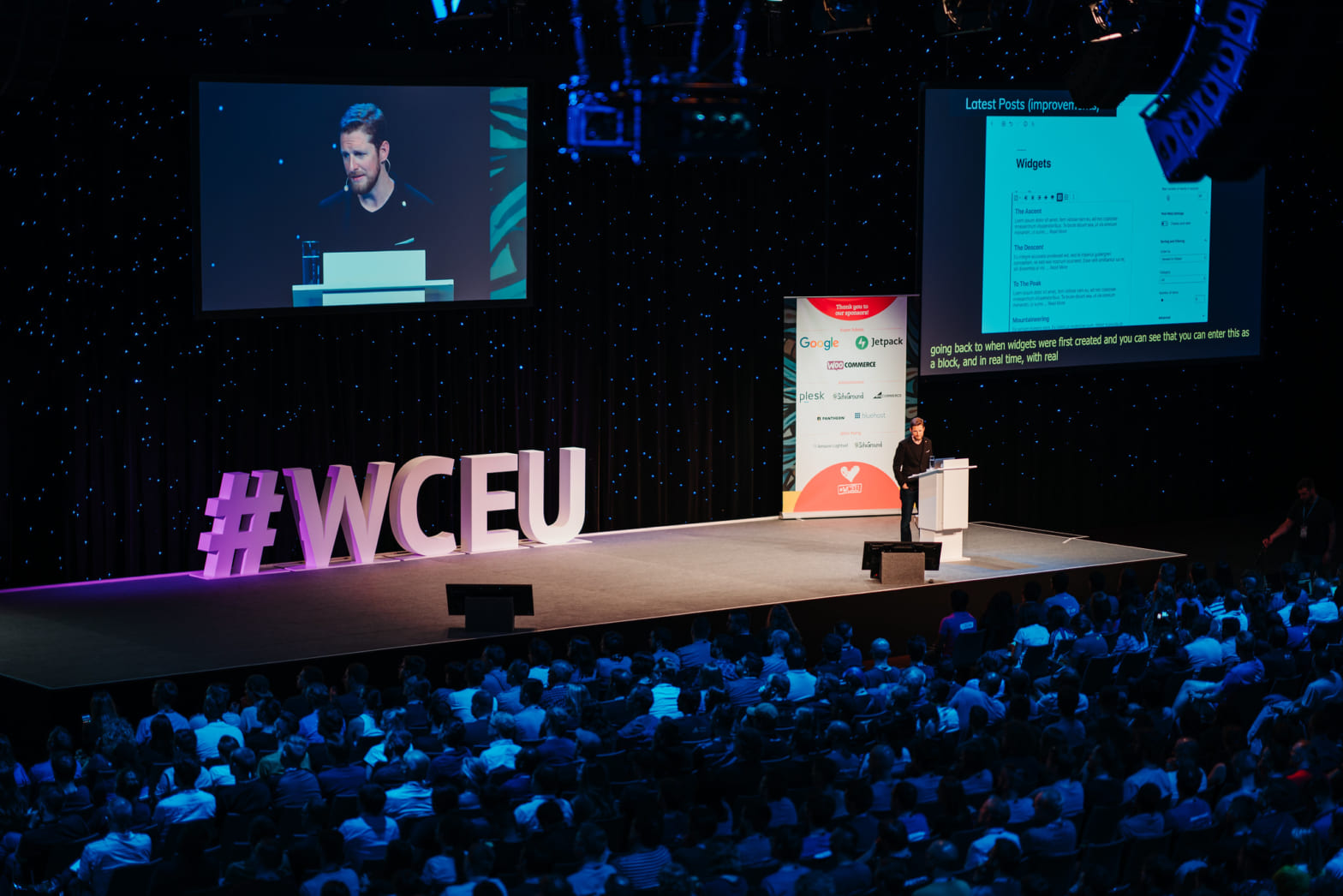
Automattic’s Developer Advocates didn’t hold back at WordCamp US. Jonathan Bossenger,Brian Coords, Birgit Pauli-Haack, and Ryan Welcher sat down for a no-BS roundtable about WordPress’s future, AI’s actual role in the CMS world, and the big question: Is WordPress still cool enough for the next generation of developers?
This wasn’t your typical conference panel with rehearsed talking points. The conversation dug into how WordPress is evolving right now—messy bits, growing pains, and all.
Is WordPress headed for “Legacy” status?
The episode opened with a gut-punch question from a ChatGPT impersonation of a 25-year-old YouTuber: Is WordPress becoming a “legacy CMS,” or does it still belong at the cutting edge of web development?
The panelists weren’t having it. Birgit jumped straight into the modernization happening right now—Gutenberg’s evolution, sophisticated admin interfaces, and the shift toward block-based design systems. This isn’t your grandfather’s WordPress dashboard.
Brian kept things grounded: Sure, newer technologies like React and Vite deliver flashy front-end experiences, but guess what? Most projects eventually need a solid content management foundation. WordPress still delivers out-of-the-box content modeling, user authentication, and integrations that would take months to build from scratch elsewhere.
No-Code dreams or developer nightmares?
The conversation shifted to whether Full Site Editing and block themes actually simplify web building or just create new headaches for developers.
Jonathan pushed back on the “things are getting messier” narrative. His take? Structured, scalable paradigms always require an adjustment period. It’s not messier—it’s different, and that learning curve is normal.
Birgit shared a telling example: features like custom block styles that once required developer intervention are now accessible to content creators. It’s empowering non-developers while maintaining professional guardrails—exactly what good tooling should do.
Brian’s perspective? The block paradigm creates consistency. More people can build and customize using standardized approaches instead of fighting with fragmented solutions.
The subtext here: WordPress isn’t dumbing down. It’s getting smarter about who can participate in the building process.
Winning over the next generation
A big conversation centered on how WordPress stays relevant for younger developers swimming in a sea of shiny new options. Does WordPress still feel fresh? The team didn’t dodge the question.
It’s true: WordPress needs to meet new developers where they actually hang out—YouTube tutorials, TikTok quick hits, and mobile-first learning. Gone are the days when developers solely learned from documentation and forums.
Jonathan hit a key point: WordPress must keep demonstrating its power and possibilities, not just its legacy. Brian backed this up with market reality—there’s still solid demand for both PHP and React skills within the WordPress ecosystem. The work is there if developers want it.
But here’s the proof point that really landed: Birgit shared CERN’s story—yes, the global research powerhouse—migrating thousands of websites to WordPress. The kicker? Younger developers on their team were leading the charge.
That’s not a platform declining. That’s a platform adapting and attracting fresh talent where it matters most. The question isn’t whether WordPress can compete for the next generation—it’s whether we’re telling that story loud enough.
WordPress and Headless: the reality check
Panelists were clear: WordPress has the headless chops with REST API and GraphQL support, but that doesn’t mean everyone should jump on the bandwagon. Despite the industry buzz, most sites simply don’t need headless architecture.
The sweet spot? Clients with significant budgets or organizations treating WordPress as a content hub that feeds multiple touchpoints—other applications, mobile experiences, or external APIs. For everyone else, traditional WordPress delivers faster launch times and simpler maintenance.
What’s interesting is the innovation happening on both fronts. Developers are not only exposing WordPress data through REST and GraphQL but also pulling external data sources like Airtable directly into the block editor. That’s where the real magic happens for most teams.
In reality, headless setups are complex beasts with multiple failure points and hefty price tags. Traditional WordPress wins the speed-to-market race and keeps maintenance headaches to a minimum.
The infrastructure is solid, and real projects are shipping, but headless remains the exception rather than the rule. The ecosystem continues doubling down on improving core WordPress while keeping headless as a powerful option when the benefits justify the investment.
The short version: headless WordPress is a tool, not a mandate. Choose wisely based on your actual needs, not the hype.
AI integration—beyond the buzzword
You knew AI would come up—it’s practically mandatory at every tech event these days. But the panel cut through the noise with some practical reality.
Here’s the thing: AI-powered plugins have been around for a while now. The real challenge isn’t adding more AI features—it’s creating unified standards and APIs at the Core level. Think image generation, content creation, and debugging tools that actually work together instead of operating in silos.
Brian nailed the infrastructure angle: WordPress needs to pick standards that balance extensibility with privacy. Not everyone wants their content shipped off to massive cloud-based LLMs, and rightfully so.
The smart play isn’t chasing every AI trend that pops up on Product Hunt. It’s building the foundation that lets developers integrate AI thoughtfully—whether that’s keeping processing local, giving users control over their data, or ensuring different AI tools can actually talk to each other.
AI in WordPress isn’t about being flashy. It’s about being useful secure and giving users real choice in how they want to leverage these tools. That’s the kind of AI integration that actually moves the needle.
Will AI replace developers?
The panel didn’t dance around this one: AI makes developers more productive, not obsolete.
Jonathan kept it real about AI coding assistants like Copilot—they’re helpful, but they’re not magic. You still need actual developer expertise to review, modify, and debug what these tools spit out. Anyone who’s wrestled with AI-generated code knows it’s not exactly plug-and-play.
The bottom line? These tools change how we work, not whether we’re needed. Skilled, creative builders aren’t going anywhere.
The future: openness, community, and better storytelling
As the conversation wound down, the focus shifted to what really drives WordPress forward—community and storytelling.
Ryan made a solid point: WordPress professionals need to share more of their “hidden” case studies and innovations. We’re not just talking about what’s happening in plugin repositories, but the real work happening in agencies and institutions worldwide. Those stories matter.
Both Birgit and Jonathan pushed for more global showcases, bar camps, and informal spaces where grassroots innovation can surface. Because that’s where the real magic happens—not in conference keynotes, but in the trenches where people are solving actual problems.
The Conclusion
The panel’s take? WordPress is agile, dynamic, and very much alive. With ongoing improvements, strong community engagement, and thoughtful AI integration, the platform looks ready to keep powering the web for the next generation—and beyond.
Not bad for a 22-year-old platform that some people keep writing off.
Have you ever wondered how a modern WordPress block theme comes together – from first sketches to a polished, production-ready design? Over a single weekend, Anders Norén built Pulitzer, a new block theme, from the ground up. In this post, I’ll walk you through Anders’ process. I’ll highlight the tools, decisions, and little tricks that helped him move quickly.
“I have the house to myself this weekend, so I thought I’d try something new. My goal is to build and submit a new free block theme to before Monday. While I work, I’ll describe my dev process in this thread.”
Anders Norén on X (formerly known as Twitter)
About a year ago, Anders Norén posted an X (formerly known as Twitter) thread about his process. He gave me permission to collect the tweets into a blog post. Since then, he deleted his account and content on X. The valuable information is not lost. Here you go.
Table of contents
The inspiration and seven tools
The theme Norén set out to build that weekend is called Pulitzer. It is meant for long-form writing with a special consideration for writers with newsletters.
For a self-hosted WordPress site, those blocks are not available out of the box unless you install the Jetpack plugin. For the reading time, comment count and copyright year in the footer, Norén experimented with the Block Bindings API.
Studio app
This was also the first time, Norén used WordPress Studio for local development. It’s free and open-source.
“First impressions are very good. It probably doesn’t tick all the boxes for people with more advanced needs, but for what I’m doing, it seems perfect.”
Anders Norén
WordPress.com hosting
Norén hosts his sites on WordPress.com. Because of the GitHub Deployment feature, he found it easy to keep the Pulitzer demo site updated.
Create Block Theme
Another tool he used is the community plugin Create Block theme. Once installed, it helps you make design decisions in the Site Editor and save them back to your theme’s file.
Twenty Twenty-Four
“Twenty Twenty-Four is my go-to starting point on most projects these days.”
Anders Norén
He also found that it’s probably the best default theme ever. He gave a special shout-out to the theme leads Jessica Lyschik and Maggie Cabrera.
Both the demo and the GitHub repo are publicly accessible:
With all the tools in place, Anders Norén ventured to build the WordPress theme.
First task: remove many things
Norén began by taking the Twenty-Twenty-Four default theme. He started with removing all the templates, template parts, patterns, fonts, images, and styles that won’t be needed. Then, he renamed the rest.
Second task: update theme.json
In a second step, Norén updated the theme settings with those from the design in the theme.json file
“With the theme settings in place, it’s time to put them to use in block and element-specific styles. This is when the theme starts taking shape. You can do this in the site editor, but it’s faster to edit theme.json directly. Also, many styles can’t be changed in the interface,” Norén wrote.
As the new theme, Pulitzer doesn’t have any working templates yet, Norén checked the theme.json styles in the Site editor Stylebook view. You get the vibe of the theme. You can also use it to make sure you haven’t forgotten any styling for core blocks.
Third task: Templates and Patterns
This is the moment to work on the theme layouts. Norén uses what he calls “the one indispensable tool in the Block Theming toolbox,” the Create Block Theme (CBT) plugin.
“When I’m building a theme, I almost always start with the header and footer. It fools you into thinking the theme is nearly finished. I’ll wait with the newsletter form and the other Jetpack blocks until all the templates are in place.” — Norén shared in his thread.
Working in the Site Editor
Saving changes to the theme with CBT
The header template part is only the container for the hidden-header pattern. The reason to use patterns is that you can add php code. The advantage is that the text wrapped in esc_html_e() function can be translated. See below an example of a group of Navigation links.
“For the line clamped excerpts, I registered custom block styles for the ‘Excerpt’ block and enqueues a CSS file when the block is in use on the page. You can do a lot with theme.json styles, but stuff like this still requires CSS,” Norén found.
“It’s a shame that you can’t use the ‘Choose a header/footer’ modal for custom template part areas yet. It would make switching between template parts a lot more intuitive. There’s an open issue for it here: Add support for replacing “general” template parts,” Norén discovered.
The extra post layouts were created as patterns to be added into the respective template parts.
The patterns are in separate files in the patterns folder prefixed with hidden-posts– with the settings: Categories: hidden and Inserter: no
404-template and the Search block
For the 404-template, the search form is loaded as a hidden pattern, both here and in the search template. This ensures that styling and translatable strings stay consistent.
This is a great example for nesting template parts and patterns.
The Search pattern is the smallest unit. It is included in the 404 pattern. Then, with the header and footer template parts, it is included in the 404.html template.
<?php/** * Title: 404 * Slug: pulitzer/hidden-404 * Inserter: no*/?><!--wp:group{"style":{"spacing":{"blockGap":"var:preset|spacing|40"}},"layout":{"type":"constrained","contentSize":"21em"}}--><divclass="wp-block-group"><!--wp:heading{"textAlign":"center","level":1}--><h1class="wp-block-heading has-text-align-center"id="page-not-found"><?phpechoesc_html_x('Error 404','Heading for a webpage that is not found','pulitzer');?></h1><!--/wp:heading--><!--wp:paragraph{"align":"center"}--><pclass="has-text-align-center"><?phpechoesc_html_x('We can’t find the page you’re looking for. Go back to the front page, or try the search form below.','Message to convey that a webpage could not be found','pulitzer');?></p><!--/wp:paragraph--></div><!--/wp:group--><!--wp:group{"layout":{"type":"constrained","contentSize":"240px"}}--><divclass="wp-block-group"><!--wp:pattern{"slug":"pulitzer/hidden-search"}/--></div><!--/wp:group-->
There are specific blocks outside core blocks that need more than styling. Some php code will definitely be involved:
Jetpack blocks
For Jetpack blocks, conditional output is simple since the plugin registers blocks only when modules are active. Norén implemented a helper function to check if blocks are registered before using them in pattern PHP files.
In functions.php Norén created a helper function to check if a certain block is available pulitzer_is_block_registered().
PHP
/** * Check if a block is registered.*/if(!function_exists('pulitzer_is_block_registered')):/** * Check if a block is registered * * @since Pulitzer 1.0 * @returnbool*/functionpulitzer_is_block_registered($block_name){$registry=WP_Block_Type_Registry::get_instance();return$registry->get_registered($block_name);}endif;
This helper function is then available for the conditional check in the pattern:
Examples for the jetpack/like button. You can inspect the whole code for the hidden-single sharing-row pattern on GitHub.
For the like button, share buttons and newsletter signup, he utilized styled versions of Jetpack blocks. Using block stylesheet registration ensures the CSS is loaded only when a block is in use.
Block Bindings API blocks
In the final version, Pulitzer includes three use cases of the Block Binding API:
Number of comments on a post, with a link to the post comments form.
Reading time of a post.
Current year next to the copyright note in the footer.
“Wow. Those of you who said the new Block bindings API is easy to use weren’t kidding. It took me all of 40 mins to get the reading time and copyright year blocks up and running, having never touched it before. Game changer.”
Anders Norén
The two blog posts that helped Norén to catch up on the feature:
Step one: register the block binding and its callback in functions.php.
PHP
functionpulitzer_register_block_bindings(){/* * Copyright character with current year.*/register_block_bindings_source('pulitzer/copyright-year',array('label'=>__('Copyright year','pulitzer'),'get_value_callback'=>'pulitzer_block_binding_callback_copyright_year'));}add_action('init','pulitzer_register_block_bindings');
Step two: create the callback function reference in the step before.
“I decided to add one for the comments count link on the archive pages as well. It’s crazy that a “X comments” block linking to the comments field hasn’t landed in Core yet. (It’s in Gutenberg). Slippery slope? Maybe, but I’m on a deadline, so that’s for another day.” — Anders Norén
It’s one of the rare moments you need to look into the theme’s style.css to find the styling for the comment count bubble.
“Rare is the block theme where you don’t end up creating at least one issue in the Gutenberg repo, or think you ought to. Turns out the hasIcon:false setting for the navigation block only works if the navigation doesn’t have any styles set. (61181)” – Anders Norén
Fifth Task: Patterns
In block themes, patterns are simply PHP files in the /patterns/ folder.
You can study the code for the Patterns by following the GitHub links. As mentioned above, Norén uses small php snippets with his text strings, to allow for translations.
Here is an example:
<!-- wp:paragraph {"fontSize":"large"} -->
<p class="has-large-font-size"><?php esc_html_e( 'I have a long and storied career in the newspaper and publishing industry behind me. Testimonials are available by request.', 'pulitzer' ); ?></p>
<!-- /wp:paragraph -->
Patterns are PHP files. You can use loops to output recurring block layouts. This includes layouts like the stack of five columns used to list contact approaches in the Contact page pattern. It makes the patterns easier to maintain.
On to theme style variations! These are included as /styles/[name].json files in block themes. Users can select them at Editor → Styles. Theme style variations can modify just about anything set in theme.json, but Norén was sticking to a single simple Inverted style for 1.0. Later he added two more styles, “Humanist” and “Parchment.”
After the X (formerly known as Twitter) Thread was published, Anders Norén wrote a blog post almost exactly a year ago. The post introduced the Pulitzer theme.
“I also want to say thank you to everyone who has reached out to say they appreciate the thread. I wasn’t sure if this would end up at all useful or interesting to anyone, so it means a lot.”
Anders Norén
Share what your process looks like in the comments, also share your challenges working with block themes, or what you learn on the way. You can also join us on Discord to discuss with other theme and block developers.
Who is Anders Norén?
Andres Norén is a freelance designer & developer living in the Swedish mountains. You can now follow him on Bluesky, or read his blog.
Eleven years ago, Norén published his first Theme in the WordPress repository, Wilson in 2014. There are now 33 Themes by him available.
He has been an early adopter of block themes with his theme Tove, first released in September 2021. In January of this year, he released his twelfth block theme: Speakermann. You can take a look at all block themes by Norén in the repository.
You can support Anders Norén and his work by sponsoring him on Ko-fi, GitHub, or PayPal.
Next week is going to be a busy week, with two releases, WordPress 6.5 and Gutenberg 18.0, a Hallway Hangout and Developer Hours.
It feels to me that WordPress 6.5, has received a lot of buzz. It’s a powerful release with lots of great new features, especially for extenders and other developers. I also love the new Data views, the drop shadows, revisions, the improvements in Drag and Drop, Listview and template screens.
I hope you are ready for this stokeful release coming to a WordPress instance near you!
The next Gutenberg plugin release is scheduled for March 27. The Gutenberg 18.0 RCis already available for testing.
Upcoming events in the WordPress open-source space
Developer Hours: Exploring Block Hooks in WordPress 6.5 with Nick Diego and Bernie Reiter. They will discuss examples on how to use the new Block Hooks API coming to WordPress with 6.5. You’ll learn how to use it to place a block automatically before or after an existing block. For instance, a like button after the title of your blog posts, or a Back-to-Top link before the next heading in a longer piece. The Developer Hours will take place on March 26, 2024, at 14:00 UTC (9 am EDT)
Exploring WordPress 6.5 with Kathryn Presner and Wes Theron on March 26, 2024 at 21:00 UTC / 4 pm EDT. The Presenters will cover all the new features coming to blocks, List view, the Font Library and Revisions.
Hallway Hangout: Using Site editor in production for client sites with Justin Tadlock and me. On March 27 at 16:00 UTC (11 am EDT) participants will discuss in an informal setting: how agencies and freelancers adjust their workflow and tooling to provide a consistent experience for their clients.
In the event Untangling Templates on March 27 at 15:00 UTC / 10 am EDT, Kathryn Presner invites you to demystify templates together! “Diving into the Site Editor, we’ll explore the key elements that drive the look and layout of your site, clarifying the purpose of each built-in template. We’ll look at some scenarios when it makes sense to create a custom template, and get hands-on to build a couple of them live. By the end of the workshop, you’ll have a better understanding of the potential of WordPress templates, and be excited to play with templates on your own site!” read the description.
Learn.WordPress and Bud Kraus will present “What’s New In WordPress 6.5?” via Zoom on Tuesday, April 9 at 19:00 UTC (2 PM EDT). He will demonstrate the new features coming to WordPress 6.5, such as Font Management Revisions for Styles and templates, and the new data view screens coming to the Site Editor.
Update March 14, 2024: In preparation for WordPress 6.6, Daniel Richards posted an overview issue on what’s next for Synced Pattern Overrides on GitHub Update March 13, 2024: During the…
This article received two updates today, March 13, 2024: Link to second part of the Introducing Block Bindings article series. Screenshot of the visual indicator for single block With the…
Drop Shadow updates in WordPress 6.5 by yours truly on the WordPress Developer Blog summarizes how to use the controls for various blocks and how to remove core presets.
Fabian Kägy, Matias Ventura and Luis Herranz were guest at the Frontend Happy Hour podcast to answer the question of Why does WordPress dominate the web? and shared ‘their experiences and insights in developing and leveraging WordPress.’ An interesting listen.
In time for the Font Library to come to WordPress with 6.5, Csaba Varszegi of LittleBigThings. published his plugin to load Modern-Font Stacks as Font collection.
In her post Customize Your Store, Patricia Hillebrandt explains a new way to design WooCommerce stores coming to WooCommerce 8.8. The tool aptrly named “Customize Your Store” makes it easier for you to make your shop look just the way you want. You don’t need to be a tech expert to use it. Hillebrandt shared more details about these upgrades and how you can use them to improve your online store.
Brian Coords asked in his latest post Should the “Page” in WordPress be the new default? He also wants to say Goodbye to frontpage.html. “It’s become increasingly clear that block theme developers are by and large not using it. The biggest issue, from what I can understand, is that it places content inside of a template, not inside of page content. That distinction has consequences. It’s really hard for average users to disable or even modify without understanding the intricacies of the site editor.” he wrote. What do you think?
Joeleen Kennedy, senior web engineer, wrote about three things HumanMade loved about the Harvard Gazette WordPress website. “We decided early on that we would be early adopters and went all-in on full site editing, using the Gutenberg plugin to get new features that hadn’t yet made it to WordPress core.” she wrote. Head on over the read what was and how the new site was built and in the embed video you learn how the customer’s experience was.
Theme Development for Full Site Editing and Blocks
Beatriz Fialho, theme designer at Automattic, shared her Pattern design tips and tricks for developers on the WordPress Developer Blog. What makes a well-designed pattern? And what ensures that a pattern integrates flawlessly into any WordPress site? A designer shares some of the lessons they’ve learned while building themes and websites.
“Keeping up with Gutenberg – Index 2024” A chronological list of the WordPress Make Blog posts from various teams involved in Gutenberg development: Design, Theme Review Team, Core Editor, Core JS, Core CSS, Test, and Meta team from Jan. 2024 on. Updated by yours truly. The previous years are also available: 2020 | 2021 | 2022 | 2023
In his post WordPress Theme Composition and Interoperability, Rich Tabor emphasizes the need for themes to be flexible and easily adaptable to the evolving WordPress ecosystem, ensuring that themes can work seamlessly with various page builders and extend functionality without compromising on design or user experience. “Today’s themes—or rather, today’s block themes—inherit the newest additions to WordPress out-of-the-box, as blocks carry much of the “weight” themes were once required to do. And historically, many theme designers—including myself—relied on a framework that covered the basics of their theming approach; but now, WordPress is that framework.” Tabor wrote.
Nadia Maya Ardiani, editor at Hosting blog and co-host on the Gutenberg Changelog episode 89 interviewed Maggie Cabrera, designer/developer on the Twenty-Twenty-Four theme. Here is the post: Maggie Cabrera: Turning a WordPress Passion Into a Professional Pathway. “I think there’s a shift of the people who are usually building themes. Before, theme-building was something that only developers would do, or designers who knew how to code to some extent. It’s different now. People who don’t know how to code can create block themes, too. The only thing that you need to know is how to use WordPress and the block editor,” Cabrera explains.
Maggie Cabrera will be my special guest on the next Gutenberg Changelog we will record Wednesday. If you don’t want to miss the episode, subscribe to the podcast on your favorite pod catcher. Here are a few suggestions. Apple Podcasts | CastBox | Google | Podcasts | PocketCasts | Podbean Podchaser | RSS | Spotify
Congratulations to Tammie Lister and her editor, Jessica Lyschik, for publishing the new book about WordPress Styling with Blocks, Patterns, Templates, and Themes. “Guided by examples that demonstrate effortless customization entirely suited to your preferences, you’ll master the design tools, patterns, and full site editing capabilities to shape impactful websites that mirror your distinct vision and creativity.” is written on the back of the book.
If you are not so firm or up-to-date with your JavaScript, Aurooba Ahmed created a free course to explain the basics of JavaScript you will need to work with Blocks in WordPress. The course is called JS Essentials for WP Devs and you can sign up here, and you receive 15 lesson via emails.
Ahmed also published an excellent mini-course on how to plan and make decision about the blocks you start to build. It’s a deeper dive into the Block editor UI philosophy and how to make your decisions on where to add options and settings, as well as how to use WordPress components to build your interfaces.
Thoughtful Block UI for WordPress – Learn to plan out your custom WordPress block for a great editing experience within the Block Editor in under an hour and at a very reasonable price.
A new update is coming to WooCommerce, which is version 8.8. Brent MacKinnon, developer experience lead at Woo, posted about Making Product Onboarding and Product Tours Extensible for product builders. This update is going to help people who are new to WooCommerce by making it easier for them to learn how to use it. Now, people who make websites can change the guides and instructions to better fit what their customers need. This makes it simpler for new users to get started and for developers to guide them through WooCommerce.
In his latest Live stream, Ryan WelcherReviewed Gutenberg 17.8 & 17.9. He covers, among other features, grid layouts, with row and columns span, bulk export of patterns and setting alternative templates in the sidebar.
Now also available via WordPress Playground. There is no need for a test site locally or on a server. Have you been using it? Email me with your experience
Questions? Suggestions? Ideas? Don’t hesitate to send them via email or send me a message on WordPress Slack or Twitter @bph.
Anne McCarthy, developer relations wrangler for the open-source WordPress project, spearheads the Full-Site Editing experimental Outreach program.
The goal of the program is to get all the new tools for full-site editing that are coming to WordPress in the near future into the hands of site builders and implementers for testing and feedback.
Given enough eyeballs, all bugs are shallow!
Linus’ Law by Eric S. Raymond
In this short video, McCarthy explains the program and answer a few questions.
The hope is that you, dear reader and listener, will seize the opportunity to contribute and get a look behind the scenes and share your experiences with the Gutenberg developer team.
I joined a few calls for testing. It was great fun to learn more how the new Site Editor works and push the limits of the user interface. Sometimes it felt a little rough around the edges and I got lost a few times. I found my struggles and confusions, in the feedback summaries and quite a few bugs were found and squashed because of the people testing.
Use the comment section below, to let us know what you think or if you have questions we can answer.
Transcript:
Anne McCarthy
Howdy. My name is Anne McCarthy. I’m a Developer Relations Wrangler working for Automattic. I want to share a bit today about the Full Site Editing outreach program.
This is a program that I’m currently working on building out, so I hope by the end you feel compelled to join in on the fun. But let’s jump into some big picture questions, and know, I welcome questions as well in the comments below. I’ll also link to some resources.
What is the Full-Site Editing Outreach program?
So to start what is it? As the name suggests, it’s a program focused on Full Site Editing. Full Site Editing is a major part of phase two of Gutenberg right now.
Currently, it’s in the form of a Slack channel in the wordpress.org slack community with
Curated calls for testing,
feedback summary posts, and
various educational opportunities, like
live streams of people building block themes or
hallway hangouts, where we talk about Full Site Editing related issues.
What is the Goal of the FSE Outreach Program?
The goal is to ultimately help improve the Full Site Editing experience by gathering feedback from people who use WordPress, specifically WordPress site builders. But while the group was originally started solely to focus on this feedback loop, there’s actually a really neat education component in place where people can join in to start building your own awareness and understanding of what’s to come as well as share what they’re working on and what problems they’re running into.
Why was it started?
It was started originally in May 2020, with about 100 people who signed up to participate. It was intended to help create better engagement with users to get better feedback to developers more seamlessly, especially for change as big as those being brought on with Full Site Editing, it felt important to create a new pathway. And this was also a big lesson that was learned with WordPress 5.0 that we wanted to make better.
What happens in the Program?
As mentioned, there are calls for testing that happen every couple of weeks, followed by a summary post, which I’ll share links to later. And interspersed between that there are things like calls for questions where we’ll do a call for questions, people can submit their questions, and then I’ll go through and find answers for all of them to share the answers openly.
And there’s also some hallway hangouts. There’s also some different educational opportunities and opportunities to give ad-hoc feedback. So for example, launching soon is going to be a survey asking folks who have built things with theme.json to share what they’d like to see in the future.
Do I need to be technical to join?
So this is something I hear a lot is what level of technical ability do I need to have in order to participate in this? So to kind of give you a lay of the land, this is what we typically need for each testing flow.
You need to be able to set up a test site,
you need to be able to be using the latest version of WordPress, so you know how to update things and keep things up to date,
you need to use the Gutenberg plugin, which is just a matter of installing and activating the plug in, and
you need to use the TT1 blocks theme.
Otherwise, you don’t need to be hyper technical to join this, we will not be going into code most of the time.
Most calls for testing are very much end user-friendly and site builder friendly. So if this resonates, this feels like something you can do, I highly encourage you to join in.
How to join?
So it’s very simple, you dive into Make Slack and head to the FSE outreach experiment channel #fse-outreach-experiment, which you can see here. And from there, you’re all set.
You just pay attention to pings from yours truly.
And if you’d like you can subscribe to the Make Test blog is that’s where I post both the calls for testing and any other sorts of check ins.
So let’s say you want to learn more and kind of actually see some of the stuff that we’ve done.
Resources to learn more
Here are the different links that you can follow. And I’ll drop these in the description of this video. But there’s the testing calls and summaries, the hallway hangouts, and the Q and A’s.
Finally, if you want to stay connected with me, I’m @annezazu You can also find me at nomad.blog.
I really hope you join the program if this resonated at all and if you are someone who uses WordPress on a regular basis to build sites for yourself or others.
I really hope you join because we do need your feedback to make this a success.
And WordPress is all about the community, and I’d love to continue to grow that community. Hope to hear from you soon and hope to see you join.
Note: Feel free to leave your questions in the comment section below. I will get them to Anne McCarthy for answers. — Birgit
WordCamp Europe 2021 will be one of the largest virtual WordCamps again and the schedule has some great talks for every WordPress users, developers, site builders, theme designers, DIY site owners and content creators.
We looked through the schedule and spotted very forward-looking Gutenberg related talks, workshops and discussions. Before you study the list, I would recommend the site Time Zone Converter to help you convert the listed times from Central Europe Summer Time (CEST) to your local time. Once in a while I get confused by time zones, and that’s my favorite site to set me straight.
Description: Starting out building blocks or experiences for the WordPress block editor can be a bit daunting. Where do I start? Custom blocks, block patterns or just styling core blocks. In this talk, Kägy will walk through the different options and share the benefits and downsides of each while talking about overall good practices for building great editorial experiences.
Description: Herb Miller will give a short tour of Full Site Editing (FSE) in this workshop from his perspective as a contributor to the outreach experiment for this major development in WordPress.
He has created a learning resource which attendees can use to follow on during the workshop.
Herb will give attendees an overview of:
how to get started
the components of the Site Editor
example templates and template parts
some blocks used to create FSE themes
example themes
a very few code samples
some answers to FAQs
how to become involved
and many links to other resources
Tuesday, June 8th, 2021 11am EDT / 15:00 UTC / 17:00 CEST
Lee Shadle wrote in his description: “I’ve been OBSESSED w/ building blocks since before Gutenberg was released. I’ve built a BUNCH of custom block plugins over the years. In this workshop I’m going to share the framework I’ve been using for quickly building custom block plugins for WordPress.”. Shadle recently also held a talk at WordSesh and demo’d his create-block-plugin scaffolding tool and it was inspiring. This is definitely not a talk to miss.
Tuesday June 8, 2021 12:00 EDT / 16:00 UTC / 18:oo CEST
The Future of Themes in WordPress
The future of themes will be a topic of this panel discussion. Stay tuned or follow WordCamp Europe on Social Media (Twitter, Facebook, Instagram).
Theme.json for Theme Authors or building themes for full-site editing in WordPress. Host: Birgit Pauli-Haack Panel: Daily Olson, Tammie Lister and Jeff Ong Register Now
Conversation with Matt Mullenweg
Matt Mullenweg is the co-founder of WordPress and the CEO of Automattic. The conversation should be the highlight of the WordCamp Europe
Wednesday, June 9th, 2021 – 11:42 EDT / 15:42 UTC / 17:42 CEST
This edition of the WordCamp Europe also offers interesting Sponsor talks. Look for them on the schedule, too.
As part of the Meta Meetup on April 15th 2021, Anne McCarthy gave a presentation on what Full-Site Editing entails, the updated scope of WordPress 5.8, what the FSE outreach program is and what issues surfaced during the four calls for testing from the group.
It’s a fantastic and fast-paced presentation and covers a lot of ground. It’s ideal for WordPress users that just now want to catch up on all the buzz around Full–Site Editing and learn what will come to WordPress in the 5.8 release in July 2021.
Big Thank You to Anne for allowing us to publish the video here with the transcript.
Josepha Haden Chomphosy was the featured guest on the inaugural episode of the WPTavern Jukebox podcast, hosted by Nathan Wrigley. Chomphosy explained her unofficial benchmark for the Go/NoGo decision on Full-site Editing for the WordPress core merge.
Featured image: 404 template by Channing Ritter on critterverse.blog
Howdy. To start, thanks so much for having me. This is a presentation about full site editing. I’m very excited to talk with you. This is a feature I’ve been thinking a lot about over the last year and I’m excited to share with you all. I’m also really keen to learn from each of you what you’re worried about, what you’re excited about, how you think full-site editing can improve your workflows, and more. So this is prerecorded because I wanted to make sure with so much information going around, wanted to make sure I had all the details lined up and so I could pause and rework certain sections. But please know that I welcome questions. So while you can’t interrupt me during the presentation, there will be a whole section at the end. Pull out your pen and paper, write them down, and know that they’re very, very welcomed. But for now, let’s dig in.
So briefly about me, I’m actually originally from Winter Park, Florida. So I haven’t been home in about a year and a half, and thank you for letting me virtually return home by participating in this meetup. In 2011, I first found WordPress as a student at UNC Chapel Hill. I worked on their multi-site, had a great time. 2013, I went to my first ever WordCamp. 2014, joined Automatic as a happiness engineer focused on VaultPress and had a great time focusing on security of websites. It gave me a really interesting look into concerns people have about websites that most people don’t think about. Then 2020, I switched into the developer relations position at Automatic and have been there ever since.
So let’s get meta and talk about the talk. (laughing). So to start, I’m going to zoom out really big and then slowly put pieces together until we kind of get a nice map of what full-site editing is with all the details. So this will look kind of like first answering some big, high-level questions, digging into then how the work is actually being done, so going from high level, “What is this? Why does it help me?” to “How is this work actually being approached? What are the pieces of the work that I need to know, the role of the outreach program?” Then I want to address some key topics and questions that I often get asked when I’ve presented at other places and talked on other podcasts about full-site editing or just one-on-one with people. I love to talk about full-site editing. So hopefully some of the key topics and questions can help get people thinking about other things they want to ask about.
So let’s dig into the first big picture question. Why is this being done at all? Simply put, it’s to empower users. Rather than having a specific part of the site locked away in a theme or requiring a plugin, full-site editing will basically open it up to customize any part of your site the way you want to, or, on the flip side, you can let it be, or if you’re an agency, you could lock certain sites down or certain parts of a site down, depending upon how you want users to have access. So it’s a pretty powerful, big mission to actually deliver on full site editing.
So I answered why is this being done. Now let’s dig into how does this fit into the WordPress roadmap? So full-site editing is a major part of phase two of the current roadmap. It’s not the only part, though. There’s actually other interrelated projects, including things like block patterns, the block directory, block-based themes. So it’s just one piece of this larger roadmap, but it’s one of the major grounding points of phase two of the roadmap.
So what is full-site editing at a high level? Essentially, it’s a collection of features, and it’s important that you get the collection part. But it’s a collection of features that bring the familiar experience of blocks to all parts of your site, rather than just posts and pages. But Anne, what does a collection of features mean? Basically, I’ve noticed people tend to refer to full-site editing as one big thing. It’s like an on-off switch. It’s this monolith, and it’s actually not. It’s not this binary thing. It’s way better to talk about how there’s different pieces that fit together and interrelate, because it actually gives flexibility for release squads to release what’s ready, rather than all of it at once. So while it might be easier to talk about how it’s this one big thing, I encourage you all to kind of think about the different pieces, if you can, and I’ll touch on this more in a bit.
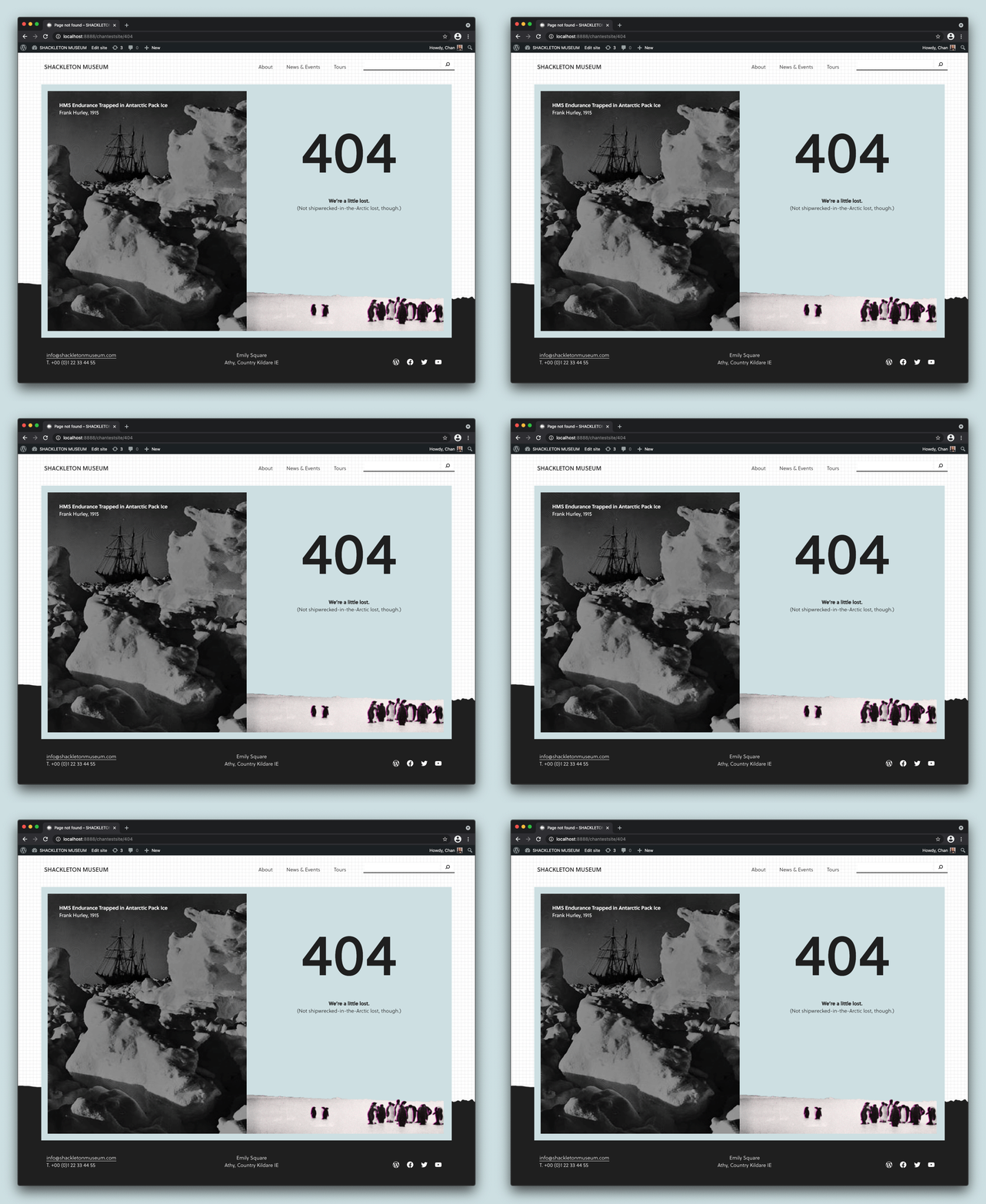
Okay. So what does full-site editing actually allow me to do, right? So cool, Anne, a collection of features, but show me the money. (laughing). So this is an example of a 404 page. So a 404 page, typically you’re not actually able to edit, but with full-site editing, you could actually create this 404 page. This was actually done by one of the automatic designers, Channing. Shout-out to Channing. She did this as part of one of the tests for full-site editing, the outreach program. So it’s a pretty beautiful thing. While we all might not have the design chops that Channing does, it is pretty neat to see kind of a very tangible, hands-on example of what full-site editing unlocks you to be able to do.
To get more specific, basically, if you’re a user, imagine editing the template that a specific post has for a specific category. For theme authors, you’ll be able to tap into design tools that allow you to focus more on actually creating a really compelling experience and less on getting the code in place and hacking things up. You can also out in and out of whatever you’re ready for, which is really exciting. But ideally, for theme authors, it’s going to be a huge change. It’ll allow creating themes to be much, much easier. If you’re an agency, you’ll have greater control over what you can offer clients, including setting custom brand colors with presets to locking down various aspects for consistency, such as typography or wanting only certain default colors to be used.
Milestones of Full-Site Editing Experience
So how is this work being done? So rather than trying to go through everything in one go, this project has actually been broken down into seven different milestones. Some of these milestones are completely separate, their own thing. Some are very interrelated. Some mix and match in different ways. But we’re going to go through each of them so you can get a sense of how this is being done. I’m going to try to stay at a high level before going into a very brief demo midway through the presentation. But hopefully this’ll give you a sense of what this looks like.
Infrastructure
So milestone one, this was actually such a big milestone that it was broken into two parts. Essentially, this is all about laying the foundation, everything from multi-entity saving, which is actually being displayed here in the GIF that you see, where you can actually update multiple things at once, including a template part. You update your header, you update a post, and you update your footer. It’ll show all the changes happening and allow you to check and uncheck different boxes to save. Basically, just think about this as building the foundation of the experience, the technical foundation, unlocking things like being able to edit a template directly to working on specific blocks for full-site editing, like the site title. So we have a site title block, and it updates everywhere you have it listed.
Browsing Templates and Template Parts
Milestone two, browsing. Again, there’s another little visual so you can see what this actually looks like. This is basically giving you a map and a GPS to know your location, how to get where you need to go for your site. So because there are these new parts of editing your site that are unlocked with full-site editing, like template editing and template parts, like a header or footer, there needs to be a way to navigate between them. So this milestone is dedicated to that. How can we make it as easy as possible for you to you get where you need to go?
Styling – Global Styles + theme.json
Milestone three, styling. So this actually covers a couple different layers. I’m going to break it down in this slide and then the next one to help give you a sense visually of what this looks like. But this includes everything from the technical requirements to make various levels work and the UI for users. So you can actually see a depiction of the future design for the UI that users will interact with in the imagery here. So there’s generally three layers, including selling for local blocks, theme defaults, and then global modifications or what we often call global styles. You can think of global styles as basically having the option to edit all aspects of your site. So if you want to set a typography that goes across your entire site, if you want to have certain colors for all H1 headers, you can set that up with global styles.
Currently, much of the work has been focused on the technical underpinnings, especially around aspects like theme.json, which is a very key component for block themes and a really big tool for block theme authors. But for 5.8, the focus is generally going to be on merging the non-user interface parts of global styles. So don’t expect to interact with this system unless you’re a theme author. If you are a theme authro, get really excited. Here’s a little visual, just you can get a sense of it. So these are the different layers that have to interact in the styling system and hierarchy that needs to be thought of when working on this milestone.
20+ Theme Blocks
Milestone four, theme blocks. So because full-site editing opens up so many more aspects of the site to edit, new blocks had to be created, basically. So if you’re creating a new template for a specific category and you’re putting in post content and you want to add the post author block, which you can see here, you can quickly add it in, customize it to your liking, add in post comment, add in post data, remove the post date. You can edit each parts of these things, which pretty excited about this, is there’s actually 20-plus blocks that fall into this category. If all goes as planned, some of those will be released for 5.8 and available potentially for all sites. So even if you’re not using a block theme, you could have access to these theme blocks, which is pretty powerful and pretty cool.
Query Block – The Loop or Post List
Query block. So the query block has its own milestone, because it’s a pretty powerful block. It’s also meant to be a theme author tool, so in the long run, if you’re a user, imagine that you interact with what we call block variations, which basically are just different variations of a block, as the name implies. But imagine you want to add in your latest post. You’ll add the latest post block, but underneath it, what will be powering that experience of adding your latest post will be the query block. Essentially, as the name implies, it allows you to query posts and pages and display them in different arrangements on the page. I’m very excited, actually. In Gutenberg 10.5, which will be released in just about two weeks, there’s going to be some new patterns. You can see right here, large, medium, small are the current selection of patterns that you have for the query block. But pretty soon, there’s going to be a grid pattern and a couple other cool ones, which is pretty exciting. Generally speaking, though, if you’re an end user, don’t expect to interact with this. If you’re a theme author, get excited.
Navigation Block
Navigation block. Again, this is just a single block, but don’t be fooled. It’s definitely a mighty one. So this last one is dedicated to all things navigation block, both in terms of structure and design. You can see in this little GIF I have going on, I’m just kind of making little design changes and moving things around so you can get a sense of what it’s like to interact with this block. This milestone actually includes everything from how do you build a really simple menu with a few items to thinking about how to create a really large mega menu and add in new blocks, like the search block that you can see here. We’re even adding sub-menus, different designs, different layouts, and more.
So the last piece of the milestones is the gradual adoption. I hope this GIF makes you laugh, but also seriously, this is the intent, is we slowly want people to be able to adapt in the way that they can. Once more of these pieces are completed, there’s basically a ton of room to start exploring how adoption might look like for those who can’t or don’t want to restructure a full theme. So this might be an intermix of block-based things and regular PHP templates, or it might be covered by projects like the block-based widget editor and the navigation screen. Both of those projects I’ll cover later, but for now, just keep in mind that this is intentionally a milestone. We want to allow for gradual adoption and want people to have lots of pathways in to taking advantage of full site editing.
What’s coming to WordPress 5.8
So what’s coming to WordPress 5.8? So just last week, a post went out from Josepha, who is the executive director of the WordPress project. I want to read a quote from it just to kind of set the tone and give you a sense. So full-site editing is a collection of projects, and together, they represent a big change, arguably too much for a single release. The most important context to share is that it isn’t shipping as the full default experience for users. One of the clearest pieces of feedback from the phase one merge process was that there wasn’t enough time for extenders, agencies, theme authors, plugin developers, site builders, et cetera to prepare for the upcoming changes. With that in mind, this merge process won’t be an on-off switch, and you can see I’ve bolded various specific parts that I hope you take home with you.
All right. So let’s talk WordPress 5.8 plans. This is up-to-date information as of today. A post was released from Josepha on [inaudible 00:12:21], if you’d like to check it out. From the call that the project leadership had, this is what they came up with for the 5.8 plans. This includes improvements from Gutenberg 9.9 and beyond. So we always package different versions of Gutenberg into major releases. This release is no different. There’ll be an introduction of new blocks, including query, site logo, navigation, et cetera. These are each very powerful blocks, very exciting to see. theme.json mechanism, this is part of what allows block themes to use different global styling, which will be very cool for block authors to get their hands on.
The template editor for pages and a blank template, I’ll actually be showing a demo of this in a moment. So hang tight there, but it’ll all make sense in a bit. The widget screen and block widgets in the customizer, this is basically work being done to bring blocks to the widgets experience. I will talk more about that later, about how it’s a stepping stone towards full-site editing. Then finally, design tools, so even more design tools that people can hook into, including duotone, which adds a really cool color filter, layout controls, padding, and more.
Short Demo: Template Editing, Navigation Block and Multi-Entity Saving
So at this point, let’s pause for a minute and actually show off one of the features that is aimed to be included in 5.8.
I’m going to show you template editing, the navigation block, and just some of the cool flows with multi-entity saving is one of the things that we talked about that will make it into this release. So I’m in the post editor. I have a new post. I love to blog and write and present. I hit Update. Super happy, whatever. Open up the post settings, and there’s this new section that allows you to both create a brand new template. This will ideally be used both in themes that are block-based themes, so they’re ready for full-site editing, and potentially for classic themes. There’s actually work underway so that this will be available in anything being used in WordPress right now.
So right now, if I hit Edit, this will take me into the template that this post is using. So let’s do that now. So as you can see, this drops me into what looks like the entire site. So you can see I have my header up here, I have the footer down here, and I can make changes directly to them. So, for example, if I jump in here, this is the navigation block, and I haven’t yet set it up. So I can say add all pages, and I can start empty. In this case, I’ll say, “You know what? Let’s start empty.” Let’s say I want to add a custom link. One of the cool things you can actually do, you can quickly select from here, or let’s say I want to add a new post. Let me first select post link.
So adventures around the world. Let’s pretend I’m just inspired where I’m writing this. I can actually create a draft post, which is pretty cool, and it’ll show up here. It will not show up on the front end, since it’s a draft, but it actually creates a page draft for this with this title automatically. So let’s say I’m scrolling through here. I’m going, “Oh, this looks pretty good. Actually, I kind of want to see what it looks like if I add an image to the post here.” Pull up an image block. Oh, my media library. Hammocks. Can’t get enough hammocks. Going to throw that in there. Great. So at this point, I’ve made changes to the actual header. I’ve made changes to the post. I’m just going to apply and see what happens.
So this is the multi-entity saving that I mentioned earlier. Now, as you can see, it has a section for posts, so it’s saying, “Hey, you edited this post,” and it has a section saying, “Hey, you edited the header.” So at this point, I’m going to hit Save, because I want both those changes to propagate. Now I’m back into my post, into the writing flow, and I can easily switch back and forth. I can also select a new one. But yeah, hopefully this gives you a good sense of one of the key parts that’s being worked on for inclusion in 5.8. There will be a demo later, but this is just a taste.
Timeline of 5.8 Release
To help set the stage for what you can prepare for, here are some upcoming dates to keep in mind. If you’re like me, time is moving really strangely, so I like to have dates to kind of anchor me. Feel free to take a screenshot of this or write it down if you’d like. So April 13th and April 27th, these are the go and no-go decision dates. So right now, project leadership actually has gathered. So you might notice if you are good with dates and good with time right now, April 13th has come and gone. So this date has passed, and project leadership has met actually to go through different FSE-related features and projects to figure out what might be ready for 5.8. I would expect to see more high-level posts throughout the month, especially after the second date, the April 27th date. That’s when final decisions will be made around 5.8.
Then if all goes well, the beta period for WordPress 5.8 will start on June 8th. So people can actually start getting their hands on the tools that are going to be in place in the actual release and testing it and finding bugs and improving things from there. July 20th is the actual date of WordPress 5.8 and when it’s released. This is being considered as an open beta, where theme authors, plugin authors, agencies, and more can dig into the tools that are being offered and that I went over previously. Then in December 2021, that’s around the time when WordPress 5.9 will be released, and this is when I expect to move from tools for extenders into tools actually for users and more user-facing interactions with full-site editing and having things unlocked in the interface that previously in 5.8, most users won’t notice and won’t interact with. In 5.9, I expect that to be more visible.
So some key takeaways. I know this is a lot of information. So only what’s ready from the various milestones will be shipped. This is not an on-off switch, and it won’t take over your site. The focus right now is on giving tools to extenders first, before user-facing changes. That’s a big lesson that was learned from the 5.0 merge, where Gutenberg and the core editor was brought into the WordPress experience. This is something that, thankfully, we’re in a position where because of these interrelated projects, we’re able to move in a more flexible and adaptable way to release what’s ready and not anything else.
What is the FSE Outreach Experiment Program?
All right. At this point, let’s jump into the full-site editing outreach program. As a reminder, this is the program that I actually run, so consider this free rein to ask me whatever question you’d like, because I think probably too much about this program. But it’s something I’m really excited to talk to you about, and I think it’s a really neat vehicle for both feedback and education about full site editing.
So let’s go over some big picture questions, kind of like we did earlier on, and just get the details of the way. So let’s start. What is it? So essentially, it’s just a program focused on full-site editing. It’s in the form of a Slack channel right now. I’ll go over how to join it in a bit. But it has curated calls for testing, summary posts of the feedback that we get, and various educational opportunities that you can hop in on, mainly in the form of live streams. I’m running some hallway hangouts, which are basically just Zoom calls. People can come in, and we can talk about full site editing.
What’s the goal
What’s the goal? So the goal is pretty simple, help improve full-site editing experience by gathering feedback from WordPress site builders. While the group originally started solely to be about feedback, there’s actually this really neat educational component that has come up as the feature has developed and as more people have gotten curious about it. So people can join just to build their own awareness about what’s happening with full-site editing and kind of just look at a glance or just help amplify the posts that are coming through.
Why was it started?
Why was it started? So I’m going to quote Josepha from the kickoff post. During the WordPress 5.0 retrospective, which is when Gutenberg was merged and the core editor was merged, one of the things that came up routinely was the need for better engagement with users. It was generally agreed from all levels and area of contribution that users would be most impacted by Gutenberg, but the users were also the group we had the least channels of communication to. To help get user feedback to WordPress developers a little bit more seamlessly, I’m going to try and experiment outreach program. So basically, this is a lesson that was learned from the 5.0 release. In order to prevent another situation where people are caught by surprise, this program is in place to help people get excited and on ramped and on boarded onto full-site editing, as well as getting feedback so that we know if a major workflow change is coming into play, we can actually get user feedback to make it a little bit easier.
How to Join FSE Outreach Experiment
All right. At this point, I bet you’re just so stoked. You’re ready to dive in. Awesome. (laughing). All you’ve got to do is join FSE Outreach Experiment in Make WordPress Slack, and then you’re all set. You’ll just get a bunch of annoying pings for me with prompts for how to test, interesting posts related to full site editing, and more. I promise it’s also not as scary as this dive, which looks absolutely terrifying, but also beautiful.
High-Level Feedback from Calls for Testing
So because at this point, we’re on our fifth call for testing, I want to go over some high-level pieces of feedback that we’ve actually gotten about the experience so far. Basically, across all the calls for testing, these are repeated themes that have come up. But keep in mind that because there are certain aspects that we actually haven’t tested, so global styles, for example, the UI isn’t available really for users, and it’s not refined for users, so it’s not something that we’ve had as a focus part of testing, even though there is a UI that is available. So certain things are left out purely because they aren’t necessarily ready for testing, but these are the top pieces of feedback. So bear with me.
Preview Content
Previewing content. Publish a post. You want to go preview it, or you’re editing a post. You want to go preview the content. The same thing is true with full site editing. This is a big thing that kept coming up. My question is, is this a necessary workflow, or is it a symptom of other problems? Because in general, the site editor should be as WYSIWYG, as what you see is what you get, as possible.
So if you’re making a change, it should look exactly the same as the front end of your site, and because it doesn’t right now, it’s causing this tension. There actually is a preview site option under discussion, as well as a browse mode option, which basically, if you’re actually editing your site, it would turn off everything that wouldn’t actually show up on the front end. So if you only have one page of posts, but you have pagination set up so if you had multiple pages, that would actually go away. So as you can imagine, this is currently up for discussion, but there actually are a couple different pathways to try and address this problem. But it’s a very important one to address.
Saving Process
Saving process. I like to say it’s technically reliable, but not yet delightful. So basically, it’s left a lot to be desired right now, and it’s resulted in a fair bit of confusion. There’s a lot of feature requests and enhancements and bugs that have come up related to saving. This is likely because the multi-entity saving aspect that I demoed earlier is very new for WordPress users. It’s not something we’re used to having as part of our workflow. So it’s something that inherently needs some work on. So whether it was people requesting more granular saving options to show specifically what was being changed to issues with saving for screen readers to confusion around even just what the general parts mean, like what you’re actually selecting or unselecting, This was definitely a big, big area of feedback.
Distinction between editing area.
Distinction between editing area. So basically, because you can edit all parts of your site, it’s hard to know, “Am I editing the header for all of my site, or am I editing just a specific piece of content on a post?” This kind of distinction, jumping between different levels of, “Oh, you’re changing this. This will change everything” to “You’re just changing this one thing in this one spot” is pretty tricky. Right now, there’s not a lot of friction, and there’s not a lot clarity in the actual experience to show when you’re actually jumping between those different levels. So this was a big piece that’s come up, and it’s something that is an active area of iteration and exploration to kind of get the right amount of friction in place.
Rethinking Width and Alignment.
So rethinking width and alignment. Previously, alignment in full-site editing worked to optimize how traditional things worked, where basically, traditional things provided their own alignment styles. This worked okay for the project up until this point. But recently, work has been shipped to reimagine how this dynamic should work to allow for actually more control over alignments when using the site editor. This should actually help make sure that whether you want something that’s full width or you want to change the actual width of your content that’s showing up that it’ll actually be what you see is what you get. Right now, this is another piece of feedback at a high level that’s impacted what you see is what you get experience.
General usability improvements.
Generally usability improvements. I admit this is totally a catchall, and it covers a ton of stuff, but it’s actually a very important one to think of, because it’ll actually move the site editing experience from being just functional to actually delightful, which is really exciting. There’s a ton of issues that are included in this, including some enhancement requests, bug reports, all that good stuff. One of my favorites to talk about is creating a background image on a template part. So imagine you have a header. You’re working on it. You’re super excited, and you’re almost done. Then you’re like, “Oh, do you what would be really cool is if I had mountains in the background. Maybe I’ll add a cover block in the background and add an image and set the opacity pretty low, but have mountains going in the background of the site.” That’s really hard to do.(laughing). You basically would have to delete everything and add the block in and then add everything back. So those are the kinds of experiences that we’re trying to improve right now.
Improving Placeholders.
Improving placeholders. So placeholders, especially for some of the newer blocks, are a powerful way to both guide people and a current point of confusion. So you probably saw this with the navigation block earlier, where it had those little grayed boxes. It’s like, “How do we explain to people, ‘Hey, this is something you have to set up and engage with, but here’s generally what it will look like and what it will do’?”
The feedback for this mainly came into play with the query block, social icon block, featured image block, and the navigation block. Each currently actually also get users started in different ways. So not only are there different placeholders for different experiences, the actual experience of interacting with the placeholders are all pretty inconsistent right now. So I think in the long run, it seems that users will benefit a bunch from a standardized, consistent way to interact with placeholder content so that it becomes a really familiar interaction when you’re working with a more powerful block. This especially is true for the query block and navigation block.
Okay, now that we’ve covered the milestones, the outreach program, high-level pieces of feedback, I’m going to quickly run through some key topics that I imagine you’re going to have questions about. Just because I cover them here does not mean I don’t want to answer questions, so please don’t see this as a sign that you can’t also still ask questions about these topics. This is just what I’ve been hearing from folks.
Will full site editing take over my site?
Hopefully by this point, you all can say no in a resounding way. But no, this is not something that’s going to all of a sudden, on-off switch, you upgrade to 5.8, it takes everything over. Not at all. You very much have to opt into it through using a theme blocking that supports, actually, these features. In time, more pathways are going to be built as well so that when you’re actually using full-site editing, you’ll likely be using pieces in all of it. So you could just be using the query block, or you could just be using global styles without it taking over your entire site.
What about the block-based navigation and widget screens?
What’s the deal there? So in case you missed it, there’s actually two additional projects that are dedicated to bringing blocks to more areas of the site outside of full site, I think. This include the navigation screens. You can build out menus and the widget screens. You can build out your widget sections, and this is pretty powerful and high-impact work. They are both separate projects that are tangential to full-site editing, but you can think of them as stepping stones, basically. So you could have a theme that is a classic theme, but it uses a block-based widget screen so that people can have the power blocks with their widgets. Essentially, the whole point, like I said, it’s a stepping stone to get people used to using blocks more places.
Site builders
I could write a thesis about this, because there’s so much to talk about here. I imagine I’m going to get questions about this, but essentially, full-site editing is being built partially so people don’t get stuck or locked into one site builder or another. It’s also being built in a way that site builders can actually hook into what’s being created if they choose to. I’ve heard from a lot of folks, though, that they expect full-site editing to actually fully replicate their favorite site builder’s functionality, and I’m here to say that while the goals between full-site editing and site builders are pretty similar in terms of empowering users and giving better tools to customize a site, the difference is that we’re building for 40% of the Internet, and we’re building even for site builders, where site builders have a much more targeted approach.
In the future, I do think there will always be room for specific takes of how to have an ideal site editing experience, whether that’s geared to a specific group, like a marketing style approach, or if you want to have things locked down or if you want to have things opened up. But generally speaking, full-site editing is meant to actually expand the way WordPress as a whole uses blocks, so don’t expect it to fully replicate any sort of site builder, your favorite site builder, essentially.
How is this going to impact themes?
How is this going to impact themes? So in the long run, this should actually make theme development much easier. I think Marcus’s demonstration later will show that, and much simpler, especially with the design tools that will be essentially ready at your fingertips to tap into. Ideally, because of what’s being released, it should allow theme authors to focus less on coding and functions and more on design aesthetics, integrating block patterns, and all that good stuff. But because one of the key things I wanted to really drive home in this section, though, is that because full-site editing requires a block-based theme or a theme with certain functionality enabled, this makes theming extremely important to get right. So I’ve heard people say like, “Oh, themes are a thing of the past.” It’s very much not true. I’d actually argue the opposite, that theme is almost key to this experience, to having it be delightful and having it makes sense.
What pathways are going to be created?
I know I’ve talked a lot about pathways this entire time, but it is the entire focus of the final month milestone for full-site editing. So expect a lot of pathways. For now, this includes everything from having a classic theme that can take advantage of global styles to template editing or a block-based widget screen. This also includes things like allowing certain full-site editing, really, blocks to be available for users, regardless of if they’re using a classic theme or a block theme or enabling the ability to edit block templates directly, kind of like I showed in the demo earlier. So there’s going to be a ton of options here, and I’m actually really excited to see what happens once 5.8 kind of sparks the creativity of the community, because I imagine both that people will create their own pathways and start experimenting, and we’ll also get a very clear sense of, “Hey, I actually really need X, Y, and Z pathway.” We’ll get a sense of demand from the community of core, which is super exciting to have.
What’s the best way to prepare?
So this depends on who you are. (laughing). So depending on whoever you are, at a high level, this is what I recommend. Join the FSE Outreach Program. I know this is the thing that I run. I’m very biased. But seriously, join it. I think it’s really, really helpful to get a sense both of feedback, what’s being currently iterated on, and just general education opportunities. If you’re a theme author, I really recommend checking out the theme experiments repo and joining the block-based theme meetings to learn about the latest and greatest, because lots of good information is shared there. In general, too, it’s often also helpful to join the weekly core editor meetings, because there’s regular updates about the projects and PRs people working on. Finally, pay attention to upcoming content on Learn WordPress, because I think there’s going to be a ton of stuff coming up about full-site editing, depending upon what’s scoped for 5.8 and 5.9, including building a block-based theme, for example. That will really help, I think, everyone level up.
Stay connected with Anne McCarthy
All right. So we’re at the very end. At this point, if you want to stay connected with me or you have follow-up questions after this talk, I very much welcome them. You can find me on WordPress or on Slack @annezazu, or you can reach me at my site, nomad.blog. I will also try and drop my automatic email address separately. I just won’t on a live presentation, in case you want to follow up directly via email. I’m not on Twitter. I’m not on Facebook. I’m on and off of Instagram. So please don’t try to contact me those ways.
Finally, I just want to say thanks so much for your time. Let’s hear your questions at this point. I’m really excited to hear what you all are thinking and curious about. I do want to say I don’t know everything, but I can find anything, and I’ve talked with David about how he can follow up after this presentation to get you all information and answers that you all want to questions that I might not be able to answer. So at this point, I’m going to pass it off to live and current Anne and give a high-five from past Anne.
Is already June 2019, WordCamp Europe has come to an end, and I realized, I have been curating the Gutenberg News and Updates around the WordPress ecosystem now already for two years. WOW. “All good things take time” is a quote from my father who just turned 92 this week.
Mark Uriane, designer at Automattic and core contributor, and I will be co-hosting a weekly show, talking through the Gutenberg news of the week. We plan to record on Friday afternoons and publish over the weekend. The intro-episode came out this week, just in time (JIT) for WordCamp Europe. Due to travel and vacation we won’t be able to start with our weekly schedule until July 12th, 2019. If you have stories, ideas and suggestions, or questions send them via email to changelog@gutenbergtimes.com.
I also started planning more Gutenberg Times Live Q & As via Zoom and YouTube. The next show will be about the AMP plugin bringing AMP Stories to Gutenberg and WordPress. Save the date: July 26th, at 2 pm EDT / 18:00 UTC for our show talking to AMP plugin team members Alberto Medina, Pascal Birchler and Cathi Bosco. Registration is already open.
This show will be sponsored by Pantheon. Their team has also been looking into making AMP part of their hosting and development stack and help WordPress agencies succeed in the fight of speed, security and providing and excellent user experience.
If you subscribe to the eNews on Saturdays you will among the first people to learn about more scheduled shows. You can watch previous shows on YouTube via this Live Q & A archive page.
Published by Heart Internet There are multiple levels of Gutenberg-readiness. Enabling Align-wide and Align-full, styling for the various blocks (columns, images, cover, gallery), custom color and font-size pickers for your customers to stay within the brands boundaries. With a ton of resources for theme developers and a list of block-ready themes for site owners. Written by Birgit Pauli-Haack
“Gutenberg. It’s real, it’s happening, and it’s terrifying because you don’t know how you’re going to do everything you do today. What if Mika Epstein told you that for the majority of the simple tasks out there, no only will you still be able to do them, they’ll be even easier? Let Mika show you how with the magical, repeatable, Gutenberg block.”
Thanks @antpb for the shout out. Doing cool shit beyond the status quo with #WordPress is what I’m all about! And your project is definitely that. Let me know how I can help make my plugin better for you! https://t.co/wthNchEUbI
On May 25, 2019, we shut down our Patreon page and sent a note to our faithful patrons in gratitude for the their ongoing support. On top of the publishing schedule for our eNews, blog posts and Live Q & A shows, I was not able to dedicate additional time to keeping the Patreon page up to date . Earlier this month the Gutenberg Times was accepted in Jetpack’s beta test for the recurring payments button. You can support us now right here.
Last week was probably the busiest week in WordPress community: WordPress 5.0 was released and WordCamp US happened. Also in Nashville, the inaugural Automattic Design Awards were announced. And by the time, I thought I was finished, 5.0.1 came out with a security patch all the way back to version 3.7.28. As I can’t keep track of it all alone, we followed -up on all-things Gutenberg during WordCamp US in our Live Q & A on Friday (12/14) with Mel Choyce, Chris Van Patten and Joshua Wold.
WordPress 5.0 was released with a nice little video and Jeff Paul’s Field Guide provides all the additional information on the changes for developers, designers and consultants.
At WordCamp US the talks were live streamed and volunteers on the WordPress TV team are working on getting them sliced and uploaded to WordPress.tv. Matt Mullenweg’s State of the Word is already on YouTube. In my previous post on Gutenberg Talks at WordCamp US, I added the time stamp links to the live stream videos for you to review.
During State of the Word, Matt Mullenweg showed off some of the work that has been done with Gutenberg and we followed up with a #280Blocks section and links to plugins offering Custom Blocks for content creators. The same with displayed Themes. There is even more to read, but that’s it for today.
In this post, we cover how to convert existing #WordPress posts to Gutenberg blocks. Not sure how the process works? We’ll walk through the steps of migrating your previous post and page content to WordPress 5.0 -> https://t.co/OUrX42VsGG
I am writing this from the Southwest Florida Airport on my way to Nashville, TN, the Music City. About 1800 people will descend for WordCamp US, Mullenweg’s State of the Word and Contributor Day, starting Friday. Finally we have a new release date for WordPress 5.0: tomorrow (Thursday). Read Matt Mullenweg’s post and watch yesterday’s interview with Adam Presser of WPCrafter YouTube Channel. Also on YouTube, the Gutenberg Times Live Q & A with design and tech leads, Tammie Lister, Matias Ventura and Joen Asmussen. A lot more blocks popped up for content creators using Gutenberg and more tools for plugins developers to create blocks for the new editor.
About to board my plane now. 🛫✈️Hope to see some of you at WordCamp US (Livestream tickets are free) 💕 Birgit
If it weren’t for the last minute, nothing would get done
Wellp, I was not expecting this but it looks like Matt Mullenweg will be our guest on WordPress Weekly today at 3PM Eastern. I’m typically not nervous about these conversations but I am today.
This is an interesting Twitter Thread, I will certainly explore after WordCamp US.
What's the coolest or more interesting thing you've seen built with Gutenberg? Plugins, blocks, sites, landing pages… Looking for examples for #sotw at #wcus.
— Chris Badgett – WordPress eLearning Entrepreneur (@ChrisBadgett) December 4, 2018
Development & Designer Resources for the new Block Editor, Gutenberg
Been doing a bit of work lately to get my plugins fully 5.0 compatible (I know it's late, but my plugins are very much a side project for me). There are some really useful points in this post from @dliciousbrains for anyone else doing the same thing: https://t.co/AQwSYWsAuH
Reminder: If you want to build Gutenberg Blocks, but don't know where to start, I will literally hop on a 1:1 call / screen share with you to teach you how to make a block and get started.
If you're interested in #WordPress#Gutenberg block development you may find my new tutorial on Block Style Variations interesting. (Part 2 coming very soon)https://t.co/EhYUe5bt77
— David Gwyer – AI & ML Researcher/Engineer (@dgwyer) December 3, 2018
Hosted by Gutenberg Times curator Birgit Pauli-Haack. The three design and development leads for Gutenberg, the new publishing experience in WordPress answer questions from the audience on the project start to user testing, new plugin API and more. Joining us for the episode are:
Tammie Lister (@karmatosed): Design Operations @automattic. WordPress core contributor, open source designer and experience creator.
Joen Asmussen (@joen on WordPress.org): Design wrangler at Automattic. I believe in gravity, the moon landing, and well-mixed White Russians
Matias Ventura (@matias_ventura): Philosophy. Cinema. Photography. Design. Engineering. Developer experience at @automattic. Co-lead of the Gutenberg project.
Scroll down to the Transcript, provided by Pauli Systems, Naples, Florida
Transcript
Birgit Pauli-Haack: Welcome to the sixth episode of the Gutenberg Times Live Q&A. Today, we have a world premiere. We have the three co-leads of Gutenberg for design and technical leads and for the WordPress new publishing experience in one show. It’s Joen Asmussen, Matias Ventura, and Tammie Lister.
Joen and Matias started together at Gutenberg in 2016, and then Joen went on maternity leave and handed over design lead to Tammie in August of 2017. Thank you for taking the time, pulling away from all the release stress that you must have. I’m glad you’re here and all three able to make it on a Friday night.
Joen Asmussen: Yeah, pleasure to be here.
Birgit Pauli-Haack: Thanks, Joen.
Tammie Lister: Thank you.
Matias Ventura: Likewise, thanks for inviting us.
Birgit Pauli-Haack: We are streaming live to YouTube and we will publish this sometime in December, probably after Wordcamp US as a podcast also on-demand and with show notes and we use the Zoom Q&A and let Tammie and Joen and I’ll pick the questions, I’ll go through it and then ask the question, and then either one of you answers or if you want to chime in with a second answer or a second comment also, let’s make this an informal way to do this.
Topic-wise, we start out with the genesis of Gutenberg and how it came to pass in 2016. First, I want to ask Tammie and Joen and Matias to tell us a little bit more about yourselves, where do you live, what are you doing for fun, and what did you do before Gutenberg in the WordPress community? Tammie you wanna start?
Tammie Lister: Sure. So before Gutenberg I was involved in lots of different things, Buddy Press, to themes to design, so I’ve been around awhile in the community. I live just kinda by North Hampton in England, it’s basically if you went like that and tried to hit the center of England, you’d get where I live. What do I do? So I do yoga, I have an older dog that likes hugs, that’s kinda cool, and I live kind of a bit rural so I kind of relax here.
Birgit Pauli-Haack: Joen?
Joen Asmussen: Sure. I live in Denmark, in suburbia, maybe 45 minutes north of Copenhagen. I have two kids and a trampoline in the yard and I’ve been using WordPress since Version 1.2 actually. I switched to 1.2 from moveable type because of a great post by Mark [Pildren 00:03:27] made me switch and I’ve been a fan ever since. And here we are.
Birgit Pauli-Haack: And what did you do immediately before you worked on the Gutenberg project?
Joen Asmussen: Lot’s of different things. I’m generally in the design part of the world and I do lots of front end CSS and a little technical implementation of that. I’ve been Gutenberging for so long now, it’s a past life. I don’t actually recall what I was working on right before.
Birgit Pauli-Haack: Matias?
Matias Ventura: Yes well I am from Montevideo,Uraguay But I am living in Spain now, in Madrid. I do all sort of things outside of web development that I really like. I studied philosophy, I do filmmaking when I find the time. And I also like drawing and painting very much. So I got into web development in a very circumstantial way, just because I like creating things. And that’s also my first involvement with WordPress is around themes.
My first big contribution to Core was 2011 theme. And then I’ve been sort of swinging between design and development for a while as I got more into Java script driven development. I work on the calypso project in Automattic, the redesign of the theme admin screen in WP admin. I think that was in version 3.8 or something like that. And then yes I’ve been absorbed by this Gutenberg thing for the last couple years with these fine folks.
Birgit Pauli-Haack: Yeah and I looked up, there are 374 contributors to Gutenberg so there’s a huge army that works together and it’s very interesting how this all comes to pass. Now [inaudible 00:05:45] is coming out soon, and we are not answering the question when it will come out, and your work as leads for Gutenberg arrives at a big milestone, your aim at it when you started out in 2016. But let’s go back to the beginning.
Matias, now I know when you said you study philosophy, I now know where the ship of Theseus blogposts comes from, but in there you wrote about the vision of Gutenberg: “It’s an attempt to improve how users interact with their contact in a fundamentally visual way, while at the same time, give developers the tools to create more fulfilling experiences for the people they are helping.” So for that, you and your team needed to rethink a lot about the underlying architecture for[inaudible 00:06:42]. How did you and the other developers approach this fundamental task? Take us through the phases, maybe, from the beginning. Keep in mind, we only have an hour.
Matias Ventura: Yes, I’ll try to keep it short. In a way, I think that’s kind of one of the core missions of WordPress. I mean, it’s always been about the user experience, and also allowing developers and people to extend it in ways that fulfill needs that we wouldn’t even imagine in Core. That’s the way that WordPress has grown, has been through the user experience and through the developers extending a very flexible platform.
At the same time, I think the experiment around post formats starting showing that the way people wanted to express on the web was also evolving, probably at a faster rate then WordPress the software was evolving. So that means people wanted to do things that weren’t becoming very easy to do. I mean, we had some tools. Like shortcuts, widgets, to sort of build the base, but it was growing further apart from that visual connection from the user. And WordPress has done multiple sort of experiments around the customizer performers to close that gap, but I think after the post format world, there was a sort of consensus in the community, that the flexibility of WordPress was even greater then what post formats allowed. Post formats would say, what sort of content you want to create, and that’s a choice you make before creating the content. The sort of realization was that people were mixing different content types all the time. You want to write a post and mix and embed and then show a quote, and sort of this more flexible experience sort of led us to say, well it’s not post formats that we need but we need just to have a lot of content log within the post.
That goes back all the way to 2012 or 13. Once it was announced that the editor was going to be a focus then approach was to try to figure out how we could introduce this notion of content blocks, on a platform that’s already 30% of the web, with millions of users, millions of content already created, how can it be introduced in a way that both changes the platform towards the direction that we want to go, but also makes as smooth a transition as possible. It also makes sense to focus on the editor first, because it was both a more contained experience, and also the challenges were greater, in a way, because you had to respect the writing flows, you couldn’t bring content blocks in the picture. So it was a way to start in a sort of contained environment that exposed a lot of the challenges, and would allow us to build from there towards a full site building experience and the rest of the phases, so to speak. I think that’s a kind of summary, I don’t want to go too much into it, so we can leave room for other questions.
Joen Asmussen: If I can briefly elaborate on the post formats things Matias mentioned, because I worked on a 2013 theme that was supposed to showcase the post formats that were going into WordPress 3.6. But famously or infamously those the UI for post formats was pulled out at the last minute, which was the correct decision, by the way, because it just wasn’t compelling enough. The challenge was, I really like how this video post format looks but I want to use it in my standard post, why can’t I do that? That was one of the first seeds of the block concept, where what if it’s a block, you can just insert it as a block, if you have just one block, well, it’s the same as having a post format, but you just have the flexibility of piecing together more of those together. That’s part of when we all starting thinking about blocks the atomic unit to build the whole thing around.
Birgit Pauli-Haack: That brings also the question, your design team that you stated out with, started from a very blank slate, pretty much, and so did you do any research, for the first prototypes and what did you learn from the first usability test that you did, I think, in April where the first prototype came out in February 2017 and then the prototype in April, I think. And then the usability test in April, sorry.
Joen Asmussen: Yeah, the prototyping phase was fun. Definitely at the prototype phase we started looking at mostly the block unit itself, and not so much the editor context around it, because at that point we were still exploring how the whole thing should work together. But we knew that the block was going to be the important thing. So for the prototype we focused just on the editing canvas, the content. We had two prototypes: one that was sort of the single instance approach, one which was the multi instance approach. In one approach you insert block inside of the flow of the text, whereas in the other approach every single piece of content you insert is a block on its own.
We worked on those prototypes for months on end to make sure we made the right decision, and part of the right decision was made based on the user testing, which showed, I imagine Tammie can also speak a little to that, you did a lot of the testing as well. Largely they were both functioning fairly well, however, there were pros and cons to both approaches. One of the pros of separating at the block level was that we could make a much more resilient experience where, for example, the example Matias kept really focusing on, was that if you inserted an image and added a caption then selected from the caption and into the next text block, perhaps to delete part of the caption, the whole thing might explode and might have an image block with some tag soup around it and part of a text block, and it would quickly get messy. Whereas in the other approach, that was completely resilient and sand boxed to each of them. So we had to sort of make a trade off between those two approaches. Plugins could more easily tap into the second approach, the multi instance approach, and we also knew that because the block was so critically important to the whole experience, they had to function or it wouldn’t scale.
Matias Ventura: And that scaling also matter for something like phase two. We could have built it in the other way, but it was going to very quickly get into a very complicated situation for the next phases, so I think it was worth the challenges around making the- because a lot of the development work ended going into how can we make the process of navigating between blocks fluid and smooth. That required a lot of effort to polish, but I think it was worth with the idea of preserving the integrity of each block, which is what Joen mentioned.
Birgit Pauli-Haack: Tammie, you were doing the usability test as Joen said? You have anything tocontribute.
Tammie Lister: I mean, we’ve been doing testing throughout, we’ve done different variations throughout, and we’ve done numerous different types of feedback. The best way that I see it is that we’ve been taking temperature throughout, the best approach. It’s always been really interesting to get and it’s guided the feedback, I don’t really have anything specific to add on the prototype, but I feel that there’s been times that it’s definitely proved and disproved things as we’ve gone along. The biggest one we had was when we did last year Camp US, I’m trying to cast my mind back, I think it was last year, when we had lots and lots of testing there, that was a really good way of just getting a gage of where we were, what we were doing and that kind of has happened. There’s been a lot of people doing there work camps and giving us that feedback as well.
Birgit Pauli-Haack: You took over design lead hen the Gutenberg plugin was already out for two months, and has been available since then for testing and now getting to the purpose by vote, but did you see as your main area to work in with the design team after it came out? Did you make any adjustments on the original ideas, original vision and from the prototypes?
Tammie Lister: Throughout, I’ve always wanted to maintain the kind of original vision. I think it’s really important if a design is set out on a particular path it can be iterated, and having Young come in a continue to work that enabled the same hand, is the best way I can describe it, so that the finished project of Gutenberg had that same, or phase one of Gutenberg, has that same feeling throughout. That’s really really important in something that comes from this genesis to have that, and that was one of the core things I wanted to do. We have very different design skills and very different approaches, so I think it was really good to have that and been able to kind of have both of us, has been really strong, and able to kind of combine, transform a style and not scramble the transformers. To be able to do that I think has been really helpful going. I think iteration has been the theme I’ve felt of the work I’ve done, so making sure that respond, iterate, and just really get it out there, it was pretty fully formed by the time I kind of took over as design lead, or at least the seed was shooting and very very formed, it’s just about really just iterating that. And that’s gonna happen for the next design leads, are gonna do exactly the same thing.
That’s the bit I’m super excited about is when y hand is taken by different people and we have this chain of people who have just been able to kind of lead this project.
Birgit Pauli-Haack: We have from four people, we have a few questions. Or from three people actually. We can just do it from thechat line and we have a first one, and I also got one from Twitter, one question and four questions from one person why I emailed. So I’m gonna just throw them at you. First I wanna read what Simon Ateva, and thank you so much for joining us Simon, he’s the publisher of Todaynewsafrica.com for watching to see, and he writes “Thanks Matias and the rest of team for the great work your doing. I was among the earliest to implement Gutenberg on our site, and it’s already running WordPress 5.0. I have one question: is it possible to make the more block function in posts not just on pages, and can you add a block for display of PDF documents?” Simon is a publisher, he gets news out multiple times a day. I know from him because he was on one of our earlier shows, and he has a team of fifteen people. Who wants to take that?
Joen Asmussen: I can answer the PDF aspect. There is file block which you could use, and simply link to the PDF there, it gives you a nice button and a link and that works pretty well. However, I would also encourage you to consider writing your own block, because I image you could make a really cool snipped or excerpt and description and I think that could be a great block, and please share that if you do.
Matias Ventura: I think there is a showing PDF SNM that could also be interesting if someone wants to explore that.
Birgit Pauli-Haack: Yeah, I think there’s a real need for that. I get this question from also a few non profit.He also mentions the more block.
Matias Ventura: Yes, if it refers to the more block should work both in post and pages, likewise with the next page block, they should be working. There might be some compatibility issue with the theme or maybe potentially about, but it should be working on posts as well. The limitation is that you can only add one of them per post.
Birgit Pauli-Haack: I’m a little bit confused about the more block. Normally if you put it in a post then on the summary pages it will only display what’s on top of more. But it will not be rendered on the single post template, does it? You have on the top something and then you could put something underneath and then say okay the next things underneath, that kind of separation is not available, right?
Matias Ventura: The single post would generally show it entirely, unless the theme is doing some specific work to it. Again, the index pages depends on how the theme is set up, sometimes it’s not set up to break it on more tab. I think it’s also, it can affect RSS feeds and a few other contexts.
Birgit Pauli-Haack: The next questions from Joshua Wald, and it gets a little bit outside of the history that we’ve just kind of talked about or the implementation. What are you most excited about tackling in the next phase of Gutenberg? Tammie, you wanna tackle that?
Tammie Lister: I think I kind of mentioned it before, I am really excited to see what the new next leads do with Gutenberg. That, to me, is where one of the aspects of Word Press is gonna be really exciting. And when Guber goes away from this little editor, and then that’s seeing where if kind of explores. But really that to me is the exciting thing.
Joen Asmussen: I would also echo that, and suggest that this whole foundation that Gutenberg, this version is, it’s good on its on, there are a lot of features that are great, but the things that are already possible with the blocks is what I am excited to see for the next phase. I’ve recently seen some tweets with some experiments where you could put a block on the background, and position it behind this and that. There are some really cool features already. That really shows the potential that Gutenberg has once its been out in the world for a while. That’s what I’m very excited to see.
And by the way, Joshua, thank you for all your work on Gutenberg, your contributions have been great, so far.
Matias Ventura: Yeah, I think seeing the sort of creativity that the communities showing is going to be only grow as we get into the next phases. I think if there’s anything that excited me about the next part is that we’re already seeing people, sort of, really be able to express within the editor, but they also want to interact in that way elements that are outside the post, and that right now creating a lot of friction it even leads into the whole idea around meta boxes, because there are these elements that don’t fall in the post, but are outside the post, and they don’t get the same reach and visual experience that post currently gets. So I’m excited about getting there as soon as possible to see what the whole community can build with it.
Birgit Pauli-Haack: Yeah, speaking of meta boxes, Stephan Wan has a question, he has a lot of comments in the Q and A, but he “meta boxes tend to be pushed to the bottom of the browser window, sometimes they get to advance up in the stream, but if you hadn’t added any blocks in the current editor I can figure for custom post types and fields using tool set. I usually disable the default editor and arrange the fields groups in a way that suits my virtual. I can also move the feature imaged settings to the top below the title-” and kind of of organize the editing screen differently, and that flexibility is not there. His question is “are there plans or what plans do you have to give the block editor this amount of flexibility?”
Matias Ventura: This is a great question. I think it gets to the in a way, meta boxes were the predecessor or blocks in WordPress 2. One of the problems is that they don’t reflect the actual of things, and this comment gets to that. You could set the meta box at the top so that it’s a bit more intuitive for the user, but you have to sort of replicate that order. If the user moves a meta box it doesn’t affect the display on the front. But in a way, it’s sort of the way that WordPress figure out how to deal with, sort of, this units of data that you want to have this boundaries across, and let people edit certain aspects of it but everything and still try to make that understandable for the user.
I would say that with blocks and with Gutenberg it’s like the next expression of that idea, is that I think sometimes there is some misconception that by letting the user edit across blocks, it’s a much more fragile situation, that you don’t get access to this structure data, but you can source data for blocks from anywhere you want in WordPress. You can have blocks that map to custom fields, you can have blocks that map to side options, to whatever sort of data you want and you can also perfect certain aspects, you can use stem plates to lock areas down so that you cannot move certain blocks around. This is only going to continue to improve in offering the necessary tools for developers to set up these kind of sites. But the whole idea is that the blocks are always faithful to the final visual representation of the site, so that the communication with it the user doesn’t need training in understanding Oh, I need to edit this here to effect this other thing here in somewhere else in the page. Everything is contained.
Right now the integration of meta boxes is a bit of an awkward stage, because the main separation that Gutenberg is between everything that affects the rendering of the page goes in the page canvas, and anything that’s extremely meta to the post, like the Yoast Panel some of the jetpack features, anything else uses the new plugin API so you get this extra side bar that’s clearly not part of the content. I think the separation is very useful for the user. Hopefully, in the next phases lots can absorb other controls, like more meta boxes sort of lose their reason to be because they can absorbed in blocks outside of the the post. Right now you cannot, some meta boxes can be absorbed in blocks but not all of them, because you need sometime to control things outside of the post, including the feature image, the feature image should just become a block in the next phase, and then it’s obvious how it relates to the user so it’s obvious how the interactions work, it would use the same sort of interactions that the image block has and all of those things.
Birgit Pauli-Haack: It’s a whole other topic there, and that’s why I kind of– Stephen, thank you very much-
Joen Asmussen: If I could just add one thing. If you have a site that’s very tailored and working very well with your set of meta boxes, as they are today, there’s no shame in installing the classic editor. That is currently the best experience for highly tailored meta box experiences. I used declined work for many years before working on this project and I would do the same thing. You can make pretty good experience. If you need to install the classic editor, that’s what you gotta do and there’s no shame I that.
Birgit Pauli-Haack: The next question is from Bud Kraus, and thank you everyone who takes the time to put the questions in, these are so wonderful, because if you have the question I think hundreds of other people have the same question. But Kraus has the question “What plans do you have to make it easier to work with HTML, because right now it’s a pain.”
Okay, Tammie, take that.
Tammie Lister: Yeah, I think that I have a kind of question back at this, because what one person thinks is a pain isn’t necessarily what someone else does, so I think it’s kind of important to think what, there’s lots of different people using WordPress, so the term I always use, which is a kind of me term, but is head space, we have to kind of think outside our head space, and actually now with Gutenberg, one of the real hitch points is that each block is individual, so if you do anything in that block, it’s safe. You can do something and it’s safe. Or you can do the thing that everybody didn’t know HTML was doing by adding a class and causing pages to fall and different content to not kind of be invalid as a result of that. So there is already a easy so what- that kind of is my question, one persons easy isn’t another persons easy. It’s kind of important to kind of work out.
Joen Asmussen: Yes, I would just add that I believe recently was announced by Mac that Code Mirror has received a donation to improv some of the accessibility. I for one would love to see Code Mirror be include in the editing screen, so if you switch to the code editor, you get Code Mirror with tab indentation and line numbers and sytax highlighting, all that sort of stuff. I think would be amazing.
Birgit Pauli-Haack: That would be very much amazing. I just saw a block person buy on Twitter that also has sytax highlighting. Matias?
Matias Ventura: I want to say, I think there are two main things that to me make the experience of working with HTML better. One is the fact that almost every block allows you to edit only that block in HTML mode, so you don’t have to sort of find the place in the, like before when you had to switch the entire edit or you had to find exactly what part of the HTML you anted to focus on, now you can just go and turn that block into HTML and edit it there. The only one I think that’s very useful is the HTML block itself, that you ca add it anywhere in the page if you need to do anything custom, and you can preview it in place, I think that’s very flexible too. I think that there was a point where we had Code Mirror loading for that block, but it was bit heavy performance wise and for accessibility, so it was disabled. But it should be coming back in one of the next phases.
I think another aspect of interacting with HTML is being to able to extract some of the attributes because sometimes you may not need to dial it into the full HTML view, but you may want to add a class name, or you may want to add a ID attribute, so having those fields per block exposed I think would also help the transition. The idea, I think, is it’s not that you’re either in HTML or either in block, but you have a more smoother run between sometimes you want- because dealing with media in HTML is not very intuitive, so maybe you want to keep some blocks in HTML, some you want to just see them digitally, and I think that flexibility is going to approve and help the process.
Joen Asmussen: One final thing, because this is such a great question. I would show to try and copy some content from the google docs or something else, paste it in Gutenberg and be marveled that it doesn’t implode, and when you do that be sure to also try, go into the code editor, just paste a single div somewhere and then go back to the visual editor and note how it’s also sand boxed to wherever you pasted the div or other unclosed tag, that there is a resolve that lets you disk what happened and why it might be a broken experience to have that straight div. So the thing that I loathed the worst of visual editors back in the day tag soup, we’re kind of handling a lot of the pain of that in Gutenberg, that’s something the team has been building which is just amazing.
Tammie Lister: Can I add to that? A lot of the things that people wanted to do or had to do in code editing is now available in a block, text colors, fonts, all the kind of things that you either had to have in a class or had to know or had to have that availability. So I think that also helps, kindof different people using WordPress, but the blocks themselves actually help by servicing more of that capability in and interface that doesn’t require you to have to know how to code.
Birgit Pauli-Haack: Well, thank you. So Mark Rudewhiley is from Seattle, hi Mark, “Thanks for all the work the three of you have done. How do you see the new emphasis on iteration being balanced with WordPress commitment to backwards compatibility and practice? Which part of the design and in API will be locked in by the launch of 5.0?”
Matias Ventura: Thanks, Mark, for the question. That’s a very good question that not everything is figure out on this front, the process for Gutenberg has been very fast and the deprecation strategy has been very aggressive, precisely because we knew that when the time for 5.0 came it was going to be much much harder to change things, so if we knew something wasn’t working very well, we had better to act soon before the plugin was merged in core. So I would say that the API is in a place where we’re pretty comfortable with what is chipped in now, at the same time we do need to figure out ways to introduce new functionality that we don’t anticipate now, also to revise certain design decisions that might worked so far but may not work in phase two, so we’ll need to find ways to either provide a layer ofoutwork compatibility that it’s sort of low that when people are using all the right API’s. Some kind of system like that. I think idea that blocks are sand box is going to be very useful for this as will, because even right if there’s an issue with a code of a single block, it has the capability of only breaking that block. So that should also give us way to load special deprecation mechanism for a given block, maybe probably expose this better to plugin authors, give better tools for migrating, if we need to.
I think it’s an area that’s going to need a lot of thinking from the whole community, because it’s also true that one difference with Java script API’s is that these are consumed by the user, so growing the amount code that with we ship to users can end up impacting the experience of everyone. We cannot take the same approach that WordPress has taken for PHP, where also arguably you cannot just keep piling on code because it becomes a problem. But in the browser it’s arguably worse. And also we have the advantage that browsers evolve faster than servers, in terms of being able to run latest API. It’s going to be a very interesting process going into the next year But for sure it’s not going to be the same pace that the plugin has shown, because that’s been merely because it was in development and trying to figure out the best APIs before the merge. That’s a great a question.
Birgit Pauli-Haack: A sigh of relief going through at least this room, okay it’s not every two weeks.
Tammie Lister: Yeah, a design has to iterate, I think moving away from the API as well, I think that’s something I’m going to speak purely from the design aspect, but a design has to iterate to respond- if we were still using a design that didn’t iterate we wouldn’t be using one that worked on small screen devices. We use the experiences differently, so the design has to iterate, so I think that’s important, and knowing, the meta box question is a good example, knowing the stress cases and what people are actually using Gutenberg for and then what they’re creating with Gutenberg, that will kind of influence going forward, but it’s a balance.
Birgit Pauli-Haack: So the next question is by Michael Companella, and he is wondering if there was a timeline post 5.0, to bring more styling options into the blocks that lack that , for example [inaudible 00:39:34] has a tons of styling available in the editor, while the lists have none.
Matias Ventura: Yes, I can take that. I really like the style variations, they were added fairly late in the process, it was one of the last features to be added, but it solve a very clear problem, that people wanted to make variations for a button, but they didn’t want to create a whole new block for a button. That’s how it started, and it sort of simplify some cases. We had the code block had two different style, one that was large and one that was the more traditional one. This also was absorbed in the style variations.
I would hope that almost every block has some of these. I think we added to the table block too at the end, but, yeah, we basically ran of time and we didn’t have enough designer focusing on single blocks, which is also another thing I’m excited for phase two. It’s almost like very block could have its own release cycle, if you look at the gallery block, that could have almost been a full release of WordPress just focusing on one of those blocks, so I think there’s a lot of potential in the individual blocks, and the style variations is a very good one for that, because it gives a lot, it also the editor to be more opinionated and integrate with the themes better, too. Also better integration with themes. Themes should be able to say I want this variation to be the default and not the other one, there’s a lot of opportunity for better integrations there.
But, yeah, I would love to see them more like [inaudible 00:41:28] have them, so you can change the bullet point to be a circle, all of those things would be pretty cool. If people have ideas they should also propose them in [inaudible 00:41:44] it could be added in the following cycle at any point.
Joen Asmussen: I also think, one of the first blocks are likely to be added in the next phase is just a simple container block, and you could imagine have a text color and a background color in that container block that would inherit down to any child block inside, so you could maybe make a little notice block on your page if you like. I would love to see that.
Birgit Pauli-Haack: I’m pretty sure that actually two or three collections as platforms that solve that container, but of course not in a standardized way yet, so everybody has its own implementation somehow.
Next question is from Claire Brotherton, and she sent it in via Twitter, and she said “I know the classic editor is being retired in 2022, but will the classic block remain in Gutenberg indefinitely.” And there’s a little bit confusion
Matias Ventura: I can take that, it’s a good question, because it’s true that right now there are two sort of classic editors, one is the plugin, but there is also the classic block that handles any content that wasn’t created in Gutenberg, and that’s always going to exist. Gutenberg needs to be able to handle content that doesn’t look like a block. So something like classic block, that is a block that can handle any [inaudible 00:43:21] HTML you throw at it in a visual way, is always going to exist. I am not sure if it’s always going to be the classic block, or even called that, at some point it might evolve to be something else. But the need to handle content that hasn’t been authored by Gutenberg is going to exist. So it will have to be handled in core.
Joen Asmussen: I would also suggest that classic editor is not necessarily being retired. I think what’s been noted until now, is that it will be officially supported until September 31st 2021, so that’s years from now, but one of the reasons I switched to WordPress in the first place was the open source, true GPL open source never really goes away, and I don’t think the classic editor, even if official support stops necessarily is destroyed by a comet. I’m sure someone could fork it and continue to support it if they so liked.
Birgit Pauli-Haack: Thank you. I have two questions about page builders. Some believe page builders should migrate from using the proprietary frameworks and modules to build customizers directly on Gutenberg blocks. Is this feasible, if you were a page builder like [inaudible 00:44:54] how would you adapt to Gutenberg? I think very early you involved some of the page builder product specialists. What do you think?
Matias Ventura: I can start with that. Yeah, this is an area where some of the page builders would adapt to sort of start producing blocks, rather than a separate page builder. I think other page builders would remain as page builders, because either they have a different proposal for the user experience, or they’re are approaching a different audience, I think there’s room for both. One of the main ideas, and why we’ve been in talks with all of them, is ideally we have a sort of a common infrastructure to all of this, so that if you want to migrate from one to another it’s possible and the user is not locked in in terms of their content being proprietary to that builder. I think the rise of the page builders is also showing a very clear user need for them. It has also paved the way for Gutenberg to come to being, because they’ve been at the front end of that solving those kind of needs.
I think it’s going to depend on where a page builder want to focus on. I think many of the page builders evolved from, they were originally more[inaudible 00:46:34] companies, and many of them are also more focused on something like phase two is going to be doing, so it’s not viable for them to adopt Gutenberg entirely at this point, because they are reaching a slightly different audience at this point.
Also, I think some page builder have an elementor block within Gutenberg, that’s the whole idea, to be able to pour this, and also being able to load Gutenberg blocks in their own page builders. I think all of these interactions are going to be very useful for the ecosystem, for the user, and to keep pushing things ahead.
But definitely, I don’t see page builders as mutually exclusive with Gutenberg. I see them as solving similar problems, and core sort of absorbing a lot of the architectural performance needs so that the builders can focus on what they can do best.
Tammie Lister: It gives them a boost as well, ad foundation, rather then having to work around the way that WordPress currently does things. WordPress is amazing, but it does things in a WordPress-y way that sometimes get in the way of doing some really incredible stuff, or means that people really have to work around it to do the really incredible stuff. The way that page builders have pushed what WordPress can do is kind of incredible within the confines, so Gutenberg gives that kind of turbo boost, and we go back to, because it’s blocks, Lego, more pieces to come up with even better work.
Birgit Pauli-Haack: Thank you. Really like that. I have one more question from Gabe. “Rewind to generate 2017. How would you approach this project differently, if ever? Would you.
Matias Ventura: That’s a great question. I can go first but I’m sure- I think one thing that could have been approached better is around communication. I think there was, especially in the first month, there was an issue, we were saying we’re doing the editor, and not everyone was understanding the same thing when we were saying editor. Some people were only, when they here editor in WordPress they thinking of just the tiny MC window that you see in WP Admin. Whereas the reality we were focusing more on the full publishing experience, that is the whole post editing screen. I think that caused issues that could have been solved with better communication and clarifying some points better at the start.
Outside of that, in the actual project itself, I think that the prototyping stage was very useful because it allow us to validate certain aspects that in the work very well, so I wouldn’t change anything from that specific process. I would probably focus on better communication and something like that. I don’t know if Joen has something else to add there.
Joen Asmussen: I have one think- it’s a great question, it’s also a very existential question. One of the things that Gutenberg was built on was the agile methodology, where you try something and you evaluate, and then if it works you go with it, or if it doesn’t work you go back to the starting point and try a different approach. Take something like the block library, the one you see when you press the ad block button in the top left corner. They has gone through many iterations, and if you look at some of the way early mock-ups, it will already look obsolete compare to what we have today, which is Tammies brainchild, by the way, beautiful result we have here.
The agile methodology when seen from outside, especially with the team that’s been working so very very fast on this stuff, it can seem almost reckless when you see trying something, then going back trying something different, then going back, when in fact the whole methodology is built around the idea that you have to try something and fail fast so you can do something better, and it’s sort of an extra iteration where you reach the point where you know whether this approach is good or not faster. Because there ae a million ways to build an editor, but there’s only one way that’s really good for WordPress, and you have to sort of explore this path and find out that wasn’t the one, we cauterize this avenue, we go back this path, and unless you really move fast, then it’s not gonna work. And I think we could have better explained how this processed worked so it didn’t appear as completely reckless, where people would, perhaps, take some of the experiments as gospel before they had sort of solidified.
Matias Ventura: Just to add to something quick to that, I think also the expectations around the scope are shaped by this perception too. I often say that I think we ended up doing phase 1.5 because the original scope didn’t include many of the things we ended up shipping with, including templates, nested blocks, reusable blocks, columns even. All of those things were not originally a part of the first phase. But it became very clear last year, especially around Work Camp US, that it was very useful to get ahead, and build some of these things, so that the over arching vision could be better communicated, and I think that was a realization that happened very much in the middle of the process, that maybe couldn’t have been anticipated, but now in hindsight I think trying to set those expectations or maybe getting further ahead with the vision originally could have been useful.
At the same time, I have to say, that a lot of the iterated process a lot of the things arise as your working through them; the moment we added reusable blocks it was sort of like all of the pieces fell into the right place, and it made sense to do it at that point.But it’s not something that come have necessarily been planned at the beginning of the process, because it needed so many steps before to get there. But I think there’s something there to sort of reflect probably after 5.0 happens as a community and figure out what sort of things in the process could have been improved, what sort of things worked well, what sort of things allowed us to iterate and find better solutions, what things created more uncertainty and anxiety in people. I think there’s a whole spectrum there of things to sort out and reflect on.
Tammie Lister: I think I would plus one everything that’s just been kind of said.
Birgit Pauli-Haack: Plus hundred.
Tammie Lister: Yeah, but I would also add, and maybe it’s a kind of wrap up on that point, I really think there’s been some seeds planted, whether those seeds grew fully into shoots or not, the research that’s started, phase 2, the awesome stuff that’s kind of happening there, the fact that we have had usability done in Work Camp US, or these kind of things, the fact more designers involved, I would have loved to see even more designers and I’m hoping the next phases see that just grow, developers are amazing, but more designers being able to be involved in this process and enabled in the process, which I think is the kind of hook that we need to hear. Yeah, and there’s seeds around, seeing as many of those grow in the next phases, I think is really really important.
Birgit Pauli-Haack: Thank you, that was a really good wrap up on that point. Brian has a comment and a question. “Thank you to all three of you for being available for Q and A and Birgit for hosting. All three of you work for automatic, [inaudible 00:55:46] is obviously the 5.0 release lief, while lots of people across the community have contributed to Gutenberg, the decision has been concentrated in one company, which is unusual for a WordPress team.” I’m not sure if you follow that but, “do you worry that the leadership team hasn’t been sufficiently diverse?” And then follow up kind of “in the next phase of the project how do you see project leadership changing?”
Thanks Brian for the question. I’m not sure if these are the right people to answer it, but they definitely answer to that. Yes, go ahead. Who wants to go first? Automatic people.
Matias Ventura: I can go. I think it’s a good question. I think you can always push for more diversity, I think that’s also one of the reasons for, yeah, it’s true we have more than three hundred contributors in [inaudible 00:56:56] the level of participation, probably in thanks also to the [inaudible 00:57:00] platform, has been great through the whole process. Sometimes people point at the staggering amount of issues as a problem of readiness for the project, but I think it’s also indicative of the amount of involvement from people, and the use of participation that it also encourages.
In terms of leadership, I know that it’s been that both Tammie and Joen are from Automatic, but the fact that leads can rotate I think is very useful and important. Originally Phase 2 was going to be led by Western Router and and Mell, and Western is not a part of Automatic. I think we really need to get to a point where Gutenberg just part of the community, so different people can rise up and lead it, and even though the primary leads are from Automatic right now, I think there are many other leads in other areas of Gutenberg that are from, like in media there is Anthony, in documentation, around the rest API, I think a lot of the community has risen up to sort of occupy those roles, and yeah, I think the more we move forward, Phase 2, the next Phases, we should continue to encourage as much diversity as possible.
I’m sorry I cannot say too much outside of that, I know that I’m also from Automatic, so it’s going to be coming from that place, but I think it’s also been important to have gender diversity in the leads, location diversity. I’m originally from South American, Joen and Tammie are from Europe, I think this is very core to WordPress, both the idea of an internationalized community, I think it’s important hearing all those voices is important, and yeah if anything can be done better, I think we should always be striving to improv that.
Tammie Lister: I think I will plus one, and diversity isn’t just a company. That’s the really really important part as well. I also think that it’s good to look at what someones done before they were in a company as well; there’s a lot of people who have done background. A lot of this-apparently I’m gonna say the words seeds- but it really is that. We’re seeing people grow through Gutenberg, outside of the people who are on this screen, who have taken leadership and grown in ways where they weren’t even involved in the community, and now they’re leading voices in the community, just because they’re leading focus, doesn’t mean you’re a lead, there’s so many leads, right? I think that that, and there’s so much role diversity, it’s given people opportunities to really grow outside, the game developers are adorable but just developers, so we’ve seen in core chats a different kind of of voice be able to do that, as well.
Matias Ventura: Yeah, I think that the Java script have also been a good example for me, because it’s a nice mixture of people from different companies, and freelancers, sort of pushing the boundaries forward. Like the Yoastpeople are very involved there, and sort of driving a lot of the decisions happening, so I think it’s a time when more people can rise up and take ownership of different areas, because even Gutenberg is already to big to be lead by individuals, it needs the help from everyone around it, so I think there’s a lot of room to occupy those places too.
Birgit Pauli-Haack: I think we are running out of time now- not I think, I know. So I think it’s also a good place to stop this, and we have a few more questions, but I don’t know if you wanna stick around and answer them. It’s already eight o’clock.
Joen Asmussen: Can I answer the last question, just on a personal level as well? I imagine I might also echo Tammie and Matias. When I was asked to work on this project, I didn’t do it because I thought it would be easy or pleasurable to do this, or even because Automatic asked me to because I could easily say no to that. I did it because WordPress has been good to be and I wanted to try and give back to WordPress and I believe in Matias vision for this project. So that’s why I spent the last two years pouring all this energy into the editor, as did these two wonderful people as well, and I would not have done that just because Automatic wanted me too. This is because I love WordPress and there’s not other reason that could have driven me through our adventure here.
Birgit Pauli-Haack: Well, thank you for your passion. It almost reminds me of John F. Kennedy when he announced to the nation they were going to the moon within the next decade , he said “we don’t do it because it’s easy, we do it because it’s hard.” I love that.
Joen Asmussen: I wouldn’t say we’re building rockets for landing people on the moon here, but I do appreciate that quote.
Tammie Lister: I think we need a rocket block, I’m just saying.
Birgit Pauli-Haack: Yes, absolutely we need a rocket block with fifteen different rockets. So, I think in closing, what is the one feature that excites you the most? Just for you personally, or just say okay well this is really neat. Also if you have something that you found around the ecosystem in plugin, is there something that somebody really blew you away and say okay there’s a surprise thing that I didn’t think of it, but that’s well done.
Tammie Lister: I really like the forward slash command. I think that’s just so useful when you’re writing, that’s just happy. I get excited and surprised by so many things that people make, and that point is amazing. I love the really out there experiments and all the funny things, and I wanna see more of that, because that’s how to push something like this, is just by seeing if you can just do something experimental. So, all of those things I get really excited about.
Joen Asmussen: I love the reusable blocks that you can export as Jason and import as Jason, I think, especially as phase 2 gets into gear, the ability to share preset layouts, is going to be completely amazing. And also I love that you can paste almost anything into Gutenberg and it works really well. You can even paste clipboard data and it uploads as an image.
Birgit Pauli-Haack: Oh I haven’t tried that. I need to do that. Matias?
Matias Ventura: Just a quick one maybe. It’s very simple, but I really like the galleries. Just laying one picture after the other so that you have two images has always been so difficult in WordPress. You had to know a lot of the underlying mechanisms, so I really like being able to drag to pictures, and set that layout very quickly. So that’s one of my favorite ones.
Birgit Pauli-Haack: Well, thank you so much. I think we’ve come to an end. Thank you all for those wonderful questions, they were all very important questions, and I’m glad we have three voices on record for those questions so we can point to it. We will have a transcript of this, and it will be on Gutenberg Times later next month. Thank you so much to Joen, Tammie, and Matias for coming on on a Friday night on release day. It’s very much appreciated, and thank you so much and good night!
Matias Ventura: Thank you and thanks everyone for the questions!